
How to Manage WiFi Usage with Pause Time Settings on Router Admin Panels
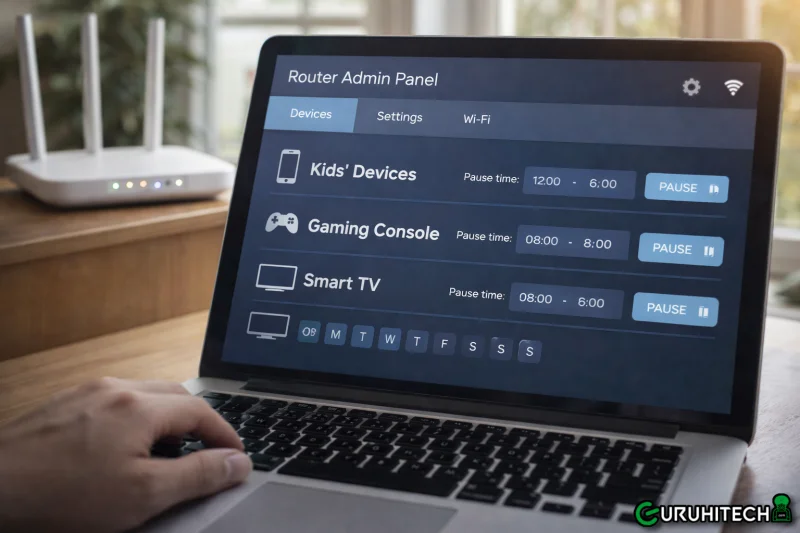
Managing internet usage has become increasingly important, especially in shared environments such as homes, boarding houses, cafés, and small businesses. Many users face issues like excessive data consumption, slow speeds during peak hours, or lack of control over who is connected to the network. One practical solution is using Piso WiFi Pause Time settings through the router admin panel, which allows administrators to control internet access efficiently and fairly.
Modern routers and Piso WiFi systems allow administrators to manage bandwidth, schedule internet breaks, and ensure all users have fair access. These pause time features are particularly useful in prepaid WiFi setups, where controlling usage and access times is essential.
What Is WiFi Pause Time?
WiFi pause time is a feature available in many router admin dashboards that allows the network owner to temporarily stop internet access for specific users or for the entire network. This function is commonly used in Piso WiFi systems, public hotspots, and shared residential connections.
By using pause time, administrators can:
- Control excessive internet usage
- Schedule breaks in connectivity
- Manage bandwidth during busy hours
- Improve overall network performance
This feature ensures that network resources are distributed fairly while maintaining stable connection speeds for everyone.
Why Router Admin Panels Matter
Router admin panels act as the control center of your internet connection. From these dashboards, users can configure security settings, monitor connected devices, and manage network behavior.
Most router admin panels are accessible via a local IP address such as 10.0.0.1 or 192.168.1.1. Once logged in, users can adjust various settings, including pause time, speed limits, and access control rules.
Understanding how these panels work allows network owners to optimize performance and avoid common connectivity issues.
Benefits of Using Pause Time Settings
Implementing pause time effectively can provide several benefits:
- Better Bandwidth Control
Pausing internet access during non-essential hours prevents unnecessary usage and keeps speeds stable. - Fair Internet Distribution
In shared environments, pause time ensures that no single user consumes excessive bandwidth. - Improved Network Stability
Limiting access during peak times reduces congestion and improves overall connectivity. - Easy Network Management
Pause time settings simplify administration without requiring advanced technical knowledge.
How to Configure Pause Time Safely
Although router interfaces may differ slightly, the general steps remain similar across devices. Network administrators should always follow official documentation and reliable guides when configuring pause time settings to avoid misconfiguration.
A detailed guide explaining step-by-step how to set Piso WiFi Pause Time correctly can make the process much easier and ensure safe network management.
Best Practices for WiFi Management
To get the most out of pause time features, consider the following best practices:
- Use pause time only when necessary
- Avoid frequent interruptions that may frustrate users
- Combine pause time with bandwidth limits for better results
- Regularly monitor connected devices
- Keep router firmware updated
By following these steps, network owners can maintain a balance between accessibility and control.
Final Thoughts
WiFi pause time settings are a powerful tool for managing shared internet connections. Whether you are running a Piso WiFi system or managing a home network, understanding how to use router admin panels effectively can significantly improve performance and user experience.
With the right configuration and responsible usage, pause time can help create a more stable, fair, and controlled internet environment for everyone.
Scopri di più da GuruHiTech
Abbonati per ricevere gli ultimi articoli inviati alla tua e-mail.