
The Speed Revolution: Streamlining Your Workflow with AI Image Tools
In the fast-paced digital era, the demand for high-quality visual content has never been higher. Whether you are a social media manager, a small business owner, or simply someone who loves sharing moments with friends, the pressure to produce polished images is constant. Historically, achieving professional results required a steep learning curve. Mastering complex software, understanding layer masks, and manipulating histogram curves took years of practice. However, a significant shift has occurred. The emergence of the modern AI Photo Editor has fundamentally changed the landscape, condensing hours of work into seconds of processing.
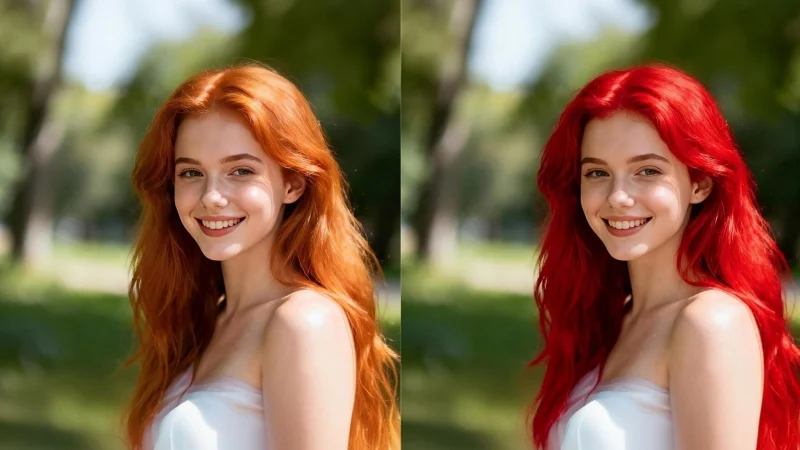
This revolution is not just about doing things faster; it is about making advanced editing capabilities accessible to everyone. Tools that were once hidden behind expensive paywalls and convoluted interfaces are now available in user-friendly web platforms like Beart.ai. These platforms leverage machine learning to understand the content of an image, allowing users to make profound changes with a simple click. Among these features, the ability to perform a seamless Face Swap or instantly remove a background has become the new standard for digital convenience.
The End of tedious Manual Editing
To understand the value of AI editing, we must look at the traditional workflow. If you wanted to swap a face in a photo five years ago, you had to manually trace the outline of the head, feather the edges to blend the skin, color-correct the new face to match the lighting of the scene, and often manually paint in shadows. It was a painstaking process that often resulted in “uncanny valley” effects if not done perfectly.
Today, AI algorithms handle these micro-decisions automatically. When you upload an image to an AI platform, the system performs “semantic segmentation.” It identifies that “this group of pixels is a person,” “this is hair,” and “this is the background.” Because the AI understands the geometry of the face, it can map a new identity onto an existing head shape with remarkable precision. It adjusts the skin tone, matches the grain of the photo, and even aligns the gaze of the eyes. This automation frees the user to focus on the concept rather than the technique.
Key Capabilities of Modern AI Editors

For the everyday user, the toolkit provided by platforms like Beart.ai covers a wide range of needs. Here is how these tools are typically applied in daily scenarios:
- Instant Identity and Fun: The Face Swap feature is perhaps the most popular entry point. While often used for memes and entertainment, it has practical uses too. Imagine you have a perfect group photo where everyone looks great, but you blinked. You can easily swap in your open-eyed face from another shot taken moments later. It saves the photo without needing a reshoot.
- Background Manipulation: AI excels at recognizing the subject of a photo. With a single click, users can remove a cluttered bedroom background and replace it with a professional studio gradient or a scenic landscape. This is invaluable for e-commerce sellers who need clean product shots instantly.
- Upscaling and Restoration: AI doesn’t just change pixels; it can generate new ones. Old, blurry, or low-resolution photos can be “upscaled.” The AI predicts the missing details, sharpening edges and reducing noise, effectively modernizing vintage images.
A Step-by-Step Approach to Quick Editing
Using these tools is generally designed to be intuitive, but following a structured approach ensures the best results.
- High-Quality Input: Start with the best possible image. While AI is powerful, it cannot perform miracles on a completely black or unrecognizable image. Ensure your subject is relatively well-lit.
- Define Your Goal: Are you trying to fix a mistake, or are you creating something new? If you are using a Face Swap, choose a target image (the body/scene) that has a similar head angle to your source image (the face). If the angles match (e.g., both looking straight ahead), the AI has to do less warping, resulting in a higher fidelity image.
- Iterative Processing: The beauty of AI is speed. If the first result isn’t perfect, try again. tweak the settings or choose a different source photo. Because the processing takes seconds, you can experiment with ten different variations in the time it would take to open a file in traditional software.
Conclusion
The most significant impact of the AI Photo Editor is the leveling of the playing field. A bakery owner can now create mouth-watering marketing materials without hiring a photographer. A job seeker can polish their headshot to look like it was taken in a corporate studio.
This efficiency does not replace human creativity; it amplifies it. By removing the technical barriers, AI allows users to experiment. You might wonder, “What would I look like with this haircut?” or “How would this product look on a beach?” Instead of imagining it, you can visualize it in moments.
In conclusion, the era of spending hours tweaking pixels is fading for the general user. AI tools have ushered in an age of “intent-based editing.” You tell the computer what you want—a new face, a new background, a clearer image—and the neural networks execute that vision. As these tools continue to evolve, they will become even more seamless, likely reaching a point where we no longer think of “editing” an image, but simply “evolving” it to match our imagination.
Scopri di più da GuruHiTech
Abbonati per ricevere gli ultimi articoli inviati alla tua e-mail.