

AI Photo Editor vs. Photoshop: Which Tasks to Hand Off and Which to Keep
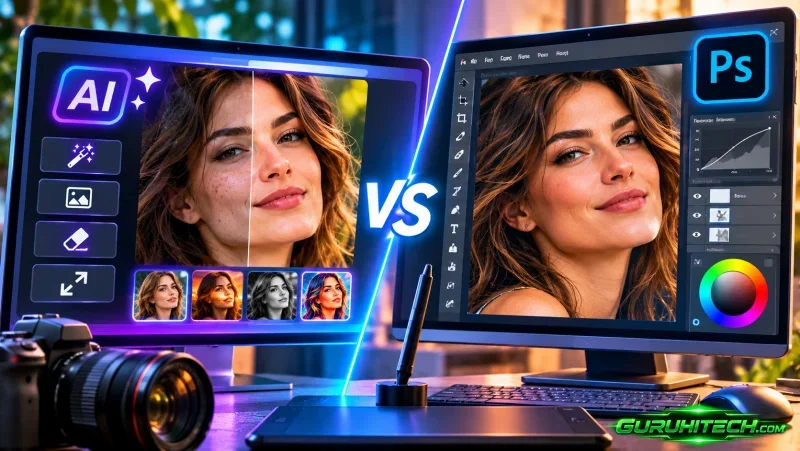
The useful question is not whether AI will replace retouching. It is which five minutes of your day it should take, and which five it must not touch. After a year of moving work between three tools, the split is clearer than the marketing suggests, including where an AI photo editor online actually belongs: AI is good at decisions you would make identically on every frame, and bad at every decision that depends on what the client actually cares about.
What AI genuinely does better
- Background removal at volume. Three hundred marketplace images on white, one pass, consistent edges. Manual paths would take an afternoon and produce three different edge treatments.
- Canvas extension. Turning a 3:2 frame into a 16:9 banner without cropping the subject is now a two-minute job instead of a content-aware gamble.
- Removing objects from simple backgrounds. A cable on a plaster wall, a bin in the corner of a wide interior. Reliable, and much faster than cloning.
- Upscaling for web delivery. Going from a 1600px export to a 3000px web asset, where nobody will inspect it at 400 percent.
What stays in Lightroom
Culling, white balance, exposure, HSL grading, lens and perspective correction, and anything that must remain non-destructive across a catalogue. A generative model returns a flat file, so any tone decision made inside it is a decision you can no longer revisit. Grade first, then hand the graded file to whatever needs structural change.
What stays in Photoshop
- Hair, glass and fabric edges. Fine masks still need channels and time.
- Frequency separation and skin texture. Retouching a face with a model that redraws pores is how you get the plastic look clients complain about.
- Compositing where light must match. Building a scene from three plates is a lighting problem, not a generation problem.
- Print work. Soft proofing, CMYK conversion and ink limits have no equivalent in any of these tools.
- Exact brand colour. A packaging shot must hit a specific value, not a plausible one.
The pipeline that avoids silent damage
The failure mode nobody warns about is colour. Most browser tools work on 8-bit sRGB, so a handoff in the middle of a 16-bit workflow quietly clips the highlights you were protecting. The order that survives:
- Import, cull and grade in Lightroom.
- Export a 16-bit TIFF, not a JPEG.
- Do the structural work — cutout, extension, object removal — on that TIFF, in an AI Photo Editor Online.
- Return the result to Photoshop for final retouch and print preparation.
- Keep the intermediate file so a later revision does not start from the generated version.
A rule of thumb for batch size
If a decision would be identical on every frame, automate it. If it depends on which frame the client will put on a billboard, keep it. An event with two hundred frames and a plain backdrop: hand the cutouts to a batch tool. Three hero shots for a campaign: do them by hand, and do not apologise for the time.
Contracts, credits and rights
Two practical notes for anyone working with clients. First, check whether your contract says anything about generative processing; several brand agreements now require disclosure of AI-assisted retouching, and structural changes to a product image can fall under that clause. Second, keep every intermediate layer and plate. If a client later asks whether the product was altered, the file is the answer, and a flattened generated output has nothing to show.
The skill that moved
Ten years ago the value was in the pen tool. Now the pen tool is a batch operation, and the value is in knowing that the shadow on the left wall contradicts the light the art director asked for. That judgment did not get automated, and it is the part clients are still paying for.
Ti potrebbe interessare:
Segui guruhitech su:
- Google News: bit.ly/gurugooglenews
- Telegram: t.me/guruhitech
- Facebook: facebook.com/guruhitechfb
- Instagram: instagram.com/guruhitech_official/
- X (Twitter): x.com/guruhitech1
- Bluesky: bsky.app/profile/guruhitech.bsky.social
- Rumble: rumble.com/user/guruhitech
- VKontakte: vk.com/guruhitech
- MeWe: mewe.com/i/guruhitech
- Skype: live:.cid.d4cf3836b772da8a
- WhatsApp: bit.ly/whatsappguruhitech
Esprimi il tuo parere!
Ti è stato utile questo articolo? Lascia un commento nell’apposita sezione che trovi più in basso e se ti va, iscriviti alla newsletter.
Per qualsiasi domanda, informazione o assistenza nel mondo della tecnologia, puoi inviare una email all’indirizzo [email protected].
Scopri di più da GuruHiTech
Abbonati per ricevere gli ultimi articoli inviati alla tua e-mail.