

10 Free AI Chat Apps Worth Using in 2026

Most free AI chat apps are fine for light use. I mean “light” literally: quick questions, drafting a rough email, brainstorming a list, getting a plain-English explanation of something.
That’s the sweet spot. Push them harder, and you’ll hit daily message caps, get bumped to a weaker model, or find the feature you actually need is behind a paywall.
That’s not a knock on these tools. It’s just the deal. The good news is that most casual use cases (the kind where you need a general answer, not a verified, deeply researched one) fit comfortably within what the free tiers offer.
A few things to keep in mind before we get into the list.
Free AI is genuinely good at general content generation, brainstorming, summarizing, and drafting.
It is less reliable for tasks where factual precision matters, such as legal questions, medical information, financial decisions, or anything that requires real-time data (unless the tool specifically supports web search).
These are areas where I’d recommend pairing AI output with proper verification, regardless of whether you’re on a free or paid plan.
With that said, here are 10 free AI chat apps worth knowing about.
1. ChatGPT
Best for: General-purpose chat, writing, and casual coding help
URL: chatgpt.com
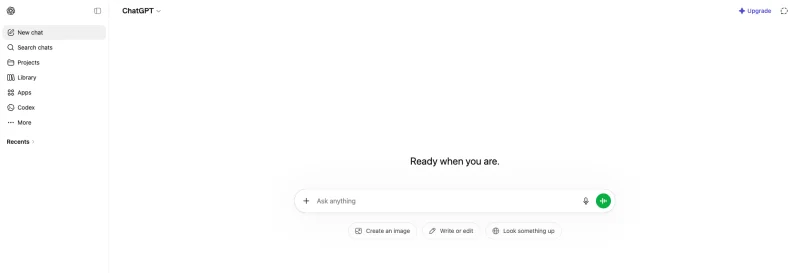
ChatGPT needs no introduction, but the free tier has changed a lot in 2026. The free plan gives access to GPT-5.5 Instant with a hard limit of 10 messages per 5 hours.
When you hit the cap, ChatGPT automatically switches to a lighter model until the limit resets. That means you can still use it, just with reduced capability.
One thing that quietly arrived in early 2026: US users see ads at the bottom of responses, launched February 9, 2026. They’re labeled and excluded from sensitive topics, but they’re there.
Ten messages per five hours sounds restrictive, and honestly, it is, if you’re trying to work through a long project. For quick questions and light drafts, it’s usually enough.
The interface is clean, the response quality on the free model is reasonable, and the mobile app works well.
What it’s good for: Writing help, quick Q&A, basic coding, summarizing documents (with limits on file uploads on the free tier).
Where it falls short: The 10-message cap is tight. No Deep Research on the free plan. Ads in the US.
2. Google Gemini
Best for: Users in the Google ecosystem, multimodal queries, image understanding
URL: gemini.google.com
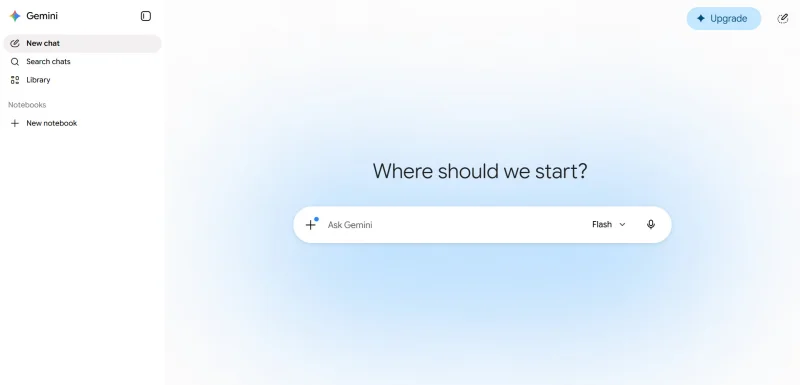
Gemini’s free tier is accessible with any Google account and requires no payment setup.
The free plan includes 5 Deep Research reports per month, basic image generation, Audio Overviews at a limited level, and 15 GB of Google One storage, with daily usage limits on regular chats.
The practical advantage is Google integration. If you’re working in Gmail, Docs, or Google Drive, Gemini can pull context from those apps; something none of the other tools on this list do natively.
For people already deep in the Google Workspace, that’s a real time-saver.
The model quality on the free tier uses Gemini Flash, a lightweight model, with limited Gemini Pro access, so you’re not getting the most capable version unless you pay.
Still, for most general content tasks, Gemini Flash handles things well.
What it’s good for: Google ecosystem integration, image understanding, quick explanations, and general writing.
Where it falls short: The free-tier model is lighter than what paid users get. Daily limits aren’t publicly documented in exact numbers, which makes it harder to plan around them.
3. Geekflare Chat
Best for: Accessing multiple AI models without juggling subscriptions; the best multi-model free option on this list
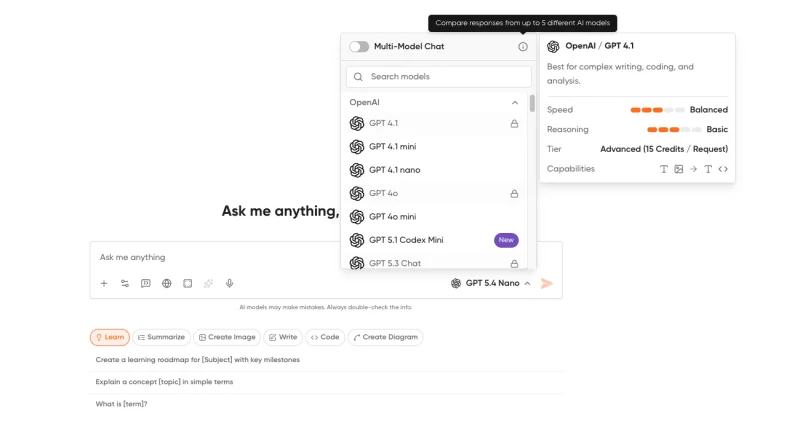
Geekflare Chat does something the others don’t: it gives you access to 50+ AI models, such as GPT, Claude, and Gemini, from a single interface.
You can compare responses from models like GPT-5.4, Claude 4.5, and Gemini 3.1 Pro side-by-side to find the best output for your task.
The free tier lets you get started without a credit card. The paid plan sits at $9/month, which is notably cheaper than buying individual subscriptions: ChatGPT Plus costs $20, Claude Pro costs $20, and Google AI Pro costs $20, so $60/month total versus $9 for bundled access.
What makes Geekflare worth the spot on this list, even for free users, is the interface design. The multi-model comparison view is genuinely useful when you’re not sure which AI will do the best job on a given task.
You can send the same prompt to multiple models and see which response lands better; something you’d normally have to do manually across multiple browser tabs.
Additional features include real-time web access, AI image generation, collaborative workspaces, a prompt library, and an AI knowledge base. It’s built for teams, but the solo free experience is solid.
What it’s good for: Switching between AI models, comparing outputs, and users who want flexibility without committing to a single AI vendor.
Where it falls short: Some premium models require a paid subscription. Free tier access varies by model.
4. Claude
Best for: Long-form writing, reasoning, nuanced analysis
URL: claude.ai
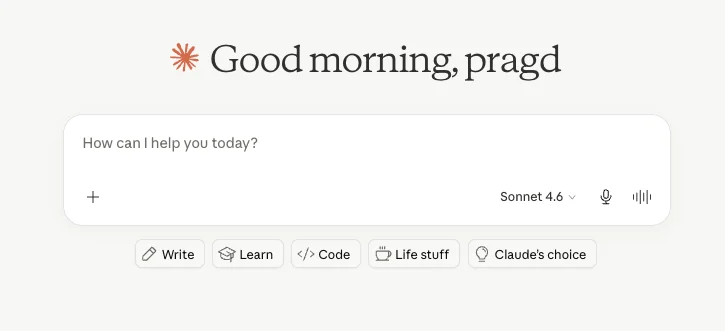
Claude’s free tier gives you access to Claude Sonnet, which is a stronger model than many free tiers hand out.
The trade-off is that message limits are stricter; you get fewer messages, but each is processed by a more capable model.
The message limits vary by server load, which is slightly annoying if you’re trying to plan around them.
But the quality of responses, especially for writing, analysis, and explaining complex topics, tends to run ahead of what the free ChatGPT model produces.
Claude also handles long documents well. If you need to paste in a wall of text and ask questions about it, Claude’s context window on the free tier is generous.
The full Claude lineup in 2026 includes Claude Opus 4.7 as the flagship model with 87.6% on SWE-Bench Verified and a 1M token context window, with Sonnet as the balanced option and Haiku optimized for faster, simpler tasks. Free users get Sonnet.
What it’s good for: Long-form writing, document analysis, nuanced Q&A, coding assistance.
Where it falls short: Message limits are usage-dependent and not always predictable. No image generation on the free tier.
5. Grok
Best for: Real-time information, X/Twitter context, casual news queries
URL: grok.com
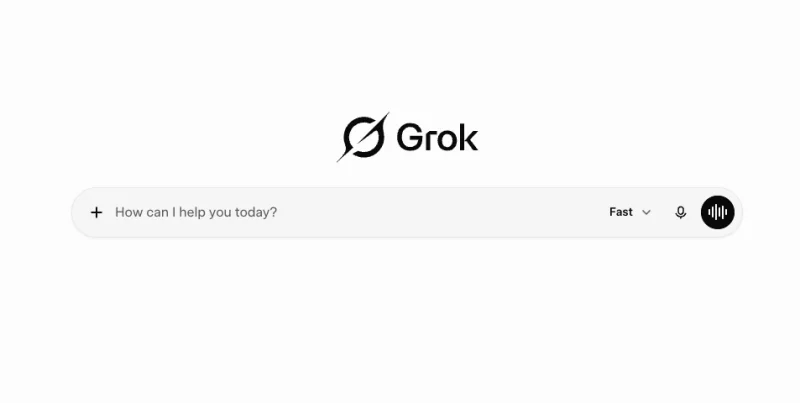
Grok is xAI’s chatbot, and the big thing it has over the others is real-time data from X (formerly Twitter).
If you’re asking about something that’s happening now, such as a news event, a trending topic, or a live sports score, Grok often has better context than tools relying purely on training data.
Grok’s free tier allows 10 prompts every 2 hours, 10 images generated every 2 hours, and 3 images analyzed per day, with access to Grok 3 at slower response times.
That’s a tighter limit than ChatGPT’s free tier in terms of daily volume. Grok’s real advantage is the quality of what it can pull in on current events, not the quantity.
In March 2026, xAI launched SuperGrok at $10–$30/month, with free users continuing on Grok 3 with stricter limits.
If you’re mainly curious about current events and don’t need to use it heavily, the free tier works.
What it’s good for: Real-time information, news queries, anything requiring awareness of what’s happening on X right now.
Where it falls short: Tight message limits. The real-time X integration has obvious bias considerations: it reflects what’s popular on one platform, which isn’t always balanced.
6. DeepAI Chat
Best for: No-signup quick chat, creative prompts, image generation experiments
URL: deepai.org/chat
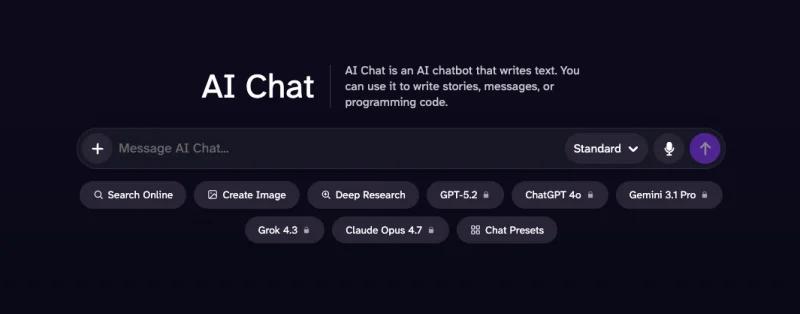
DeepAI has been around long enough that it tends to get overlooked, but for quick, low-friction access, it’s useful. You can use a bunch of features on DeepAI without even signing up.
That frictionless access is worth something when you just want a quick answer without another account to manage.
DeepAI offers text generation, image creation, video generation, and music composition alongside its chat function. It’s more of a creative toolkit than a pure chat assistant.
The AI chat quality is decent for general tasks, though it’s not in the same league as Claude or GPT-4-level responses.
Paid access is available through pay-as-you-go credits or a Pro plan at $4.99/month.
For the free tier, the chat and basic creative tools are available without a subscription, which makes this one of the more accessible options for new users.
What it’s good for: Quick no-login chat, creative experiments, users who want to try AI without committing to an account.
Where it falls short: Response quality is lower than the frontier models. Less useful for complex or technical tasks.
7. QuillBot AI Chat
Best for: Writers, students, and anyone working heavily with existing text
URL: quillbot.com/ai-chat
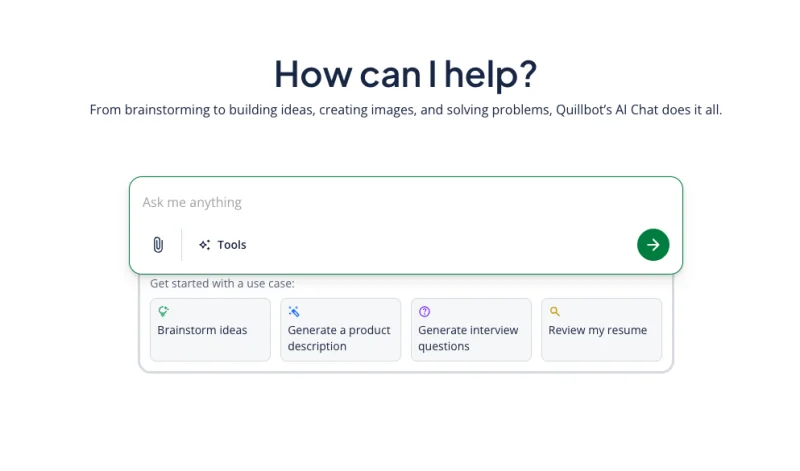
QuillBot is primarily a writing toolkit (paraphraser, grammar checker, summarizer), and the AI chat feature sits inside that broader suite.
QuillBot’s AI Chat is free with a limit of 20 queries per day for free users, with unlimited access for Premium users.
Twenty queries a day is reasonable for light use. The real reason to use QuillBot’s chat over, say, ChatGPT is context: you’re already in QuillBot working on text.
Having the chat tool right there, integrated with the paraphraser and grammar checker, removes the need to copy-paste between apps.
The free plan also includes paraphrasing up to 125 words, summarizing up to 1,200 words, 3 image generations per day, and 3 AI presentation generations per day.
It’s a narrow use case, but if you’re a writer or student who already uses QuillBot for its editing tools, the chat feature adds genuine value without requiring an extra subscription.
What it’s good for: Writing-focused workflows, students doing academic work, anyone combining chat with paraphrasing or summarizing.
Where it falls short: Not a general-purpose AI assistant. The chat quality is solid, but the tool works best when you need writing help, not research or reasoning.
8. Z.ai Chat
Best for: Free unlimited chat, slide deck generation, code help
URL: chat.z.ai
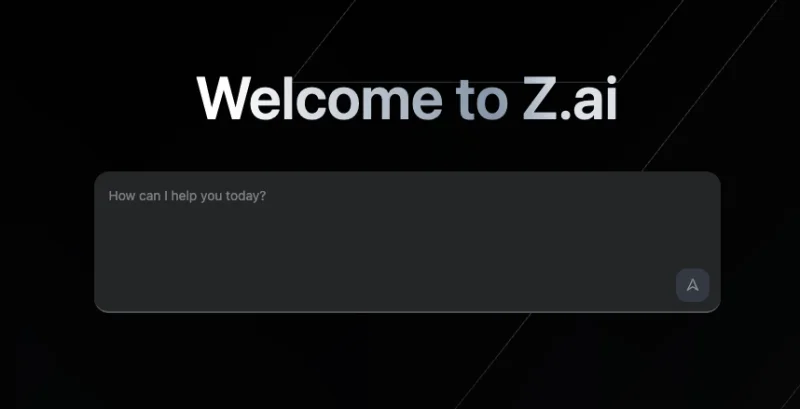
Z.ai provides unlimited free usage, including AI Slides for generating slide decks, an AI Writer for professional writing support, and a Code Agent for code generation and explanation. No registration is required to use the basic features.
The Agent Mode lets the model use tools, such as web search, and generate files in .docx, .pdf, and .xlsx formats; useful if you’re asking it to prepare a report with tables.
English and Chinese produce the strongest results, though the model handles many other languages.
The response quality is competitive for general tasks. I wouldn’t put it above Claude or GPT for nuanced writing, but for free and unlimited access with some genuinely useful features like slide generation, it punches above what you’d expect.
What it’s good for: Free unlimited chat, slide deck creation, code generation, and users who want no usage caps.
Where it falls short: Less capable than frontier models for complex reasoning. English output quality, while good, isn’t quite at the level of Claude or GPT.
9. NoteGPT AI Chat
Best for: Students, learners, anyone combining chat with video/document summarization
URL: notegpt.io/ai-chat
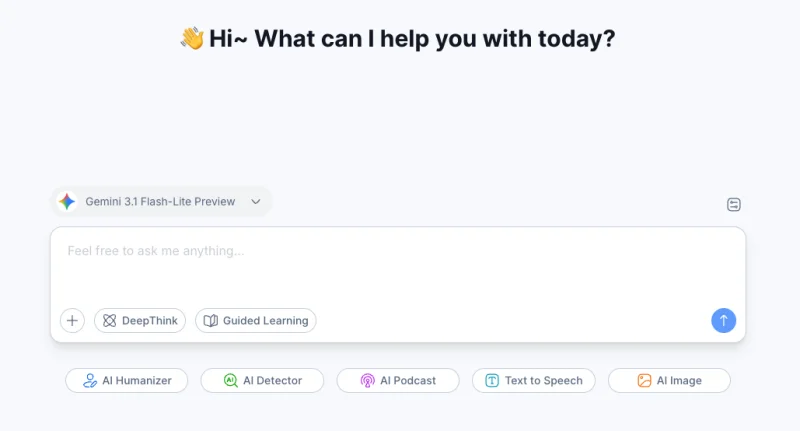
NoteGPT is primarily a study and learning tool, but its AI chat feature is one of the more generous free offerings. The platform lets you chat with ChatGPT, Gemini, DeepSeek, and more in one place, and supports direct interaction with text, audio, and video files.
The free plan gives you 15 quotas per month that cover a range of AI actions, such as chat queries and document summarizations. Free users get access to core AI tools, such as summarization, transcription, basic note creation, and AI chat.
Fifteen monthly quotas are genuinely limited for heavy use. But for students who want to paste in a lecture recording, get a summary, and ask a few follow-up questions, that’s probably workable.
The model selection is broader than most free tools. You can switch between ChatGPT, Gemini, and DeepSeek within the same interface.
What it’s good for: Students, researchers, anyone combining chat with summarizing YouTube videos, PDFs, or audio.
Where it falls short: 15 monthly quotas on the free plan run out quickly. Better suited as a study assistant than a daily general-purpose chat tool.
10. Duck.ai
Best for: Privacy-conscious users, quick no-account access to multiple models
URL: duck.ai
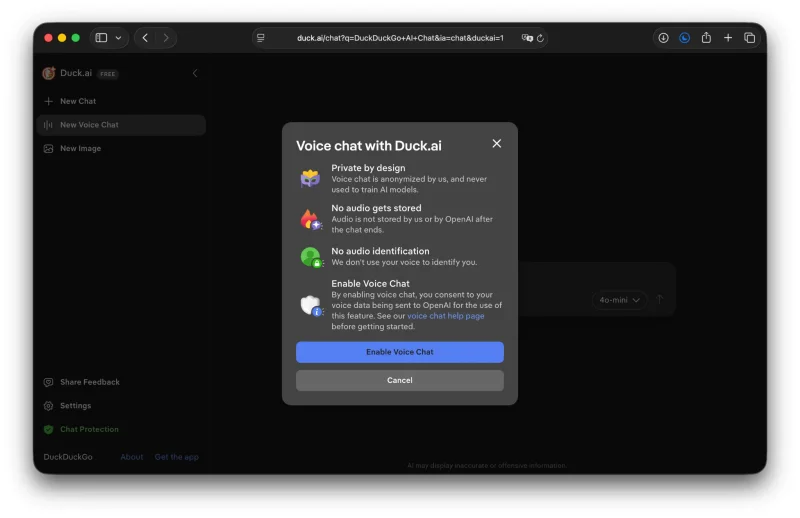
Duck.ai is DuckDuckGo’s privacy-first AI chat, and it does something genuinely different: chats are anonymized by default, and none of the conversations are used to train AI models.
All metadata containing personal information, such as IP addresses, is removed before the prompt reaches the model provider.
The free tier supports Anthropic’s Claude 4.5 Haiku, Meta’s Llama 4 Scout, Mistral AI’s Mistral Small 3 24B, and OpenAI’s GPT-4o mini, GPT-5 mini, and gpt-oss-120b. That’s a solid lineup for a free offering with no account required.
Recent chats are saved only locally on your device, not in the cloud. Voice chat is available through encrypted channels, with no data kept by DuckDuckGo.
If privacy matters to you, and there are legitimate reasons it might, especially for sensitive work questions or personal topics, Duck.ai is the only tool on this list that makes privacy its explicit design priority. The model quality on the free tier is good enough for most casual use.
What it’s good for: Privacy-conscious chat, quick queries without an account, users who want model variety without signing up anywhere.
Where it falls short: Free models are lighter versions (Haiku, mini-sized). More powerful models require the DuckDuckGo subscription at $9.99/month.
Which one should you use?
It depends entirely on what you’re doing.
For general writing and quick Q&A, ChatGPT or Claude are both solid choices. Claude’s free model is arguably stronger in terms of output quality, while ChatGPT stands out for its familiar interface and ease of use.
If you already rely on Google Workspace, Gemini is probably the most convenient option.
Users focused on privacy may prefer Duck.ai, whereas students working with documents and videos can get a lot out of NoteGPT.
DeepAI is a good pick for creative experiments, especially if you want to try AI tools without creating an account.
When it comes to the best overall free experience — particularly for comparing multiple AI models or for users who don’t want to stick with a single provider — Geekflare Chat is the platform I’d recommend first.
The multi-model interface is genuinely useful; the ability to run side-by-side comparisons is something no other free tool on this list offers cleanly.
And the number of available models (50+) gives you flexibility that’s hard to get elsewhere without paying separately for each one. The interface is also one of the cleaner ones I’ve used.
None of these tools is meant to replace deep research, legal analysis, or anything where being right actually matters. They’re good for the 80% of tasks where you need a reasonable answer quickly, and for that, the free tiers here hold up.
Ti potrebbe interessare:
Segui guruhitech su:
- Google News: bit.ly/gurugooglenews
- Telegram: t.me/guruhitech
- Facebook: facebook.com/guruhitechfb
- Instagram: instagram.com/guruhitech_official/
- X (Twitter): x.com/guruhitech1
- Bluesky: bsky.app/profile/guruhitech.bsky.social
- Rumble: rumble.com/user/guruhitech
- VKontakte: vk.com/guruhitech
- MeWe: mewe.com/i/guruhitech
- Skype: live:.cid.d4cf3836b772da8a
- WhatsApp: bit.ly/whatsappguruhitech
Esprimi il tuo parere!
Ti è stato utile questo articolo? Lascia un commento nell’apposita sezione che trovi più in basso e se ti va, iscriviti alla newsletter.
Per qualsiasi domanda, informazione o assistenza nel mondo della tecnologia, puoi inviare una email all’indirizzo [email protected].
Scopri di più da GuruHiTech
Abbonati per ricevere gli ultimi articoli inviati alla tua e-mail.