

Why a Useful AI Image Editor Starts With What You Want to Keep
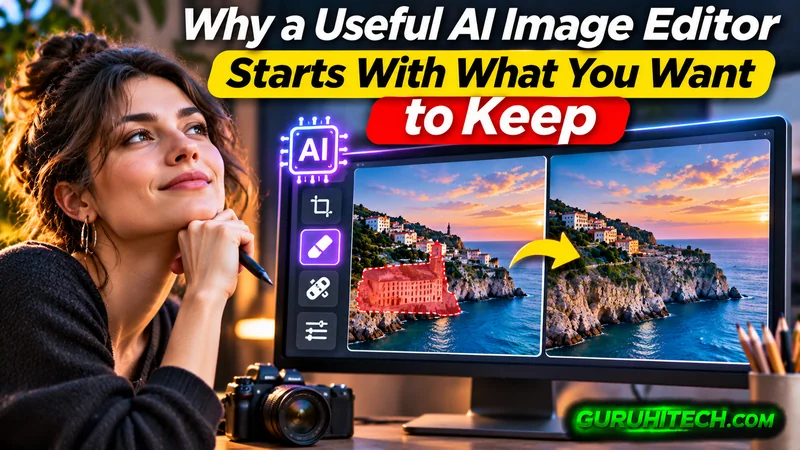
A product photo can be almost right. The shape is clear, the color looks accurate, and the lighting catches the surface nicely. Then you notice the cluttered shelf behind it. A portrait has the right expression but an awkward background. A family photograph captures an important memory beneath years of fading and scratches.
These are everyday editing problems. Solving them means changing one part of a picture while protecting everything that already works.
That is a useful way to approach AI Picture Editor, a browser-based ai image editor built around written instructions for existing pictures. Its listed applications include background changes, object removal, portrait adjustments, restoration, enhancement, and creative styles. The interesting question is how those capabilities fit the photographs people actually need to use.
Start With the Details That Matter
Before editing a photograph, it helps to identify why the original is worth keeping.
For an online seller, that might be the exact curve of a ceramic bowl or the stitching on a canvas bag. For someone updating a professional profile, it could be a relaxed expression that another photo never quite captured. In a family picture, the important detail might be a familiar smile rather than perfect sharpness.
An AI image editor becomes more useful when the request includes those priorities. “Improve this photo” leaves almost every decision open. “Simplify the background while preserving the bowl’s shape, glaze color, and rim” gives the edit a clearer purpose.
Preservation instructions are requests, so the output still needs checking. But identifying those details before generating gives you something concrete to judge afterward. A beautiful result that changes the product or makes a person look unfamiliar has missed the brief.
One Photograph Can Have Several Jobs
A useful photograph often deserves more than one setting. The challenge is deciding which changes serve a real purpose.
Product Images With a Clearer Message
Consider a handmade soap photographed on a kitchen counter. The original might feel personal and authentic, yet its busy surroundings compete with the packaging.
A restrained background could help shoppers read the label. A warmer setting could suggest how the soap fits into a bathroom routine. These are different visual goals, and they call for different instructions.
Before requesting either version, decide what the image needs to communicate. Does the customer need to understand the product quickly? See its texture? Imagine its scale? An AI image editor works best within a brief that answers those questions.
Afterward, inspect the packaging, lettering, edges, and proportions. Attractive scenery adds little value if the product becomes inaccurate.
Portraits That Still Feel Familiar
Portrait editing involves a similar judgment. A brighter image can help, but excessive smoothing or altered facial features can weaken the reason the photograph worked in the first place.
A useful request might ask for softer shadows and a less distracting setting while retaining natural skin texture and the original expression.
The standard is personal recognition. Would someone who knows the subject feel that this still looks like them? That is often a better measure than whether every surface appears flawless.
Family Photographs With Their Character Intact
Older photographs require a more careful definition of improvement.
You may want scratches reduced without modernizing the clothes, changing the hairstyle, or making every face unnaturally crisp. A slightly faded print can still carry the atmosphere of its time.
Treat restoration as a visual interpretation. Where the source is damaged or unclear, newly generated detail should be examined carefully before it is accepted as part of the memory.
Better Prompts Describe a Small, Complete Task
Writing for an AI image editor does not require elaborate language. It helps to describe three things: the change, the important details to preserve, and the intended appearance.
For example:
Replace the busy background with a pale blue studio backdrop. Preserve the backpack’s fabric texture, zipper positions, proportions, and original color. Use soft daylight and a subtle shadow beneath it.
This gives the edit a subject, a boundary, and a visual direction.
Compare that with “make this backpack look premium.” Premium could mean dramatic lighting, a marble surface, stronger contrast, or a completely different color treatment. The instruction leaves the most important decisions unresolved.
For a complicated image, begin with the change that matters most. Review that version before adding another request. If you change the background, expression, clothing, lighting, and composition together, it becomes harder to understand why the result feels wrong.
A smaller brief also makes revision easier. You can point to a specific problem rather than starting again with another vague description.
Reviewing the Result Is Part of Editing
The first preview answers a broad question: does this look promising?
A closer inspection answers the more important one: can I use it?
Look at the places where accuracy matters. On a product, inspect labels, seams, reflections, and small attachments. On a portrait, check eyes, teeth, glasses, hair boundaries, and skin texture. In an architectural scene, follow straight edges and repeating patterns.
Then view the picture at its intended size. A subtle difference may disappear in a small social post, while a distorted logo remains a serious problem even in a thumbnail. A large website banner may reveal issues that were easy to miss in the editor preview.
Keep the original available for comparison. It provides a reference for judging whether the changes have improved the photograph’s usefulness.
Understand What the Trial Lets You Evaluate
AI Picture Editor offers free trial credits without requiring sign-up, and its homepage states that free and paid downloads are watermark-free. Generations consume credits, with costs depending on the chosen model and settings.
That makes a focused trial useful. Choose one representative photograph and one meaningful task. A seller might test whether a background change preserves packaging details. A creator might evaluate a portrait adjustment at the size used for a profile picture.
The practical measure is the number of usable images you get from the effort and credits spent. A result that looks impressive but requires substantial repair has a different value from one that is ready for its intended use.
Where an AI Image Editor Fits Into Real Work
For a small business owner, the appeal is having a direct way to express a visual change without first learning an extensive editing workflow. For a creator, it can help turn an existing photograph into a direction worth developing. Also for a casual user, it makes a specific cleanup task easier to attempt.
Some projects still call for precise manual adjustments. Exact typography, demanding composites, and tightly controlled brand assets can require decisions that are easier to make directly. Understanding the job helps you choose how much of it to hand over to generation.
A sensible first experiment is a photograph you already like, held back by one obvious problem. Write down the change you want and the details that make the image valuable. Generate a version, compare it with the original, and inspect it where it will actually appear.
A useful AI image editor earns its place when that process produces a picture you can confidently use—and still recognize as the photograph you wanted to improve.
Ti potrebbe interessare:
Segui guruhitech su:
- Google News: bit.ly/gurugooglenews
- Telegram: t.me/guruhitech
- Facebook: facebook.com/guruhitechfb
- Instagram: instagram.com/guruhitech_official/
- X (Twitter): x.com/guruhitech1
- Bluesky: bsky.app/profile/guruhitech.bsky.social
- Rumble: rumble.com/user/guruhitech
- VKontakte: vk.com/guruhitech
- MeWe: mewe.com/i/guruhitech
- Skype: live:.cid.d4cf3836b772da8a
- WhatsApp: bit.ly/whatsappguruhitech
Esprimi il tuo parere!
Ti è stato utile questo articolo? Lascia un commento nell’apposita sezione che trovi più in basso e se ti va, iscriviti alla newsletter.
Per qualsiasi domanda, informazione o assistenza nel mondo della tecnologia, puoi inviare una email all’indirizzo [email protected].
Scopri di più da GuruHiTech
Abbonati per ricevere gli ultimi articoli inviati alla tua e-mail.