

From Real Speech to Repeatable Pronunciation Practice with Audio Cutter AI
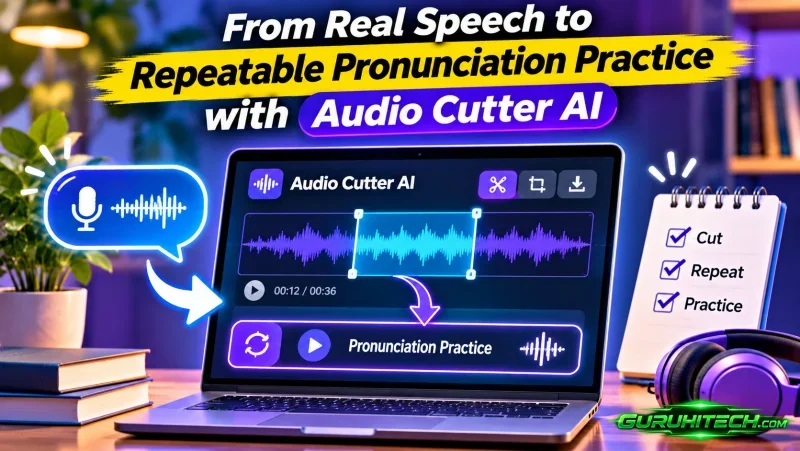
Language students often need to hear a small part of a longer recording several times. A complete interview may be excellent listening practice, but a learner focusing on word stress, connected speech, or one vowel contrast needs a short, repeatable example with a clear context.
As a language teacher, I use Audio Cutter AI to locate suitable passages in recordings I am authorized to use. I then prepare focused clips for classroom analysis and individual practice. The tool helps me find and cut the example; the teaching value comes from how I select, explain, and sequence it.
I Choose the Language Feature First
I do not begin by searching for an interesting quote. I begin with the feature students are learning. That may be the stress pattern in a common phrase, the reduced form of a function word, a contrast between two sounds, or the intonation of a polite request.
The learning goal determines what counts as a good clip. A dramatic sentence is not useful if background noise hides the target sound. A perfectly clear recording may still be unsuitable if the vocabulary is far beyond the class level.
Finding a Teachable Example
I Search by Topic or Phrase
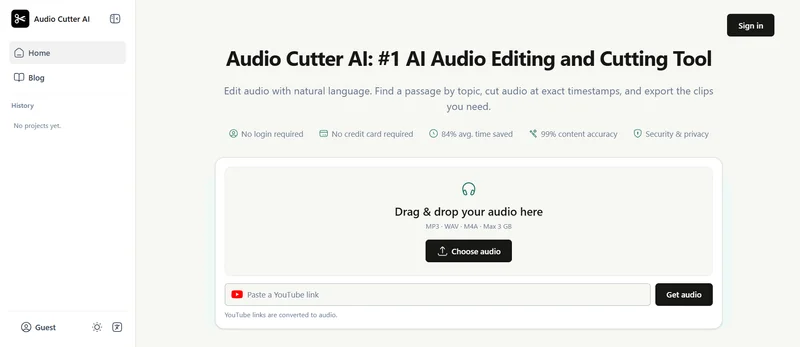
When I remember the conversation but not the timestamp, I describe the passage I want to find. I may search for the section where the speaker orders food, explains a routine, or asks for clarification. I listen to the proposed selection and check whether the target language is actually audible.
Names, accents, and overlapping speech can make automated discovery imperfect. I always compare the clip with the source and, when available, a transcript.
I Keep Enough Meaning
A pronunciation example should not become a meaningless sound fragment. I usually include the complete phrase or sentence and enough surrounding context for students to understand the speaker’s intention.
For advanced learners, I may keep a short exchange so they can study turn-taking and intonation. For beginners, a single clear sentence may be more appropriate. The clip length follows the task rather than a universal rule.
I Protect the Speaker
I use recordings that the school owns, licenses, or has permission to adapt. A public video or podcast is not automatically free teaching material. If students or community members appear in a recording, I follow consent and privacy requirements before sharing their voices.
I also avoid cutting a speaker in a way that changes the meaning. A pronunciation lesson does not justify removing an important qualification from what someone said.
Turning One Clip Into a Practice Sequence
I often use the same excerpt in several stages:
- Listening for the general meaning
- Identifying the target sound or stress pattern
- Comparing the recording with a transcript
- Marking the rhythm or intonation
- Repeating, recording, and reflecting on a new version
This progression keeps pronunciation connected to communication. Students are not copying isolated sounds without understanding why the speaker used them.
Preparing Different Versions
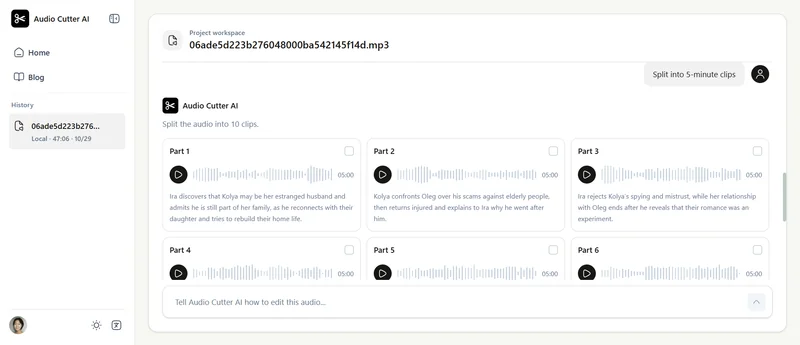
For classroom use, I may keep the full exchange and a shorter target sentence. The longer version supports comprehension; the shorter one supports repetition. I label the files clearly so they are not confused during the lesson.
After I approve the boundaries, I use Audio Cutter AI to export the selections separately. If the class needs slowed playback, looping, waveform analysis, or recording comparison, I handle those functions in the learning platform or a specialized pronunciation tool.
Accessibility and Transcripts
Every clip should be accompanied by the support appropriate to the task. During a first listening activity, I may temporarily hide the transcript, but I provide it for checking and review. I explain unfamiliar vocabulary and identify the speaker or situation.
I do not treat one accent as the only correct model. Across a course, I include varied, intelligible speakers and explain that pronunciation choices depend on context, identity, and communication goals.
I also test the activity myself at normal speed before class. If I cannot hear the target feature consistently, I choose a better example rather than asking students to compensate for a weak recording.
Small Clips With a Clear Teaching Purpose
The value of a pronunciation clip comes from focus. Students can hear a real feature, notice how it works in meaningful speech, and practice it without searching through a long recording each time.
Audio Cutter AI(https://audiocutter.ai/) helps me reach and prepare the relevant passage more efficiently. The teacher still decides whether the example is accurate, ethical, level appropriate, and connected to a useful learning activity.
Ti potrebbe interessare:
Segui guruhitech su:
- Google News: bit.ly/gurugooglenews
- Telegram: t.me/guruhitech
- Facebook: facebook.com/guruhitechfb
- X (Twitter): x.com/guruhitech1
- Bluesky: bsky.app/profile/guruhitech.bsky.social
- Rumble: rumble.com/user/guruhitech
- VKontakte: vk.com/guruhitech
- MeWe: mewe.com/i/guruhitech
- Skype: live:.cid.d4cf3836b772da8a
- WhatsApp: bit.ly/whatsappguruhitech
Esprimi il tuo parere!
Ti è stato utile questo articolo? Lascia un commento nell’apposita sezione che trovi più in basso e se ti va, iscriviti alla newsletter.
Per qualsiasi domanda, informazione o assistenza nel mondo della tecnologia, puoi inviare una email all’indirizzo [email protected].
Che ne pensi?
Scopri di più da GuruHiTech
Abbonati per ricevere gli ultimi articoli inviati alla tua e-mail.