

25 Grok Imagine Video Prompts That Actually Move (Copy & Paste)
Most first attempts at AI video end the same way: a nice picture that slowly zooms in for six seconds while nothing else happens. The model did nothing wrong. Nobody told it what should move.
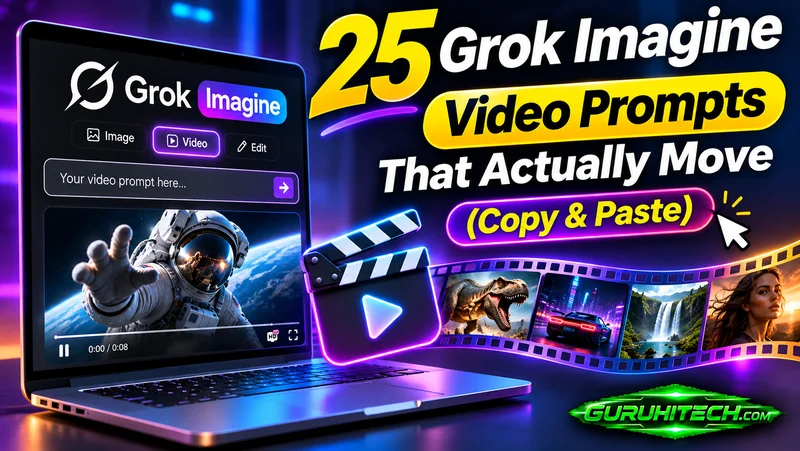
Below are 25 video prompts tested in Grok Imagine AI, an independent browser tool for running the Grok Imagine image and video models without installing an app. They are grouped by what people actually post, paired with the right settings, and followed by a quick table for fixing flat or warped clips.
The formula behind every prompt
Every prompt below follows the same four-part structure:
- Subject: who or what is on screen
- Action: one clear verb, the thing that changes
- Camera: how the shot moves (push-in, orbit, pan, static)
- Atmosphere: light, time of day, texture
- Weak: “A woman standing by a window.”
- Strong: “She turns toward the camera and smiles, hair moving softly, slow push-in, warm late-afternoon window light.”
The weak version describes what is already in the picture, so the model has nothing to do. When you start from a photo, skip what the image already shows and spend your words on what happens next.
Pick your settings first
| What you are making | Model | Length | Ratio | Mode |
|---|---|---|---|---|
| Product clip for a shop or ad | Grok Imagine 1.5 (from your photo) | 4–6 s | 1:1 or 16:9 | — |
| Reels, Shorts, TikTok | Grok Imagine | 6–10 s | 9:16 | Normal |
| Animated portrait from a photo | Grok Imagine 1.5 | 4–8 s | Auto | — |
| Travel or landscape b-roll | Grok Imagine | 8–15 s | 16:9 | Normal |
| Pet clip or meme | Grok Imagine | 6 s | 9:16 or 1:1 | Fun |
Grok Imagine 1.5 animates one image into a 1 to 15 second clip and can choose the aspect ratio for you. The standard Grok Imagine model renders 6 to 30 seconds from text or up to 7 images, with Normal, Fun and Spicy modes.
Starting from an idea rather than a photo? The Grok Imagine AI video generator lets you write the scene and generate it with no upload. For the photo-first prompts below, just add a few words describing the subject.
1. Product shots
Best for image-to-video. Upload a clean product photo and keep one moving element per prompt.
- “Slow 360-degree orbit around the bottle, a single drop of water runs down the glass, soft rim light, dark studio background.”
- “The sneakers lift off the surface and rotate slowly in mid-air, laces floating as if underwater, clean grey backdrop, slow motion.”
- “Steam rises from the cup next to the coffee bag, camera slides gently from left to right, warm morning window light.”
- “The watch screen lights up, camera pushes in from medium shot to close-up, cool blue office light.”
- “The lipstick rises out of its case and turns toward the camera, pink silk ripples underneath, macro lens, bright high-key light.”
2. Portraits and people
Best for image-to-video. Small movements look real; big ones melt. Use photos you have the right to use.
- “She turns her head toward the camera and smiles, a strand of hair moves in the breeze, slow push-in, golden hour.”
- “He laughs, looks down, then back up at the camera, slight handheld feel, cafe background softly out of focus.”
- “The couple lean their foreheads together, camera slowly circles them, string lights twinkle behind.”
- “Old family photo: she blinks and gives a small nod, subtle film grain, the rest of the frame stays completely still.”
- “The runner stops, catches her breath and wipes her forehead, camera at chest height, early morning mist.”
3. Pets and animals
Image-to-video or text-to-video. Animals are the best place to try Fun mode.
- “The cat slowly narrows its eyes, then sneezes, static camera, cozy living room light.”
- “The dog tilts its head left, then right, ears flopping, as if it just heard a strange noise, close-up.”
- “The golden retriever runs toward the camera across the beach, sand kicking up, low angle, slow motion.”
- “The parrot bobs side to side on its perch to a beat only it can hear, bright tropical colors.” (Try Fun mode)
- “The hamster stuffs one more seed into its full cheeks and freezes, macro lens, shallow depth of field.”
4. Travel and landscapes
Text-to-video or image-to-video. Landscapes forgive almost everything, so try longer clips and wide 16:9 framing here.
- “Clouds race over the mountain ridge, their shadows sweep across the valley, time-lapse feel, wide shot.”
- “Waves roll onto black sand at sunset, slow drone pull-back revealing the whole coastline.”
- “A Vespa passes through a narrow street in Rome, laundry sways on the balconies above, warm afternoon light, camera at street level.”
- “Snow falls on a quiet cabin at night, chimney smoke drifts, the window glows orange, slow push-in.”
- “Northern lights ripple above a frozen lake, their reflection moves across the ice, static tripod shot.”
5. Food and drink
Text-to-video or image-to-video. The motion is obvious here: pouring, dripping, stretching, steaming. Name it.
- “Honey drips from a wooden dipper onto the stack of pancakes, macro, slow motion, warm kitchen light.”
- “An espresso shot pours into the white cup, crema swirling, steam rising, close-up.”
- “A slice is pulled away from the pizza, the mozzarella stretches, camera follows the slice upward.”
- “Ice cubes drop into the lemonade and splash, droplets catch the sunlight, bright summer background.”
- “Salt falls from the chef’s fingers onto the steak, each grain lit from behind, slow motion, dark background.”
When a clip comes out wrong
Change one thing per attempt, or you cannot tell which change fixed it.
| What you see | What to change |
|---|---|
| The image just zooms in slowly | Add one action verb and one camera move |
| The face warps | Use a closer crop; ask for a blink or a smile, not a dance |
| The wrong thing moves | Name the subject and add “the rest of the scene stays still” |
| Motion is wild or cartoonish | Switch to Normal mode and keep one verb |
| It looks flat | Add a light source and time of day, or use the built-in prompt optimizer |
Test cheaply, then upscale
Draft at the shortest length (4 s on Grok Imagine 1.5, 6 s on Grok Imagine) and 480p, fix one thing at a time, then render the final version longer and at 720p. New accounts start with enough free credits for a 480p test clip, and the credit cost is shown before every generation.
Quick answers
Can you run Grok Imagine in a browser without the X app? Yes. Independent browser tools like Grok Imagine AI run the image and video models on desktop or mobile, with starter credits to test a first clip.
Why does my Grok Imagine video barely move? The prompt usually describes what is already visible. Replace it with one clear verb (turns, pours, walks) and one camera move (slow push-in, orbit), then retest at 480p.
Pick the section that matches what you post most, copy one prompt, swap in your own subject, and test it at the shortest length. By the third attempt, you will have started a prompt list of your own.
Ti potrebbe interessare:
Segui guruhitech su:
- Google News: bit.ly/gurugooglenews
- Telegram: t.me/guruhitech
- Facebook: facebook.com/guruhitechfb
- X (Twitter): x.com/guruhitech1
- Bluesky: bsky.app/profile/guruhitech.bsky.social
- Rumble: rumble.com/user/guruhitech
- VKontakte: vk.com/guruhitech
- MeWe: mewe.com/i/guruhitech
- Skype: live:.cid.d4cf3836b772da8a
- WhatsApp: bit.ly/whatsappguruhitech
Esprimi il tuo parere!
Ti è stato utile questo articolo? Lascia un commento nell’apposita sezione che trovi più in basso e se ti va, iscriviti alla newsletter.
Per qualsiasi domanda, informazione o assistenza nel mondo della tecnologia, puoi inviare una email all’indirizzo [email protected].
Che ne pensi?
Scopri di più da GuruHiTech
Abbonati per ricevere gli ultimi articoli inviati alla tua e-mail.