

How to Transfer Viral Video Moves to Your Own Character
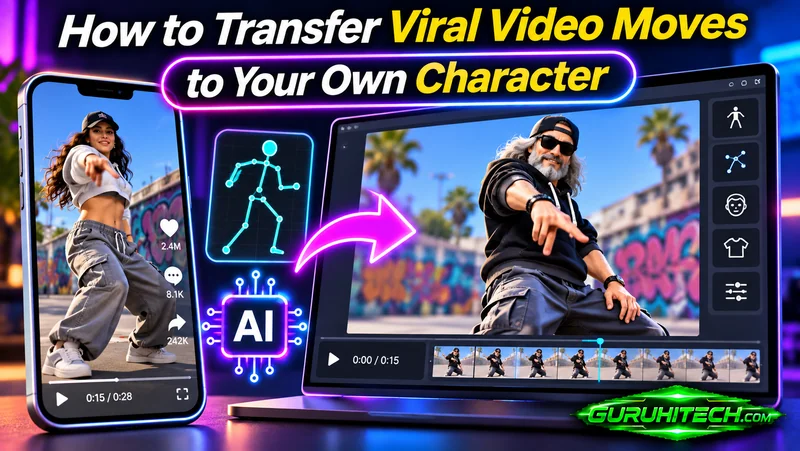
A fixed character becomes more expressive when viewers see it celebrate, hesitate, turn away, or make an exaggerated entrance. Recognizable video movements can provide a foundation for those performances. An AI motion transfer tool lets creators explore a different visual subject using reference footage and character images. The useful creative task is choosing actions that suit the character’s personality, so the resulting clips feel like connected performances rather than unrelated movements assigned to the same design.
Decide What the Character Should Communicate
Start with a simple personality statement. An overly precise robot might celebrate small corrections and react dramatically when a plan changes. A theatrical mascot might make every entrance feel important.
This statement helps select movement. A victory gesture could communicate satisfaction, while a sudden turn could express disbelief or refusal. The same broad action can suggest different attitudes depending on timing and posture.
Choose a specific situation for each proposed performance before generating. The caption and movement should support one idea, rather than leaving the subject’s purpose unclear until the final edit.
How to Build a Set of Character-Led Movements
Step 1: Collect References by Their Main Action
Organize suitable footage into categories such as victory gestures, short dance routines, turns, and entrances. Describe the moment that matters in each reference.
Look for readable framing and a visible performer. A gesture that disappears behind another subject may be difficult to evaluate after replacement. Choose the reference according to the action you actually need.
Use source footage you have permission to adapt. Keep its origin associated with the project so reuse questions can be reviewed before publication.
Step 2: Match Movement to the Character’s Design
Consider proportions, costume, and accessories. A square robot head, short arms, or a large backpack can affect how the source action appears.
Choose broad, clear movement when subtle gestures would be hidden by the design. If the joke only needs a triumphant pose, a complicated routine may introduce unnecessary review problems.
The difference between subject and performance can create the humor, but the gesture still needs to remain understandable. Treat each proposed transformation as something to assess rather than assume.
Step 3: Keep the Reference Images Consistent
Use images showing the same approved character. Align face shape, colors, costume, and defining features across the set.
For a robot, your checklist might include a square face, orange panels, and a short antenna. Those details help you recognize the subject as it changes pose.
Avoid mixing old and new designs in an attempt unless the requested transformation specifically explains the intended version. A stable visual reference makes comparisons between movements more useful.
Step 4: Generate Each Performance with a Focused Request
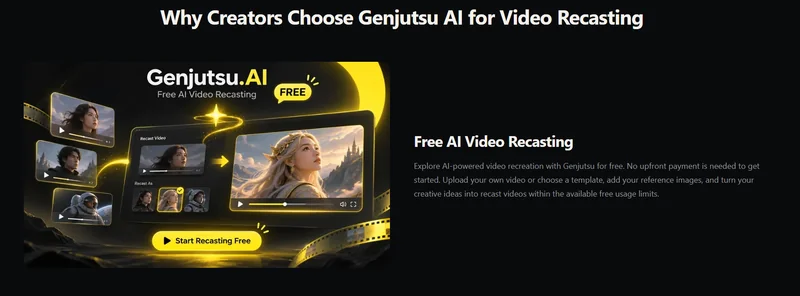
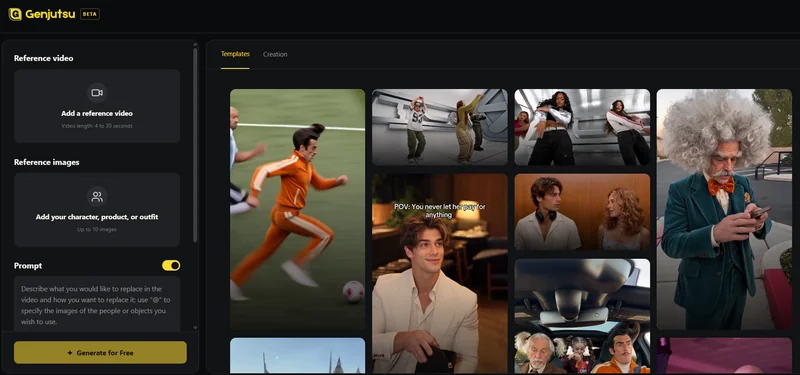
For custom footage in genjutsu ai, upload the reference video and character images, then identify the performer to replace. Describe the central action and the features that should remain recognizable.
A possible request is to replace the main performer with the uploaded robot while following the reference victory gesture and camera framing. Keep the square face and orange body panels recognizable.
If a suitable template supplies the desired action, use its built-in instructions and upload replacement images without writing a custom prompt. Choose the route according to the performance, not an assumption that one option suits every scene.
Step 5: Review the Set as Separate Clips and a Series
Watch each clip at normal speed. Does the gesture express the intended attitude? Is the signature movement readable? Does the caption explain its role in the situation?
Then inspect turns, crossed limbs, and contact with the environment. Check defining features across the complete performance, not only the opening frame.
Compare the drafts together. The actions can vary, but the subject should remain recognizable and the responses should fit its established personality. A visually consistent result can still be the wrong performance for the character.
Example Case: A Robot Reacts to Small Achievements
Imagine a fictional creator developing a robot who treats precision as a personal mission. They want a victory gesture, a short dance, and an exaggerated turn to support different everyday jokes. This is a hypothetical creative plan, not a report of actual generated outputs.
The victory gesture marks correcting one typo, the dance celebrates a perfectly organized folder, the dramatic turn responds to someone changing the plan after everything was prepared.
The creator reuses approved robot images and evaluates whether the face, panels, and antenna remain recognizable. Each caption gives the performance a specific cause, so the series communicates a personality rather than displaying arbitrary moves.
If one routine confuses the robot’s proportions, a simpler reference may preserve the idea. If the gesture works but the character’s appearance changes, the visual inputs deserve attention. These corrections address different parts of the workflow.
Keep a Useful Movement Library
Give each saved reference a descriptive label that explains its purpose, such as triumphant pose, brief celebration, or reluctant turn. Include the situation you intend to pair with it. This makes the library easier to use than a folder organized only by download dates, and helps you avoid selecting the same movement for several jokes that need different emotions.
Record which gestures communicate triumph, hesitation, or refusal clearly for your character. Note difficult contact points and design features that need close review. Those observations can guide future selection without implying that a previous result guarantees the next one.
An AI motion transfer tool becomes more useful when recognizable movements reveal a consistent personality. Choose compatible references, keep the character design stable, and review both the performance and its place in the series before publishing the adaptation.
Ti potrebbe interessare:
Segui guruhitech su:
- Google News: bit.ly/gurugooglenews
- Telegram: t.me/guruhitech
- Facebook: facebook.com/guruhitechfb
- X (Twitter): x.com/guruhitech1
- Bluesky: bsky.app/profile/guruhitech.bsky.social
- Rumble: rumble.com/user/guruhitech
- VKontakte: vk.com/guruhitech
- MeWe: mewe.com/i/guruhitech
- Skype: live:.cid.d4cf3836b772da8a
- WhatsApp: bit.ly/whatsappguruhitech
Esprimi il tuo parere!
Ti è piaciuta questa notizia? Lascia un commento nell’apposita sezione che trovi più in basso e se ti va, iscriviti alla newsletter.
Per qualsiasi domanda, informazione o assistenza nel mondo della tecnologia, puoi inviare una email all’indirizzo [email protected].
Che ne pensi?
Scopri di più da GuruHiTech
Abbonati per ricevere gli ultimi articoli inviati alla tua e-mail.