

Image-to-Video AI in the Creative Tech Stack: A Practical Workflow for 2026
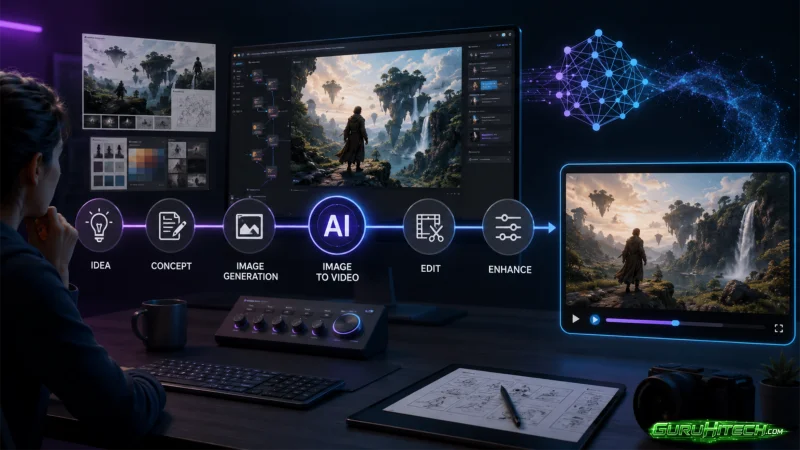
AI video is no longer just a futuristic demo. It is becoming one layer inside the modern creative tech stack. Designers, marketers, YouTubers, startup teams, social media managers, and small agencies are using still images as the starting point for short video assets.
The useful question is not only “Can AI make a video?” The better question is: “Where does image-to-video fit in a repeatable workflow?”
The short answer: image-to-video AI works best after you already have a clear source image, message, format, and review process. It should sit between visual planning and publishing, not replace either. A practical image-to-video AI workflow starts with controlled inputs, then uses prompt constraints, format choices, and quality checks to keep the final video usable.
What Image-to-Video AI Actually Adds
Traditional video workflows begin with footage. Image-to-video workflows begin with a still visual.
That still visual might be:
- A product concept
- A brand graphic
- A thumbnail
- A tutorial image
- A campaign visual
- An app screen
- A character illustration
- A social media image
- A presentation slide
The AI system adds movement: camera motion, depth, object emphasis, atmosphere, or a short visual sequence. The result is usually best for teasers, social posts, explainers, ads, and creative testing.
It is not a replacement for filmed interviews, real event footage, documentary evidence, or detailed product demonstrations.
The Six-Layer Creative Stack
Think of image-to-video as one layer in a stack.
| Layer | Main question | Output |
| Strategy | What should this clip do? | Goal, audience, channel |
| Source image | What visual proves the idea? | Approved still image |
| Prompt | What should move and what must stay unchanged? | Motion instructions and constraints |
| Generation | What format and style are needed? | AI-generated short clip |
| Quality control | What changed incorrectly? | Accepted or rejected version |
| Publishing | Where will it be used? | Caption, aspect ratio, distribution |
The stack matters because many AI video problems are not generation problems. They are planning problems.
A Reliable Prompt Structure
A useful prompt has four parts.
Create a short [duration] video from this image for [channel or use case].
Add [one specific motion] to highlight [main subject].
Keep [important details] unchanged.
Do not [specific errors or fake elements].
Example:
Create a short 7-second video from this campaign image for a LinkedIn product update.
Add a slow push-in toward the main visual and a subtle depth effect.
Keep all text, logos, UI elements, colors, and product details unchanged.
Do not add new features, rewrite labels, change numbers, or create fake interactions.
The most important line is usually the third one. If the source image contains text, logos, user interface, charts, people, or brand assets, you must tell the model to preserve them.
When Image-to-Video Is a Good Fit
Social teasers
Use still visuals to create short clips for LinkedIn, Instagram, TikTok, YouTube Shorts, X, or newsletters. Keep one message per clip.
Campaign variation
Generate several motion styles from the same image to see which one feels clearer before investing in a larger campaign.
Educational explainers
Turn diagrams, simple illustrations, or visual summaries into clips that introduce one concept.
App or tool previews
Use screenshots carefully. Protect UI text, button labels, numbers, charts, and layout. Do not create fake clicks unless the product actually behaves that way.
Creative pitching
Agencies and freelancers can use AI video to show motion direction before production.
When It Is Not a Good Fit
Avoid image-to-video AI when the audience needs exact proof.
Bad fits include:
- Legal evidence
- News footage
- Medical proof
- Financial claims
- Product behavior that has not been built
- Human endorsements that were not recorded
- Safety-critical training
AI-generated motion can support communication, but it should not invent reality.
Quality Control Checklist
Before publishing, check:
- Text remains readable and accurate.
- Logos are not distorted.
- Faces, hands, and body proportions are stable.
- Product shape and color remain faithful to the source.
- The motion does not imply a false feature, result, or event.
- The clip works in the target aspect ratio.
- The caption explains the context.
- The file is reviewed on a phone screen, not only on desktop.
If a clip fails one important check, regenerate it with stronger constraints.
FAQ
What is image-to-video AI?
It is a type of generative AI workflow that creates short video motion from a still image and prompt.
Is image-to-video useful for businesses?
Yes, especially for short social clips, campaign previews, educational explainers, and visual experiments where a full video shoot is unnecessary.
Does image-to-video replace video editing?
No. It can create motion, but teams still need planning, selection, captions, editing, quality control, and publishing.
What makes a good image-to-video prompt?
A good prompt names the use case, one motion style, the details that must remain unchanged, and the errors to avoid.
What should never be changed in the output?
Important text, logos, product details, faces, numbers, UI labels, dates, prices, and factual information should stay unchanged.
Is AI video safe for news or proof?
Use it carefully. It is better for illustration and creative communication than for factual evidence.
Conclusion
Image-to-video AI is most powerful when it is treated as a workflow layer, not a magic button. The stack is simple: strategy, source image, prompt, generation, quality control, and publishing.
Teams that respect each layer get better clips, fewer misleading outputs, and a more repeatable creative process.
Scopri di più da GuruHiTech
Abbonati per ricevere gli ultimi articoli inviati alla tua e-mail.