
Minecraft Bedrock 26.50 Wilderness Bound: What to Check Before Downloading
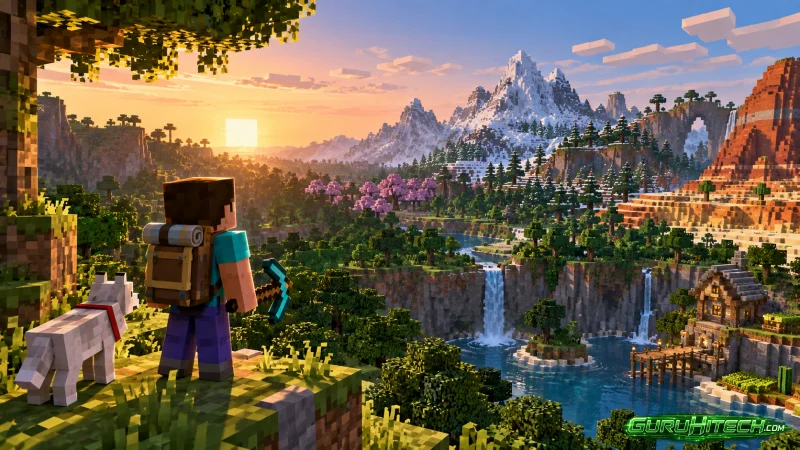
Minecraft Bedrock 26.50 brings the Wilderness Bound release to Android with new exploration content, building materials, camping mechanics, and visual changes. Before replacing a stable installation, however, mobile players should check more than the headline features. Storage space, world backups, device performance, add-on compatibility, and the exact build number can determine whether the update feels smooth or creates unnecessary problems.
What Android Players Should Review Before Installing Minecraft Bedrock 26.50
Players preparing a Minecraft 26.50 APK download should first compare the new build with the version already installed on their phone. This is particularly important for long-term survival worlds, custom resource packs, behavior packs, servers, and Realms that may not move to Bedrock 26.50 at exactly the same time.
Wilderness Bound gives players strong reasons to update. The Dappled Forest introduces a recognizable autumn environment with red, orange, and yellow foliage, while Poplar materials expand the building palette. Abandoned Camps create additional landmarks during exploration, and camping-focused additions make long journeys feel more deliberate.
| Wilderness Bound Feature | Main Purpose | Why It Matters on Mobile |
| Dappled Forest | New exploration biome | Easy to recognize on smaller screens |
| Poplar materials | Building and decoration | Adds a fresh construction palette |
| Abandoned Camps | Environmental landmarks | Creates short exploration objectives |
| Cushions | Decorative seating | Improves camps and interiors |
| Straw Beds | Temporary rest | Supports travel-focused survival |
Check the Exact Bedrock Build
The name “26.50” is not always enough to identify the exact file. A release branch can include several builds, hotfixes, or test versions with different behavior. Android players should confirm whether they are installing the stable release rather than a Preview or Beta intended for experimentation.
This distinction matters most for important worlds. A test build may expose new functions earlier, but it can also contain unfinished mechanics or compatibility problems. Players who simply want Wilderness Bound in their main survival world are generally better served by a stable build.
| Build Type | Best Use | Main Concern |
| Stable release | Main worlds and normal play | Occasional post-release bugs |
| Beta | Testing upcoming changes | Features may remain unfinished |
| Preview | Early experimentation | Higher risk for important saves |
Storage Needs Go Beyond the APK Size
The package size does not represent the total amount of storage required during installation. Android may need temporary space to unpack files, replace older data, and rebuild game caches. Minecraft worlds, screenshots, exported saves, and resource packs also remain on the device after the update.
A nearly full phone may successfully download the file and still fail later in the installation process. Even when installation completes, very limited free storage can slow world saving, imports, and general Android performance.
Large survival worlds deserve extra attention because every explored region adds data. Players who regularly export backups may also have several copies of the same world taking up space without realizing it.
| Storage Area | Possible Problem | Recommended Check |
| Old APK files | Unused files occupy space | Remove obsolete installers |
| World exports | Duplicate backups grow over time | Keep only useful copies |
| Resource packs | Large visual packs consume storage | Delete packs no longer used |
| Temporary data | Installation needs working space | Leave additional free storage |
Protect Existing Worlds Before Opening Them
A Minecraft world contains much more than visible blocks. It stores chunks, entities, inventories, structures, commands, player data, and information introduced by add-ons. When a newer Bedrock version opens that save, some of the data may be converted to the current format.
This is why downgrading can be risky. An older version may not understand information written by Bedrock 26.50, especially if the world contains newer blocks or components. Creating an untouched copy before launching the updated version gives players a recovery point.
For long-term worlds, that backup should remain untouched until the new setup has been tested for several sessions. The same principle applies to multiplayer hosts and creators who rely on experimental systems.
Add-Ons Can Break Without Breaking the Game
Bedrock may launch normally while community content fails. Behavior packs depend on components, scripts, and JSON definitions, while resource packs rely on textures, models, animations, and file paths. Changes between releases can affect only one part of a project.
A custom creature might disappear while every vanilla mob still works. An item may remain visible but lose its ability, or a model may load without the correct texture. These partial failures make compatibility testing especially important after a major update.
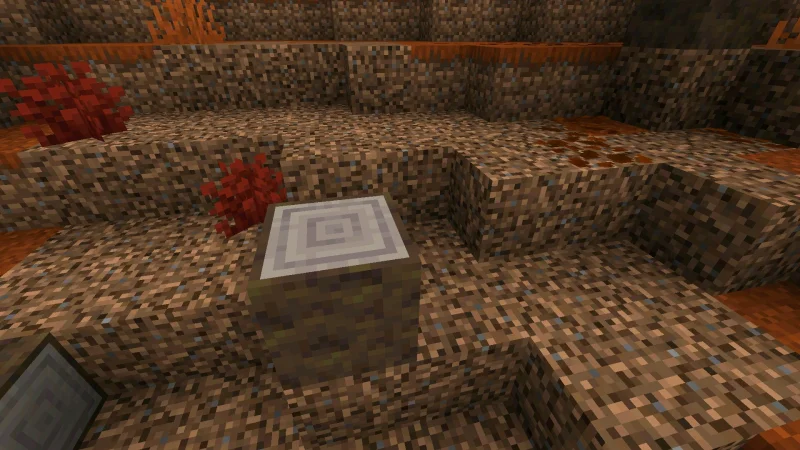
The safest method is to open a copied world first without optional content. If Bedrock 26.50 works normally, resource and behavior packs can be restored gradually until any incompatible project is identified.
| Problem After Updating | Likely Cause | First Test |
| Missing textures | Outdated resource pack | Disable the visual pack |
| Custom mob does not spawn | Behavior incompatibility | Test without the behavior pack |
| Ability stops working | Changed script or component | Check add-on version support |
| Server connection fails | Version mismatch | Confirm the server build |
Performance Can Differ Greatly Between Android Phones
The same Minecraft build can perform very differently on two devices. Processor speed affects simulation and entity behavior, while the GPU handles graphics and visual effects. RAM, storage speed, screen resolution, background apps, and device cooling also matter.
Older phones should begin with moderate render distance and standard graphics. If performance remains stable after a longer session, demanding settings can be increased gradually. High-resolution packs should be tested separately rather than enabled together with every visual option.
Heat is another warning sign. A phone may run smoothly at first and then lose frame rate after fifteen or twenty minutes because Android reduces processor and graphics speed to control temperature.
Do Not Forget Servers and Realms
Players who spend most of their time online should check whether their usual server or Realm already supports Bedrock 26.50. Updating the client before the multiplayer world can temporarily prevent connection even when installation itself succeeds.
For heavily customized worlds, waiting can also be sensible. If essential add-ons have not yet confirmed support, keeping the current stable version for a little longer may be more practical than updating immediately.
Wilderness Bound offers enough new content to make Bedrock 26.50 appealing, but preparation still matters. Checking the build, protecting saves, preparing storage, testing add-ons, and confirming multiplayer compatibility can make the move to the new release much safer.
FAQ
What is Minecraft Bedrock 26.50 Wilderness Bound?
It is a Bedrock release focused on exploration and camping, with additions such as the Dappled Forest, Poplar materials, Abandoned Camps, Cushions, and Straw Beds.
Should I back up my world before installing 26.50?
Yes. Important worlds should be copied before they are opened in a newer Bedrock build.
Can Bedrock 26.50 break older add-ons?
Some projects may become partially incompatible if the update changes components, scripts, resources, or experimental systems.
Why does installation need more storage than the APK itself?
Android may require additional temporary space for unpacking files, replacing game data, and rebuilding cache.
Should I update immediately if I mainly play multiplayer?
Check the server or Realm first. If it still uses the previous Bedrock version, updating too early may temporarily prevent connection.
Ti potrebbe interessare:
Segui guruhitech su:
- Google News: bit.ly/gurugooglenews
- Telegram: t.me/guruhitech
- Facebook: facebook.com/guruhitechfb
- Instagram: instagram.com/guruhitech_official/
- X (Twitter): x.com/guruhitech1
- Bluesky: bsky.app/profile/guruhitech.bsky.social
- Rumble: rumble.com/user/guruhitech
- VKontakte: vk.com/guruhitech
- MeWe: mewe.com/i/guruhitech
- Skype: live:.cid.d4cf3836b772da8a
- WhatsApp: bit.ly/whatsappguruhitech
Esprimi il tuo parere!
Ti è stato utile questo articolo? Lascia un commento nell’apposita sezione che trovi più in basso e se ti va, iscriviti alla newsletter.
Per qualsiasi domanda, informazione o assistenza nel mondo della tecnologia, puoi inviare una email all’indirizzo [email protected].
Scopri di più da GuruHiTech
Abbonati per ricevere gli ultimi articoli inviati alla tua e-mail.