

What You Can Make With Seedance 2.5
“Can it make a video?” is an easy question for an AI generator. The useful question is what kind of video you would actually use. A social post might need a few seconds of movement. An explainer might need a visual that makes an abstract idea easier to follow. A creative project might need a scene people can react to before anyone commits to making the whole thing.
Seedance 2.5 on JXP gives you two ways to start: describe a scene in words or use reference material to guide what appears and how it moves. The difference is worth knowing, but it is easier to choose once you have decided what the clip is for. Here are four kinds of project where generated video can do a useful job, and where it makes sense to stick with a regular editor or real footage instead.
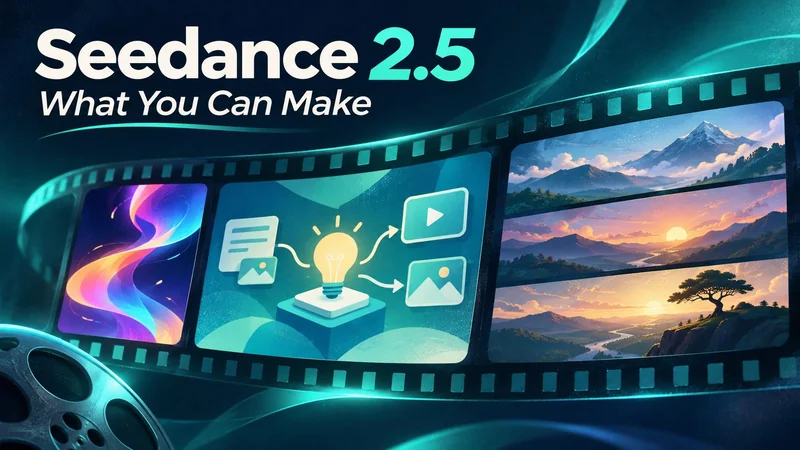
Short videos for social posts and announcements
Sometimes the entire job is to give a post an opening that catches the eye without taking over the message. A moving background can work behind an announcement, a short title sequence can open a channel update, and an animated illustration can lead into something you have already recorded. These clips do not need a plot. They need a clear image and enough time for the viewer to understand why they are seeing it.
Decide early whether the post will be viewed vertically or in a wide frame. If a title needs to sit over the clip, ask for a quiet area in the composition and add the wording in an editor. That lets you change the title next week without generating the background again. For a post whose main point can be read in a few seconds, extra movement usually makes it harder to follow.
Explanatory visuals for articles and presentations
A paragraph can explain what changes; a short visual can make the change easier to see. An animation can show a broad move from one state to another, introduce the setting for a topic, or make an idea feel less abstract before the presenter explains it in detail. That is useful for tech articles, narrated explainers and presentation openings where a whole diagram would be too much for the moment.
The deciding factor is whether the viewer needs an illustration or instructions they can follow. A conceptual animation can suggest how information moves through a system. A tutorial where readers must find a real button needs a screen recording of that button. Similarly, a chart that needs exact values is better built from the source data. You can still use generated visuals elsewhere in the same piece, without asking them to supply the facts.
Visual treatments for campaigns and pitches
A campaign may have its message before anyone has agreed on a look. Short generated clips give a team something more useful to react to than adjectives like “bold” or “clean.” Put two approaches beside each other and ask which one gets attention onto the message sooner. You can explore how the pacing or framing feels before spending time on a complete ad. The point of the comparison is to choose a direction, not to predict campaign performance.
Seedance 2.5 reference generation is useful when the team has already agreed on a visual direction. An approved illustration or style reference can give the clip a starting point, and an eligible video reference can help communicate a movement that is difficult to describe in words. The result can still depart from the source. If the campaign needs to show exactly what a customer will get, use approved footage or imagery for those parts.
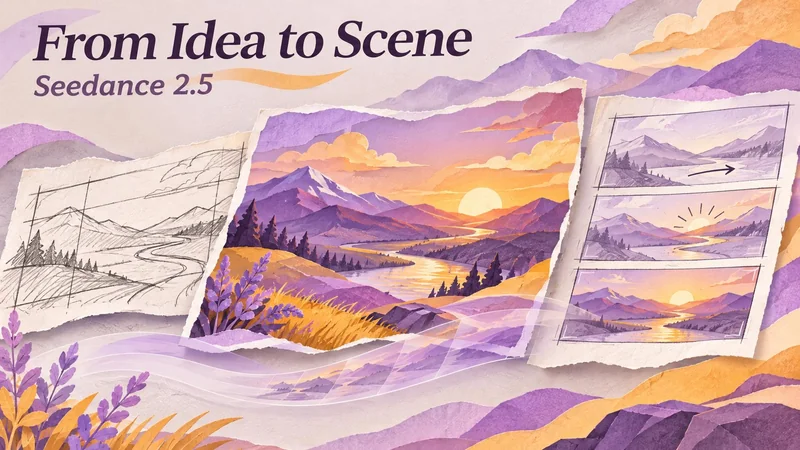
Story previews for creative projects
A story preview has a different job from a promotional opener. It needs a change that the viewer can follow. A scene might establish a setting, introduce an action and then hold for a reaction. Rough visual references can help share the look of those moments, while the prompt describes what happens between them. This can be enough to show a collaborator where the sequence feels too fast, or whether it needs a clearer ending.
JXP describes single clips of up to 30 seconds for Seedance 2.5. That gives a short sequence room to develop, but it does not make every idea a thirty-second idea. If a scene contains several changes, write down the one the audience must notice. Give it time on screen rather than filling every second with a new action. If you want to pinpoint a cut or match a narration exactly, handle the final timing in the edit.
Choose the smallest video that solves the problem
Try writing one sentence about the finished clip without mentioning AI. “Give this post a quiet opening” is a different task from “show readers the exact steps.” The first leaves room to invent imagery; the second usually does not. Start with text if the look is still open. Use a reference if you already have a visual direction and want the clip to follow it. If a static image does the job, you don’t need to animate it.
For a first project in Seedance 2.5, pick the part where motion would add something the reader or viewer cannot get from the existing material. Make that part first, then watch it alongside the rest of the piece. The clip is worth keeping if it makes the post clearer or gives the story a better opening. It does not have to become the whole video.
Ti potrebbe interessare:
Segui guruhitech su:
- Google News: bit.ly/gurugooglenews
- Telegram: t.me/guruhitech
- Facebook: facebook.com/guruhitechfb
- X (Twitter): x.com/guruhitech1
- Bluesky: bsky.app/profile/guruhitech.bsky.social
- Rumble: rumble.com/user/guruhitech
- VKontakte: vk.com/guruhitech
- MeWe: mewe.com/i/guruhitech
- Skype: live:.cid.d4cf3836b772da8a
- WhatsApp: bit.ly/whatsappguruhitech
Esprimi il tuo parere!
Ti è stato utile questo articolo? Lascia un commento nell’apposita sezione che trovi più in basso e se ti va, iscriviti alla newsletter.
Per qualsiasi domanda, informazione o assistenza nel mondo della tecnologia, puoi inviare una email all’indirizzo [email protected].
Che ne pensi?
Scopri di più da GuruHiTech
Abbonati per ricevere gli ultimi articoli inviati alla tua e-mail.