
How to Personalize Influencer Outreach and Manage Follow Up With hiCreator
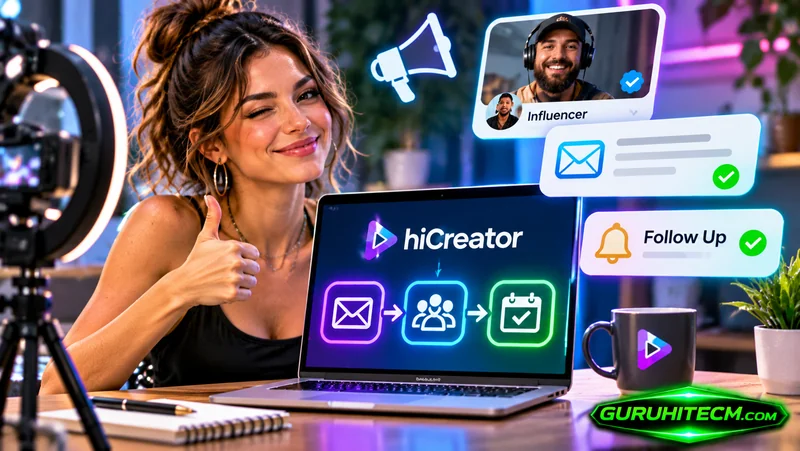
A creator opens a collaboration email with a few immediate questions: Who is contacting me, why does this fit my work, what would I need to produce, and what is being offered? An effective outreach process makes those answers easy to find, even when a campaign involves many potential partners.
AI influencer outreach helps turn campaign information into relevant emails and manage the next contact. In hiCreator’s campaign automation workflow, teams can define sender identity, tone, collaboration requirements, and follow-up preferences, then choose the applicable review or automatic-send settings. The useful result is a conversation grounded in the actual proposal.
The quality of that conversation depends on the inputs. Personalization works best when the team has already chosen suitable creators and can explain why their work fits the campaign.
Prepare the proposal before generating the email
Start with information a creator needs to evaluate the opportunity. A product description alone does not define a collaboration.
Include the brand, the product’s relevant use case, the intended platform, and the requested deliverables. Describe the proposed arrangement, whether paid, product exchange, or a combination. Add any confirmed requirements concerning timing and content use.
Separate confirmed terms from questions for the creator. If the team needs a rate, ask for it. If a product shipment is still being arranged, do not present delivery as a settled promise. Clear inputs reduce the amount of correction required after the draft is generated.
A practical brief should answer these questions:
| Input | What to specify | Why it matters |
| Sender identity | Brand representative, agency, or content buyer | Explains the relationship behind the invitation |
| Creator fit | A relevant topic, format, or observed example | Gives the recipient a concrete reason for the approach |
| Deliverables | Platform, format, and expected quantity | Makes the workload understandable |
| Collaboration terms | Confirmed payment or exchange arrangement and content use | Helps the creator evaluate the offer |
| Next step | Interest, availability, rate, or clarification | Gives the email a clear purpose |
This preparation also helps colleagues review outgoing messages consistently. They can compare the email with the approved proposal rather than debating its style in isolation.
Match the sender voice to the relationship
hiCreator allows teams to set the sender identity and tone used for outreach. A brand representative may use a warm, direct voice. An agency may need to explain whom it represents. A team purchasing user-generated content may focus on the production brief and intended use of the finished assets.
The voice should remain credible across the conversation. An overly familiar opening can feel misplaced when the rest of the email contains a detailed commercial request. A formal agency introduction may need simplifying for a short, practical invitation.
Custom instructions are useful when they describe concrete preferences: keep the introduction short, identify the represented brand, avoid exaggerated praise, and ask one clear question. Instructions such as “make it engaging” leave more room for interpretation.
The hiCreator platform uses these campaign details to support outreach drafting and subsequent collaboration steps. The team’s role is to provide accurate information and choose how much review each type of message requires.
Personalize around a real reason for selecting the creator
A useful personalized opening connects an observed aspect of the creator’s work to the proposed collaboration. It might refer to a recurring topic, a demonstration style, or a relevant recent post.
Check the detail before sending. A wrong product name or a reference to content the creator never published can undermine an otherwise sensible proposal. If the available information does not support a specific reference, use a narrower statement you can verify.
Here is an illustrative draft for a fictional homeware brand and creator:
Hi Jordan,
I’m Casey from Alder Home. Your small-kitchen organization videos caught our attention, especially the way you show what fits inside a cabinet before recommending a setup.
We’re planning a paid Instagram collaboration for our modular storage containers and would like to discuss one Reel showing an everyday organization task. We can share the product details and proposed content-use terms for your review.
Would you be interested in receiving the brief and sharing your rate for that format?
Best, Casey
This example assumes the content observation is true. Its structure gives the creator a reason for the contact, a recognizable deliverable, and a manageable next step. A real campaign should replace every fictional detail with verified information.
Choose review and automatic sending deliberately
Drafting, approval, and sending are separate decisions. A team may be comfortable automatically sending an approved type of first-contact message while wanting to review replies that discuss scope or price.
In hiCreator’s campaign automation workflow, review and automatic-send settings govern the relevant messages. Configure them with the campaign’s needs in mind, then inspect generated examples before starting a larger batch.
Review should focus on factual accuracy as well as language. Confirm the sender, creator reference, product details, deliverables, and terms. A polished sentence can still describe the wrong offer.
Keep the product’s two email contexts clear. The campaign automation workflow supports configured follow-up behavior. The ordinary Mail workflow also provides drafting, scheduling, and follow-up tools, with user-initiated follow-up actions. So the hiCreator email guide introduces that mailbox workflow. Its controls should not be assumed to create the same automation as a campaign.
Set follow up around the state of the conversation
A follow-up is useful when it helps a creator respond to an existing invitation. It should preserve the original context and avoid introducing unapproved promises simply to make the message feel new.
hiCreator’s campaign workflow offers follow-up preferences, including gentler and more active approaches. Choose a cadence appropriate to the campaign, the recipient, and the amount of information already provided. Inspect the selected settings rather than assuming a universal schedule.
A short illustrative reminder could say:
Hi Jordan,
Following up on the Alder Home collaboration invitation. Would one Instagram Reel be a format you’d consider? If so, we’d be happy to review your rate and availability.
Best, Casey
The example adds no new offer. It makes the outstanding question easy to answer.
Conversation state matters more than the calendar alone. A new reply requires attention to what the creator said. A declined invitation, bounce, or request to stop should change the next action. Campaign follow-up behavior includes stop conditions, and the team should review conversations that need a human decision.
Treat replies as information for the next decision
A reply can reveal interest, a missing requirement, a rate, or a misunderstanding. The next step should address that information directly.
If the creator asks about content usage, clarify the proposed use before trying to close the collaboration. If the creator supplies several packages, compare the scope before discussing price. Also if availability is the issue, determine whether the schedule can change.
Keep the campaign brief current as decisions are made. Otherwise, later drafts may continue using an outdated deliverable or assumption. A consistent source of campaign information is especially useful when several teammates handle the same creator conversation.
For a first campaign, review a manageable initial group of messages and replies. Use what you learn to improve the brief and sender instructions. The aim is to make each subsequent conversation easier to understand and act on.
Common questions about automated influencer outreach
What should an influencer outreach email include
Identify the sender, explain the relevant connection to the creator’s work, describe the proposed deliverable and arrangement, and ask for a specific next step. Include confirmed terms and distinguish them from details still open for discussion.
Can hiCreator send outreach and follow up automatically
The campaign automation workflow supports automatic sending and follow-up behavior according to its configuration. Review settings and conversation state still matter. The separate Mail workflow has its own drafting, scheduling, and user-initiated follow-up controls.
Should every follow up introduce a new creative idea
No. A reminder can simply restate the unresolved question. Introducing a new idea is useful only when it is relevant and approved; otherwise, it can change the proposal without the team’s intention.
How do you keep AI personalization accurate
Use verified creator information, provide a precise campaign brief, and review concrete references in generated drafts. An accurate sentence about why the creator fits is more useful than elaborate praise that the available evidence cannot support.
Ti potrebbe interessare:
Segui guruhitech su:
- Google News: bit.ly/gurugooglenews
- Telegram: t.me/guruhitech
- Facebook: facebook.com/guruhitechfb
- Instagram: instagram.com/guruhitech_official/
- X (Twitter): x.com/guruhitech1
- Bluesky: bsky.app/profile/guruhitech.bsky.social
- Rumble: rumble.com/user/guruhitech
- VKontakte: vk.com/guruhitech
- MeWe: mewe.com/i/guruhitech
- Skype: live:.cid.d4cf3836b772da8a
- WhatsApp: bit.ly/whatsappguruhitech
Esprimi il tuo parere!
Ti è stato utile questo articolo? Lascia un commento nell’apposita sezione che trovi più in basso e se ti va, iscriviti alla newsletter.
Per qualsiasi domanda, informazione o assistenza nel mondo della tecnologia, puoi inviare una email all’indirizzo [email protected].
Scopri di più da GuruHiTech
Abbonati per ricevere gli ultimi articoli inviati alla tua e-mail.