

AI Video Generation Explained: How Text-to-Video and Image-to-Video Tools Turn Ideas Into Clips
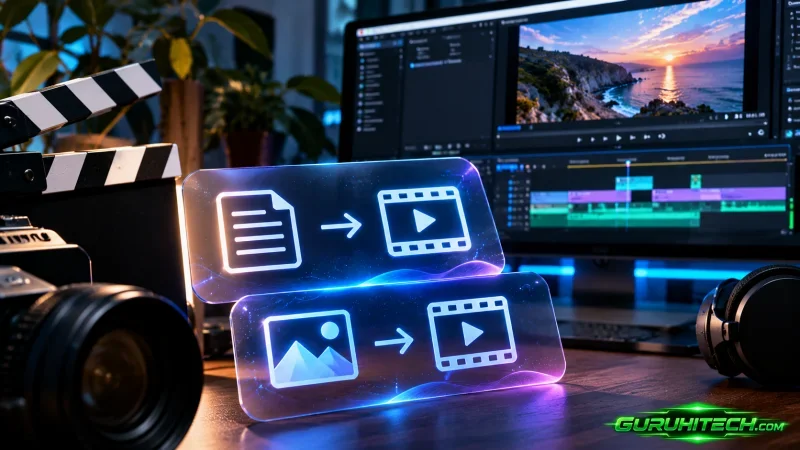
Two years ago, a short product clip meant booking a studio, hiring a videographer and waiting a week for the edit. Today, a marketer can type a sentence describing a sneaker spinning on a glass table, wait a minute or two, and receive a short, smooth clip that is ready for a social feed. That shift is the result of AI video generation, one of the fastest-moving areas in artificial intelligence.
The technology is exciting, but it is also easy to misunderstand. Some people expect a full film from a single prompt. Others assume every output is a deepfake waiting to happen. The reality sits somewhere in between: AI video generators are powerful tools with clear strengths, real limits and a learning curve that rewards patience.
This guide explains how AI video generation works, what the difference is between text-to-video and image-to-video, how to write prompts that produce usable footage, where the current limits are, and how to choose a tool for your own projects. Along the way, we look at the kind of platforms entering the space, including newer names such as MAGI-2, and how to evaluate them without falling for marketing hype.
What AI Video Generation Actually Is
From Static Images to Moving Frames
Most readers are already familiar with AI image generators. You describe a picture, the model produces one. AI video generation extends that idea across time. Instead of producing a single frame, the model has to produce dozens or hundreds of frames in sequence, and each frame must agree with the ones around it. A character’s jacket must stay the same color, a car must keep moving in the same direction, and the lighting must not flicker between frames.
This requirement, often called temporal consistency, is what makes video far harder than images. A model can draw a convincing cat in one frame and a slightly different cat in the next. To a viewer, that looks like a glitch. Solving this problem has taken most of the research effort in the field.
Text-to-Video Versus Image-to-Video
Two main input methods dominate the current generation of tools:
- Text-to-video: You write a description, and the model creates a clip from scratch. This gives the most creative freedom but the least control, because the model decides what the subject looks like.
- Image-to-video: You upload a still image, often with a short text instruction, and the model animates it. The subject’s appearance is anchored by your image, so results are more predictable.
Many platforms now offer both modes, and some add a third option where you supply a starting frame and an ending frame, letting the model fill in the motion between them.
Where Tools Like MAGI-2 Fit In
The market has moved from a handful of research demos to a growing list of commercial and open platforms. Alongside the well-known names, newer entrants such as magi-2 are part of this second wave of AI video generation tools. As with any platform in a fast-moving field, the right approach is to visit the official site, test the output on your own prompts, and read the terms before committing to a workflow. Features, pricing and availability change often, so anything you read in a third-party article, including this one, should be treated as a snapshot at the time of writing in November 2026.
How an AI Video Generator Works Behind the Scenes
Training on Paired Video and Text
An AI video generator learns from large collections of video clips paired with descriptions. During training, the model studies how words relate to visual content and how objects tend to move. A phrase like “waves crashing on rocks” becomes associated with specific patterns of motion, color and texture. The more varied the training data, the broader the range of scenes the model can later produce.
Training data is also the source of many ethical debates in the field. Where the clips came from, whether creators consented, and how copyrighted material was handled are open questions for the industry as a whole. Responsible users should favor platforms that are transparent about their data practices and licensing.
Diffusion and the Denoising Process
Most modern video generators rely on a technique called diffusion. The model starts with pure visual noise, something like static on an old television, and gradually removes that noise step by step, guided by your prompt. Each step brings the frames closer to a coherent image. For video, this denoising happens across all frames at once, which is how the model keeps motion smooth.
Some newer architectures combine diffusion with transformer-based components, the same family of techniques behind large language models. The exact design varies by platform, and vendors rarely publish full details, so it is best not to assume a specific tool works a particular way unless it has documented that itself.
Keeping Frames Consistent Over Time
To avoid flicker and morphing, models use mechanisms that let each frame “look at” the frames around it during generation. This is why longer clips are harder: the further apart two frames are, the more chances there are for details to drift. Current tools handle short clips well, while long sequences usually require stitching several generations together or using tools that extend an existing clip in segments.
Writing Prompts That Produce Usable Video
Describe the Subject, the Motion and the Camera
Image prompts focus on what is in the frame. Video prompts need three extra ingredients: what moves, how it moves, and what the camera does. Compare these two prompts:
- Weak: “A red bicycle in a city.”
- Stronger: “A red bicycle leaning against a brick wall on a quiet city street at sunset. A light breeze moves a few leaves across the pavement. Slow push-in camera movement, shallow depth of field.”
The second version gives the model a subject, an environment, a motion cue and a camera instruction. Each of those reduces guesswork and makes the output closer to what you imagined.
Keep One Idea Per Clip
AI video generators struggle when a prompt asks for several events in sequence, such as “a man walks into a cafe, orders coffee, sits down and reads a newspaper.” Models tend to blend those actions or skip some. A better approach is to generate each beat as a separate short clip and cut them together in an editor. Think of the AI video generator as a camera that shoots one shot at a time, not as a director handling a whole scene.
Iterate in Small Steps
Rarely is the first result the final one. A practical workflow looks like this:
- Generate a low-cost draft with a simple prompt to confirm the subject and framing.
- Adjust one variable at a time: lighting, camera movement or the speed of the action.
- Once the look is right, generate a few variations and pick the cleanest one.
- Only then move to higher resolution or longer duration, if the tool offers those options.
Changing many things at once makes it hard to tell which change helped. Small, deliberate edits save both time and credits.
Image-to-Video: Turning a Single Frame Into Motion
Why a Reference Image Helps
For brands, image-to-video is often the more useful mode. If you need a clip of your actual product, a text prompt cannot know what that product looks like. Uploading a clean product photo and asking the model to add a gentle rotation or a drifting background keeps the item accurate while adding motion. The same logic applies to illustrated characters, logos and architectural renders.
Preparing Your Source Image
The quality of the output depends heavily on the input. A few guidelines:
- Use a high-resolution image with the subject clearly separated from the background.
- Avoid images with heavy text overlays, since generated frames often distort lettering.
- Leave some empty space around the subject so the model has room to add camera movement.
- Match the aspect ratio of the image to the ratio you want for the final video.
Common Uses
Image-to-video is popular for animating product shots, bringing old photographs to life with subtle motion, creating moving backgrounds for presentations, and turning concept art into short mood pieces for pitches. Because the subject is fixed, approval cycles tend to be shorter, which matters when a client or manager has to sign off.
Practical Uses for Creators, Marketers and Small Teams
Social Content and Short Ads
Short-form platforms reward frequent posting, and AI video generation makes it realistic for a small team to publish daily. A single product photo can become several variations of a short ad: one with a studio background, one outdoors, one with dramatic lighting. Marketers can test which version performs best before investing in a full production.
Prototyping and Storyboards
Agencies and filmmakers use AI video generators to create moving storyboards, sometimes called previsualization. Instead of static sketches, a director can show a client how a shot will move before any crew is hired. The generated footage is not the final product; it is a communication tool that reduces misunderstandings.
Education and Explainers
Teachers and course creators use text-to-video to illustrate concepts that are hard to film: a molecule assembling, a historical street scene, a weather system forming. The clips do not need to be perfect to be useful, as long as they are clearly labeled as illustrations rather than real footage.
Current Limits and How to Work Around Them
Short Clip Lengths
Most tools produce clips measured in seconds, not minutes. Longer stories require generating multiple clips and editing them together. Plan your project as a series of shots from the start, and keep a consistent style description in every prompt so the clips feel like they belong together.
Hands, Text and Physics
Hands with the wrong number of fingers, signs with garbled letters and objects that pass through each other are still common. Avoid prompts that depend on readable text or complex hand interactions. If you need on-screen text, add it in an editor after generation. If a physical interaction looks wrong, try simplifying the action or switching to image-to-video with a reference that already shows the correct pose.
Audio and Lip Sync
Many AI video generators produce silent clips, and even those that offer sound may not match lip movement to dialogue precisely. Treat audio as a separate step: record or license a voiceover, add music and sound effects in your editing software, and avoid relying on generated speech for anything where accuracy matters.
Choosing an AI Video Generation Tool: A Checklist
Output Quality and Resolution
Look at sample outputs on your own prompts, not just curated showreels. Pay attention to motion smoothness, how well the subject holds its shape across frames, and whether the resolution is sufficient for where the video will be shown. A clip that looks fine on a phone may fall apart on a large display.
Control Features
Different projects need different controls. Some users need camera motion settings, others need the ability to upload a reference image or extend an existing clip. Make a short list of the controls your workflow actually requires and test whether each candidate tool supports them. Marketing pages tend to list features broadly, so verify them with a hands-on trial.
Licensing and Cost
Read the terms of service for commercial use rights, content ownership and any restrictions on how outputs can be used. Pricing models vary widely: per-clip credits, monthly subscriptions, or usage-based billing. Because these details change frequently, confirm them directly on each provider’s official website rather than relying on reviews or comparison articles.
| Criterion | What to Check | Why It Matters |
|---|---|---|
| Motion quality | Smoothness, flicker, subject drift | Determines whether clips are usable without heavy editing |
| Input modes | Text-to-video, image-to-video, frame extension | Matches the tool to how you plan to work |
| Clip length and resolution | Maximum duration, output size options | Affects suitability for ads, social posts or presentations |
| Commercial rights | Ownership, usage limits, attribution | Protects your business from licensing disputes |
| Transparency | Published documentation, data policies | Signals a trustworthy provider |
| Cost structure | Credits, subscription, usage billing | Keeps experimentation affordable |
Whether you are evaluating an established platform or a newer name like MAGI-2, run the same checklist. Consistent testing is the only reliable way to compare tools whose capabilities shift from month to month.
Ethics, Disclosure and Deepfake Concerns
Label AI-Generated Video
Viewers increasingly want to know when footage is synthetic. Clear labeling protects your audience’s trust and, in a growing number of jurisdictions, may be required for certain types of content such as political advertising. A simple caption or on-screen note is usually enough for creative or commercial work.
Rights in Reference Images
When using image-to-video, make sure you own or have licensed the source image. Animating a photograph of a real person without consent raises serious ethical and legal issues, especially if the result could be mistaken for genuine footage. Stick to your own photos, licensed stock, or images of products and places you have the right to use.
Platform Policies
Most AI video generation platforms prohibit content that impersonates real people, depicts violence or sexual content, or spreads misinformation. Review these rules before starting a project, and remember that social networks have their own policies on synthetic media that may be stricter than the generator’s.
Frequently Asked Questions
Do I need technical skills to use an AI video generator?
No. Most tools are designed for non-technical users and work through a simple web interface. What helps most is a clear visual vocabulary: knowing how to describe lighting, camera movement and mood will improve your results more than any coding knowledge.
What is the difference between text-to-video and image-to-video?
Text-to-video creates a clip entirely from a written description. Image-to-video starts from a still image you provide and adds motion to it. The first offers more creative freedom; the second offers more control over how the subject looks.
Can AI video generation replace a video production team?
Not for most professional projects. It is excellent for short clips, concept work, social content and prototypes, but longer narratives, precise brand consistency and complex scenes still benefit from human filmmakers and editors. Many teams use AI as one tool inside a larger workflow.
How long can AI-generated videos be?
Most platforms generate clips of a few seconds at a time, with some offering extension features to build longer sequences. For anything longer than a brief clip, plan to generate several shots and edit them together.
Is it legal to use AI-generated video commercially?
Usually yes, but it depends on the specific platform’s terms of service and the laws in your region. Check the licensing terms of any tool you use, and be especially careful with content involving real people, trademarks or copyrighted characters.
How do I avoid distorted hands or garbled text in my clips?
Keep prompts simple, avoid scenes that depend on readable signage or detailed hand gestures, and add any required text in a video editor afterward. Image-to-video with a clean reference can also reduce distortion.
Final Thoughts
AI video generation has moved from novelty to practical tool in a remarkably short time. Text-to-video and image-to-video workflows now let individuals and small teams produce footage that once required significant budgets. The key is to approach the technology with realistic expectations: short clips, iterative prompting, and a clear plan for editing and labeling.
The landscape of tools keeps expanding, and newer platforms such as MAGI-2 join a market that is still defining its standards. Test tools on your own material, verify features and terms directly with each provider, and treat every article you read as a snapshot of a field that changes month by month. With that mindset, AI video generators can become a genuinely useful part of your creative toolkit rather than a source of disappointment.
Ti potrebbe interessare:
Segui guruhitech su:
- Google News: bit.ly/gurugooglenews
- Telegram: t.me/guruhitech
- Facebook: facebook.com/guruhitechfb
- X (Twitter): x.com/guruhitech1
- Bluesky: bsky.app/profile/guruhitech.bsky.social
- Rumble: rumble.com/user/guruhitech
- VKontakte: vk.com/guruhitech
- MeWe: mewe.com/i/guruhitech
- Skype: live:.cid.d4cf3836b772da8a
- WhatsApp: bit.ly/whatsappguruhitech
Esprimi il tuo parere!
Ti è stato utile questo articolo? Lascia un commento nell’apposita sezione che trovi più in basso e se ti va, iscriviti alla newsletter.
Per qualsiasi domanda, informazione o assistenza nel mondo della tecnologia, puoi inviare una email all’indirizzo [email protected].
Che ne pensi?
Scopri di più da GuruHiTech
Abbonati per ricevere gli ultimi articoli inviati alla tua e-mail.