

ForgeGUI Roblox: AI Game Asset Creation from Thumbnails to Roblox Studio
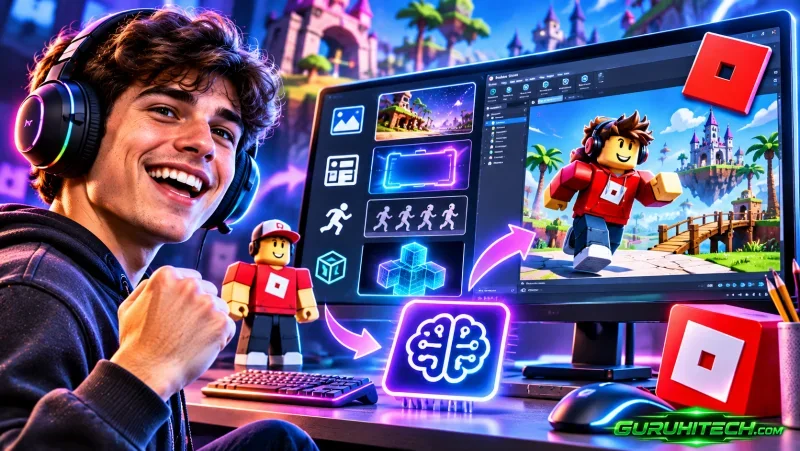
ForgeGUI is an AI-powered game asset creation platform designed to help game developers generate, edit, and integrate visual assets into their projects. ForgeGUI Roblox workflows combine thumbnail creation, GUI design, character animation, 3D modeling, and Roblox Studio integration.
Roblox Thumbnail Maker and Roblox GUI Generator tools address two essential aspects of game development: attracting players and improving their in-game experience. Together with animation and 3D generation, these capabilities support a broader asset production workflow.
According to Roblox’s September 2026 economic impact report, creators earned over $1.5 billion in 2025, compared with $923 million in 2024. Among surveyed U.S. creators, 83% operated independently rather than as established studios.
The report also identified more than 42,000 Developer Exchange participants, with a median payout of approximately $1,500 during the 12 months ending June 2026. These figures highlight why efficient asset production and careful budget management matter for independent creators.
Roblox Thumbnail Maker: Create Visuals That Attract Players
ForgeGUI Roblox Thumbnail Maker supports prompt-based generation, reference images, visual styles, and connected image editing.
An effective thumbnail brief should contain four elements:
- Subject: The main character or object.
- Action: The gameplay activity being presented.
- Environment: The setting and supporting details.
- Constraints: Features that must remain consistent with the game.
For example, a fantasy adventure developer could upload a castle screenshot and request a dramatic composition featuring an existing character approaching its entrance, while preserving the architecture and character design.
Roblox recommends 1920 × 1080 thumbnails with a 16:9 aspect ratio. Previewing each candidate at approximately 320 × 180 pixels provides a useful internal readability check.
Developers can explore distinct concepts emphasizing combat, discovery, or rewards, then evaluate their performance through Roblox discovery analytics rather than visual attractiveness alone.
Roblox GUI Generator: Build Maintainable Game Interfaces
ForgeGUI Roblox GUI Generator supports visual creation for inventory panels, shops, menus, HUDs, buttons, and other interface artwork.
The key principle is separating decorative graphics from functional components. An inventory background may contain illustrated borders and textures, while item quantities, prices, descriptions, and interactive buttons should remain separate Roblox Studio objects.
Use ImageLabels for decorative artwork, TextButtons for interactive actions, and UIGridLayout for repeated inventory slots.
Roblox also supports nine-slice image scaling, which divides an image into nine regions. Corners retain their dimensions, edges stretch along one axis, and the center expands in both directions.
This technique allows developers to reuse decorative panels across different screen sizes without unnecessarily distorting their borders.
Roblox 3D Generator: Create Objects for Game Worlds
ForgeGUI supports 3D asset generation and GLB export, helping developers explore objects such as treasure chests, weapons, furniture, and environmental props.
A useful generation brief specifies the object’s silhouette, materials, intended scale, and gameplay function.
Roblox’s general modeling specifications limit individual meshes to 20,000 triangles, with separate requirements for certain avatar assets.
Frequently repeated environmental objects may benefit from simpler geometry. A decorative crate and a major boss character do not necessarily require the same level of detail.
After importing models through Roblox Studio’s 3D Importer, inspect their textures, dimensions, orientation, collision behavior, and performance.
Roblox Animation Maker: Connect Movement With Gameplay
ForgeGUI animation tools support R15 character motion, durations from one to twelve seconds, and RBXMX export.
Roblox character animations can be planned around four elements: starting pose, movement, timing, and ending position.
A sword attack, for example, could contain preparation, strike, and recovery phases. Walking animations require particular attention to foot contact and transitions between their final and initial poses.
After importing an animation into Roblox Studio, developers should test it on the intended character and connect playback to relevant gameplay events.
Generated motion does not automatically implement combat damage or other gameplay logic.
ForgeGUI Roblox: Plan a Complete Game Asset Workflow
ForgeGUI’s different creation tools can be organized around a shared production plan rather than treated as isolated generators.
Consider a fictional fantasy adventure game preparing a seasonal update:
| Asset type | Quantity | Production objective |
|---|---|---|
| Thumbnails | 3 | Explore promotional concepts |
| Game icon | 1 | Maintain brand recognition |
| GUI artwork | 3 | Update shop, inventory, and quests |
| 3D props | 3 | Introduce new environmental objects |
| Animations | 2 | Support new character actions |
| Total | 12 | Complete the visual update |
Before production, establish a shared color palette, character proportions, materials, lighting, and artistic direction.
Reusing approved references across different asset categories helps maintain a recognizable game identity and reduces unnecessary creative revisions.
ForgeGUI Roblox Studio Integration: From Generation to Implementation
ForgeGUI Roblox Plugin connects supported thumbnail, GUI, and HUD artwork with Roblox Studio.
A typical workflow involves:
- Install the ForgeGUI plugin from the Roblox Creator Store.
- Connect the intended Studio project using a pairing code.
- Select completed artwork from the ForgeGUI asset library.
- Review the upload and wait for Roblox moderation.
- Confirm the import and test the result in Studio.
Supported GUI artwork is imported as ImageLabels, allowing developers to adjust its position, size, and transparency before adding interactive components.
Animations and 3D models follow their respective file export and import workflows. Public game thumbnails and icons are managed separately through Roblox’s publishing tools.
ForgeGUI API also supports generation requests, task status queries, downloadable results, and credit controls for teams exploring automated asset production.
Comparing Game Asset Production Costs
ForgeGUI and other AI-assisted creation tools should be evaluated according to the cost of usable assets, rather than generation speed alone.
Consider two hypothetical workflows for comparable visual assets:
| Production metric | Workflow A | Workflow B |
|---|---|---|
| Production attempts | 12 | 15 |
| Accepted assets | 8 | 12 |
| Acceptance rate | 66.7% | 80% |
| Total production cost | $120 | $150 |
| Cost per accepted asset | $15.00 | $12.50 |
Although Workflow B costs more overall, its cost per accepted asset is approximately 16.7% lower.
These figures are illustrative budgeting assumptions, not measured ForgeGUI performance or actual subscription prices.
Developers should include generation fees, review time, unsuccessful outputs, manual corrections, and implementation work when estimating production costs.
ForgeGUI Asset Quality: Five Checks Before Publishing
A consistent quality-control process can help developers turn generated concepts into production-ready assets.
- Accuracy: Does the artwork represent actual gameplay?
- Consistency: Does it match established characters and visual guidelines?
- Usability: Are interfaces readable and interactive elements functional?
- Performance: Are 3D assets appropriate for the target devices?
- Rights: Are reference images and generated materials suitable for the intended use?
Save approved references and document important revisions. These materials can support future seasonal events, game expansions, and visual updates.
Why ForgeGUI Fits Modern Roblox Game Development
ForgeGUI brings Roblox Thumbnail Maker, Roblox GUI Generator, animation creation, and 3D modeling into a shared visual production platform.
ForgeGUI Roblox Studio integration connects supported artwork with the development environment, while export workflows support additional asset types.
By combining AI-assisted creation with structured planning, reusable design references, and measurable quality standards, developers can build a more organized asset production process while preserving control over gameplay, functionality, and final quality.
Sources: Roblox Newsroom, “The Global Impact of Creation on Roblox,” September 3, 2026; Roblox Creator Hub documentation on thumbnails, UI 9-slice design, modeling specifications, and the 3D Importer; ForgeGUI product, plugin, animation, and API documentation.
Ti potrebbe interessare:
Segui guruhitech su:
- Google News: bit.ly/gurugooglenews
- Telegram: t.me/guruhitech
- Facebook: facebook.com/guruhitechfb
- X (Twitter): x.com/guruhitech1
- Bluesky: bsky.app/profile/guruhitech.bsky.social
- Rumble: rumble.com/user/guruhitech
- VKontakte: vk.com/guruhitech
- MeWe: mewe.com/i/guruhitech
- Skype: live:.cid.d4cf3836b772da8a
- WhatsApp: bit.ly/whatsappguruhitech
Esprimi il tuo parere!
Che ne pensi di questa notizia? Lascia un commento nell’apposita sezione che trovi più in basso e se ti va, iscriviti alla newsletter.
Per qualsiasi domanda, informazione o assistenza nel mondo della tecnologia, puoi inviare una email all’indirizzo [email protected].
Che ne pensi?
Scopri di più da GuruHiTech
Abbonati per ricevere gli ultimi articoli inviati alla tua e-mail.