

Cross-Browser Test Automation Tool: How to Choose the Right One
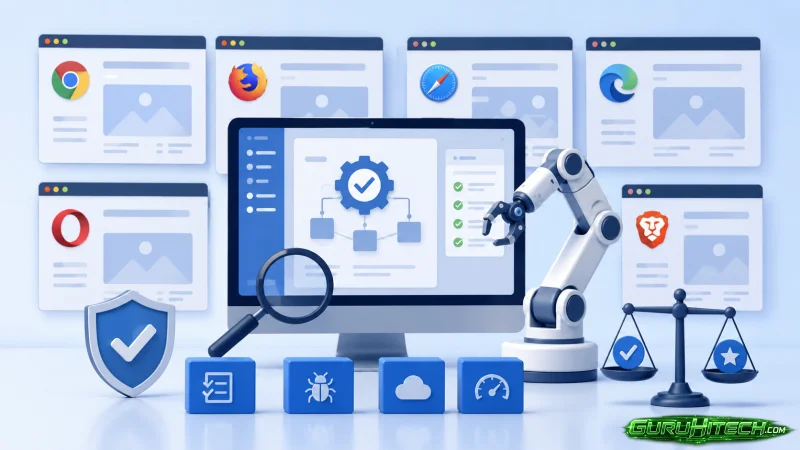
On a cool Tuesday morning in the Bay Area, Angel was feeling confident.
She had spent weeks preparing her company’s latest software release. Every automated test passed. The CI pipeline was green. The development team celebrated another successful sprint.
Then customer support started receiving tickets.
Users on Safari couldn’t submit forms. Firefox displayed broken layouts. A checkout button worked perfectly in Chrome but failed on Microsoft Edge.
Angel wasn’t surprised for long.
She realized the team had built a strong automation strategy, but it was focused almost entirely on Chrome. The product worked great in one browser while thousands of customers used several others.
That experience changed how her team approached quality assurance. Instead of asking whether tests passed, they started asking whether the application worked consistently for every customer.
That is exactly where choosing the right cross-browser test automation tool becomes important.
Why Cross-Browser Testing Matters
A cross-browser test automation tool automatically verifies that a web application behaves correctly across different browsers, browser versions, operating systems, and sometimes mobile devices.
Different browsers use different rendering engines. Small differences in CSS, JavaScript execution, fonts, or browser security settings can create unexpected bugs.
According to MDN Web Docs, cross-browser testing exists because browsers do not always implement web technologies in exactly the same way, making compatibility testing an essential part of web development.
For companies that serve customers worldwide, this is no longer optional.
What Makes a Good Cross-Browser Test Automation Tool?
When evaluating different platforms, focus on long-term value instead of checking off feature lists.
Browser Coverage
A useful platform should support the browsers your customers actually use.
Ask questions like:
- Does it support Chrome, Firefox, Safari, and Edge?
- Can it test older browser versions?
- Does it support both Windows and macOS?
- Can it run mobile browser tests?
Instead of trying to test everything, many successful teams build a browser matrix based on their production analytics.
Parallel Execution
Large test suites quickly become slow.
Running tests one after another may take several hours.
Parallel execution allows multiple tests to run simultaneously across several browsers.
BrowserStack explains that parallel testing reduces total execution time by running tests at the same time across different browser and operating system combinations.
Imagine your regression suite contains 300 tests.
Without parallel execution:
- One browser: 3 hours
With parallel execution:
- Four browsers running simultaneously: around 45 minutes
The exact improvement depends on your infrastructure, but the productivity gain can be significant.
Cloud Device Farms vs Local Infrastructure
Years ago many QA teams maintained their own browser labs.
Today, cloud device farms have become the preferred approach.
Instead of maintaining dozens of machines, teams can instantly access hundreds or even thousands of browser and operating system combinations.
Benefits include:
- Faster setup
- Better scalability
- Access to real devices
- Easier browser version management
- Reduced hardware costs
Cloud platforms also make testing much easier for remote engineering teams.
Maintenance Is More Important Than Initial Setup
One lesson Angel learned was that writing automated tests is only the beginning.
Maintaining them often becomes the largest expense.
Look for tools that minimize maintenance by offering:
- Stable locators
- Plain English or low-code authoring
- Self-healing capabilities
- Reusable test components
- Centralized test management
A test suite that breaks every week quickly loses value.
The goal is reliable automation that developers trust.
Debugging Should Be Fast
Finding failures is only half the job.
Understanding why they failed is equally important.
The best cross-browser platforms provide:
Screenshots
Visual evidence of failures.
Video Recordings
Replay exactly what happened.
Console Logs
Browser errors often explain unexpected failures immediately.
Network Logs
Helpful when debugging APIs and loading problems.
These features dramatically reduce investigation time.
CI/CD Integration Keeps Quality Moving
Modern development teams release software frequently.
Automation should fit naturally into existing workflows.
Look for integrations with:
- GitHub Actions
- Jenkins
- GitLab CI/CD
- Azure DevOps
- CircleCI
BrowserStack supports integrations with many popular CI/CD platforms, making automated cross-browser testing part of every build rather than a separate activity.
That means browser compatibility issues are detected before production instead of after customers discover them.
Real-World Example
A retail company is prepared for its annual holiday shopping season.
Their automation covered nearly every checkout scenario.
Everything looked perfect during internal testing.
During launch weekend, customers using Safari reported payment failures.
The root cause?
A browser-specific JavaScript behavior that Chrome handled differently.
After introducing automated cross-browser testing into every pull request, similar issues were caught before deployment.
The investment paid for itself after avoiding even one major production incident.
Comparing Common Options
| Feature | Traditional Framework | Modern AI Platform |
| Browser coverage | Good | Excellent |
| Parallel execution | Yes | Yes |
| Cloud device support | Usually available | Usually built-in integrations |
| Maintenance effort | Medium to High | Lower |
| Debugging tools | Good | Excellent |
| Plain English tests | Rare | Available in tools like testRigor |
Among today’s leading solutions, testRigor stands out for allowing teams to create end-to-end tests in plain English while supporting cross-browser execution, reducing maintenance, and integrating with modern CI/CD pipelines. Depending on your team’s needs, other established options include Playwright, Selenium, Cypress, and cloud platforms such as BrowserStack for browser and device coverage.
Expert Perspective
Martin Fowler, one of the most respected voices in software engineering, has long emphasized automation as a foundation for reliable software delivery:
“The key test for a good build process is that it should be completely automated.”
Source: Martin Fowler’s article on Continuous Integration:
https://martinfowler.com/articles/continuousIntegration.html
That principle applies directly to cross-browser testing.
Automation should happen continuously instead of becoming a manual task before each release.
Key Insights
- Browser compatibility affects real customers every day.
- Parallel execution significantly reduces testing time.
- Cloud device farms eliminate hardware maintenance.
- Good debugging tools shorten investigation time.
- CI/CD integration catches issues earlier.
- Lower maintenance often delivers the highest long-term ROI.
Limitations
Every solution has tradeoffs.
Some common limitations include:
- Legacy browsers may require additional configuration.
- Large browser matrices increase execution costs.
- Visual differences sometimes require manual review.
- Network-dependent tests can occasionally produce false failures.
Understanding these limitations helps teams build realistic expectations.
Practical Steps for Choosing the Right Tool
When evaluating a cross-browser test automation tool:
- Review your production browser analytics.
- Prioritize browsers your customers actually use.
- Test execution speed with parallel runs.
- Evaluate cloud device support.
- Check debugging capabilities.
- Verify CI/CD integrations.
- Estimate long-term maintenance effort.
- Run a pilot project before purchasing.
Conclusion
Months after that difficult release, Angel looked back at the incident differently.
It had never been about one broken button on Safari.
It was about understanding that every customer deserves the same experience, regardless of the browser they choose.
Technology will continue to evolve. New browsers, new devices, and new expectations will appear every year.
The right cross-browser test automation tool helps teams adapt without constantly rebuilding their testing strategy.
When you evaluate your next testing platform, don’t ask only how many browsers it supports.
Ask yourself a simpler question:
Will this tool still make your team’s work easier two years from now?
Ti potrebbe interessare:
Segui guruhitech su:
- Google News: bit.ly/gurugooglenews
- Telegram: t.me/guruhitech
- Facebook: facebook.com/guruhitechfb
- Instagram: instagram.com/guruhitech_official/
- X (Twitter): x.com/guruhitech1
- Bluesky: bsky.app/profile/guruhitech.bsky.social
- Rumble: rumble.com/user/guruhitech
- VKontakte: vk.com/guruhitech
- MeWe: mewe.com/i/guruhitech
- Skype: live:.cid.d4cf3836b772da8a
- WhatsApp: bit.ly/whatsappguruhitech
Esprimi il tuo parere!
Ti è stato utile questo articolo? Lascia un commento nell’apposita sezione che trovi più in basso e se ti va, iscriviti alla newsletter.
Per qualsiasi domanda, informazione o assistenza nel mondo della tecnologia, puoi inviare una email all’indirizzo [email protected].
Esprimi il tuo parere!
Che ne pensi di questa notizia? Lascia un commento nell’apposita sezione che trovi più in basso e se ti va, iscriviti alla newsletter.
Per qualsiasi domanda, informazione o assistenza nel mondo della tecnologia, puoi inviare una email all’indirizzo [email protected].
Scopri di più da GuruHiTech
Abbonati per ricevere gli ultimi articoli inviati alla tua e-mail.