
The Endpoint Alert Is Only the Beginning: What Happens Next Matters More
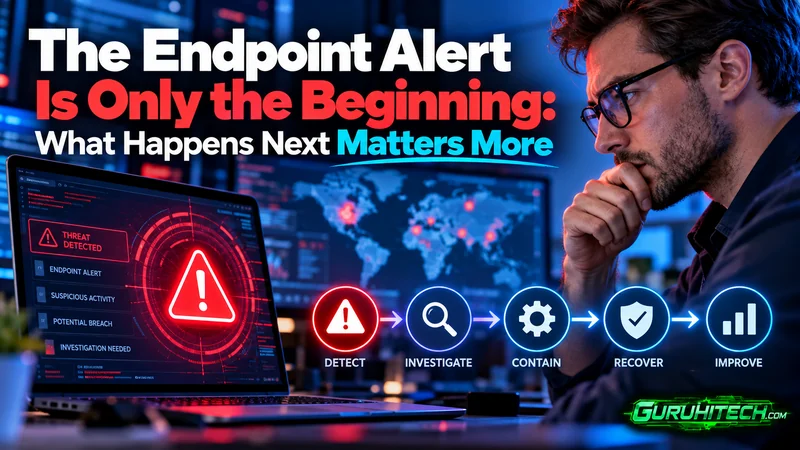
A security alert appears on the dashboard. One employee’s laptop has launched an unfamiliar process, attempted to change a system setting, and connected to an unusual external destination.
The antivirus has not identified a known malicious file. The employee has not reported a problem. Everything still appears to work normally.
At this point, the organization faces a more important question than “Was an alert generated?”
It must determine what the activity means and what to do next.
Modern endpoint security depends on the decisions made between the first warning and the final response. An alert can provide an early opportunity to stop an attack, but only if the IT team has enough context to investigate it and sufficient control to contain it.
An Alert Is a Signal, Not a Conclusion
Security tools generate alerts for many reasons. A program may behave unexpectedly, an unknown file may attempt to run, or a process may establish a suspicious connection.
Some of these events will be harmless. Others may represent the beginning of a serious incident.
Treating every alert as an emergency creates noise and wastes limited security resources. Ignoring an alert because no confirmed malware was detected creates a different risk. A threat may continue operating while the team waits for clearer evidence.
The value of endpoint detection lies in the information surrounding an alert. Security teams need to see what happened before the event, which processes were involved, what changed on the device, and whether similar activity exists elsewhere.
Without that context, an alert is little more than a warning light with no explanation.
The Investigation Starts With the Device
The affected endpoint is the natural starting point, the IT team needs to know who uses the device, what applications normally run on it, and whether the unusual activity could have a legitimate explanation.
A process name alone rarely tells the entire story. A trusted application can be misused, while an unfamiliar process may belong to newly installed business software. The relationship between processes is often more revealing than the individual file.
For example, a document application that launches a command-line utility and then contacts an unknown destination may deserve closer attention. Each action could appear ordinary in isolation. Together, they form a sequence that may indicate malicious activity.
Behavioral analysis helps security teams examine these relationships. Instead of asking only whether a file matches a known malware signature, they can assess whether the actions taking place on the endpoint make sense.
Context Determines the Priority
Not every suspicious endpoint presents the same level of risk.
An isolated test machine holds a different position in the business than a laptop used to access financial records, customer data, or administrative systems. The identity connected to the device also matters. An attacker who compromises a user with elevated privileges may gain more opportunities than one who compromises a restricted account.
Security teams therefore need to connect the technical alert with its operational context. Questions may include:
- Did the device access sensitive systems?
- Was an administrative account active?
- Did the process attempt to create additional files?
- Was there communication with an unrecognized destination?
- Has the same behavior appeared on other endpoints?
- Did the event follow an email, download, or software installation?
The answers help determine whether the team is handling a technical anomaly or an active security incident.
Containment Should Not Depend on Physical Access
If an employee works remotely, the IT team may not be able to inspect the device in person. Waiting for the laptop to return to the office can give suspicious activity more time to continue.
A modern endpoint strategy should allow responders to act wherever the device is located. Depending on the available controls, the team may isolate the endpoint from the wider network, quarantine a suspicious file, stop a malicious process, or initiate further investigation.
Businesses assessing these capabilities can review heimdal’s endpoint detection and response edr solution as an example of how behavioral detection, threat information, endpoint visibility, and response actions can be brought together.
Remote containment does not automatically prove that an endpoint is infected. Its role is to reduce exposure while the team establishes what occurred.
Device Isolation Creates Breathing Room
Disconnecting a suspected endpoint from normal network access can prevent it from communicating with other systems while investigators assess the incident.
This step matters because an endpoint compromise may be only the attacker’s entry point. The intruder could attempt to collect credentials, access shared resources, or move to another device.
Isolation gives the response team breathing room. The affected user may experience a temporary interruption, but the organization reduces the chance that one compromised endpoint will expose a larger part of the environment.
The decision still requires judgment. Isolating a critical device without understanding its business role can disrupt operations. That is why endpoint response needs both technical visibility and clear internal responsibilities.
The Team Must Determine the Scope
Finding suspicious activity on one device does not necessarily mean the incident is limited to that device.
The same file, process, connection, or account may appear elsewhere. Security teams should examine the wider environment for related indicators and determine whether the event is isolated or part of a broader pattern.
Centralized endpoint visibility makes this investigation more practical. Rather than checking machines individually, responders can search for related activity across the estate and identify other devices that may require attention.
This wider view can also reveal the sequence of an attack. One endpoint may show the first suspicious process, another may record an attempted connection, and an identity system may show unusual account activity. When information remains separated across different tools, those events can look unrelated.
Recovery Is More Than Reconnecting the Device
Once the immediate threat has been addressed, the endpoint should not simply be returned to the user without further review.
The team needs confidence that the suspicious process is no longer active, any malicious files have been removed, and the attacker does not retain access through compromised credentials or altered settings.
The organization should also consider how the incident began. A malicious attachment may point to an email-security gap. An exploited application may reveal a patching issue. Misused administrative access may indicate that privileges need to be restricted.
This turns endpoint response into a source of security improvement rather than a one-time cleanup exercise.
Every Incident Should Improve the Next Response
After the technical work ends, the team should record what triggered the alert, which evidence proved useful, what actions were taken, and where delays occurred.
Perhaps the alert lacked enough context. Maybe the correct device owner was difficult to identify. The team may have had detection capabilities but no fast way to isolate the endpoint. These gaps can turn a manageable event into a prolonged investigation.
Reviewing the response allows an organization to refine alert priorities, document responsibilities, and improve coordination between IT and security personnel.
The objective is not merely to close the alert. It is to make the next investigation faster and more decisive.
Strong Endpoint Security Connects Detection With Action
Organizations often evaluate security products by how many threats they claim to detect. Detection is important, but it represents only one part of endpoint defense.
The real test begins after the alert appears.
Can the team understand what happened? Can it see the relationship between suspicious processes and system events? So can responders isolate an endpoint without waiting for physical access? Can they determine whether other devices or users are affected?
Effective endpoint security connects visibility, investigation, containment, and remediation. It gives IT teams more than a warning. It provides the context and control needed to turn that warning into a measured response.
Because an endpoint alert is not the end of the security process. It is the moment when the organization must decide what happens next.
Ti potrebbe interessare:
Segui guruhitech su:
- Google News: bit.ly/gurugooglenews
- Telegram: t.me/guruhitech
- Facebook: facebook.com/guruhitechfb
- Instagram: instagram.com/guruhitech_official/
- X (Twitter): x.com/guruhitech1
- Bluesky: bsky.app/profile/guruhitech.bsky.social
- Rumble: rumble.com/user/guruhitech
- VKontakte: vk.com/guruhitech
- MeWe: mewe.com/i/guruhitech
- Skype: live:.cid.d4cf3836b772da8a
- WhatsApp: bit.ly/whatsappguruhitech
Esprimi il tuo parere!
Ti è stato utile questo articolo? Lascia un commento nell’apposita sezione che trovi più in basso e se ti va, iscriviti alla newsletter.
Per qualsiasi domanda, informazione o assistenza nel mondo della tecnologia, puoi inviare una email all’indirizzo [email protected].
Scopri di più da GuruHiTech
Abbonati per ricevere gli ultimi articoli inviati alla tua e-mail.