

Securing Your Gaming Accounts in 2026: Passkeys, 2FA, and Phishing Defense
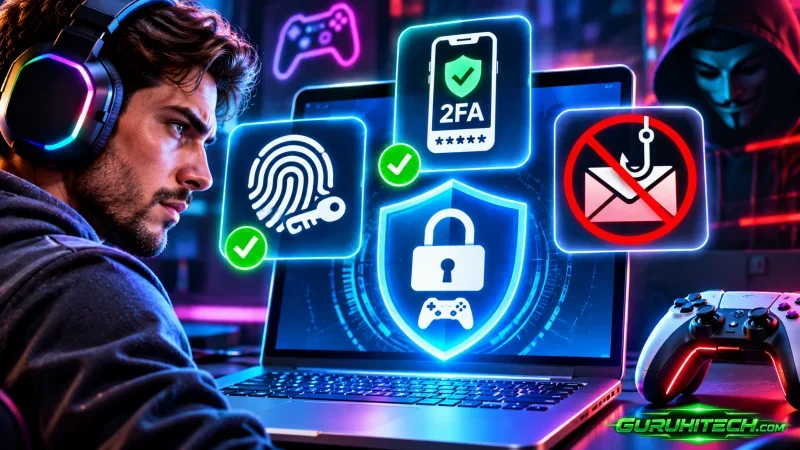
A buddy of mine lost nearly two grand from a gaming account last autumn, and the worst part wasn’t the thief – it was how boring the whole break-in actually was. Nobody hacked a mainframe or cracked some impossible code. He used the same password he’d used on an old gaming forum years back, relied on text messages for his two-factor login, and got hit by a SIM swap on a Friday evening while eating dinner. By the time he realized his phone had dropped to “SOS Only,” his balance was gone, and support tickets were piling up in a language he couldn’t read.
When real money or tradeable items sit inside a gaming lobby, automated bots are constantly hammering login pages with leaked password lists. Relying on a recycled password and an SMS code is basically leaving your front door unlocked with a polite note on the mat. Good digital hygiene isn’t about turning into a paranoid hermit – it’s just taking 10 minutes to replace broken habits with passkeys, proper authenticator apps, and a little healthy skepticism toward weird links.
Why Passwords and SMS Codes Leave Real-Money Accounts Exposed
Most of us hate remembering thirty different passwords, so we reuse variations of the same old phrase and hope the little six-digit text message from our phone carrier saves the day. That worked fine ten years ago, but attackers have automated their side of the game completely.
The Problem With SIM Swapping and Recycled Logins
Every time a random shopping site, Discord bot, or fan forum gets breached, millions of email-and-password pairs get dumped online. Bots immediately test those exact combinations across major gaming platforms and online casinos in a process called credential stuffing.
Even if you turn on SMS two-factor authentication, text messages aren’t encrypted, and mobile carriers get tricked into porting phone numbers onto scammers’ SIM cards every single day. Worse, modern phishing sites sit in the middle of your login—when you type your SMS code into a fake login box, the attacker’s script grabs that six-digit number and uses it on the real site within two seconds.
Checking Platform Security Standards Before You Deposit
Of course, your own habits only cover half the equation. The site holding your balance needs decent locks on its end, too. International gaming platforms vary wildly in how they handle session timeouts, withdrawal checks, and account encryption.
Checking such directories when you visit Curacao Online Casinos makes it much easier to compare how offshore operators manage player verification, encryption baselines, and licensing rules before you sign up. Independent review sites like CuracaoOnlineCasinos.com break down these platform safety standards and payout controls clearly so you know what kind of protection a lobby actually offers before handing over your email or money.
Upgrading to Authenticator Apps and Hardware Security Keys
If a gaming site doesn’t support passkeys yet, your very next move is shutting off SMS codes and switching to an app or a physical key.
Moving From Text Messages to Time-Based Authenticator Apps
Time-based one-time password (TOTP) apps, like Google Authenticator, Aegis, Ente Auth, or 2FAS, generate a fresh six-digit code every 30 seconds right on your phone. Because that secret key lives locally on your device instead of flying across a mobile network, a SIM swap won’t touch it.
Just don’t skip the one step almost everyone ignores: when the gaming site shows you those backup recovery codes during setup, write them down on paper or print them out and put them in a drawer. If you drop your phone in a lake without saving those codes, getting back into your own account can turn into a weeks-long headache.
Physical Security Keys for High-Balance Accounts
For folks keeping serious money or linked crypto wallets on a platform, hardware FIDO2 keys like a YubiKey or Google Titan are worth every penny. You plug the little key into your PC’s USB port or tap it against the back of your phone via NFC to prove you’re physically sitting there. Even if a keylogger grabs your password and you somehow land on a fake login screen, nobody in another country can press that physical button for you. If you go this route, buy two keys and register both – keep one on your keychain and toss the spare in a safe spot at home.
How Passkeys Change Gaming Logins Without the Password Headache
Passkeys sound intimidating until you use one once, at which point going back to typing passwords feels ridiculous. Major gaming networks like PlayStation, Xbox, and Nintendo already support them, and browser-based gaming lobbies are rolling them out steadily.
Cryptographic Logins Tied to Your Device Biometrics
Instead of creating a word you have to remember, your phone or computer generates a matched pair of cryptographic keys. The gaming platform keeps the public half, while the private half stays locked inside your device’s secure chip, managed by Apple Passwords, Google Password Manager, or a cross-platform manager like Bitwarden. When you log in, your phone asks for your fingerprint, Face ID, or device PIN, signs the login request locally, and lets you right in. There is nothing to type, nothing to forget, and nothing useful for hackers to steal if the site’s database gets breached later.
Why Passkeys Naturally Stop Phishing Domains
The real magic of passkeys is about domain binding. When you create a passkey, your device ties it permanently to that exact website address. If a scammer builds a pixel-for-pixel clone of your favorite gaming site and swaps a single letter in the URL, your phone simply refuses to offer the passkey. Even when you’re tired at two in the morning and not paying attention, the hardware stops you from handing over the keys.
Spotting Cloned Lobbies and Phishing Traps in the Wild
Good locks won’t help much if you accidentally hand the keys to a stranger through a sloppy click. Phishing campaigns targeting gamers have gotten remarkably sharp, mostly because attackers prey on urgency and greed.
Fake Bonus Emails, Lookalike URLs, and Malicious Browser Extensions
Be deeply suspicious of any email claiming your account is frozen, your withdrawal failed, or a limited-time VIP bonus expires in ten minutes. Never click login links inside emails, Discord DMs, or sponsored search ads at the top of Google. Bookmark the real website once and use that bookmark every single time. Also, take a hard look at your browser extensions: sketchy ad blockers, coupon finders, or random “game helper” plugins can quietly read your active session cookies and hijack your login without ever needing your password.
Locking Down the Email Account Behind Your Gaming Profile
Your primary email inbox is the master key to your entire digital life. If an attacker gets into your Gmail or Outlook account, they can hit “Forgot Password” on every gaming site you use and bypass half your defenses. Put a passkey or hardware security key on your email account first, and remove SMS recovery options if your provider lets you.
A Five-Minute Security Routine Worth Doing Today
You don’t need an afternoon off to lock things down. Start with your primary email inbox and switch it to a passkey or an authenticator app. Next, open the security settings on whatever gaming platforms hold your money, turn off text-message codes, and enable a TOTP app or passkey instead. Write your backup recovery codes on an index card, clear out any browser extensions you don’t actually trust, and bookmark your official login pages. A little bit of boring self-discipline up front saves you from ever having to explain to support why your balance vanished overnight.
Ti potrebbe interessare:
Segui guruhitech su:
- Google News: bit.ly/gurugooglenews
- Telegram: t.me/guruhitech
- Facebook: facebook.com/guruhitechfb
- X (Twitter): x.com/guruhitech1
- Bluesky: bsky.app/profile/guruhitech.bsky.social
- Rumble: rumble.com/user/guruhitech
- VKontakte: vk.com/guruhitech
- MeWe: mewe.com/i/guruhitech
- Skype: live:.cid.d4cf3836b772da8a
- WhatsApp: bit.ly/whatsappguruhitech
Esprimi il tuo parere!
Ti è stato utile questo articolo? Lascia un commento nell’apposita sezione che trovi più in basso e se ti va, iscriviti alla newsletter.
Per qualsiasi domanda, informazione o assistenza nel mondo della tecnologia, puoi inviare una email all’indirizzo [email protected].
Che ne pensi?
Scopri di più da GuruHiTech
Abbonati per ricevere gli ultimi articoli inviati alla tua e-mail.