

How Novelists and Screenwriters Use AI to Generate Character Reference Images

Every writer knows the feeling: a character’s voice is crystal clear, their backstory is fully mapped, but something about their physical presence stays blurry. You know she has sharp cheekbones and cold eyes that warm only around the people she trusts. You know he slouches when embarrassed, stands straight when dangerous. But try describing that to a cover artist, a casting assistant, or a storyboard illustrator — and you’re already losing something in translation.
This is one of the most stubborn creative gaps in fiction and screenwriting. Words can capture psychology beautifully, but when a story involves visuals — film pitches, book covers, comic adaptations, or just the author’s own creative clarity — there’s a real demand for concrete visual references. That gap used to require hiring a concept artist, commissioning character sheets, or spending hours on Pinterest hoping to stumble across a face that was “close enough.”
Banana Pro AI has quietly become one of the most useful tools for closing that gap — not because it replaces the writer’s imagination, but because it finally gives that imagination somewhere to go.
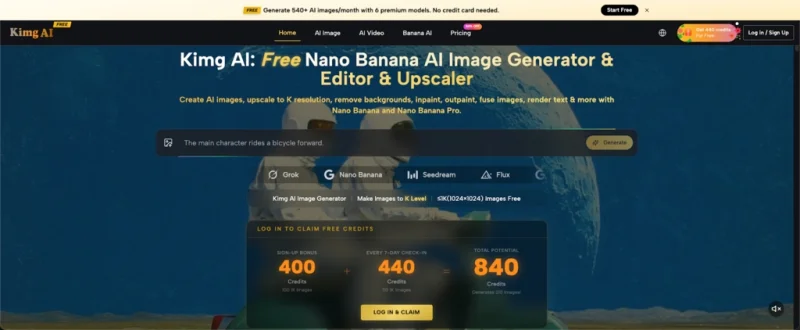
I. What Banana Pro AI Actually Does for Character Creation
Turning Descriptions Into Faces
The most immediately useful feature for fiction writers is Text to Image generation. You describe a character — age, facial structure, hair, expression, clothing, emotional energy — and Banana Pro AI produces a visual interpretation in seconds . The output isn’t a generic stock photo. It’s a generated image that reflects the specific combination of traits you’ve put into the prompt.
For a novelist writing a morally complex political thriller, this means the difference between vaguely imagining a senator’s aide and having a reference image showing exactly how that character carries exhaustion on his face while keeping his posture composed. That image doesn’t write the scenes for you — but it anchors them.
Image to Image: Refining What’s Already There
Writers often start with something rough. Maybe a sketch, a saved photo that captures the right bone structure, or a previous AI-generated image that got the costume right but the expression wrong. Banana Pro AI’s Image to Image function takes an uploaded reference and transforms it according to new instructions . You can shift the art style from photorealistic to illustrated, age the character up, change their outfit without losing the face, or push the emotional tone of the image in a different direction.
This iterative quality is what separates useful AI image tools from novelty ones. Character design in fiction is rarely a single decision — it evolves. A character who starts as a secondary figure becomes central by chapter four, and suddenly the author needs more visual material. Image to Image lets that process move quickly and stay consistent.
II. Practical Workflow for Writers and Screenwriters
1. Building the Initial Character Profile
Before generating anything, it helps to treat the prompt like a character description from the manuscript itself. Pull the relevant physical details from the text — age, ethnicity, build, coloring, distinguishing features — and add context about the character’s emotional state or role in the story. “A 40-year-old Japanese woman, lean and weathered, wearing a patched military coat, expression guarded but not hostile, in muted watercolor style” will produce something far more useful than “strong female character.”
2. Generating Multiple Variations
Banana Pro AI supports batch generation, producing multiple interpretations from a single prompt . For writers working on character design, this is invaluable. Four variations of the same character let you identify which elements landed correctly and which need adjustment. Maybe the first three have the right face but the fourth nailed the posture — now you know what to specify more carefully in the next round.
3. Style Matching to Genre
Genre creates visual expectations. A grimdark fantasy novel calls for different character aesthetics than a contemporary romantic thriller. Banana Pro AI offers a wide range of artistic styles — anime, cinematic photorealism, watercolor, oil painting, minimalist illustration — all accessible through style presets and prompting . Screenwriters developing a pitch deck benefit from cinematic-quality character images that match the tone of their script. Novelists who create visual references for their own writing process can choose styles that match the book’s mood.
4. Maintaining Consistency Across Characters
Ensemble casts are where character reference work becomes genuinely complicated. Keeping five characters visually distinct while maintaining a consistent art style is difficult when generating images one at a time. By using Image to Image to establish a visual baseline — feeding one character’s reference into the next generation while specifying differences — writers can build a coherent ensemble that looks like it belongs in the same story . This matters especially for anything that might move toward comic adaptation, illustrated editions, or any kind of pitch material.
III. Specific Use Cases by Writing Format
Novel Writing: Reference for the Author’s Own Clarity
Not every reference image is for an audience. Many working novelists generate character images purely for themselves — to maintain consistency across a long manuscript, to help when writing scenes involving physical description, or simply to get out of a creative block. Having a clear visual of what a character looks like can unlock prose that was stalling. It’s the same reason many writers keep character mood boards, but faster and more specific.
Screenwriting and Pitch Decks
A screenplay pitch benefits enormously from visual support. When presenting to producers, investors, or studio executives, attaching character concept images demonstrates creative vision in a language that non-readers understand instantly. Banana Pro AI can generate photorealistic character images suitable for professional pitch materials — and because all images come with full commercial usage rights at no extra cost, there are no licensing complications when those materials go into circulation .
Graphic Novel and Comic Script Development
Writers developing stories intended for sequential art need character references that a collaborating artist can actually use. These aren’t just inspirational images — they’re working documents. The ability to generate multi-angle references, experiment with costume details, and produce images in a consistent style gives a comic writer something to hand off that’s far more actionable than a text description alone. The Canvas Workflow feature in Banana Pro AI lets writers chain multiple generation steps together in a single visual pipeline, which suits the iterative nature of concept development for illustrated formats.
IV. Getting the Most Out of the Tool
Writing Prompts That Actually Work
The quality of AI-generated character images scales directly with prompt quality. Vague prompts produce generic results. Useful prompts include: specific age and ethnicity, physical build and posture, clothing details and their condition (worn, formal, practical), facial expression and what emotion underlies it, and any distinctive visual details — a scar, a specific hair texture, a prosthetic, unusual eye color.
Style cues also matter: “cinematic lighting, shallow depth of field” signals photorealistic intent; “flat illustration, clean linework” signals a different aesthetic. Neither is wrong — it depends on what the reference will be used for.
Using the AI Chat Assistant for Prompt Refinement
When a first-pass result is close but not quite right, Banana Pro AI includes an AI Chat Assistant that helps refine generation descriptions . Instead of guessing which words to change, the writer can describe what’s off — “the expression is too neutral, needs to read as someone hiding grief” — and the assistant helps translate that into more effective prompting language. This is particularly useful for writers who are fluent in character psychology but less practiced in visual description.
Storing and Organizing Character Libraries
For writers working on multi-book series or ongoing screenwriting projects, the Smart Asset Library in Banana Pro AI automatically saves and organizes every generated image . Prompts are saved alongside images, version history is accessible, and the library is searchable. Over time, this becomes a working visual archive of every character across every project — a resource that would have taken years and significant expense to build through traditional illustration commissions.
V. From Mental Image to Creative Asset
The gap between imagining a character and being able to show that character to someone else — a collaborator, a publisher, a producer, or even just a reader — is one of the quietest frustrations in writing. It’s not a gap most writers talk about, because until recently there was nothing to do about it except keep it in your head or find the budget for commissioned art.
That’s what has changed. A novelist working alone on a debut manuscript and a professional screenwriter preparing a pitch to a major studio now have access to the same kind of visual development tools that used to require a full art department. The images that come out of Banana Pro AI aren’t just references — they’re a new kind of creative output that extends the reach of written storytelling into a visual register.
The characters in your next project deserve to be seen. They’ve been waiting long enough.
Ti potrebbe interessare:
Segui guruhitech su:
- Google News: bit.ly/gurugooglenews
- Telegram: t.me/guruhitech
- Facebook: facebook.com/guruhitechfb
- Instagram: instagram.com/guruhitech_official/
- X (Twitter): x.com/guruhitech1
- Bluesky: bsky.app/profile/guruhitech.bsky.social
- Rumble: rumble.com/user/guruhitech
- VKontakte: vk.com/guruhitech
- MeWe: mewe.com/i/guruhitech
- Skype: live:.cid.d4cf3836b772da8a
- WhatsApp: bit.ly/whatsappguruhitech
Esprimi il tuo parere!
Ti è stato utile questo articolo? Lascia un commento nell’apposita sezione che trovi più in basso e se ti va, iscriviti alla newsletter.
Per qualsiasi domanda, informazione o assistenza nel mondo della tecnologia, puoi inviare una email all’indirizzo [email protected].
Scopri di più da GuruHiTech
Abbonati per ricevere gli ultimi articoli inviati alla tua e-mail.