

How SaaS Products Use Brand APIs to Build Better User Experiences in 2026
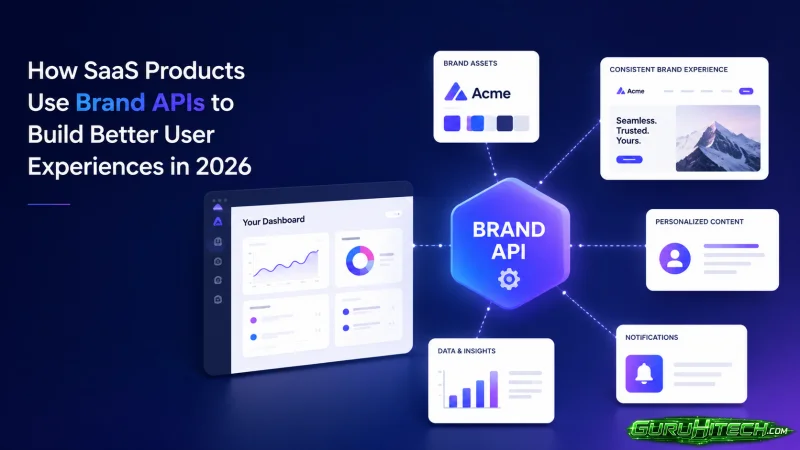
There is a detail in well-built SaaS products that users notice without naming it. When you connect your CRM, a company logo appears next to each account record. When you sign up with a work email, your company name and industry auto-populate the onboarding form. Also when a payment comes through, the vendor logo shows up in the transaction feed instead of a generic placeholder.
None of this happens manually. Product teams are not sourcing logos or company details one by one. What makes it work is a brand API — a service that takes a domain name and returns structured company data including logos, brand colors, firmographics, and social links in a single call.
This piece covers how SaaS products are actually using brand APIs in production, what the integration looks like, and what separates the providers worth using from the ones that create more work than they save.
What a Brand API Actually Does
A brand API takes a domain name as input. Something like stripe.com or shopify.com. It returns a structured payload with everything a product needs to represent that company visually and contextually.
A typical response includes:
- Logo files in SVG, PNG, and JPG across multiple variants. Light version, dark version, icon-only, and full lockup where available.
- Brand colors as hex values. Quality providers include contrast metadata that tells you which background types the logo reads well against.
- Firmographics. Industry classification, employee count range, headquarters location, founding year.
- Company description, social links, and domain metadata.
All of that from one API call. The integration handles a problem that would otherwise require a combination of manual research, image hosting, and multiple data sources stitched together with custom code.
Where SaaS Products Actually Use Brand Data
CRM and Account Management Interfaces
This is the most common use case. CRM products display company records constantly. An account list with logos next to each entry is faster to scan than a list of text names alone. The logo creates a visual anchor that helps users locate the account they need without reading every row.
The brand API call happens when a new company record is created or when a domain is entered. This response populates the logo, colors for any branding elements tied to that account, and the firmographic fields that CRM users typically want to see — industry, size, location. No manual entry. No image upload flow for the user.
Onboarding and Company Auto-Fill
When a user signs up with a work email, SaaS products can extract the domain and call a brand API to pre-populate company details on the account setup screen. The user sees their company name, industry, and sometimes employee count already filled in.
This reduces onboarding friction. It also reduces data entry errors. Company names entered manually by users are inconsistently formatted across records. API-sourced data returns normalized strings that do not need cleanup downstream.
Analytics and Dashboard Interfaces
Products that show account-level analytics benefit from company logos in the same way CRMs do. When a user is looking at a report segmented by company, logos let them navigate visually rather than reading every name.
Finance and billing products use this pattern for transaction feeds. Expense management tools, accounting software, and payment dashboards all benefit from showing vendor logos alongside transaction records. A transaction list with logos looks like a polished product. The same list without them looks like a spreadsheet export.
Partner and Integration Directories
SaaS products that offer integration ecosystems need to display partner logos across app directories, integration pages, and marketplace listings. Keeping those logos current manually across dozens or hundreds of partners is not realistic.
Brand APIs solve the freshness problem. When a partner rebrands, the API response updates without any intervention from the product team. The correct logo appears in the directory automatically.
What Separates Good Brand APIs from Bad Ones
Coverage statistics from providers are averages across their entire indexed database. Your actual experience depends on the specific domains your product handles. Pull 50 to 100 domains from your actual user base and run them through any API you are evaluating. That tells you more than any benchmark.
Beyond coverage, four things determine whether a brand API is worth building on:
- Format completeness. SVG is essential for scalable display. Multiple logo variants — light, dark, icon-only — remove manual decisions about which version to use and when.
- Data freshness. Stale logos in production generate user support tickets and erode trust. A provider that updates their database frequently matters more than one with a slightly larger raw coverage number.
- Response time at P99. Average latency numbers are misleading. P99 latency tells you what the slowest 1% of requests look like. For user-facing applications, that tail matters.
- Pricing that fits the usage pattern. Some providers charge per call. Others offer flat monthly access. The right model depends on whether your usage is predictable or spiky.
BrandsAPI in Production
BrandsAPI covers 44 million indexed brands and returns the full data payload described above in a single call. Logos come back in SVG, PNG, and JPG across light, dark, icon, and full lockup variants. Brand colors include contrast metadata. Firmographics cover industry, employee count, founding year, headquarters, and company description.
Data accuracy sits at 99.97%. Response time averages 94ms at P99. The platform is SOC 2 Type II certified. For teams building user-facing features where the quality of company data is visible to end users, those numbers translate directly to product quality.
Pricing is transparent. The Pro plan runs at $50 per month for 10,000 API calls. A free tier gives 100 calls per month with no credit card required. For teams evaluating the API, that free tier covers a meaningful domain sample test before any integration work begins.
Documentation, a live testing environment, and API keys are available at Brandsapi. Response schema, authentication setup, rate limit documentation, and code examples in JavaScript, Python, and cURL are all there.
The Integration Is Simpler Than It Looks
For teams that have not worked with a brand API before, the integration surface is smaller than it might seem. The core pattern is:
- A trigger event in your product (new company record created, email domain captured at signup, payment processed from a new vendor).
- A single API call to the brand API with the domain as the input.
- Parsing the response and writing the relevant fields to your data model.
- Displaying the logo and data in your interface.
Most teams complete an initial integration in a day or two. The decisions are mostly about caching — whether to store logo files in your own CDN or serve them directly from the API, and how often to refresh the data for existing records.
So the right approach depends on your traffic patterns, but the API documentation at Brandsapi covers both patterns with implementation guidance and code examples.
The User Experience Difference Is Real
The gap between SaaS products that use brand data and those that do not is visible to users even when they cannot name what they are responding to. A CRM where every account has a logo and accurate firmographics feels like a finished product. The same interface with placeholder icons and manually entered company names feels like an early build.
Brand APIs are not a feature users request directly. They are infrastructure that makes everything users do in the product feel faster and more polished. For SaaS teams that care about how their product feels to use, that is where the work belongs.
Scopri di più da GuruHiTech
Abbonati per ricevere gli ultimi articoli inviati alla tua e-mail.