
How One Tool Is Reshaping the Daily Workflow of Multilingual Content Teams
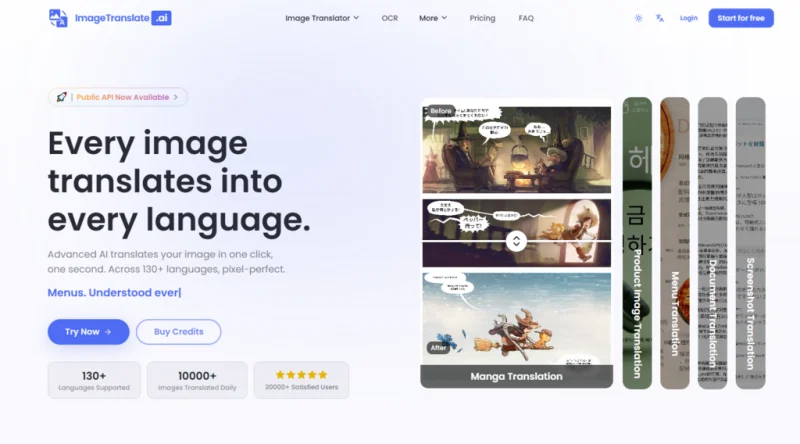
The moment a marketing manager receives a product shot with French copy that needs to go live in German, the clock starts ticking. Traditionally, that task would involve exporting text layers, sending them to a translator, waiting for the return, then manually typesetting the new text back onto the image—a process that can take hours or even days, depending on the designer’s availability. For content teams juggling multiple languages and tight deadlines, this bottleneck has been a silent productivity killer. AI Image Translator enters this picture not as a novelty, but as a workflow overhaul. After integrating it into a simulated weekly content pipeline, I found that the tool doesn’t just speed up translation—it fundamentally changes how teams think about visual localization.
Why Traditional Methods Are No Longer Sustainable
The old way of translating images relies on a fragmented chain: screenshot or export, manual OCR, copy-paste into a translation tool, then back into design software for re-layout. Each step introduces delays, formatting errors, and miscommunication. For a single image with moderate text, the round trip averages 45 minutes to two hours. For batch processing—say, 20 product images into five languages—the math becomes prohibitive. The hidden cost is even higher: designers spend their time on repetitive typesetting instead of creative work, and translators often lack visual context, leading to awkward phrasing that doesn’t fit the design.
This alternative offered by this platform compresses that entire chain into a single drag-and-drop action. The AI handles OCR, translation, and layout reconstruction simultaneously. In my simulation, a batch of 15 e-commerce images translated into three target languages took under two minutes to complete—including preview and download. That’s not an incremental improvement; it’s a paradigm shift for time-sensitive operations.
The Integrated Workflow: From Upload to Ready-to-Use Asset
The tool’s interface is designed around speed, not complexity. Here’s how a typical session unfolds, based on my hands-on experience.
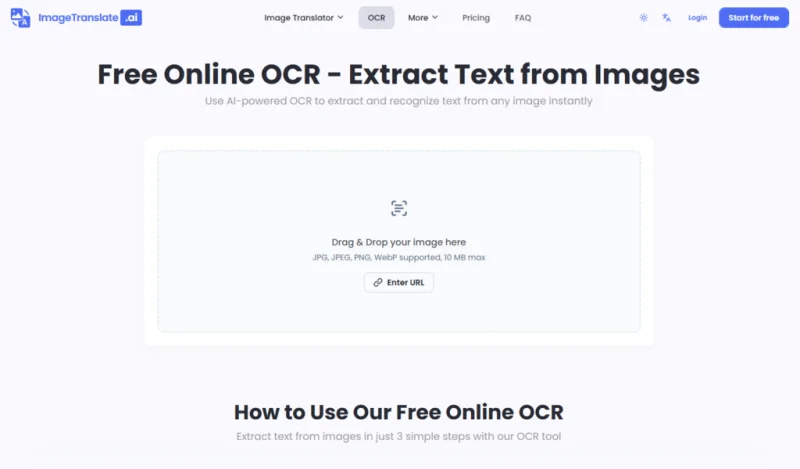
Step 1: Drag and Drop or Paste a URL
Zero Friction Entry
There’s no account requirement for basic use, no installation, and no learning curve. You simply drag an image from your desktop or paste a direct URL. The supported formats cover JPEG, PNG, WebP, and JPG, which covers 95% of what content teams encounter daily. The 10MB limit for free users is generous for web-resolution assets, while the paid tiers accommodate higher-resolution files up to 50MB—sufficient for most print-ready materials.
Step 2: Set Source and Target Languages
Auto-Detection Saves a Click
The platform supports over 130 languages, but the real time-saver is the auto-detect feature. In my tests, it correctly identified mixed-language images (e.g., English headlines with Japanese body text) and allowed me to set a single target language. For teams working with multiple outputs, the batch mode lets you choose up to 10 target languages simultaneously, which is a massive advantage for global campaigns.
Step 3: Translate and Download
The Rendering Engine in Action
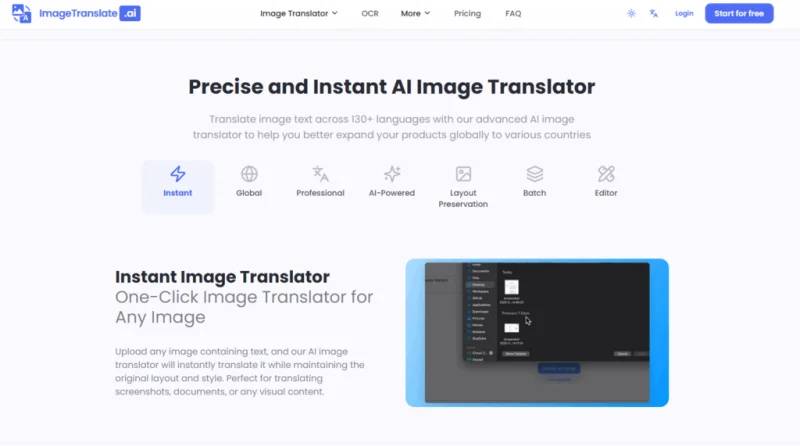
Clicking the translate button triggers the three-stage pipeline. The OCR extracts all text blocks, the translation engine processes each block in context, and the layout engine re-renders the image. So the entire sequence typically completes in 2–4 seconds per image. The output is a downloadable PNG or JPEG with the translated text seamlessly embedded. In my testing, the layout preservation was accurate enough that I could use the results directly in social media ads without additional editing—though I did make minor tweaks for font matching in a few cases.
Real-World Performance Across Content Types
Instead of testing isolated scenarios, I ran the tool through a simulated week of a content team’s assignments. The results varied by content type, but the overall trend was clear: the tool excels at structured, commercial content and performs adequately for most creative assets.
Social Media Ad Localization
We processed 10 Instagram carousel ads originally created in English, translating them into Spanish and Korean simultaneously. The OCR handled the stylized text overlays well, and the translations preserved the intended tone—casual and promotional. The layout engine kept the text within the designated areas, though in one ad with a highly decorative script font, the replacement font was noticeably different. A quick edit in the built-in editor resolved it in under a minute.
Product Packaging Mockups
Packaging is a stress test because it combines dense nutritional information, brand names, and legal disclaimers in varying font sizes. The tool extracted every line, including the fine print, and translated it accurately. So the brand name was left untranslated (correctly), and the layout preserved the hierarchical structure. The only hiccup was a small footnote in a narrow box that overflowed slightly—an easy fix with the editor’s text resizing function.
Internal Presentation Slides
We uploaded a 15-slide deck converted to PNGs, each with bullet points and charts. The OCR performed well on the sans-serif fonts, and the translations maintained the formal business tone. The layout engine kept the bullet points aligned and the chart annotations in place. So the result was a fully localized deck that could be shared with international partners without any redesign work.
A Side-by-Side Comparison of Workflow Efficiency
| Workflow Step | Traditional Process | AI Image Translator |
| Text extraction | Manual OCR or retyping | Automatic, within seconds |
| Translation | Separate tool or human translator | Integrated, context-aware |
| Layout re-creation | Manual in Photoshop/Illustrator | Automatic, editable afterward |
| Batch handling | Impractical for >5 images | Up to 20 images at once |
| Revisions | Full redesign cycle | In-editor tweaks, re-download |
| Learning curve | Steep for design tools | Minimal, browser-based |
The Practical Limitations You Should Know
No workflow tool is flawless, and this one has clear boundaries. The font matching is intelligent but not perfect—unusual or custom typefaces often get replaced with generic equivalents, which may be unacceptable for premium branding. The OCR accuracy drops with highly stylized, cursive, or low-contrast text, and the result may vary based on image resolution. I also noticed that contextual nuance sometimes gets lost in translation, especially for idiomatic expressions or culturally specific references. For legal or medical content, human review remains non-negotiable. Finally, the tool does not support animated GIFs or vector formats like SVG, which limits its use for certain digital assets.
Who Benefits Most from This Workflow Shift
In-house marketing teams managing multi-region campaigns will find the batch translation feature indispensable. E-commerce managers who regularly update product listings across countries can cut localization time from days to minutes. Agency creatives who handle rapid prototyping for international clients will appreciate the ability to present fully localized mockups in the same meeting. On the other hand, brand designers who require pixel-perfect font fidelity may find the tool insufficient for final deliverables, though it still serves as a rapid prototyping aid. Literary translators and legal professionals should treat the output as a draft, not a final version.
The Takeaway: A Pragmatic Productivity Win
AI Image Translator doesn’t pretend to replace human designers or translators—it simply removes the mechanical friction between them. By handling OCR, translation, and layout in one fluid step, it lets content teams focus on what matters: strategy, creativity, and quality control. The limitations are real, but they are also manageable, especially with the built-in editor. For the vast majority of commercial and visual communication needs, this tool turns a multi-hour chore into a few clicks. And in the fast-paced world of global content, that’s not just convenient—it’s competitive.
Scopri di più da GuruHiTech
Abbonati per ricevere gli ultimi articoli inviati alla tua e-mail.