

How to Collect Design Files, Documents, and Images From Customers in WooCommerce
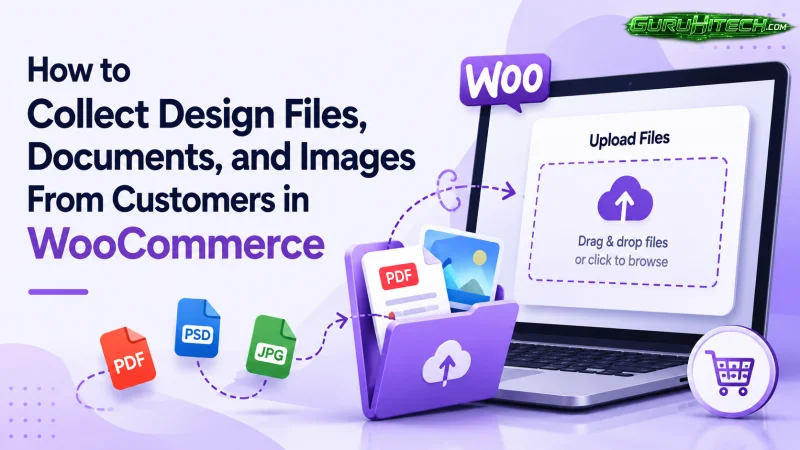
Selling custom products online sounds simple at first until you actually start managing customer orders. The moment buyers need to send logos, artwork, PDFs, reference images, or personalized instructions, the entire workflow changes. Suddenly, regular WooCommerce orders turn into long email threads, missing attachments, and delayed production.
A lot of store owners still rely on customers sending files manually after placing orders. Some use contact forms, while others ask customers to email attachments separately. It works for a small number of orders, but once your store starts growing, the process becomes difficult to manage properly.
That’s exactly why more businesses are now utilizing a proper file upload WooCommerce plugin directly for their online stores.
Instead of chasing customers for missing documents or incorrect files, everything gets submitted during the buying process itself. Orders become cleaner, communication improves, and production starts much faster.
In this guide, we’ll go through practical ways to collect customer files in WooCommerce and what features actually matter when setting up a smooth upload system.
Why WooCommerce Stores Need a File Upload System
Not every WooCommerce store sells ready-made products. Many businesses depend heavily on customer-provided files before they can process an order.
For example, a print shop may need artwork files before printing banners. A t-shirt business might require logos or custom graphics. A packaging company may need branding documents or design references. Even digital agencies and B2B stores often ask customers to upload requirement documents before work begins.
Without a proper system in place, businesses usually run into problems like:
- Customers forgetting to send files
- Wrong attachments being uploaded
- Confusing email conversations
- Delays in order processing
- Missing design instructions
- Difficulty matching files with orders
This is where a structured upload file WooCommerce setup becomes extremely useful. Instead of managing uploads manually, everything stays connected directly to the customer’s order.
The Shift Away From Email-Based File Collection
A few years ago, most stores handled uploads through email. Customers placed an order first and then sent files later. While that process technically worked, it also created unnecessary delays.
Today, customers expect everything to happen instantly while they are shopping.
They want to:
- Upload files immediately
- Preview attachments before submitting
- Add instructions alongside uploads
- Replace incorrect files easily
- Complete the entire process in one place
This is why file upload WooCommerce plugins have become far more important in 2026 than they were before.
Stores are now focusing on reducing manual communication and simplifying custom order handling from the start.
Best Places to Collect Customer Uploads in WooCommerce
The location of your upload option matters more than people think. Different stores use different workflows depending on the type of products they sell.
Product Page Uploads
This is still the most commonly used setup for personalized products. Customers upload their files directly before adding the product to cart.
It works especially well for:
- Custom apparel
- Business cards
- Sign printing
- Personalized gifts
- Product engraving
- Sticker printing
The biggest advantage here is that customers understand upload requirements immediately while selecting the product.
For example, if someone is ordering a printed hoodie, uploading the logo directly on the product page feels natural. It avoids the extra step of sending files later through email.
A good upload file WooCommerce, preferably by FmeAddons can be implemented on product pages, which should also allow customers to preview, replace, or remove uploaded files before checkout.
Cart Page Uploads
Some businesses prefer collecting uploads after customers finish shopping rather than during product browsing.
This setup works well for stores handling:
- Bulk orders
- Wholesale requests
- Shared design assets
- Multi-product customization
For example, a customer ordering several products with the same logo only needs to upload one file on the cart page instead of uploading separately for every product.
Cart page uploads also help keep product pages cleaner and less cluttered.
Checkout Page Uploads
Checkout uploads have become much more common recently because they simplify the customer journey.
Instead of asking for files earlier, stores collect everything at the final step before payment.
This approach works well when:
- Files apply to the entire order
- Customers prepare documents later
- Uploads are optional rather than mandatory
Many businesses now combine all three approaches together depending on their workflow.
What Types of Files Should Customers Be Allowed to Upload?
The answer depends entirely on your business model.
A print store may only need PDF or AI files, while an apparel store mostly handles PNG or JPG images. B2B businesses often collect spreadsheets, purchase orders, or ZIP archives.
Some common file types include:
| Store Type | Common Upload Formats |
| Printing Stores | PDF, AI, PSD |
| Apparel Stores | PNG, JPG, SVG |
| B2B Stores | DOCX, XLSX, ZIP |
| Photography Stores | RAW, JPG |
| Manufacturing | CAD, PDF |
| Agencies | PDF, PPT, ZIP |
The important thing is keeping uploads controlled instead of allowing every file type without restrictions.
Why File Restrictions Matter
One of the biggest mistakes WooCommerce store owners make is accepting unrestricted uploads.
Without controls, customers may upload:
- Unsupported file formats
- Extremely large files
- Corrupted documents
- Wrong design versions
A file upload WooCommerce by FmeAddons should always include file restrictions such as:
- Allowed file extensions
- Maximum upload sizes
- Upload quantity limits
- Product-specific upload rules
For example, a laser engraving store may only accept SVG files, while a printing company might require high-resolution PDFs only.
These small restrictions prevent production mistakes later.
Multiple File Uploads Have Become Essential
Most custom orders no longer involve just one attachment.
A customer ordering product packaging may upload:
- Logo files
- Brand guidelines
- Product dimensions
- Design references
- Print instructions
That’s why modern upload file WooCommerce systems now support multiple uploads instead of limiting customers to a single file.
This improves communication significantly because customers can submit everything together rather than sending extra emails afterward.
Let Customers Add Notes Alongside Files
Sometimes files alone are not enough to explain what customers actually want.
For example, someone uploading a logo for a t-shirt order may also need to mention:
“Please place the logo on the back only and keep the print width under 10 inches.”
This is why upload systems that support notes alongside attachments work much better for personalized orders.
It reduces misunderstandings and gives admins better production clarity.
Allow Customers to Update Files After Ordering
Customers often realize mistakes after placing an order.
Sometimes they upload:
- The wrong logo
- An outdated design
- A low-quality image
- Incorrect dimensions
Without a proper upload system, fixing these mistakes usually requires support emails or manual admin intervention.
Modern file upload WooCommerce workflows now allow customers to replace or remove uploaded files directly from their account page while the order is still pending.
This saves time for both customers and store owners.
File Approval Workflows Are Becoming More Popular
Businesses handling personalized manufacturing often review uploaded files before production begins.
Instead of automatically accepting every upload, admins can:
- Approve files
- Reject incorrect uploads
- Request revisions
- Add feedback notes
This workflow is especially useful for:
- Printing businesses
- Embroidery stores
- Packaging companies
- Engraving businesses
It helps prevent expensive production errors caused by poor-quality or incorrect files.
Features That Actually Matter in 2026
A lot of upload plugins look similar on the surface, but the details make a major difference when handling real customer orders.
Some of the most useful features store owners now look for include:
- Product page uploads
- Cart page uploads
- Checkout page uploads
- Multiple file uploads
- File previews
- Replace/delete options
- Upload progress bars
- Upload notes
- Approval workflows
- File restrictions
- Role-based visibility
- Product/category restrictions
- Mobile-friendly uploads
- HPOS compatibility
- Cart & Checkout Blocks support
The goal is not just collecting files. The goal is creating a smoother and more reliable ordering experience.
Common Mistakes to Avoid
Even a useful upload feature can hurt conversions if implemented poorly.
One common mistake is making uploads mandatory for every product, even when they are not needed. Another issue is cluttering product pages with too many upload fields at once.
Some stores also forget mobile users entirely, even though a large percentage of uploads now happen directly from phones.
It’s also important to organize uploaded files properly inside order details. If admins struggle to locate customer uploads later, the workflow quickly becomes frustrating internally.
Final Thoughts
Custom WooCommerce orders almost always involve extra communication, whether that means collecting logos, design files, PDFs, images, or technical documents. The problem is that manual communication methods simply do not scale well once order volume increases.
That’s why more businesses are moving toward structured file upload WooCommerce systems that allow customers to submit everything directly during the buying process.
Whether you collect uploads on product pages, the cart page, or during checkout depends on your business workflow. What matters most is making the process simple, organized, and easy for customers to understand.
As personalization continues growing in eCommerce, having a reliable upload file WooCommerce workflow is quickly becoming a standard part of running a modern WooCommerce store rather than just an optional extra feature.
Scopri di più da GuruHiTech
Abbonati per ricevere gli ultimi articoli inviati alla tua e-mail.