
AI Image Generator: Building a Visual Library That Grows with Your Ideas
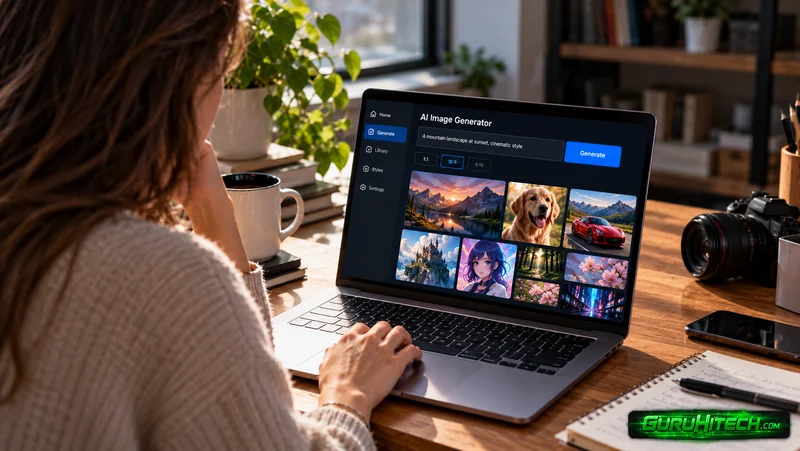
Creative projects rarely depend on a single image. A small business may need visuals for its website, product announcements, social media posts, and seasonal campaigns. A blogger might need illustrations for several related articles, while a designer may want to explore different concepts before settling on a final direction. The challenge is not always creating one attractive picture. It is developing a collection of visuals that feels connected without making every image look identical.
An ai image generator can help creators explore different subjects, moods, and compositions while building a more organized visual library. With a thoughtful approach, the process becomes less about collecting random results and more about creating assets that work together over time.
Start with a Visual Identity, Not a Folder of Images
Before generating a collection, decide what should connect the images. This does not mean every visual needs the same background or color palette. Instead, identify a few characteristics that give the collection a recognizable identity. For a handmade skincare business, the visual direction might include natural textures, soft daylight, simple backgrounds, and a calm atmosphere. A technology newsletter might use geometric shapes, strong contrast, and clean editorial illustrations.
These decisions create a foundation for future work. Without them, individual images may look appealing but feel disconnected when placed beside one another. Create a short reference note that describes the intended mood, preferred colors, composition style, and typical subjects. Keep it practical rather than turning it into a complicated design manual. The purpose is to make creative decisions easier when new content is needed.

Think in Categories Instead of Individual Requests
A useful visual library contains images designed for different purposes. Instead of generating pictures whenever a need appears, identify the recurring categories within your project. For example, a business website might require product-focused images, background visuals, illustrations explaining services, and photographs that communicate the brand’s atmosphere. A content creator may need article headers, supporting illustrations, announcement graphics, and evergreen social media assets.
Each category has different requirements. A website background may need open space for text, while a product image should keep the main object prominent. An editorial illustration may need to communicate a single idea without unnecessary decoration. Planning these categories in advance makes it easier to create images with a clear destination. It also reduces the risk of accumulating dozens of attractive files that never become useful.
Create Variety Without Losing Consistency
One of the more interesting challenges in visual production is balancing familiarity with novelty. If every image follows exactly the same formula, a collection can become repetitive. If every image uses a completely different style, the overall identity may disappear. A practical solution is to keep a few elements consistent while allowing others to change. For example, a series of educational illustrations might use the same general color palette and clean composition while featuring different subjects. A product campaign might maintain consistent lighting and background simplicity while changing the angle, setting, or featured item.
When working with AI image generation tools, experiment with one variable at a time. You might generate several compositions for the same subject, then test a different background while keeping the overall visual direction similar. This makes comparison more meaningful. You can identify which variations add value and which ones weaken the connection between assets. Dreamina is one option creators may explore when developing visual concepts, but the best choice depends on the level of control, image quality, editing options, and usage terms required for the project.
Give Every Image a Clear Role
An image should do more than match a preferred aesthetic. It should serve a specific purpose within the larger project. Imagine creating visuals for an article about remote work. A picture of a laptop on a desk might establish the subject, but an illustration of a person balancing several video meetings could communicate the pressure of managing a distributed schedule. Both images relate to the topic, yet they serve different editorial purposes.
Before generating an asset, write a short description of the job it needs to perform. Should it explain a concept, attract attention, establish a mood, or encourage someone to explore further? This question helps guide subject selection and composition. It also provides a useful standard for evaluating results. An image that looks beautiful but does not support the message may not be the right choice. A simpler visual that communicates the intended idea clearly can be more valuable.
Organize Your Library for Future Use
As a collection grows, finding the right asset can become surprisingly difficult. Descriptive filenames and a basic folder structure make a noticeable difference. Instead of naming a file “final-image-7,” use a name that identifies its subject and intended purpose. Organize related assets into categories such as website visuals, social content, product concepts, or editorial illustrations. It can also help to keep a record of the prompt or creative direction used to produce a successful image. If you need a related visual later, this information provides a starting point for recreating the style without relying on memory.
Separate approved assets from experiments. Not every generated image deserves a place in the finished library, and retaining every version can make the collection harder to navigate. A smaller, carefully selected library is often more useful than a large folder filled with similar or unfinished results.
Review Quality Before Publishing
Images created with ai image generation tools can contain details that are difficult to notice at first glance. Hands, lettering, reflections, object proportions, and small background elements may look convincing at a distance but become inconsistent when examined closely. Review each image at the size where it will appear. A small social media graphic may hide minor flaws that become obvious in a full-width website banner.
Check that the visual supports the intended message and does not introduce misleading details. If the image represents a real product, inspect its shape, color, and other important features carefully. Consider practical requirements as well. Different platforms may require specific dimensions, and commercial projects may have licensing or disclosure requirements. Confirm the relevant terms before using an asset publicly. These final checks help ensure that creative experimentation produces work that is actually ready for use.
Final Thoughts
Building a strong visual library requires more than generating attractive images one at a time. It involves establishing a recognizable direction, planning asset categories, balancing consistency with variety, and giving every visual a clear role. An AI image generator can support this process by making it easier to explore different creative possibilities. The real value comes from the decisions surrounding the technology: choosing the right concept, reviewing results carefully, and organizing successful assets for future projects. With a little planning, each new image can become part of a useful collection rather than another isolated experiment.
Frequently Asked Questions
How can I keep AI-generated images consistent across a project?
Establish a few visual guidelines, such as preferred colors, lighting, composition, and overall mood. Reuse these principles while changing the subject or setting to create variety without losing the collection’s identity.
What should I include in a visual library?
Include assets that serve recurring needs, such as website backgrounds, product visuals, editorial illustrations, and social media graphics. Choose categories based on the actual requirements of your project rather than generating images without a clear purpose.
Are AI image generation tools useful for small businesses?
They can help small businesses explore campaign concepts, create supporting illustrations, and develop visual ideas without arranging a new photo shoot for every concept. Final results still require quality checks and appropriate usage permissions.
How should I name and organize generated images?
Use descriptive filenames that identify the subject, purpose, or campaign. Keep approved assets separate from drafts, organize files into practical categories, and save useful prompt details when you may need related images later.
Should every image follow the same visual style?
Not necessarily. A consistent overall direction helps people recognize related content, but different projects may need different treatments. Keep a few defining elements consistent while adapting composition, detail, and mood to each image’s purpose.
Ti potrebbe interessare:
Segui guruhitech su:
- Google News: bit.ly/gurugooglenews
- Telegram: t.me/guruhitech
- Facebook: facebook.com/guruhitechfb
- Instagram: instagram.com/guruhitech_official/
- X (Twitter): x.com/guruhitech1
- Bluesky: bsky.app/profile/guruhitech.bsky.social
- Rumble: rumble.com/user/guruhitech
- VKontakte: vk.com/guruhitech
- MeWe: mewe.com/i/guruhitech
- Skype: live:.cid.d4cf3836b772da8a
- WhatsApp: bit.ly/whatsappguruhitech
Esprimi il tuo parere!
Ti è stato utile questo articolo? Lascia un commento nell’apposita sezione che trovi più in basso e se ti va, iscriviti alla newsletter.
Per qualsiasi domanda, informazione o assistenza nel mondo della tecnologia, puoi inviare una email all’indirizzo [email protected].
Scopri di più da GuruHiTech
Abbonati per ricevere gli ultimi articoli inviati alla tua e-mail.