

Beyond the Hype: 7 Essential Features Every Professional Image-to-Video AI Should Have
Scroll through any platform today, and you’ll notice one thing right away: video is everywhere.
Whether it’s social media or personal projects, motion grabs attention in a way static images just can’t. That shift pushes creators to look for smarter ways to turn their ideas into engaging videos. That’s exactly where image-to-video AI tools come in. They promise to turn a single image into a compelling video in minutes.
At first, it sounds amazing. But once you try different tools, reality kicks in.
Some tools are simple but create lifeless animations. Others give you more control but feel confusing and slow. Before you know it, you have spent more time testing tools than actually creating content.
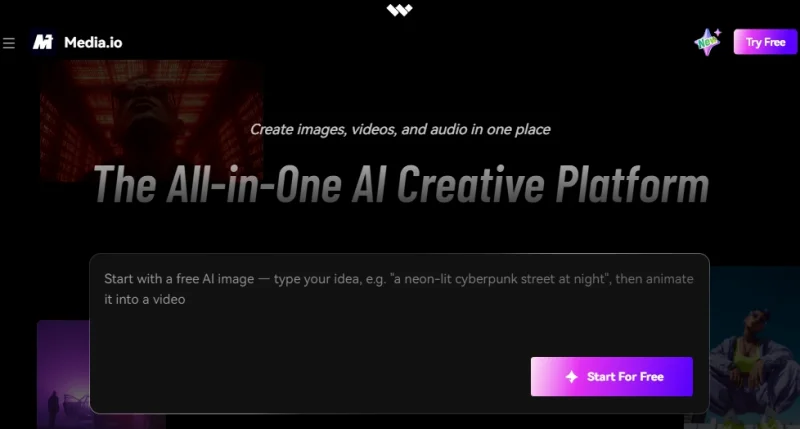
The reality is that not all AI tools are created equal. Selecting the right one isn’t just about features. It’s about how smoothly you can turn a rough idea into a final video. Tools like Media.io are getting popular because they keep things simple while still delivering quality results.
In this guide, you’ll learn 7 essential features of image-to-video AI that help you select the right tool with confidence.
What Is an Image to Video AI Generator?
Before you can pick the right tool, it’s important to understand what it actually does.
An image-to-video AI generator is a software that transforms a static image into a moving video without the need for complex editing. Instead of leaving your image flat, it adds movement and flow that makes the content feel alive.
It enhances your image by introducing:
- Motion effects like zoom and subtle animations
- Depth and perspective to create a more dynamic feel
- Transitions and visual flow that make the video smooth and engaging
What makes this powerful is how it turns a single visual into a storytelling format. A simple image presented in a way that captures attention.
That’s why AI video generator tools are widely used by:
- Social media creators for reels and short videos
- Marketers and advertisers for dynamic promotions
- Content storytellers to make interactive visuals
Even beginners can start creating videos without investing in expensive software with these tools. They make video creation easier and more accessible.
Key Features to Look for in an Image-to-Video AI Generator
Now that you know what these tools do, the real question is: what separates a good tool from a frustrating one?
Not every free image-to-video AI generator delivers the same experience. The difference comes down to a few key features and how well they work together.
1. Ease of Use: Can Beginners Start Without Learning Editing?
A good tool shouldn’t feel intuitive from the start, no tutorials, no steep learning curve.
Look for:
- Clean interface
- Drag-and-drop uploads
- Simple steps
If you’re spending more time learning the tool than creating content, it’s not the right one.
2. AI Automation: Does It Actually Save Time?
Once the tool feels easy, the next question is: Is it actually doing the work for you?
Strong AI should:
- Automatically generate motion
- Suggest transitions
- Apply effects without manual input
If you’re doing most of the work yourself, the AI isn’t doing its job.
3. Video Quality: Does the Output Look Professional?
Speed is great, but not at the cost of quality.
Many tools generate videos quickly, but the results can look:
- Blurry
- Over-processed
- Unnatural
A reliable tool should produce:
- Sharp visuals
- Smooth motion
- Clean, professional output
Because in the end, your audience only sees the final result.
4. Customization Options: Can You Control the Final Output?
Automation should help, but control matters too.
The best tools let you:
- Adjust animation styles
- Control speed and transitions
- Add text, overlays, or branding
This balance between automation and control separates basic tools from useful ones.
5. Speed and Processing Time: How Fast Can You Create Videos?
If you’re creating content regularly, speed is essential.
A reliable AI video generator from an image should:
- Process quickly
- Avoid long rendering times
- Deliver results within minutes
Waiting too long breaks your workflow and your momentum.
6. Templates and Styles: Does It Offer Ready-Made Designs?
When you don’t want to start from scratch.
Templates make it easier to:
- Maintain visual consistency
- Create content faster
- Experiment with different styles
Whether it’s social media or ads, templates simplify everything.
7. No Watermarks or Branding Restrictions
Many turn image-to-video AI tools add watermarks.
Look for tools that offer:
- Clean exports
- No forced branding
- Flexible usage rights
Because your content should represent your brand, not someone else’s.
8. Compatibility and Export Options
Creating a video is just one part of the process, while you also need to use it.
A good tool should support:
- Multiple formats
- Platform-specific sizes
- Easy sharing and downloads
This ensures your content works wherever you need it.
9. Pricing vs Value: Are You Getting What You Pay For?
Free image-to-video AI tools are a great starting point, but they often come with limitations.
Instead of focusing only on price, ask:
- Does it save time?
- Does it improve quality?
- Is it reliable?
Sometimes a small investment delivers much better results.
Best Tool That Covers All These Features
After going through these features, one thing becomes clear: finding a tool that gets everything right isn’t easy. Most tools either focus on simplicity or control, but rarely both.
That’s where Media.io stands out. It offers a well-balanced experience by combining smart AI automation and reliable output quality in one place.
What makes it practical is how smoothly everything works together:
- Beginner-friendly interface
- AI-powered automation
- Fast processing
- High-quality output
At the same time, it doesn’t limit you. You still get enough flexibility to adjust styles, refine visuals, and make the final video match your needs.
No doubt, Media.io is a reliable option that makes the entire process feel easier while still delivering solid results.
Want to see it in action? Try Media.io today and turn your images into engaging videos in minutes.
How to Choose the Right Tool for Your Needs
Even with great options available, the right choice depends on what you’re trying to achieve.
Here’s a simple way to decide:
Beginners
- Focus on simplicity
- Choose tools with automation
- Avoid complex interfaces
Content Creators
- Look for customization
- Experiment with styles and templates
- Prioritize creative control
Businesses
- Focus on quality and branding
- Avoid watermarks
- Ensure professional output
The best tool is the one that fits your workflow and requirements.
Conclusion
The market is full of AI tools, but not all of them deliver real value. The difference comes down to features, quality, and flexibility.
Rather than chasing trends, focus on what actually improves your workflow and results.
Try different tools, see how they perform, and choose your favourite. For a good starting point, Media.io offers you a perfect balance of power and ease of use.
FAQs
1. What is the most important feature in an image-to-video AI tool?
Ease of use and output quality are the most important.
2. Do all image-to-video AI tools offer high-quality output?
No. Many tools focus on speed but compromise on quality.
3. Are free image-to-video AI tools enough for regular use?
They can work for basic needs, but free tools often have limitations like watermarks or lower quality.
Scopri di più da GuruHiTech
Abbonati per ricevere gli ultimi articoli inviati alla tua e-mail.