
Breaking 3D Printing Barriers: In-Depth Analysis of Hi3D’s Revolutionary Multi-Color and Split-for-Printing Features
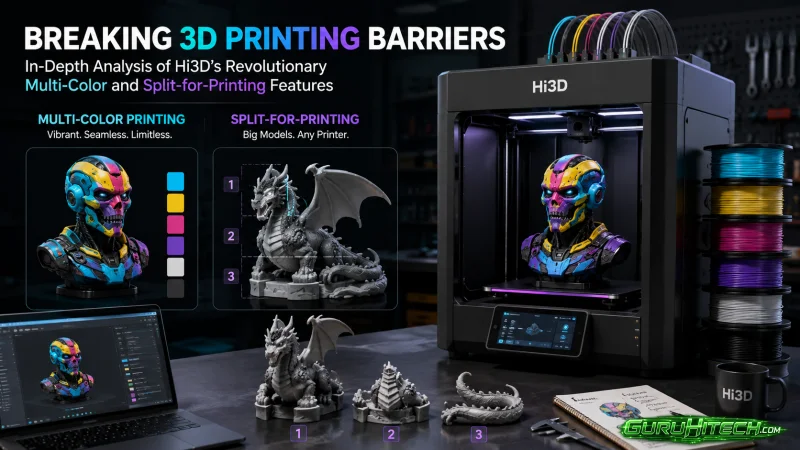
In today’s digital manufacturing era, although AI technology has made obtaining 3D models easier than ever, a massive technical chasm still lies between virtual models on a screen and perfect physical prints for 3D printing makers, creators, and small studios.
The transition from a digital mesh to a tangible physical object remains plagued by hardware limitations, software incompatibilities, and high failure rates. To bridge this gap, the hi3d platform has emerged as a cutting-edge AI 3d model generator dedicated to breaking the barriers between virtual design and physical manufacturing. It is not just a simple AI model generator, but an intelligent tool that deeply understands printer hardware logic and filament characteristics.
1. The Severe Pain Points Plaguing Traditional 3D Printing
Multi-color printing and large-scale model printing have long been the two core pain points restricting the maker community. When converting traditional AI texture models directly into printable formats, a basic color clustering workflow is typically used. This causes digital colors to convert directly into vertex colors, resulting in many noisy color patches and fragmented areas scattered across the mesh. This scattered color distribution requires extremely long manual painting times in slicing software. During actual printing, it leads to significantly increased print times, soaring material costs, and frustratingly frequent filament changes that drastically increase the risk of print failure.
Meanwhile, physical size limitations present a completely different set of structural challenges. When encountering large models that exceed a printer’s specific build volume, or models with poorly processed meshes that lack pin slots for assembly support, makers are forced to look outside their standard slicing tools. They must often open complex, steep-learning-curve software like Blender for manual cutting and drilling. This tedious process makes the experience from “owning a model” to “successfully printing it” filled with frustration and friction.
2. Introducing Hi3D’s Smart Multi-Color and Splitting System
In its latest one-year anniversary release, hi3d has introduced revolutionary new feature highlights designed to bypass these manufacturing bottlenecks entirely. It can directly transform AI-generated textured 3D models into print-ready multi-color physical objects. Whether used as an advanced 3d model generator or experienced for free as an AI 3d model generator free, it completely frees makers from tedious low-level mesh repair, enabling a seamless workflow from images to stylized models, and finally to multi-color physical prints.
2.1 Brand New Multi-Color Printing System
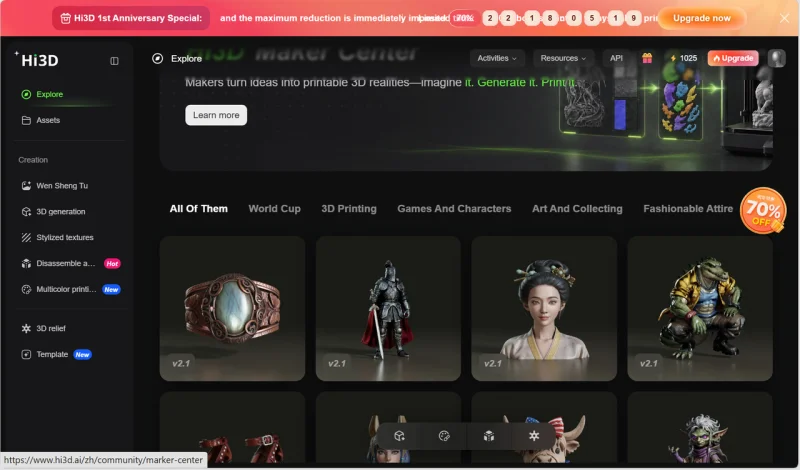
hi3d’s multi-color printing feature has achieved a massive leap in intelligence. After entering the feature and importing a model, users simply click to generate a multi-color model. The system automatically generates printer-friendly, highly continuous color regions, supporting up to 16 colors simultaneously. Unlike traditional tools that roughly convert textures to chaotic vertex colors, hi3d prioritizes regional continuity and printing stability.
With its built-in Filament Simulation model, users can freely adjust the Region Threshold and color count using intuitive sliders. More importantly, it precisely maps design colors to actual, commercially available filament color palettes, drastically reducing the pain of manual color segmentation and painting in slicing software.
Additionally, the system accurately estimates material usage, color change counts, and printing time before you heat up your machine. It can directly export ready-to-use 3MF files that support mainstream slicing software like Bambu Studio, OrcaSlicer, Creality Print, and ElegooSlicer, automatically filling in parameters like temperature.
2.2 Intelligent Split-for-Printing System
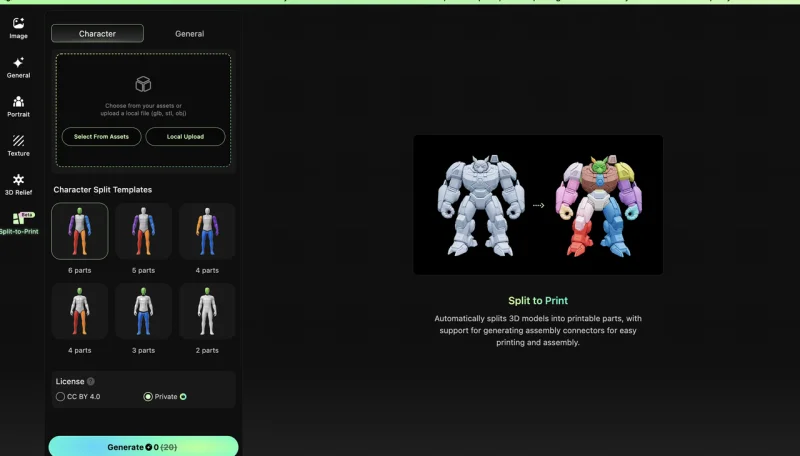
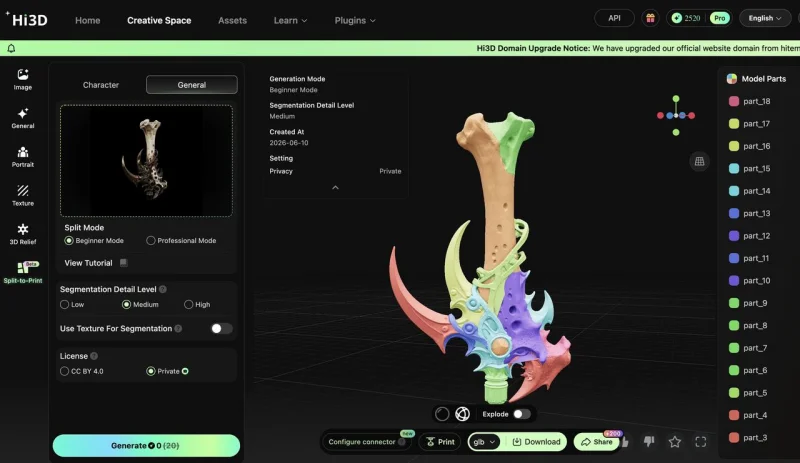
Addressing the physical challenges of large-sized or complex structural prints, hi3d provides a dedicated splitting tab, completely ending the history of manual cutting and pin creation in third-party software.
- Automatic Character Cutting: For humanoid, figurine, and miniature models, hi3d features 6 built-in solid split templates based on human anatomy. With one click, users can separate the head, torso, limbs, weapons, and base.
- Watertight Solid Parts Output: Cut meshes are automatically repaired into closed, watertight solid files, ensuring they can seamlessly enter slicing software for immediate manufacturing without slicing errors.
- One-Click Assembly Connectors: Utilizing smart Boolean operations, the system can generate mortise-and-tenon structures, slots, pins, or dovetail joint connectors with a single click for static figurines. For action figures, it supports generating multi-directional rotating ball joints and single-axis rotating rivet connectors. Users can freely adjust connector size, length, direction, and fit tolerances to perfectly match different materials and printer precisions.
- Universal Model Splitting: For non-humanoid models like buildings, weapons, and vehicles, it offers basic and advanced splitting modes. These support face merging and boundary editing, making non-humanoid splitting just as simple and efficient.
3. How Hi3D Optimizes and Transforms the Maker Ecosystem
With this powerful 3d model AI generator free tool, the 3D printing preparation process is drastically compressed. Addressing the high costs of color fragmentation, hi3d merges small fragments while maintaining sharp boundary transitions. This delivers highly cost-conscious outputs and drastically reduces unnecessary filament breaks and swaps. For large models that cannot be printed in a single go, the intelligent splitting of this AI 3d model generator allows small-scale desktop printers to produce massive, stunning assembled pieces.
Coupled with the platform’s powerful Smart Arrangement feature, the system automatically optimizes supports around assembly pins and joints. It offers “surface-quality priority” or “minimal-support priority” layout modes. This shifts the workflow from rough, manual processing to refined, digital manufacturing, truly bringing the concept of an AI 3d print generator to life.
Whether you want to turn a beautiful sports poster into a 3D-printed collectible, quickly prototype physical molds, or bring your custom figurine ideas to life, the complete evolution of AI 3d modeling saves dozens of hours of manual calibration. Relying on this outstanding 3d AI model generator, even beginners with zero modeling experience can use the built-in Maker Templates. By uploading a simple photo of a pet or person, they can easily create personalized fridge magnets and 3D toys, fully unlocking the infinite creative potential of 3d model generator AI.
4. One-Year Anniversary Celebration and Beta Testing Recruitment
To celebrate the platform’s one-year anniversary, hi3d has officially launched its biggest promotional campaign yet. During the event, selected services are available at an incredible 70% Off, and a Buy One, Get One Free deal on Credits Packs has been introduced, making this the absolute best time to jump in.
Simultaneously, the official team is recruiting global geeks and 3D printing enthusiasts for the early Beta testing of the new multi-color printing feature, with highly limited spots available. Invited makers will be among the first to experience the cutting-edge technology of mapping AI-generated models directly to real-world multi-color printing filaments. As a token of appreciation, users who complete a brief survey will receive 300 credits. Those who submit detailed feedback along with physical print showcases will receive an additional 1,000 credits.
Ti potrebbe interessare:
Segui guruhitech su:
- Google News: bit.ly/gurugooglenews
- Telegram: t.me/guruhitech
- Facebook: facebook.com/guruhitechfb
- Instagram: instagram.com/guruhitech_official/
- X (Twitter): x.com/guruhitech1
- Bluesky: bsky.app/profile/guruhitech.bsky.social
- Rumble: rumble.com/user/guruhitech
- VKontakte: vk.com/guruhitech
- MeWe: mewe.com/i/guruhitech
- Skype: live:.cid.d4cf3836b772da8a
- WhatsApp: bit.ly/whatsappguruhitech
Esprimi il tuo parere!
Ti è stato utile questo articolo? Lascia un commento nell’apposita sezione che trovi più in basso e se ti va, iscriviti alla newsletter.
Per qualsiasi domanda, informazione o assistenza nel mondo della tecnologia, puoi inviare una email all’indirizzo [email protected].
Scopri di più da GuruHiTech
Abbonati per ricevere gli ultimi articoli inviati alla tua e-mail.