
How to Test a Translation App Before an International Trip
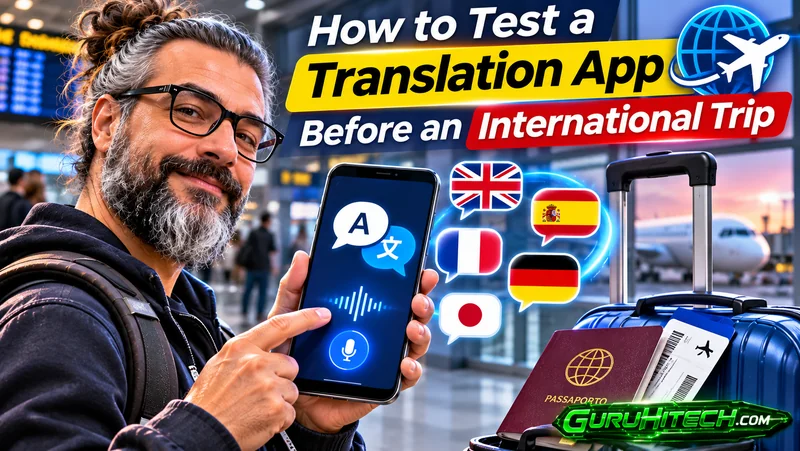
A translation app can look perfectly capable while you are testing a short phrase at home. The real challenge begins in a noisy airport, at a hotel desk with people waiting behind you, or during a business conversation involving names, numbers, and unfamiliar terminology.
That is why travelers should test translation tools before departure rather than downloading one after landing. A useful trial does not require fluency in another language. It requires a few realistic scenarios, a second person, and an honest look at where automated translation needs human verification.
Imagine a consultant preparing for a three-day industry event abroad. The trip includes airport transfers, a hotel check-in, meetings at a busy exhibition center, dinner with a prospective partner, and a visit to a supplier. Each setting places different demands on a translation app.
Start With the Languages You Will Actually Need
Before testing individual features, confirm that the app supports the language pair required for the trip. Do not assume that support for a language automatically means every feature is available both online and offline.
A traveler might need English and Spanish for general conversations but also encounter regional pronunciation, local place names, or industry vocabulary. A real-time translator app such as Owll Translator supports two-way voice communication across more than 100 languages, together with functions such as photo translation.
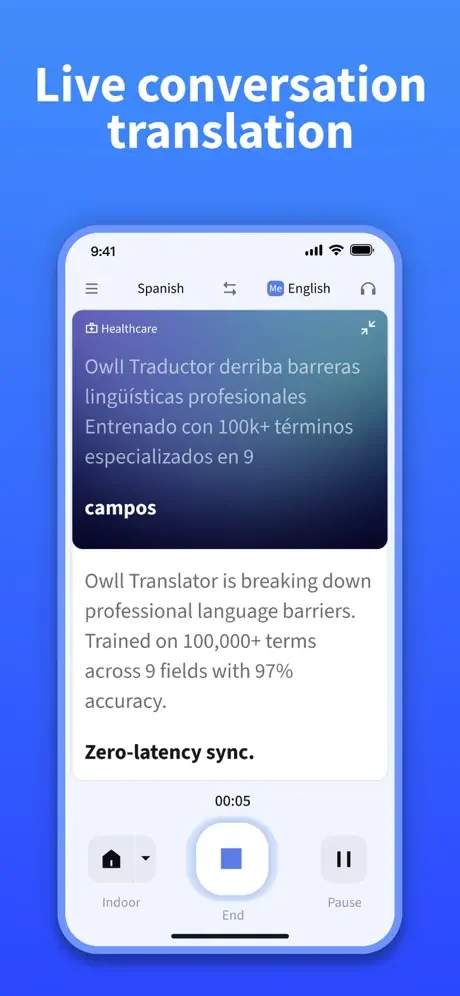
Its newly introduced offline voice translation feature is intended for situations where mobile data or Wi-Fi is weak or unavailable, giving travelers a more dependable way to continue essential spoken exchanges without relying on a continuous connection. Users should still confirm whether offline voice translation is available for their required language pair and device, then prepare any necessary language resources while a stable connection is available.
Test 1: Recreate a Noisy Arrival
Airports and railway stations are poor places to discover that an app struggles with background noise or microphone permissions.
To simulate the situation, play low-level crowd or transport noise from another device. Ask a friend to stand at a natural conversational distance and take turns speaking through the app.
Use the type of phrases that may actually be needed:
- “Which platform does the train to the city center leave from?”
- “Does this ticket include the airport transfer?”
- “Please take me to this hotel address.”
- “Where can I collect my checked baggage?”
The purpose is not to measure translation with laboratory precision. It is to learn how the conversation feels. Check whether the speaker must pause before talking, how long each turn should be, and whether recognized text appears correctly before it is translated.
If the app mishears a sentence, shorten it. “Can you tell me where I need to go to find the train that travels into the center of the city?” can become “Where is the train to the city center?” Simple sentences usually make errors easier to notice and correct.
Test 2: Practice a Hotel Check-In
A hotel check-in combines ordinary conversation with details that must be exact. The traveler may need to provide a surname, booking reference, arrival date, room type, or payment information.
Create a mock reservation and ask another person to play the receptionist. During the exercise, separate normal conversation from critical data.
The app may help with questions such as:
- “Is breakfast included?”
- “What time does the shuttle leave?”
- “Can I store my luggage after check-out?”
Names and reservation numbers should be shown in writing instead of repeatedly translated. Addresses, dates, prices, and identification details should also be checked visually.
This test reveals an important rule: spoken translation can move the conversation forward, while written information anchors the details that cannot safely be guessed.
Test 3: Verify Offline Translation Before You Lose Signal
Weak connectivity is common in hotel basements, underground stations, remote factories, rural areas, and crowded exhibition venues. In these settings, an online-only translation workflow may slow down or become temporarily unavailable. Owll Translator’s offline voice translation provides a practical fallback for continuing essential spoken exchanges when a stable mobile or Wi-Fi connection cannot be maintained.
Test the feature before departure rather than waiting until the signal disappears. Prepare the required offline language resources while connected to reliable Wi-Fi, then enable airplane mode and leave Wi-Fi switched off. Close the app completely, reopen it, and repeat several realistic phrases involving directions, check-in questions, meeting times, and basic requests. This confirms that the feature is operating offline rather than displaying previously loaded content.
Offline availability may differ according to the language pair, device, operating system, and app version. Travelers should therefore verify the exact setup they intend to use. Even after a successful test, keep essential addresses, emergency contacts, booking details, and appointment information as saved text or screenshots. A printed backup can still be useful if the phone runs out of power.
Test 4: Photograph Realistic Text
Photo translation is useful for menus, signs, labels, and short printed instructions, but the quality of the source image matters.
Create a small test set before traveling:
- A menu photographed in dim light
- A label with small print
- A sign viewed from an angle
- A glossy package with reflections
- A document containing a table or numbered instructions
Check whether the photograph is sharp, level, and well lit. If the text is difficult to read in the original image, translation is unlikely to remove that uncertainty.
Use photo translation to understand the general content, then inspect ingredients, allergy warnings, measurements, prices, and safety instructions separately. Important information should be confirmed with staff or another reliable source rather than accepted from a single image translation.
Test 5: Listen Through Earphones
Playing translated speech aloud may be inconvenient on public transport, in an exhibition hall, or during a quiet meeting. Earphones can make listening more discreet and reduce disturbance to people nearby.
The term private translation earbuds refers to using connected earphones with Owll Translator so translated audio can be heard privately. The app performs the translation; ordinary earbuds do not independently contain translation technology.
Connect the earphones and test:
- Whether translated audio goes to the intended device
- Whether the phone speaker remains silent
- How quickly the user can switch attention between the screen and audio
- Whether one earbud can be used while remaining aware of the surroundings
- What happens if the Bluetooth connection drops
For safety, travelers should not block environmental sound while crossing roads, navigating stations, or working near vehicles and machinery.
Run a Short Business Conversation
The consultant in our example will also meet a supplier. Before the trip, a colleague can simulate a five-minute discussion about sample quantities, production time, packaging, and delivery.
Keep each speaking turn brief. After a figure or date is translated, repeat it in a complete sentence:
“To confirm, you can prepare 300 samples by October 18.”
Write down currencies, units, model numbers, product codes, and deadlines. Technical terms should be prepared in advance, ideally with reference images or an approved bilingual glossary.
Owll Translator can also generate AI conversation notes and summaries after a session. These can help users recall what was discussed, but they should be treated as drafts. Compare them with written quotations, personal notes, and source documents before using them as a business record.
Build a Small Communication Kit
A translation app works best as one part of a wider preparation kit. Before leaving, save:
- Hotel and venue addresses
- Emergency contacts
- Booking and transport references
- Product photographs and model numbers
- Important dietary or medical information
- A short glossary of business terms
- Written versions of questions involving prices or deadlines
- A portable charger
Also learn a few basic expressions in the local language. Greetings, thanks, apologies, and requests for slower speech can make interactions more comfortable even when technology handles the more complex sentences.
Know When the Test Has Passed
A successful trial does not mean every sentence was perfect. It means the traveler understands how to use the app, recognizes its limits, and has a fallback for essential information.
Before departure, the user should be able to:
- Start a two-way conversation without searching through settings
- Recognize when speech has been transcribed incorrectly
- Access the required offline functions
- Photograph printed text clearly
- Route translated audio through earphones
- Confirm critical details in writing
- Escalate legal, medical, safety, or contractual content to a qualified person
Owll Translator can reduce friction across many everyday travel and business situations, but preparation remains essential. Ten minutes of realistic testing at home can prevent a translation tool from becoming another unfamiliar piece of technology at the moment it is needed most.
Ti potrebbe interessare:
Segui guruhitech su:
- Google News: bit.ly/gurugooglenews
- Telegram: t.me/guruhitech
- Facebook: facebook.com/guruhitechfb
- X (Twitter): x.com/guruhitech1
- Bluesky: bsky.app/profile/guruhitech.bsky.social
- Rumble: rumble.com/user/guruhitech
- VKontakte: vk.com/guruhitech
- MeWe: mewe.com/i/guruhitech
- Skype: live:.cid.d4cf3836b772da8a
- WhatsApp: bit.ly/whatsappguruhitech
Esprimi il tuo parere!
Ti è stato utile questo articolo? Lascia un commento nell’apposita sezione che trovi più in basso e se ti va, iscriviti alla newsletter.
Per qualsiasi domanda, informazione o assistenza nel mondo della tecnologia, puoi inviare una email all’indirizzo [email protected].
Che ne pensi?
Scopri di più da GuruHiTech
Abbonati per ricevere gli ultimi articoli inviati alla tua e-mail.