
Fake Tech Support Calls: How to Check Before You Give Anyone Remote Access
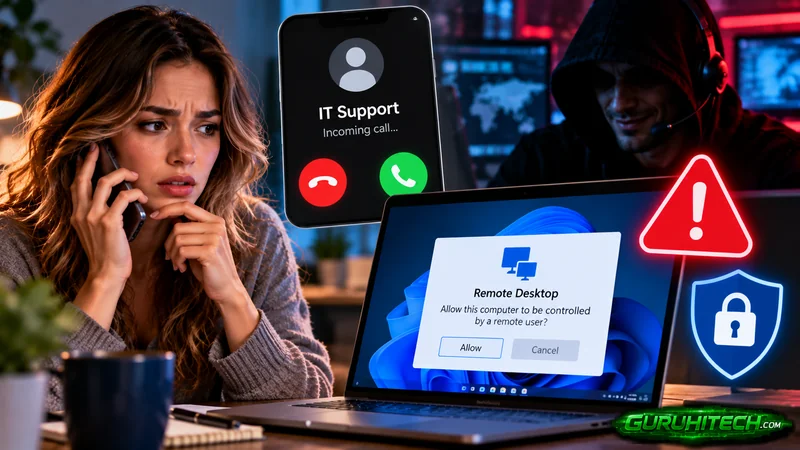
The call sounds routine. “Hi, this is IT support. We’ve detected a problem with your account and need to connect to your computer to fix it.” Sometimes it’s a pop-up with a phone number instead. Sometimes it’s a text saying your Microsoft or bank account has been locked.
Tech support scams work because they borrow the voice of help. And they’re getting more expensive. In its 2025 Internet Crime Report, the FBI’s Internet Crime Complaint Center recorded about $2.13 billion in reported losses from tech and customer support fraud. Here’s how these scams work, and a simple routine for checking any support request before you hand over control of your computer.
How do fake tech support scams work?
Most follow the same four steps.
- The hook. A scary pop-up, a cold call, a text or an email says something is wrong: a virus, a hacked account, a refund that needs processing.
- The trust move. The scammer names a real company, such as Microsoft, your bank or your employer’s help desk, and may already know your name or job title.
- Remote access. You’re asked to install a remote-control tool or read out a code. Once they’re in, they can see everything on your screen.
- The payoff. They “find” problems and charge for fixes, steal passwords and banking details, move money while you watch a fake progress bar, or install malware for later.
Workplace versions target employees directly. An attacker calls pretending to be the company help desk and asks you to approve a sign-in prompt or reset your password “to fix your email.” That single approval can hand over a company account.
Why are phone and text scams so effective?
Because people are trained to distrust email but not their phones. Verizon’s 2026 Data Breach Investigations Report found that social engineering by text message and voice call had a success rate 40% higher than traditional email phishing. A live voice adds pressure, and a text on a phone screen hides many of the clues you’d spot on a computer.
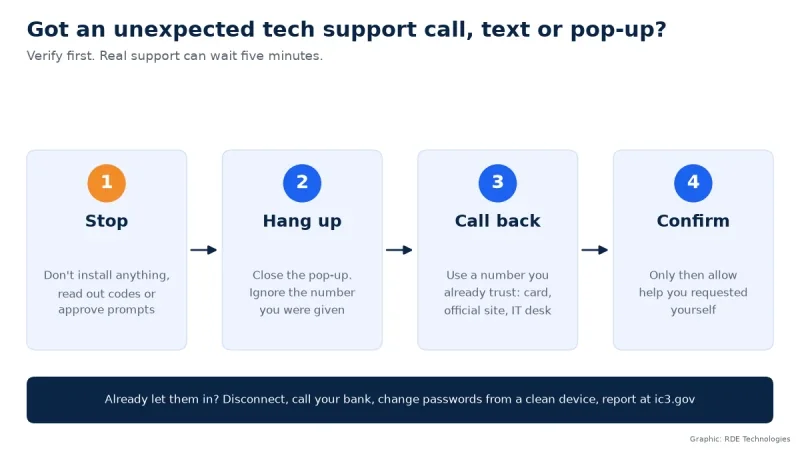
The five-step check before granting access
- Real support doesn’t cold-call you. Microsoft, Apple and banks don’t phone you out of the blue to fix your computer. Treat any unsolicited support contact as suspicious until proven otherwise.
- Hang up and call back on a number you already trust. Use the number on your bank card, the vendor’s official website typed in yourself, or the help desk number your employer gave you. Never use the number in the pop-up, text or email.
- Don’t install software because a stranger asked. Legitimate remote-access tools are used by scammers precisely because they look normal. If you didn’t start the support request, don’t install anything.
- Never share codes or approve prompts you didn’t trigger. A one-time code or an MFA “Approve” button is the key to your account. If a prompt appears and you weren’t signing in, deny it and report it.
- Slow down when there’s urgency. “Your account will be closed in 30 minutes” is a pressure tactic. Real problems can wait the five minutes it takes to verify.
What should you do if you already let them in?
Act quickly, in this order.
- Disconnect the computer from the internet by turning off Wi-Fi or unplugging the network cable.
- Call your bank on its official number if you shared financial details or a payment was made.
- From a different, clean device, change passwords for email and banking first, and turn on multi-factor authentication.
- If it’s a work computer, tell your IT team immediately. Don’t wait to see if anything happens.
- Have the computer checked or reset before using it for anything sensitive.
- Report the scam to the FBI at ic3.gov. Reports help investigators connect cases.
How businesses can protect their staff
For companies, the fix is mostly process. Give employees one clear help desk contact and tell them IT will never ask for their password or ask them to approve a sign-in they didn’t start. Restrict which remote-access tools can run on company devices. Include phone and text scenarios in security training, not just email.
Whether your IT is handled in-house or by a provider such as RDE Technologies, put the verification rule in writing and repeat it often. A scammer impersonating IT only works if employees aren’t sure what real IT sounds like.
The bottom line
The safest response to unexpected tech support is simple: hang up, look up the number yourself, and call back. Real help will still be there. A scammer won’t.
Sources: FBI Internet Crime Complaint Center, 2025 Internet Crime Report (ic3.gov); Verizon, 2026 Data Breach Investigations Report (verizon.com).
About the author: Nathan Spitalny is the CEO of RDE Technologies, a managed IT and cybersecurity provider founded in 2009 in Oceanside, New York. His team supports healthcare practices, senior-living facilities and small businesses across New York City and Long Island.
Ti potrebbe interessare:
Segui guruhitech su:
- Google News: bit.ly/gurugooglenews
- Telegram: t.me/guruhitech
- Facebook: facebook.com/guruhitechfb
- Instagram: instagram.com/guruhitech_official/
- X (Twitter): x.com/guruhitech1
- Bluesky: bsky.app/profile/guruhitech.bsky.social
- Rumble: rumble.com/user/guruhitech
- VKontakte: vk.com/guruhitech
- MeWe: mewe.com/i/guruhitech
- Skype: live:.cid.d4cf3836b772da8a
- WhatsApp: bit.ly/whatsappguruhitech
Esprimi il tuo parere!
Ti è stato utile questo articolo? Lascia un commento nell’apposita sezione che trovi più in basso e se ti va, iscriviti alla newsletter.
Per qualsiasi domanda, informazione o assistenza nel mondo della tecnologia, puoi inviare una email all’indirizzo [email protected].
Scopri di più da GuruHiTech
Abbonati per ricevere gli ultimi articoli inviati alla tua e-mail.