
From Prompt to Final Cut Without Leaving One Window
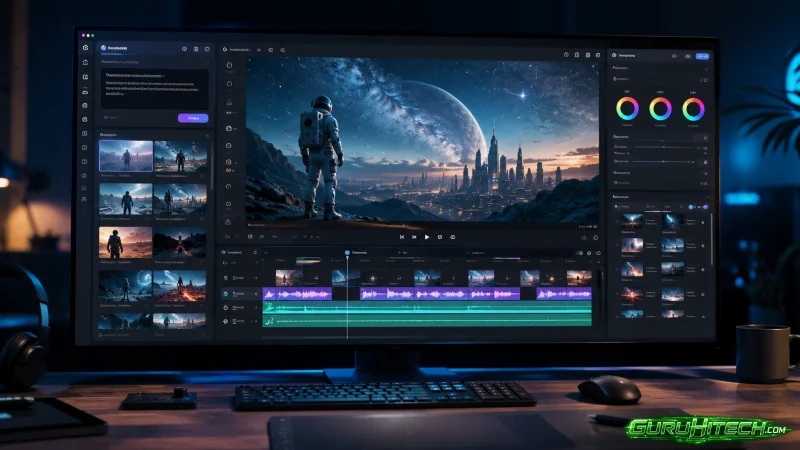
The gap between creating a visual and actually putting it to work has always been the quiet friction in digital content. You generate something, you download it, you open another tab, you upload it somewhere else, you copy a link, you paste it—and somewhere in that chain, the original intent starts to blur. For anyone who has spent more time managing image files than making them, the frustration is familiar. That is precisely why Image 2 caught my attention. It is not another AI image generator that stops at the export button. It is a workflow that treats the image as something that needs to move, not just exist.
Why This Tool Deserves a Real Test, Not a Feature List
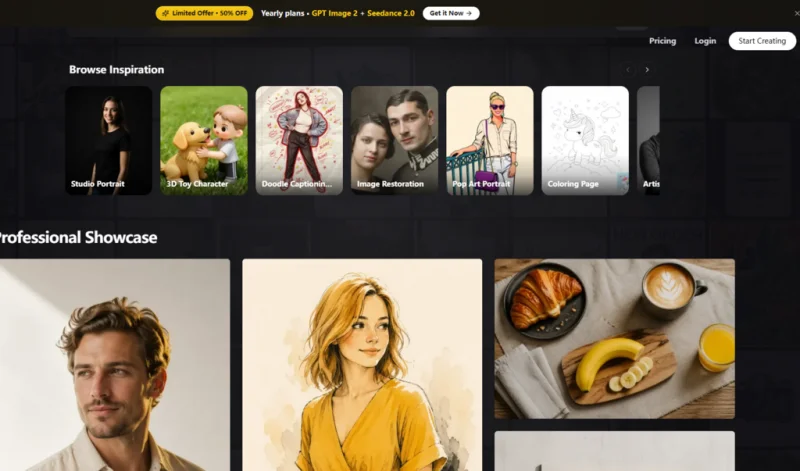
Most image tools look impressive on a landing page and fall apart under actual use. The promises are big; the execution is often brittle. I wanted to see whether Image2.im could hold up across the kinds of tasks that real creators handle daily—not just generating pretty pictures, but editing them, adapting them, and getting them out into the world without friction. Over the course of several sessions, I ran it through a testing framework built around three questions: Can it handle the input I already have? Can it give me the output I actually need? And can it do both without making me switch tools every five minutes?
The answer, from a practical user perspective, is more nuanced than a simple yes or no. It appears to be built around a philosophy of consolidation. The platform combines AI image generation, image editing, and AI video creation within a single workflow. You can start from a text prompt, a single uploaded image, or multiple reference images, then refine and export the result without leaving the interface. That continuity is rare. Most tools force you to export, re-import, and pray that the quality survives the round trip. Here, the loop feels tighter.
The Visual Details That Separate Professional Work from Casual Experimentation
What distinguishes a serious image tool from a toy is not the flashiest feature—it is the quiet competence of the fundamentals. During my tests, I paid close attention to three areas that tend to expose weaknesses in AI-driven image workflows: text rendering, reference consistency, and output resolution.
Text rendering is where many models collapse. Ask them to generate a poster with a clear headline, and you often get garbled characters or broken letterforms. Image2.im supports accurate multilingual text rendering, which means the words you put in the prompt actually appear readable in the final image. That matters for anyone creating ad creatives, social media visuals, or branded content. A poster with illegible text is useless, regardless of how beautiful the background is.
Reference-aware consistency is another area that separates controlled workflows from chaotic generation. If you upload a product photo and ask the tool to place it in a new setting, the product itself should remain recognizable. The shape, the color, the key details—they should persist. In my testing, the platform handled this reasonably well. It is not perfect; complex objects with fine details may require multiple attempts. But the underlying logic is sound, and the results tend to be usable on the first try more often than not.
Output quality lands at 4K resolution, which is sufficient for most commercial applications. Whether you are preparing images for a website, a presentation, or a print mockup, the clarity holds up. I did not observe significant compression artifacts or loss of detail in the exports. The platform also offers 4K upscaling for images that need a resolution boost, which is a useful fallback when working with lower-quality source material.
A Transparent Look at the Platform Workflow
Getting a usable image from this platform follows a straightforward sequence. The process is refreshingly free of unnecessary detours.
Step 1: Choose Your Starting Point
Text, Image, or Multiple References
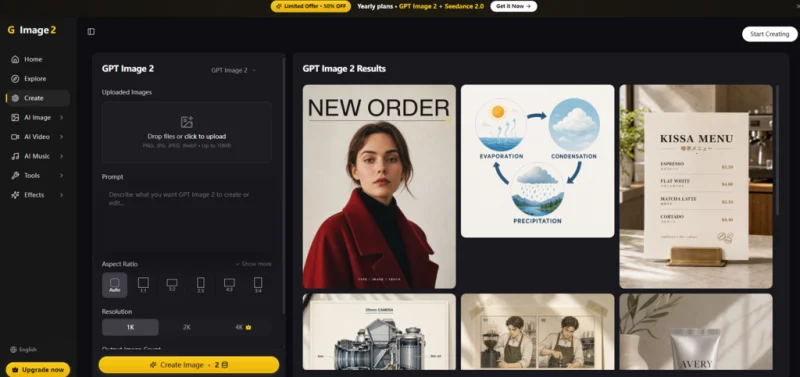
The entry point is flexible. You can type a detailed prompt to generate something from scratch, drag an existing image into the input area, or upload multiple reference images for more complex compositions. The platform does not force you into a single mode of operation. If you have a rough sketch, you can upload it and ask for refinement, if you have a clear vision in words, you can type it out. If you have several examples of the style you want, you can provide them all. That flexibility is not just a convenience—it is a signal that the tool is designed for real-world creative work, where inputs are rarely clean and predictable.
Step 2: Refine Through Natural Language
Editing Without Layers or Masks
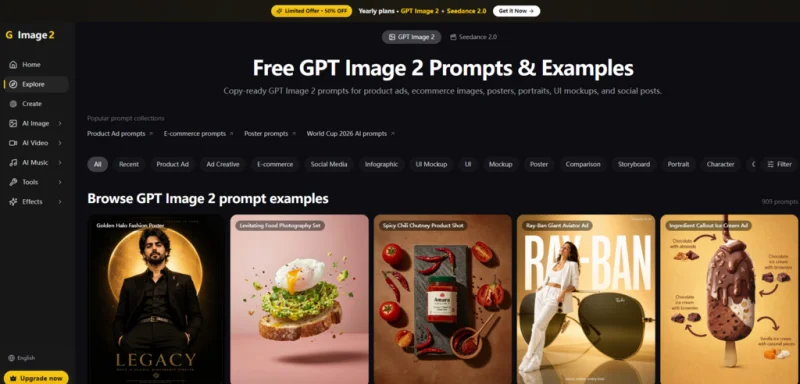
One of the more practical features is the ability to edit images using natural-language instructions. You do not need to understand layer masks, adjustment curves, or blending modes. You simply describe what you want to change. For example, you can request a background removal, a color shift, or a restoration of an old photograph. The tool interprets the instruction and applies the edit directly. This lowers the barrier significantly for users who are not trained in graphic design but still need professional-looking results. It is not a replacement for Photoshop in the hands of an expert, but it is a capable alternative for quick turnarounds.
Step 3: Generate and Export
From Image to Video in the Same Session
The workflow does not end at a static image. Image2.im also supports image-to-video and reference-to-video generation. If you need a short cinematic clip based on a still image or a set of references, you can generate it without exporting and re-importing into a separate video tool. This is particularly useful for social media content, where short video loops often perform better than static visuals. The video output is not meant to replace dedicated video production software, but it serves as a rapid prototyping tool for concepts that need motion.
Where This Workflow Fits Different Creative Needs
Not every tool is for every user. Based on my experience, Image2.im aligns best with specific scenarios.
For product photographers and e-commerce sellers, the ability to upload a raw product shot and transform it into a polished main image is valuable. The one-click background removal and 4K upscaling features reduce the need for external editing software. You can go from a phone photo to a listing-ready image in a single session.
For marketers and content creators, the platform offers a way to generate ad creatives, posters, and social media visuals without juggling multiple subscriptions. The multilingual text rendering ensures that campaigns in different languages remain legible, which is a practical advantage for international brands.
For designers and founders who need to iterate quickly, the natural-language editing and multi-image composition features provide a low-friction way to test variations. You can describe a change, see the result, and describe another change—all without switching contexts or losing momentum.
A Straightforward Comparison
| Aspect | Image2.im | Typical Separate Tools |
| Entry Point | Text, single image, or multiple references | Often limited to one input type |
| Editing Method | Natural-language instructions | Layer-based or menu-driven |
| Output Formats | Images and video in one workflow | Separate tools for each format |
| Learning Curve | Moderate; no design background required | Steeper for advanced editing |
| Workflow Continuity | Start to finish without switching | Multiple exports and imports |
What the Platform Does Not Promise
Honest assessment requires acknowledging the boundaries. Image2.im is not a magic wand. The quality of the output depends heavily on the quality of the input. A vague prompt produces a vague result. A poorly lit reference image limits what the tool can do with it. In my testing, complex scenes with multiple interacting elements sometimes required more than one generation attempt to get right. The results may vary depending on the specific combination of subject, style, and instruction.
Additionally, while the platform supports video generation, it is not designed for long-form or high-frame-rate cinematic production. It works best for short clips and conceptual previews. For users who need broadcast-quality video, a dedicated video production pipeline remains necessary.
The platform also does not currently offer a publicly documented API for batch operations, based on available information. For individuals or teams that need to automate large-scale image processing, this is a limitation worth noting.
The Real Test Is Not the First Image
The value of any creative tool is not determined by the first impressive result. It is determined by the hundredth. Can you rely on it to perform consistently? Can you trust it to handle the variations that real work throws at you? From a practical user perspective, Image2.im appears to be built for the long haul. The consolidation of generation, editing, and video creation into a single interface reduces the cognitive overhead of switching tools. The support for natural-language editing lowers the barrier for non-designers. And the 4K output ensures that the final product meets professional standards.
It is not the only tool on the market, and it does not need to be. But for creators who want a streamlined workflow from prompt to publish, it offers a coherent alternative to the fragmented toolkit that many of us have grown accustomed to. The GPT Image 2 workflow is not about replacing every other tool in your arsenal. It is about reducing the friction between having an idea and putting it to work. And in that regard, it delivers.
Ti potrebbe interessare:
Segui guruhitech su:
- Google News: bit.ly/gurugooglenews
- Telegram: t.me/guruhitech
- Facebook: facebook.com/guruhitechfb
- Instagram: instagram.com/guruhitech_official/
- X (Twitter): x.com/guruhitech1
- Bluesky: bsky.app/profile/guruhitech.bsky.social
- Rumble: rumble.com/user/guruhitech
- VKontakte: vk.com/guruhitech
- MeWe: mewe.com/i/guruhitech
- Skype: live:.cid.d4cf3836b772da8a
- WhatsApp: bit.ly/whatsappguruhitech
Esprimi il tuo parere!
Ti è stato utile questo articolo? Lascia un commento nell’apposita sezione che trovi più in basso e se ti va, iscriviti alla newsletter.
Per qualsiasi domanda, informazione o assistenza nel mondo della tecnologia, puoi inviare una email all’indirizzo [email protected].
Scopri di più da GuruHiTech
Abbonati per ricevere gli ultimi articoli inviati alla tua e-mail.