
Grok Imagine Prompt Guide
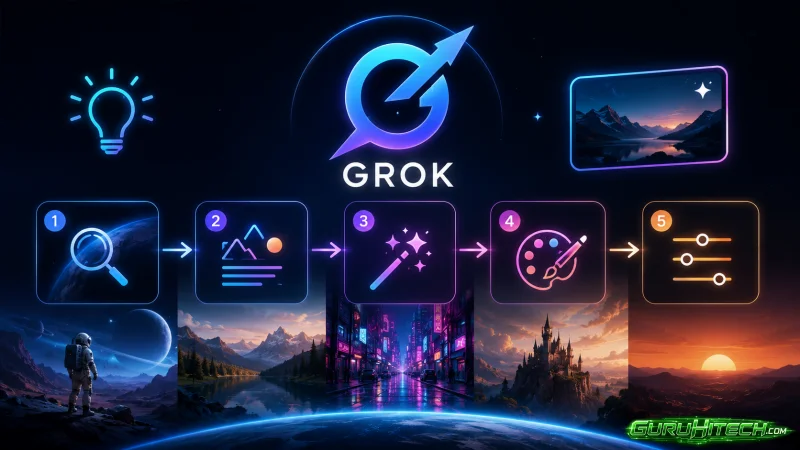
Getting decent results from Grok Imagine takes about five minutes. Getting great results takes a bit of practice and the right techniques. After running thousands of generations through the platform, I’ve narrowed down the strategies that consistently push output quality from amateur to professional. This guide covers twelve practical tips you can apply to your very next prompt.
If you want to follow along while you read, you can access the platform through Grok Imagine and try each technique with the free daily credits.
1. Open With Camera Direction
The fastest way to improve your output is to start prompts with camera language instead of subject description. Compare:
- “A man drinking coffee in a cafe”
- “Medium close-up, 50mm lens, shallow depth of field, a man drinking coffee in a cafe”
The second prompt produces noticeably more cinematic results in Grok Imagine AI because camera vocabulary acts as a strong style anchor. Lens, shot type, and movement carry more weight than most descriptive adjectives.
2. Get Specific With Lighting
Generic lighting words like “atmospheric” or “moody” produce flat, predictable results. Specific lighting language produces specific looks.
Try terms like “rim lighting from behind,” “soft north-facing window light,” “neon pink key with cyan fill,” “overcast diffused sky,” or “single candle on a wooden table.” The model treats these as concrete directions and rebuilds the entire scene around them.
3. State the Time of Day Explicitly
Time of day controls color temperature, shadow direction, and overall mood. It also affects the ambient audio that Grok Imagine generates automatically. Naming it early in the prompt — “5 AM blue hour,” “midday sun,” “late dusk” — gives the model a solid foundation. Without it, results drift unpredictably between regenerations.
4. Stick to One Subject Per Prompt
Multi-subject prompts consistently underperform single-subject prompts. If a scene needs multiple characters doing different things, generate separate clips and combine them later. Asking the model to direct three characters at once tends to produce composition problems that more iteration won’t solve.
When you do need multiple subjects, use the Reference Anything feature with an image that shows the composition you want.
5. Use Real Cinematography Vocabulary
Most users underestimate how much technical film language the model understands. Terms like “Dutch angle,” “rack focus,” “anamorphic flare,” “dolly zoom,” “handheld stabilized,” and “wide establishing shot” produce predictable, reliable effects every time.
Keep a running list of cinematography terms that work for your style. After a few weeks with Grok Imagine AI, you’ll have a personal vocabulary that produces near-deterministic results.
6. Change One Thing at a Time
This is the rule most users ignore. You get a result you don’t quite like, so you rewrite the entire prompt — new lighting, new camera, new subject. The next output is different, but you’ve learned nothing about why.
The better approach: identify one element to fix, change only that, and regenerate. Three or four targeted iterations will get you exactly what you want, and you’ll build intuition that pays off across every future project.
7. Lock Style With Reference Images
Text is good for direction but weak for style consistency. For projects that need a unified visual aesthetic — a brand campaign, a music video, a multi-clip story — upload a reference image and attach it to every generation in the series.
Grok Imagine accepts up to 9 images per project. Use them. A single strong reference image does more for consistency than hundreds of words of style description.
8. Write for the Audio Track
Because audio is generated automatically and synced to the video, your prompts shape sound as well as picture. “Crowded outdoor market in Marrakech” produces appropriate ambient noise. “Empty cathedral at dawn” produces silence and faint reverb.
If audio matters to your output, include sound cues directly: “rain hitting a tin roof,” “wind through tall grass,” “distant traffic.” The model factors these into both the visual mood and the audio mix.
9. Choose Aspect Ratio First
Decide your aspect ratio before writing the prompt, not after. Vertical 9:16 composition is fundamentally different from 21:9 widescreen. Subject placement, camera distance, and visual rhythm all change with the frame.
For vertical content, write prompts that place subjects in the upper or lower third. For widescreen, emphasize landscapes, lateral camera moves, and depth layers.
10. Prefer Positive Direction
Telling the model what you want usually works better than telling it what you don’t want. Instead of “no crowds,” write “empty street.” Instead of “not too dark,” write “bright and well-lit.” Positive instruction is more reliable than exclusion.
There are exceptions, but treat negative direction as a last resort rather than a default.
11. Test at Lower Resolution First
Full 2K generation costs more credits per attempt. During the prompt-tuning phase, generate at lower resolution to iterate quickly and cheaply. Once your prompt is locked, run the final pass at full resolution.
This one workflow change can dramatically extend the useful life of a credit pack, especially when you’re experimenting with new project styles.
12. Save Every Prompt That Works
Every prompt that produces something you love should go into a personal reference document. Save the exact wording, the model used, any reference images, and a short note about what made it work. Within a month, you’ll have a library of proven templates you can adapt in seconds instead of rebuilding from scratch.
This is the difference between “I hope this works” and “I know this works.” Grok Imagine AI is consistent enough that a well-tested prompt will reliably reproduce its results across sessions.
Mistakes That Quietly Sabotage Output
A few patterns consistently undercut results no matter how careful you are elsewhere.
Bloated prompts. Anything past 60 or 70 words tends to dilute the model’s focus. Keep prompts dense and direct.
Conflicting styles. “Cinematic and minimalist and surreal and warm and cold” gives the model contradictory signals. Pick one primary style and one or two supporting modifiers.
Generic subjects. “A person” produces forgettable people. “A woman in her forties in a denim jacket, short dark hair, slight smile” produces specific, memorable ones.
Impossible physics. Prompts that demand things the model can’t simulate well — complex fluid dynamics, intricate machinery in motion — tend to produce artifacts. Work within the model’s strengths.
Why These Tips Compound
The reason these techniques matter is that the benefits stack. One tip might improve your output by ten percent. Combining all twelve typically produces results two or three times stronger than what casual users get, and the gap widens with practice.
Grok Imagine rewards skill development in a way that’s unusual for AI tools. Many platforms plateau, where additional craft stops mattering. This one keeps rewarding refinement, especially for users who generate daily and pay attention to which prompts produce reliably strong results.
Final Thoughts
The line between AI content that feels generic and AI content that feels intentional is craft. The model is capable of beautiful work — it just needs direction matched to its strengths. Lead with camera language, anchor your lighting, change one variable at a time, and build a prompt library you can lean on.
Most creators who follow this playbook for a few weeks reach a point where Grok Imagine AI stops feeling like an AI tool and starts feeling like a creative collaborator. That’s where the real value lives, and it’s available to anyone willing to put in the prompt-writing reps.
Ti potrebbe interessare:
Segui guruhitech su:
- Google News: bit.ly/gurugooglenews
- Telegram: t.me/guruhitech
- Facebook: facebook.com/guruhitechfb
- Instagram: instagram.com/guruhitech_official/
- X (Twitter): x.com/guruhitech1
- Bluesky: bsky.app/profile/guruhitech.bsky.social
- Rumble: rumble.com/user/guruhitech
- VKontakte: vk.com/guruhitech
- MeWe: mewe.com/i/guruhitech
- Skype: live:.cid.d4cf3836b772da8a
- WhatsApp: bit.ly/whatsappguruhitech
Esprimi il tuo parere!
Ti è stato utile questo articolo? Lascia un commento nell’apposita sezione che trovi più in basso e se ti va, iscriviti alla newsletter.
Per qualsiasi domanda, informazione o assistenza nel mondo della tecnologia, puoi inviare una email all’indirizzo [email protected].
Scopri di più da GuruHiTech
Abbonati per ricevere gli ultimi articoli inviati alla tua e-mail.