

How to Setup a Remote Desktop Connection for Seamless Work from Home
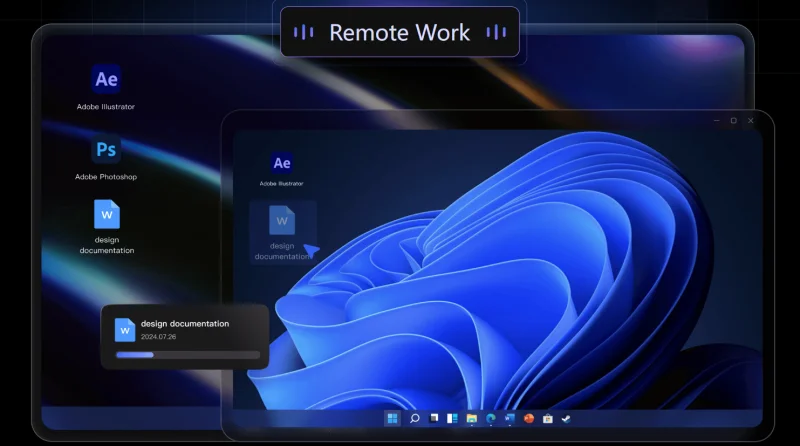
Working from home has become a normal part of modern professional life. Whether you are managing office systems, handling client data, or collaborating with remote teams, having a reliable remote desktop setup is essential. A smooth and stable connection allows employees to stay productive without being physically present in the office. Many users today are also looking for tools that offer ultra-fast performance and minimal lag, especially when they need to work in real time.
With the right setup, remote access can feel just like working directly on your office computer, making daily tasks easier and more efficient.
The Importance of Remote Desktop for Work from Home
Remote desktop technology allows users to access their office computers from anywhere in the world. This means you can open files, use software, and manage systems without being physically present at your workplace.
For professionals working remotely, this technology eliminates the need to transfer large files manually or install heavy software on personal devices. Instead, everything runs directly from the office system, ensuring consistency and performance.
However, the quality of the experience depends heavily on the tool you choose. Slow connections or lag can reduce productivity, which is why modern solutions focus on speed and stability.
how to setup a remote desktop connection
Setting up a remote desktop connection is simple when using the right platform. Below is a step-by-step guide to help you get started smoothly:
Step 1: Install the Remote Desktop Software
First, download and install a reliable remote desktop application on both your office computer and your home device. This ensures both systems are ready to connect securely.
Step 2: Create an Account and Log In
After installation, create your account or sign in. This links your devices and ensures secure access between them.
Step 3: Enable Remote Access on Office PC
On your office computer, enable remote access settings within the software. This allows your system to be accessed from another location.
Step 4: Connect Using Device ID
From your home device, enter the unique device ID of your office computer. Once entered, initiate the connection request.
Step 5: Start Remote Control Session
After authentication, you will gain full access to your office computer and can begin working remotely.
Ultra-Fast 0.8s Connection for Smooth Performance
One of the biggest challenges in remote work is latency. Even a small delay can disrupt workflow and reduce productivity. AweSun solves this problem by offering an ultra-fast 0.8-second connection, allowing users to connect almost instantly to their remote systems.
This speed ensures that actions like opening applications, switching files, and navigating systems happen in real time without noticeable lag. For professionals who depend on quick response times, this feature significantly improves efficiency.
High-Speed File Transfer for Productivity
Remote work often involves moving files between devices. AweSun includes a high-speed file transfer feature that allows users to quickly send and receive documents between their office and home systems.
This eliminates the need for email attachments or external storage services, making workflows faster and more streamlined. Large files such as presentations, reports, and media can be transferred in seconds.
Free Version with No Restrictions
Many remote desktop tools limit functionality behind paywalls or restrict commercial use. AweSun offers a free version with no commercial use restrictions, making it accessible for freelancers, remote workers, and small businesses.
This allows users to work without worrying about sudden interruptions or license limitations, making it a cost-effective solution for everyday use.
Cross-Platform Access for Maximum Flexibility
Modern professionals use multiple devices throughout the day. AweSun supports cross-platform access, including Windows, macOS, Android, and iOS.
This means you can connect to your office computer from a laptop at home, a tablet during travel, or even a smartphone when you are on the move. This flexibility ensures uninterrupted productivity.
Why Proper Setup Matters
A properly configured remote desktop connection ensures security, speed, and stability. Incorrect setup can lead to connection drops or performance issues. By following the correct steps and using a reliable tool, users can avoid these problems and enjoy a seamless work-from-home experience.
A stable setup also ensures that sensitive business data remains secure during transmission.
Final Thoughts
Remote work is now a long-term reality for many professionals. Knowing how to setup a remote desktop connection correctly helps ensure a smooth and productive workflow from anywhere in the world.
With its 0.8-second ultra-fast connection, high-speed file transfer, and cross-platform support, AweSun provides a reliable solution for modern remote work needs. It allows users to stay connected to their office systems without delays, making work-from-home setups more efficient and practical.
Scopri di più da GuruHiTech
Abbonati per ricevere gli ultimi articoli inviati alla tua e-mail.