
How to Use Image to Video on Videoinu
Image to video on Videoinu is a simple way to turn a still image into a moving clip. You upload one image, describe the motion you want, and generate a short video from that starting point.
Hunyuan AI is also available in this workflow, and it is a useful option when you want the result to feel a little more organized and scene-focused.
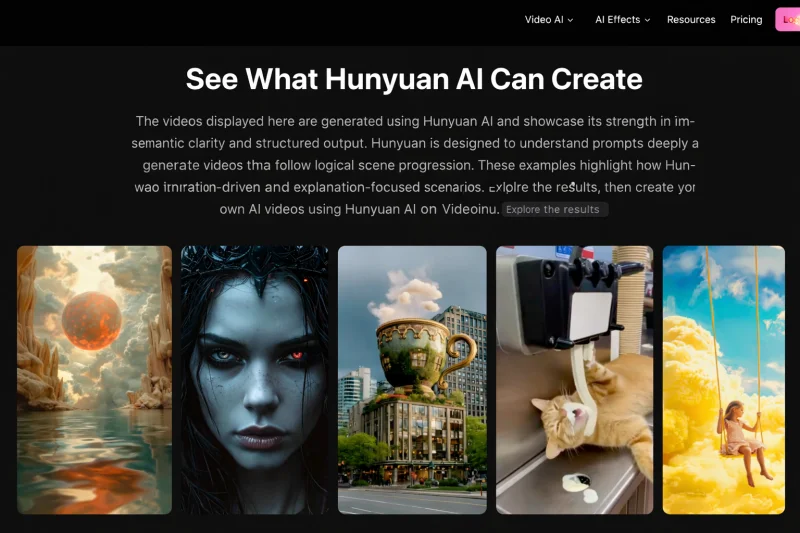
This can work well for product images, character art, posters, social content, or simple story scenes. If you already have a strong visual, it is often easier to animate that image than to build the whole video from text.
How to Use Image to Video on Videoinu
Step 1: Upload a clear image
Start with an image that is easy to read. A clean portrait, product photo, illustration, or simple scene usually works best. Videoinu’s image-to-video tool accepts common formats like PNG, JPG, and WEBP.
Step 2: Describe the motion, not the whole image
Your image already shows the subject, layout, and style. The prompt should focus on movement.
For example:
Slow camera push-in, soft cinematic motion, gentle hair movement, warm light, calm mood.
This usually works better than describing every detail in the picture again.
Step 3: Keep the first motion simple
A small motion idea is often the best place to start. Try a slow zoom, light wind, subtle face movement, or a soft pan. If you want a more structured result, Hunyuan AI is a natural model to mention here because Videoinu presents it as strong at clear subject focus and logical scene flow.
Step 4: Generate one short test
Run one version first and check the basics. Does the motion feel natural? Is it too strong? Does the image still look clean once it starts moving?
If something feels off, change one thing at a time. Small prompt edits usually work better than trying to fix everything at once.
Step 5: Try another version
One of the useful parts of image to video is that the same image can lead to more than one result. Videoinu describes this workflow as a way to generate multiple versions from one image across different animation styles.
You might make one version feel cinematic, another feel better for ads, and another feel softer for social content.
Tips for Better Results
Use an image with one strong subject. Keep the first motion prompt short. Focus on movement, camera feel, and mood instead of repeating the whole image. If you want to try Hunyuan AI, cleaner structure usually helps, especially when the image is part of a short explanation, narration, or scene-based idea.
Final Thoughts
The easiest way to use image to video on Videoinu is to start with one strong image and one clear motion idea. Test a short version first, keep the prompt simple, and build from there. If the first clip works, the next version usually gets much easier.
Scopri di più da GuruHiTech
Abbonati per ricevere gli ultimi articoli inviati alla tua e-mail.