
Image to Video AI for YouTube, TikTok & Instagram
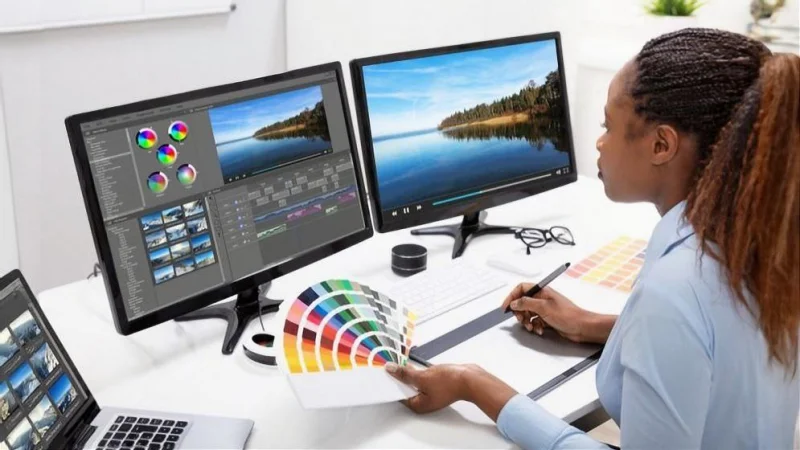
Video content dominates social media, and platforms like YouTube, TikTok, and Instagram thrive on dynamic visuals. Yet, producing engaging videos traditionally requires editing skills, software, and significant time. Image to video AI is changing the way creators produce content by turning static images into motion videos effortlessly. With image to video tools, even beginners can generate professional-looking videos that stand out on social feeds and channels.
This article explores how image to video AI can be used for YouTube, TikTok, and Instagram, its features, benefits, and best practices for creators looking to boost engagement.
What Is Image to Video AI?
Image to video AI is artificial intelligence technology designed to convert still images into animated video sequences. The AI analyzes the image, identifies key elements, predicts motion, and generates intermediate frames to create smooth, continuous videos.
Unlike traditional video editing, which requires manual adjustments to keyframes, transitions, and effects, image to video platforms automate the process. Users simply upload their images, choose motion styles or presets, and the AI generates the video. This accessibility makes image to video ai ideal for social media creators, marketers, and influencers.
Why Image to Video AI Is Essential for Social Media
Social media thrives on engagement and attention-grabbing content. Image to video technology helps creators in multiple ways:
- Higher Engagement – Videos attract more likes, comments, and shares compared to static images.
- Quick Content Creation – AI automates video production, saving hours of manual editing.
- Mobile-Friendly Formats – Most platforms favor vertical or square videos, which many image to video AI tools support automatically.
- Cost-Effective – No need for expensive software or hiring video editors.
- Creative Flexibility – Motion effects, transitions, and cinematic styles allow unique content creation.
Whether you’re uploading a TikTok reel, an Instagram story, or a YouTube short, image to video AI simplifies production while maintaining quality and engagement.
How Image to Video AI Works
The process behind image to video AI combines computer vision and deep learning:
- Image Upload – Users upload one or more photos.
- Object and Background Analysis – The AI detects the main subjects and background elements.
- Motion Prediction – It predicts how elements should move, creating a natural motion effect.
- Frame Generation – Intermediate frames are generated to ensure smooth transitions.
- Video Rendering – The frames are compiled into a final video ready for export.
Many image to video platforms include style presets such as pan, zoom, parallax, and cinematic effects, making it easy to produce professional-looking videos.
Best Features of Image to Video AI for Social Media
1. Automated Motion
The AI animates images automatically, eliminating the need for manual keyframes or complex editing.
2. Platform-Specific Presets
Many tools include presets optimized for YouTube, TikTok, and Instagram formats, including vertical, horizontal, and square videos.
3. Quick Processing
AI-generated videos are ready in minutes, ideal for creators managing tight posting schedules.
4. Easy-to-Use Interface
Even beginners can generate videos with minimal effort by uploading images and selecting motion styles.
5. Multiple Export Options
Export options allow for different resolutions and formats to suit any platform, from high-quality YouTube uploads to lightweight TikTok videos.
Benefits of Image to Video AI for YouTube, TikTok & Instagram
Saves Time
Creating videos manually can take hours. Image to video AI produces engaging videos in minutes.
Cost-Effective
Free or affordable image to video tools reduce the need for expensive editing software or professional video editors.
Increases Engagement
Videos outperform static posts, leading to higher interaction and better visibility on social media algorithms.
Boosts Creativity
Users can experiment with motion effects, styles, and cinematic visuals without learning advanced software.
Consistent Content
Batch processing and presets allow creators to maintain a consistent look and feel across multiple videos.
Practical Use Cases for Each Platform
YouTube
- Channel Intros & Outros – Animate static logos or images for professional-looking channel branding.
- Educational Content – Convert diagrams or infographics into motion videos to explain concepts visually.
- Storytelling & Vlogs – Animate photos from trips or events to create engaging narrative content.
TikTok
- Short Reels & Trends – Generate vertical motion videos quickly to participate in trending challenges.
- Product Showcases – Animate product images with cinematic motion for effective promotions.
- Creative Art & DIY – Turn artwork or illustrations into animated shorts that capture attention instantly.
- Stories & Reels – Animate photos for interactive and engaging stories.
- Marketing Campaigns – Transform product images into compelling videos for ads.
- Portfolio Highlights – Creators can animate photography or digital artwork to make their feed visually dynamic.
Tips for Using Image to Video AI Effectively
- Start with High-Quality Images – The higher the resolution, the smoother the animation.
- Choose the Right Motion Style – Match the effect to the platform and audience preference.
- Add Text or Captions – Enhance your video with captions for better storytelling.
- Keep Videos Short and Engaging – Especially important for TikTok and Instagram Reels.
- Experiment – Test different presets, motion speeds, and effects to see what resonates with your audience.
Limitations of Image to Video AI
While image to video AI is powerful, it’s important to be aware of its limitations:
- Motion may appear unnatural in very complex images.
- Limited control over fine details compared to traditional video editing software.
- Output quality depends on the source image resolution.
- Some free tools may include watermarks or restrict video length.
Despite these limitations, image to video technology continues to improve, offering creators increasingly realistic and polished results.
The Future of Image to Video AI
The future of image to video AI is bright. Emerging tools are expected to offer:
- Realistic object and facial animations
- Enhanced cinematic and parallax effects
- Integration of music, voice, and sound effects
- Longer, higher-resolution videos suitable for professional platforms
- Simplified workflow for social media content creation
These innovations will further empower creators to produce professional, engaging videos with minimal effort.
Conclusion
Image to video AI is revolutionizing video creation for YouTube, TikTok, and Instagram. By turning static images into motion videos, it allows creators to produce high-quality, engaging content quickly and efficiently. From social media posts to storytelling, marketing campaigns, and educational videos, image to video tools are reshaping the way digital content is created and consumed.
Whether you are a beginner looking to enhance your social media presence or an experienced marketer aiming to save time and costs, image to video AI offers an accessible and powerful solution. With AI technology continuing to evolve, creating professional motion videos has never been easier or more exciting.
Scopri di più da GuruHiTech
Abbonati per ricevere gli ultimi articoli inviati alla tua e-mail.