
Image-to-Video Comparison: Which Tool Fits Game Launch Teasers Best?
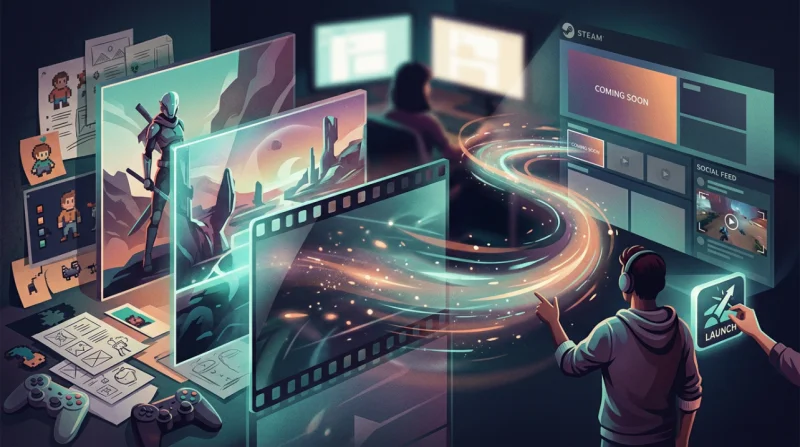
Small game teams run into the same problem at launch: the key art is finished, the Steam capsule is almost ready, the social copy is written, and there’s still no trailer footage to ship with it. You still need motion assets for the announcement. Usually, you do not need a full cinematic workflow. You need a short teaser clip that gives finished art some movement and helps the launch feel active.
That is why image-to-video tools are worth comparing by workflow fit, not by who has the biggest settings menu. For an indie launch teaser, the better tool is usually the one that gets you from poster art to usable motion quickly, without turning the job into a chain of exports and extra apps. If you want a simple way to test that process, a free image to video ai tool is often more practical than building the whole thing manually.
What To Look For Before You Start
For game launch teasers, three things matter most.
First is model flexibility. Different games need different kinds of motion. A dark roguelike, a bright co-op platformer, and a character-led RPG should not all move the same way. If a tool gives you multiple video models, you have a better chance of finding motion that fits the art instead of forcing every image through one look.
Second is how easy it is to create style-matched motion. Most teams are starting from one strong image, not a folder full of footage. The tool should make it easy to upload key art, add a prompt, and generate movement that supports the game’s visual identity. Small details like camera drift, background glow, reveal timing, or environmental motion matter more here than a long list of secondary features.
Third is workflow continuity after generation. The first output is rarely the final one. You may want to compare versions, clean up the result, add light audio, or prep the clip for a store banner, reveal post, or countdown asset. Free daily credits make that testing phase easier for smaller teams. Template support helps too when you need something workable this week, not after a long setup.
Quick Comparison Table
| Tool Type | Best For | Trade-Offs | Fit for Indie Game Launch Teasers |
| Browser-based model-first platform | Teams that need speed, model choice, and a connected workflow | May be less deep than a fully manual VFX pipeline | Strong overall fit |
| Single-model image-to-video app | Users who want a simple one-style result | Less flexibility when the art direction needs range | Good for quick tests, but weaker for varied campaigns |
| Pro video editor with AI add-ons | Editors already working inside a larger post stack | Slower setup if you only need short motion clips from still art | Better for existing edit-heavy teams |
| High-end VFX or compositing workflow | Studios building cinematic trailer sequences | Requires more time, skill, and production overhead | Best for specialist trailer work, not fast teaser output |
If you judge these tools by day-to-day launch use, browser-based model-first platforms make the most sense for a lot of indie teams. That is where Media.io lands well. It lets you upload existing art, test more than one AI video model, and keep working in one browser workspace instead of moving the asset across disconnected tools.
Who this fits best: indie studios, solo developers handling their own marketing, and small publishing teams with finished key art that still needs motion for Steam updates, social countdowns, reveal posts, or wishlist pushes.
How Media.io Fits Those Criteria
Media.io works well for this use case because the process is straightforward. You start with the art you already have, such as a splash image, launch poster, or character visual, and add motion direction to it. You are not rebuilding a scene from scratch. For small teams trying to keep art consistent across channels, that matters.
Because Media.io is browser-based and supports multiple video models, there is room to test different motion styles without changing platforms. Its 5000+ templates can also help when you need to move quickly and want a teaser concept that lines up with a genre mood or a specific format. After generation, you can stay in the same workspace for light editing, refinement, audio support, or upscaling. That continuity is useful when launch week is busy and there is no time for a complicated handoff.
There is still a limit to this kind of setup. If your team is building a VFX-heavy reveal trailer with custom compositing, frame-level control, and a dedicated editing pipeline, a deeper manual toolchain may be the better choice. Media.io is strongest when the goal is to turn existing still art into teaser-ready motion quickly.
Step-By-Step Workflow
Step 1. Upload Your Key Art
Open Media.io and go to AI Video Generator > Image to Video, then upload a poster, splash art, or launch visual with a clear focal subject. For most indie launches, the best first asset is the one that already carries the game’s tone in a single frame.
Keep the first pass simple. Choose the image that could already work as a store banner or launch post on its own. If the composition is too crowded, the motion often feels less controlled.
Step 2. Add Motion Direction And Choose A Model
Describe the motion in plain visual terms: atmospheric camera drift, glowing background movement, fog expansion, a slow reveal around the main character, or subtle motion in the environment. Then pick the model or template direction that best matches the game genre and the platform where the clip will run.
A short social teaser may need stronger movement. A Steam launch post usually works better with slower, cleaner motion that keeps the original art style intact. Since prompts can produce different results, it helps to test a couple of directions instead of settling on the first output.
Step 3. Generate, Compare, And Prep For Publishing
Generate a few versions, compare them, and keep the one that holds the game’s visual identity best. If needed, make light edits, add music or audio, and trim the clip for the channel where it will be posted.
Before you export the final version, check the clip where it will actually appear: Steam, X, Instagram, or Discord. Motion that looks fine in isolation can feel too generic or too aggressive once it sits next to the rest of the campaign.
Final Takeaway
If your studio has strong key art but not much finished trailer footage, image-to-video can cover an important launch need. It gives you a way to create motion assets while the rest of the campaign is still coming together.
For most indie teams, Media.io is a good fit when the goal is clear: turn still art into teaser motion quickly, stay in the browser, and avoid a heavy post-production process. The model choice helps with style matching, and the connected workspace makes it easier to go from test output to something you can actually publish.
Other tools still make sense in the right setup. A specialist trailer team may want a deeper manual pipeline. Teams already built around a specific editing ecosystem may prefer to stay there. But for indie launch teasers built from existing art, Media.io is the more balanced option for speed, flexibility, and low-friction production.
FAQs
Can image-to-video work for game launch posts before trailer footage is ready?
Yes. It is especially useful when you already have polished key art but still need motion for launch posts, wishlist pushes, or social countdowns before gameplay footage is finalized.
What kind of key art performs best for teaser animation?
Art with a clear focal subject, visible depth, and strong lighting usually works best. Character posters, dramatic splash art, and atmospheric environment pieces tend to animate more cleanly than crowded compositions.
Is this workflow better for small studios than a full editing pipeline?
Often, yes. Small studios usually need speed and usable output more than maximum cinematic control. A lighter image-to-video workflow can get teaser clips out faster with fewer manual steps, which is often the better trade-off during launch prep.
Scopri di più da GuruHiTech
Abbonati per ricevere gli ultimi articoli inviati alla tua e-mail.