

From PDF to Editable Restaurant Menu: A Step-by-Step Migration
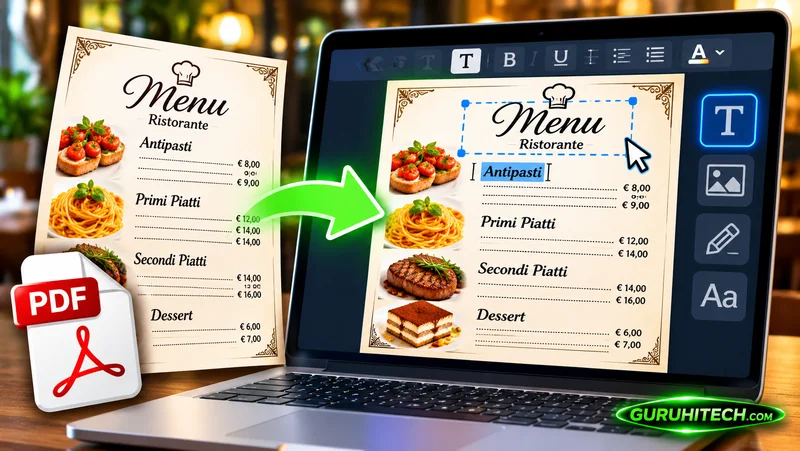
A PDF menu can preserve a designer’s layout, but it can also make a small price change surprisingly inconvenient. Someone has to locate the original file, edit the correct version, export it again, and replace the copy guests open. Moving to an editable menu changes that maintenance process. The useful question is how to make the transition without losing important details.
Think of the migration as transferring structured information rather than reproducing a page pixel for pixel. Dishes, categories, prices, descriptions, and options must survive the move accurately. Decorative elements may need a different treatment on phones. The following sequence keeps the original menu available while you build and verify the new version.
Step one: audit the PDF before importing
Open the file and confirm that it is the version currently approved for service. Check its date, seasonal references, and prices with the restaurant manager. Look for handwritten corrections that never reached the file and items that staff already know are unavailable. Correct the source or document those differences before starting the digital version.
Inspect how the PDF is organised. A selectable text document and a scanned image may produce different extraction results. Note any columns, footnotes, symbols, or prices placed far from their dish names. These details deserve extra attention during review because their visual relationship may not transfer cleanly into individual menu items.
Step two: decide the new menu structure
Write down the categories guests should see on a phone. You can retain useful headings from the PDF, but do not assume that every printed section needs its own digital category. A short drinks list might work as one category, while a long all-day menu may need clearer divisions to remain navigable.
Decide how to describe sizes, accompaniments, and optional extras. Use one naming pattern throughout. If the PDF groups several dishes under a shared note, determine whether that note must be included with each relevant item. The aim is to preserve meaning when guests view a dish outside the context of the printed page.
Step three: import a draft
You can create a QR menu with MenuForma by starting from a PDF, a photograph, or a website menu. Its import workflow creates editable content, allowing the restaurant to review dishes instead of retyping the entire menu. Use the approved file and treat the resulting content as a starting draft.
Do not publish simply because the import completed. Work through the extracted categories and compare them with the source. Watch for repeated entries, missing descriptions, and unusual characters in names. A quick overall glance is not enough when a misplaced digit or an omitted word could change what a guest expects.
Step four: verify numbers methodically
Check every price against the approved menu, one category at a time. Pay attention to decimal separators and multiple prices on the same printed line. Confirm whether a figure belongs to a small size, a larger serving, or an optional addition. Record any uncertainty and ask the responsible person rather than choosing the most plausible interpretation.
Apply the same care to weights, quantities, and serving sizes. These details are easy to overlook because they occupy little space, yet they can materially affect a decision. Have a second person check the numbers if possible. A fresh reviewer is more likely to notice a value the first editor has repeatedly read past.
Step five: rebuild descriptions for independent reading
Printed layouts often rely on proximity. A note beneath a heading may explain every dish above it, while a small symbol refers to a legend in the corner. In an editable menu, guests may encounter the item differently. Ensure that each dish carries enough context to make sense without requiring a search for hidden explanations.
Keep the language concrete. State the main ingredients, preparation, and included accompaniments where useful. Ask the kitchen to verify ingredient and allergen information rather than inferring it from the old wording. If a symbol is retained, make sure its meaning remains accessible in the public menu and consistent with the restaurant’s established practices.
Step six: add suitable images
Use original photographs that accurately represent current dishes and that the business is entitled to publish. Avoid copying a small embedded image from the PDF if a better source file exists. Review the serving presentation and any visible extras so guests are not shown an arrangement they will not receive.
A menu does not need a picture for every item to be useful. Prioritise readable information and consistency. When images are added, inspect how they appear on a small screen alongside the text. If the restaurant changes a dish’s presentation later, include the photograph in the update checklist rather than treating it as permanent decoration.
Step seven: test the public route
Generate the intended menu link and scan the QR code using a phone outside the management account. Browse each category, locate a few specific items, and check the information from a guest’s perspective. Confirm that the selected mode matches your service, whether guests are browsing, showing selections to staff, or using enabled online ordering.
Test a printed QR sample before producing table cards or packaging. Consider the actual lighting and viewing distance. Explain the action in nearby text so guests know what the code opens. Keep a paper menu available during the transition and for anyone who prefers it, cannot connect, or needs assistance.
Step eight: make the new version maintainable
Choose who can approve changes and establish a routine for unavailable items, price revisions, and new dishes. Keep the original PDF as a reference, but identify the current guest-facing menu clearly in your working process. Two competing versions can create more confusion than the migration was meant to solve.
After launch, collect questions from the first few services and correct the recurring points of confusion. The migration is successful when ordinary updates become manageable and the menu stays accurate. An editable format provides the opportunity; careful ownership, content checks, and practical testing turn that opportunity into a reliable restaurant tool.
Ti potrebbe interessare:
Segui guruhitech su:
- Google News: bit.ly/gurugooglenews
- Telegram: t.me/guruhitech
- Facebook: facebook.com/guruhitechfb
- Instagram: instagram.com/guruhitech_official/
- X (Twitter): x.com/guruhitech1
- Bluesky: bsky.app/profile/guruhitech.bsky.social
- Rumble: rumble.com/user/guruhitech
- VKontakte: vk.com/guruhitech
- MeWe: mewe.com/i/guruhitech
- Skype: live:.cid.d4cf3836b772da8a
- WhatsApp: bit.ly/whatsappguruhitech
Esprimi il tuo parere!
Ti è stato utile questo articolo? Lascia un commento nell’apposita sezione che trovi più in basso e se ti va, iscriviti alla newsletter.
Per qualsiasi domanda, informazione o assistenza nel mondo della tecnologia, puoi inviare una email all’indirizzo [email protected].
Scopri di più da GuruHiTech
Abbonati per ricevere gli ultimi articoli inviati alla tua e-mail.