
What Is an AI PDF Editor and How Can It Help You Work Smarter?
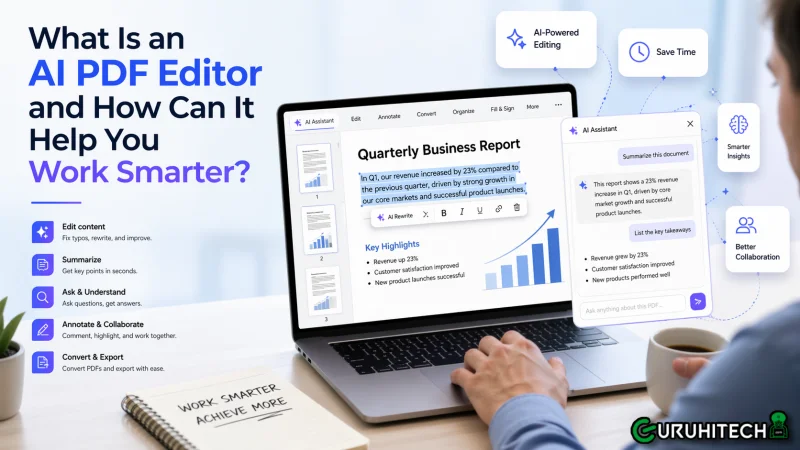
A traditional PDF editor helps you read, annotate, convert, or make manual edits. An AI PDF editor goes much further. It helps you understand long documents faster, find answers without endless scrolling, summarize key points, extract useful information, and automate repetitive tasks that normally eat up hours. Instead of treating a PDF as a static file, AI turns it into something you can actually work with more intelligently.
What Is an AI PDF Editor?
An AI PDF editor is a PDF tool that combines standard document editing features with artificial intelligence features designed to speed up reading, analysis, writing, and repetitive workflows. In other words, it still lets you open, edit, convert, sign, organize, and protect PDFs, but it also helps you interact with the content in a more efficient way.
It can summarize long files, answer questions about the document, recognize text inside scanned pages, translate content while preserving formatting, improve writing tone, and help identify confidential information for redaction.
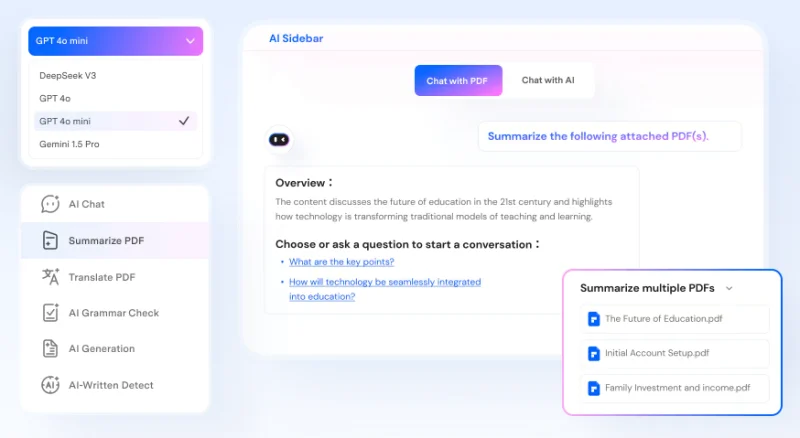
Wondershare PDFelement is a useful example of how this shift is playing out. It combines core PDF functions with AI-powered tools that help users work faster across reading, editing, and document handling tasks. Its AI capabilities include:
- Summarization: turn long PDFs into shorter notes, knowledge cards, markdown summaries, or even mind-map style outputs
- Question answering: ask questions about a document instead of manually hunting for details
- OCR and text recognition: make scanned PDFs searchable and editable
- Translation: translate PDFs into more than 50 languages while keeping the original format
- Rewrite or check grammar: improve clarity, grammar, and style directly inside the PDF workflow
- Smart redaction suggestions: identify sensitive information such as personal, medical, and financial data across a wide range of field types
How AI PDF Editors Differ from Traditional PDF Tools
The easiest way to understand the difference is to look at the work involved.
With a traditional PDF tool, the user does nearly all the thinking work:
- reading every page
- searching for exact keywords
- copying text into another app for translation or rewriting
- manually reviewing scanned documents
- handling repetitive cleanup tasks one by one
With an AI PDF editor, the software helps with the heavy lifting:
- it can summarize the content first
- explain sections in simpler language
- answer targeted questions
- automate parts of redaction or form workflows
This does not mean AI replaces human review. It means the software removes a lot of the repetitive work that slows people down.
5 Things You Can Do with an AI PDF Editor to Work Smarter
1. Summarize long PDFs in seconds
One of the clearest benefits of an AI PDF editor is speed. Long research papers, business reports, proposals, handbooks, and legal documents often contain useful information, but finding the main point takes time. AI summarization tools help condense that information quickly.
PDFelement’s AI summarizer is designed to turn PDFs into shorter notes, markdown summaries, knowledge cards, and other easy-to-review formats. That makes it easier to grasp the key points before deciding whether you need a deeper read.
For students, this can speed up article review, for managers, it can reduce the time spent reading long reports. For analysts and consultants, it can help triage large document sets more efficiently.

2. Ask questions instead of manually searching
Manual keyword search only helps when you already know what you are looking for. AI question answering changes that. Instead of searching the same PDF over and over, you can ask direct questions such as:
What is the payment deadline?
What are the main obligations in this contract?
And what does this section mean?
Which dates matter most in this report?
This is especially useful for contracts, invoices, policy documents, technical files, and research materials.

3. Extract key data from invoices, contracts, or reports
A lot of document work is not about reading for understanding. It is about pulling out the right details. Think invoice totals, contract dates, form entries, names, line items, and other structured information.
AI PDF tools make this process faster by combining document understanding with extraction features. This can save real time for:
- finance teams processing invoices
- HR teams reviewing forms
- legal teams reviewing repeated contract elements
- operations teams compiling data from reports
4. Edit and annotate documents faster
Editing a PDF used to be one of the most frustrating document tasks. Traditional tools improved that, but AI makes it even smoother.
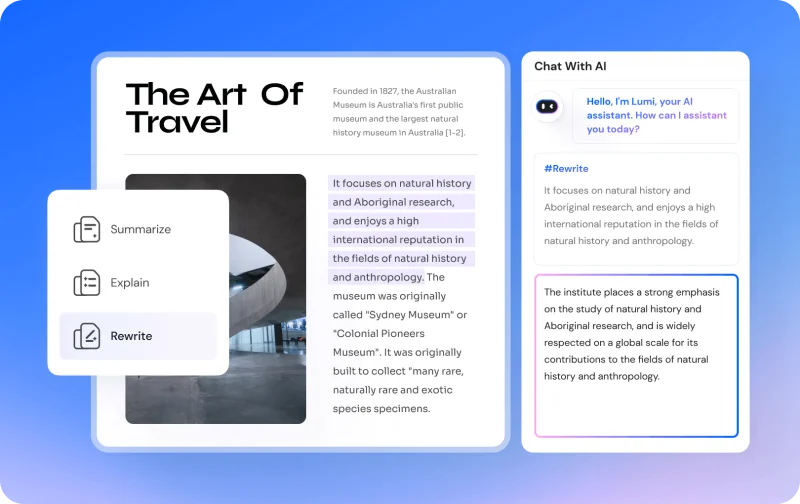
PDFelement supports direct text editing, image editing, annotation, and formatting adjustments, while also adding AI assistance for rewriting and language improvement. That means users can do more than just fix typos.
Instead of exporting text, rewriting it in another tool, and pasting it back, users can improve the content as part of the same workflow.
5. Automate repetitive workflows like redaction or form handling
Some of the biggest productivity gains come from the least glamorous tasks. Redaction, form recognition, and repetitive document handling can consume hours when done manually.
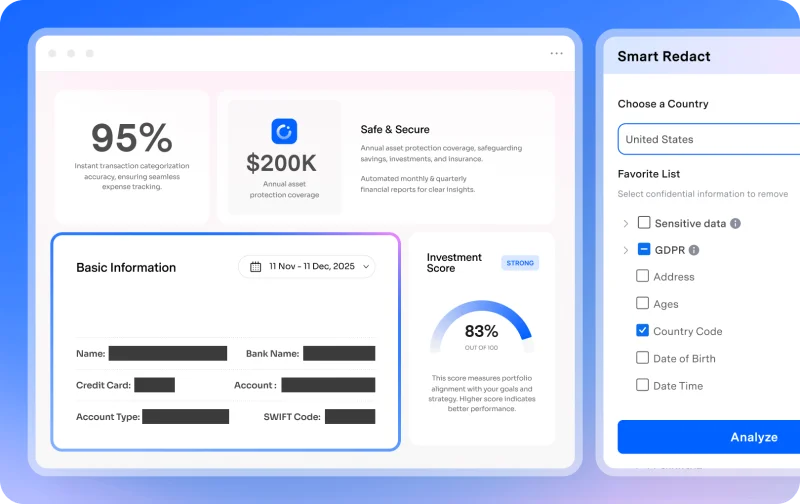
AI helps by reducing that workload. PDFelement’s Smart Redact feature is built to identify personal, medical, financial, and other privacy-related information across 70+ field types. That makes it easier to spot sensitive content before applying permanent redactions.
On the forms side, PDFelement supports form recognition, fillable field creation, and extraction of form data to CSV. These features are useful when teams handle large numbers of applications, receipts, contracts, onboarding documents, or internal forms.
This is where AI PDF tools become especially valuable in real business settings. They remove repetition, improve consistency, and let teams focus on decisions instead of document cleanup.
Who Should Use an AI PDF Editor?
AI PDF editors are useful for more than one type of user. Their value depends on how often someone works with documents and how much manual handling is involved.
Students
Students can use AI PDF tools to summarize readings, explain difficult sections, translate materials, and organize research notes faster.
Legal teams
Legal professionals often work with contracts, disclosures, filings, and case materials. AI helps with review, extraction, OCR, and redaction-related workflows.
HR and finance teams
HR and finance teams regularly process forms, invoices, records, and confidential files. AI can support form handling, extraction, and faster document review.
Researchers and consultants
Researchers and consultants often need to process large numbers of reports, papers, interviews, and client documents. AI helps reduce reading time and surface the most relevant information quickly.
Conclusion
AI PDF editors are moving far beyond simple editing. They still handle the basics, but they also help users understand documents faster, search more intelligently, improve writing, extract useful data, and automate repetitive tasks.
That is why they matter. The real benefit is not just having more features. It is spending less time digging through documents and more time acting on the information inside them. If PDFs are a regular part of your work, an AI PDF editor can turn document handling from a slow manual task into a much smarter workflow.
Ti potrebbe interessare:
Segui guruhitech su:
- Google News: bit.ly/gurugooglenews
- Telegram: t.me/guruhitech
- Facebook: facebook.com/guruhitechfb
- Instagram: instagram.com/guruhitech_official/
- X (Twitter): x.com/guruhitech1
- Bluesky: bsky.app/profile/guruhitech.bsky.social
- Rumble: rumble.com/user/guruhitech
- VKontakte: vk.com/guruhitech
- MeWe: mewe.com/i/guruhitech
- Skype: live:.cid.d4cf3836b772da8a
- WhatsApp: bit.ly/whatsappguruhitech
Esprimi il tuo parere!
Ti è stato utile questo articolo? Lascia un commento nell’apposita sezione che trovi più in basso e se ti va, iscriviti alla newsletter.
Per qualsiasi domanda, informazione o assistenza nel mondo della tecnologia, puoi inviare una email all’indirizzo [email protected].
Scopri di più da GuruHiTech
Abbonati per ricevere gli ultimi articoli inviati alla tua e-mail.