
Why an AI Avatar Generator Belongs in Your Content Toolkit
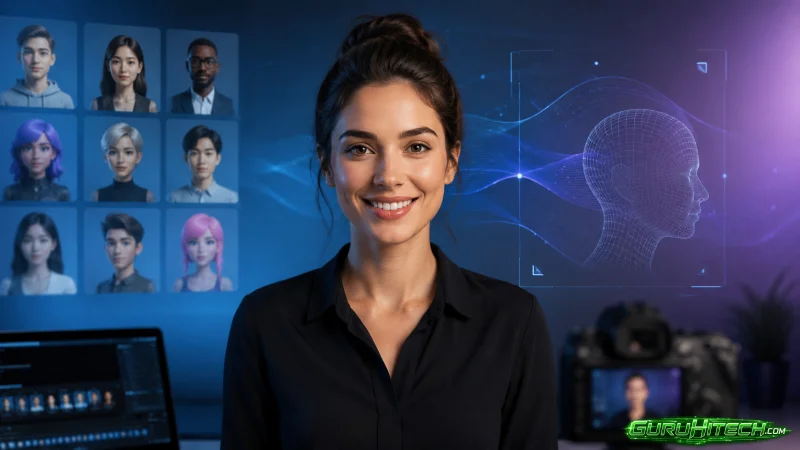
Putting a face on camera is still the single biggest hurdle between many creators and consistent video output. Not everyone wants to appear on screen, arrange lighting, or reshoot a segment because a sentence came out wrong. A growing class of creative software removes that hurdle by generating a lifelike presenter who can deliver your script on demand.
This matters for course creators, marketers, and busy teams who need a steady stream of talking-head content. They often lack the time, confidence, or setup to film themselves repeatedly.The point is not to fake authenticity but to give your ideas a reliable, repeatable face. With this, the message reaches an audience without the friction of a full shoot.
A digital presenter never tires, never fumbles a line, and can be updated in minutes. In the sections below we look at what these tools genuinely offer. Moreover, we look at how to script for a synthetic presenter and the habits that keep the result feeling natural rather than mechanical.
What a Digital Presenter Actually Delivers
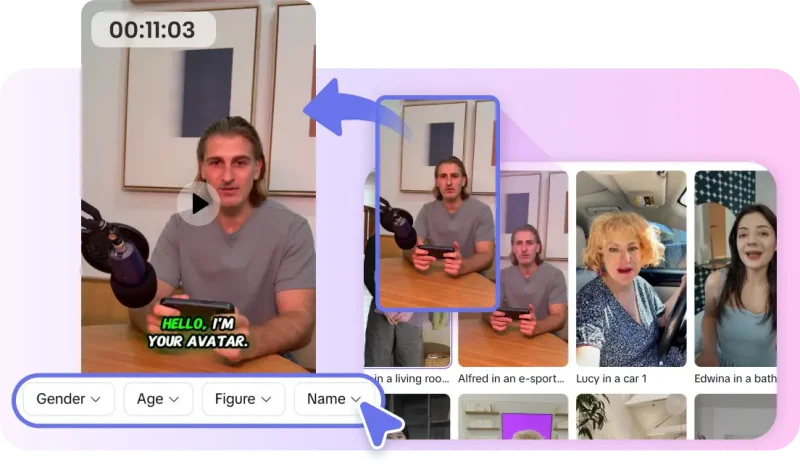
At its core, this technology turns a written script into a video of a realistic person speaking your words, complete with expression, timing, and voice. You choose a presenter, paste your text, select a tone, and the system produces a clip that looks and sounds like a genuine host. The strength of an ai avatar generator is that it makes on-camera content possible without a camera. So you stop postponing videos you never felt ready to film and start shipping them regularly.
That reliability changes how you plan content. When a talking-head clip costs minutes instead of a scheduled shoot, you can produce a whole series in an afternoon. You can also correct a single line without reshooting everything, and localize the same message into several voices. The intimidating barrier of appearing on screen simply disappears.
Writing a Script That Sounds Human
A synthetic presenter is only as convincing as the words you give it. Text written for the eye often sounds stiff when spoken, so draft your script the way you would actually talk. Use short sentences, contractions, and natural transitions, and read it aloud before you generate anything to catch phrasing that trips the tongue.
Give the presenter a clear point to make in each segment rather than a wall of information. This is because a focused delivery feels far more authentic than a dense recitation. When the first clip appears, listen as an audience member rather than as the writer. Notice whether the pacing feels conversational, whether the emphasis lands on the right words, and whether the tone matches your intent. Then revise the script and regenerate until the delivery feels like a real person talking.

Using a Synthetic Presenter Without Losing Trust
Audiences respond to a presenter they believe, and belief is something you shape through choices, not just technology. Pick an avatar whose look suits your subject and audience rather than one that feels mismatched. This is important because a presenter who fits the context fades into the message instead of distracting from it. Keep the delivery grounded by avoiding overly theatrical scripts, since restraint reads as sincerity.
Because you can produce variations quickly, test a warmer tone against a more formal one. See which earns a better response from real viewers. This kind of comparison teaches you more about your audience in a single session than weeks of guessing. It also grounds your presentation style in evidence rather than assumption about what should work.
Keeping a Consistent Presenter Across a Series
If you produce ongoing content, consistency turns individual clips into a recognizable brand. Viewers begin to associate a particular face, voice, and style with your channel, and that familiarity builds trust over time. The practical approach is to settle on your presenter, voice, and visual framing early, then reuse them deliberately across every episode.
Keep a short reference of those choices so a video made months apart still feels like part of the same series. Platforms such as Pippit AI make this easier by letting you save presenter and style settings. You can then reapply them to new projects, so your content feels intentional rather than assembled piecemeal. Treating those settings as a fixed reference prevents the subtle drift that otherwise makes a body of work feel disconnected.
Refining the Output Into Finished Content
The generator hands you a strong draft; the finished clip still benefits from your judgment. Watch the full video and note any moment where the delivery feels slightly off or where a pause runs too long. Adjust the script rather than forcing the presenter to carry an awkward line, since a small wording change often smooths the whole segment. Add supporting visuals, captions, or simple graphics where they reinforce the point, but avoid clutter that pulls focus from the presenter.
Check that the audio sits at a comfortable level and that captions are accurate for viewers watching without sound. Finally, give the closing a deliberate beat so the message lands before the clip ends. When every element feels intentional, the result reads as considered communication rather than an automated read-through.
A Reliable Face for Your Message
The real advantage of a digital presenter is not that it replaces you, but that it removes the friction that keeps talking-head content off your schedule. By scripting for the spoken word and choosing a presenter who fits your subject, you increase efficiency. Also, by testing tone against real reactions, holding a consistent style across a series, and reserving your own attention for the final refinements, you can produce polished on-camera content in a fraction of the time a traditional shoot demands.
The creators who benefit most treat this technology as a dependable collaborator rather than a gimmick. Use it to ship the videos you kept putting off and update a message without reshooting. You can also reach audiences in more voices than you could ever film yourself. Approached with care, a synthetic presenter stops feeling like a novelty and becomes a practical, trustworthy part of how you communicate. This lets your ideas show up consistently even on the days you would rather stay off camera.
Scopri di più da GuruHiTech
Abbonati per ricevere gli ultimi articoli inviati alla tua e-mail.