

AI Photo Editing for Online Brands: A Practical Workflow for Faster, Better Visual Content
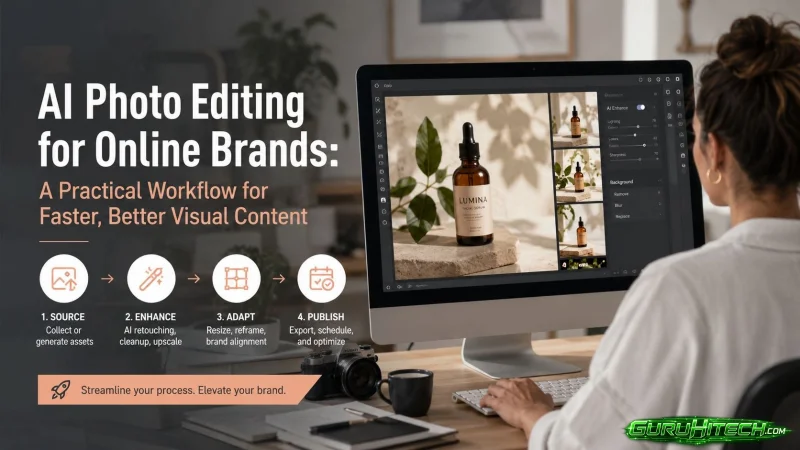
For most online businesses, visual content is no longer a “nice to have.” Product images, social posts, ad creatives, thumbnails, and website graphics all influence how people judge a brand before they read a single line of copy.
The challenge is that visual production has become faster, but not necessarily easier. A small e-commerce team may need clean product photos for its store, lifestyle visuals for social media, and multiple ad variations for testing. A creator may need fresh visuals every week without hiring a designer for every small edit. Also a marketer may need campaign graphics in several sizes before the next launch window closes.
This is where AI photo editing can be useful, but only when it is used with a clear workflow. The best results do not come from pressing one button and accepting whatever the model produces. They come from combining AI speed with human review, brand standards, and practical quality checks.
Why AI Photo Editing Is Becoming Part of Everyday Content Work
Traditional image editing often requires multiple steps: cutting out the subject, cleaning the background, adjusting light and contrast, resizing the image, exporting for different platforms, and sometimes creating several creative variations.
For a professional designer, these tasks are routine. For a small business owner, content creator, or lean marketing team, they can become a production bottleneck.
AI image tools reduce that friction. They can help with background changes, image enhancement, object removal, creative variations, and text-based edits. Instead of starting every visual task from scratch, teams can use AI to create a first version quickly, then refine it based on brand and platform needs.
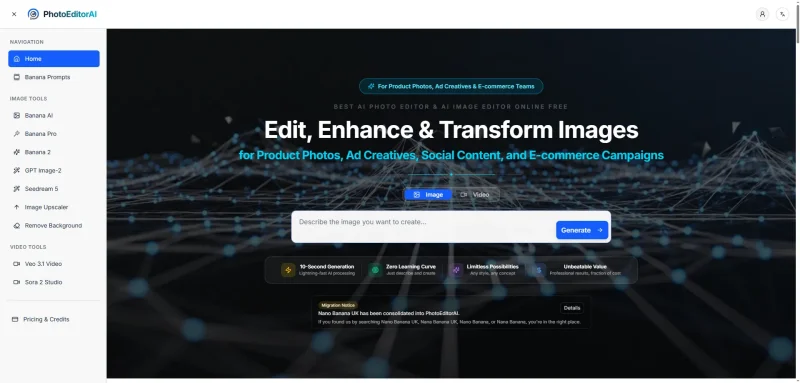
A tool such as PhotoEditorAI fits this kind of workflow because it brings image generation and editing into an online environment that is easier for non-design teams to use.
The Most Useful AI Editing Tasks for Businesses
Not every AI feature is equally valuable. For business use, the most practical tasks are usually the ones that remove repetitive work or help teams test more visual options.
Here are the areas where AI photo editing often provides the clearest benefit:
1. Background Cleanup
A distracting background can make a product look cheaper than it is. AI background removal or replacement can help create cleaner catalog images, marketplace photos, and social posts.
2. Image Enhancement
Low-quality lighting, weak contrast, or soft details can reduce trust. AI enhancement can improve an image enough for online use, especially when the original photo is acceptable but not perfect.
3. Creative Variation
Marketing teams rarely know which image will perform best before testing. AI tools make it easier to generate different versions of a visual for ads, email, landing pages, or social media.
4. Text-Based Image Editing
Instead of manually selecting and adjusting every part of an image, users can describe the change they want. This is especially useful for quick edits, object changes, and concept exploration.
5. Consistent Character or Product Presentation
For brands that use recurring characters, mascots, or product scenes, consistency matters. AI can help create related visuals while keeping the same general look and feel.
A Practical Workflow for Better AI-Edited Images
AI editing works best when it is treated as part of a production process, not as a replacement for creative judgment.
Step 1: Start With the Best Source Image Available
AI can improve an image, but it cannot always fix a weak starting point. A clear photo with good framing will usually produce better results than a blurry or poorly lit image.
Before editing, check:
- Is the subject clearly visible?
- Is the product shape accurate?
- Are important details hidden?
- Is the image large enough for the final use?
- Does the photo represent the real product honestly?
This step is especially important for e-commerce. Over-editing a product image can create unrealistic expectations and lead to customer dissatisfaction.
Step 2: Define the Purpose Before Editing
The same image should not always be edited the same way. A product listing image, a social media post, and an ad creative have different goals.
For example:
- A marketplace image should be clean and accurate.
- A social media image can be more expressive.
- An ad creative needs a clear focal point and fast visual impact.
- A blog image should support the topic without distracting from the content.
- A website hero image needs to feel consistent with the brand.
Before using AI, decide what the image needs to do. This prevents the common mistake of creating visuals that look interesting but do not support the actual goal.
Step 3: Use AI for the First Draft, Not the Final Decision
AI is very good at producing options quickly. That makes it useful for the first draft stage.
For example, an online seller could take one product photo and create several background styles. A marketing team could generate different campaign directions before choosing one to refine. A creator could turn a simple image into multiple thumbnail concepts.
This is also where more advanced generation tools become useful. Features like Banana AI can help users create or transform images from prompts and reference photos, which is useful when a team needs fresh visual directions without building every concept manually.
The important point is that the AI output should still be reviewed. Speed is valuable, but publishing without review can create brand, quality, or accuracy problems.
Step 4: Review for Accuracy and Brand Fit
A strong AI-generated or AI-edited image should pass a basic quality review before it is used publicly.
Check the following:
- Are product details accurate?
- Are logos, labels, hands, faces, or text distorted?
- Does the image match the brand’s visual style?
- Is the background appropriate for the product or message?
- Does the image look trustworthy?
- Is the file size and resolution suitable for the platform?
- Could the image mislead the viewer?
This review step is what separates useful AI content from low-quality automated output.
Step 5: Create Variations for Testing
One of the strongest business uses of AI photo editing is variation. Instead of relying on one final image, teams can test several options.
For ads, this might mean different backgrounds, crops, colors, or product placements, for social media, it might mean testing different moods or compositions. For e-commerce, it might mean comparing a plain white background with a lifestyle-style scene.
The goal is not to create endless content. The goal is to learn which visuals perform better.
Useful metrics can include:
- click-through rate;
- conversion rate;
- engagement rate;
- time on page;
- add-to-cart rate;
- ad cost per result.
When teams connect image production with performance data, AI editing becomes more than a convenience. It becomes part of a feedback loop.
Common Mistakes to Avoid
Using AI to Cover Up Poor Product Photography
If the original photo is too unclear, AI may create an attractive but inaccurate result. For product images, accuracy matters more than visual drama.
Publishing Images Without Checking Details
Small AI errors can damage trust. Distorted fingers, strange shadows, incorrect product shapes, or unreadable labels should be fixed before publishing.
Making Every Image Look Artificial
Highly polished AI visuals can sometimes feel generic. Brands should keep some natural texture and consistency, especially if trust is important.
Ignoring Platform Context
An image that works on Instagram may not work on Amazon. A visual that performs well in an ad may not be right for a product page. Editing should match the channel.
Replacing Brand Direction With Random Outputs
AI can generate many options, but more options do not automatically mean better branding. A team still needs rules for style, color, composition, and tone.
Where Human Expertise Still Matters
AI photo editing is most effective when humans remain responsible for direction and review.
A human should decide:
- what the image needs to communicate;
- whether the result feels credible;
- whether the product is represented accurately;
- whether the image matches the brand;
- whether the creative direction supports the campaign goal.
This is why AI is better understood as a production assistant than a creative replacement. It can reduce manual work and speed up exploration, but it should not make the final judgment on quality, accuracy, or brand trust.
Final Thoughts
AI photo editing is becoming a practical tool for creators, e-commerce sellers, and marketing teams that need to produce more visual content without slowing down production.
The best results come from a disciplined workflow: start with a strong source image, define the goal, use AI to generate or edit quickly, review the result carefully, and test variations with real performance data.
Used this way, AI photo editing is not just a shortcut. It becomes a more efficient way to create visuals that are useful, on-brand, and ready for the channels where customers actually see them.
Ti potrebbe interessare:
Segui guruhitech su:
- Google News: bit.ly/gurugooglenews
- Telegram: t.me/guruhitech
- Facebook: facebook.com/guruhitechfb
- Instagram: instagram.com/guruhitech_official/
- X (Twitter): x.com/guruhitech1
- Bluesky: bsky.app/profile/guruhitech.bsky.social
- Rumble: rumble.com/user/guruhitech
- VKontakte: vk.com/guruhitech
- MeWe: mewe.com/i/guruhitech
- Skype: live:.cid.d4cf3836b772da8a
- WhatsApp: bit.ly/whatsappguruhitech
Esprimi il tuo parere!
Ti è stato utile questo articolo? Lascia un commento nell’apposita sezione che trovi più in basso e se ti va, iscriviti alla newsletter.
Per qualsiasi domanda, informazione o assistenza nel mondo della tecnologia, puoi inviare una email all’indirizzo [email protected].
Scopri di più da GuruHiTech
Abbonati per ricevere gli ultimi articoli inviati alla tua e-mail.