
From Static Art to Cinematic Gold: The New Standard for High-Octane AI Animation
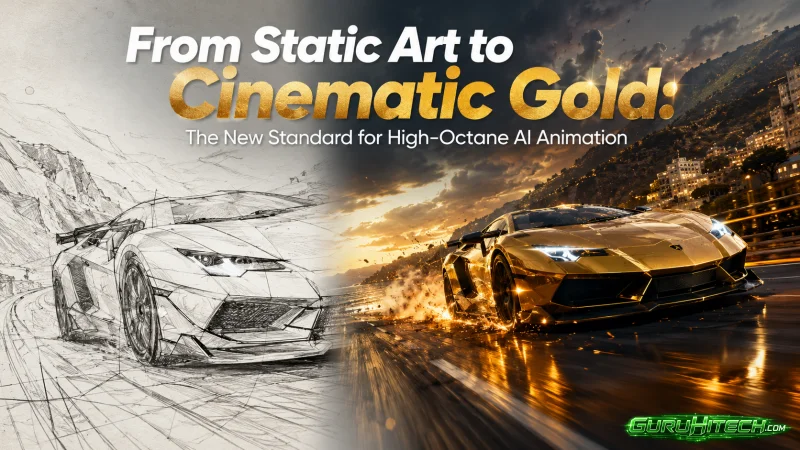
You spend twelve hours dialing in the perfect static concept art. The lighting is harsh, the character design is incredibly detailed, and the atmosphere feels like a still frame from a hundred-million-dollar blockbuster. Then, you drop that masterpiece into a standard AI video generator. Ten minutes later, the output is a disaster. The character’s face melts into a blurry mess, the cinematic lighting washes out into flat gray, and the “action” looks like a sluggish screensaver.
For a long time, animating static AI art meant accepting massive compromises. The industry standard was a subtle hair flutter or a slow, meaningless pan across the background. But modern audiences do not engage with screensavers. They want high-octane motion—kinetic camera sweeps, explosive physics, and intense emotional expressions. The problem is that mainstream video generators are heavily throttled. If you try to animate a gritty sci-fi battle, a dark fantasy sword strike, or anything with aggressive, rapid movement, the corporate safety filters kick in. They either flat-out refuse to process the prompt, or they severely limit the motion to prevent rendering “unsafe” artifacts.
To push these boundaries without hitting algorithmic roadblocks, professional animators have shifted toward an uncensored AI image-to-video workflow. This approach strips away the corporate guardrails that typically refuse to animate high-tension or hyper-kinetic sequences. By taking the training wheels off the engine, you force the AI to respect your original image’s grit and detail while actually applying the aggressive motion physics required for cinematic gold.
Here is exactly how working directors are turning static pixels into high-octane animated sequences without losing their minds.
The Anatomy of Motion Failure
To fix bad AI animation, you have to understand why the engine is breaking your image in the first place. When an image-to-video model fails, it usually falls victim to temporal inconsistency. The AI looks at your static frame and has to guess what exists behind the character, how the fabric should fold in the wind, and what the character’s face looks like from a 45-degree angle.
When you ask a throttled, commercial model for “high action,” it panics. It attempts to redraw the entire scene frame-by-frame at high speed, completely losing the structural integrity of your original art. This is why swords suddenly turn into extra arms, or why a heavily textured leather jacket suddenly looks like smooth plastic. The engine defaults to the lowest common denominator to get the render finished without triggering an internal safety error.
If you want high-octane motion, you cannot rely on the AI to “guess” the physics. You have to dictate the camera mechanics and lock the pixels.
Mastering the High-Octane Physics Prompt
The biggest mistake creators make when moving from text-to-image to image-to-video is keeping the same prompt. Your image already contains the subject, the lighting, and the style. If you upload a picture of a cyberpunk assassin and prompt, “A cyberpunk assassin standing in the rain,” the AI will try to redraw the assassin, destroying your original design.
Your video prompt should almost exclusively describe camera movement and physics.
- Wrong: “Make the monster attack the camera and look scary.”
- Right: “Fast FPV drone push-in. High motion blur on the foreground. The subject’s jaw snaps open rapidly. Aggressive handheld camera shake.”
By prompting like a cinematographer rather than an illustrator, you constrain the AI. You are telling it to leave the design alone and only calculate the math required to move the camera through the 3D space of your 2D image.
Tactical Workflows for Cinematic Animation
Achieving that blockbuster look requires breaking the animation process down into a highly controlled pipeline. You don’t just hit generate and hope for the best; you engineer the motion.
- Regional Masking (Motion Brushes): Never let the AI animate the entire frame if it doesn’t need to. Use motion brush tools to paint a mask strictly over the elements that should move—the debris flying through the air, the cape, the tires of a vehicle. Leave the character’s face and the static background unmasked. This forces the model to dedicate 100% of its processing power to the masked area, resulting in highly fluid, complex motion without the background warping.
- Explicit Camera Vectors: High-octane shots require dynamic angles. Use specific directional commands to force perspective shifts. Commands like “crane shot dropping rapidly,” “whip pan to the left,” or “tracking shot moving backward at high speed” tell the engine to calculate spatial depth, instantly elevating the shot from a cheap 2D animation to a 3D cinematic sequence.
- Frame Interpolation for Slow Motion: AI struggles to natively generate 60 or 120 frames per second of complex action. The professional workaround is to generate the high-action sequence at a standard 24fps, and then run that output through a dedicated AI frame interpolation tool (like Topaz Video AI or open-source equivalents). This artificially injects transition frames, turning a slightly choppy action shot into buttery-smooth, Zack Snyder-style slow motion.
- Depth Map Extraction: Before animating, run your static image through a depth estimator. By feeding the video engine both your flat image and its corresponding 3D depth map, you stop the background from sliding around unnaturally. The AI knows exactly how far the background is from the subject, allowing for realistic parallax when you apply a camera panning effect.
Unifying the Pipeline
The reality of this high-octane workflow is that it usually requires bouncing between four different pieces of software. You need one tool for the uncensored base generation, another for the motion brush masking, a third for the frame interpolation, and a fourth to edit it all together. This friction is where most creators give up.
To solve this, many teams are integrating platforms like CrePal into their stack. It operates as an AI director agent, pulling the capabilities of top-tier video models into a single, chat-based interface. Instead of manually exporting and importing files across different apps to fix a warped background, you can simply instruct the agent to lock the character consistency or adjust the camera speed, allowing you to maintain an aggressive, unfiltered visual style without getting bogged down in timeline mechanics.
The Final Polish: Selling the Illusion
Even with the best image-to-video rendering, raw AI output often feels a bit sterile. To cross the finish line into “cinematic gold,” you have to apply post-production polish. The eye can easily spot AI anomalies, but you can hide them with traditional filmmaking techniques.
Add heavy film grain to unify the pixels of the original image with the newly generated motion pixels. Introduce practical lens flares or chromatic aberration over the footage to simulate a real physical camera lens. And most importantly, rely on sound design. An AI video of a car drifting might look slightly off mathematically, but if you layer massive, high-quality audio of screeching tires and a roaring engine underneath it, the viewer’s brain forgives the visual imperfections. Sound does 50% of the heavy lifting in any action sequence.
We are no longer limited to generating pretty wallpapers. The technology now exists to take your most aggressive, complex, and uncompromised visions and set them in motion. By mastering camera prompting, utilizing unrestricted workflows, and directing the physics rather than just hoping for them, you can build sequences that rival traditional animation studios. Stop settling for screensavers. Bring your art to life.
Ti potrebbe interessare:
Segui guruhitech su:
- Google News: bit.ly/gurugooglenews
- Telegram: t.me/guruhitech
- Facebook: facebook.com/guruhitechfb
- Instagram: instagram.com/guruhitech_official/
- X (Twitter): x.com/guruhitech1
- Bluesky: bsky.app/profile/guruhitech.bsky.social
- Rumble: rumble.com/user/guruhitech
- VKontakte: vk.com/guruhitech
- MeWe: mewe.com/i/guruhitech
- Skype: live:.cid.d4cf3836b772da8a
- WhatsApp: bit.ly/whatsappguruhitech
Esprimi il tuo parere!
Ti è stato utile questo articolo? Lascia un commento nell’apposita sezione che trovi più in basso e se ti va, iscriviti alla newsletter.
Per qualsiasi domanda, informazione o assistenza nel mondo della tecnologia, puoi inviare una email all’indirizzo [email protected].
Scopri di più da GuruHiTech
Abbonati per ricevere gli ultimi articoli inviati alla tua e-mail.