
AI PPT Maker for Match Reviews: Less Slide Preparation, More Useful Discussion
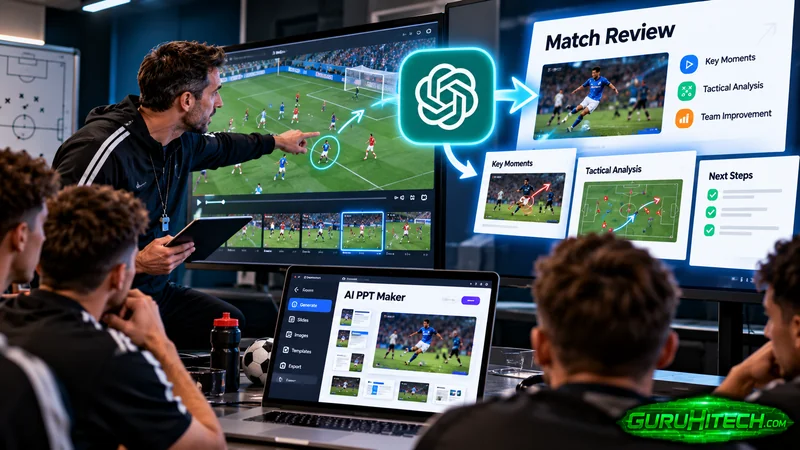
After a match, a coach may have video clips, handwritten observations, and several points to discuss with the team. Preparing those ideas for a meeting can take longer than expected. AI PPT Maker offers a way to turn verified notes into a presentation draft.
The question I would ask is whether that draft helps players understand a few specific lessons from the game.
A match review can become a catalogue of everything that happened. A more useful session selects the moments that matter, explains them clearly, and connects them to what the team will work on next.
Choose the Focus Before Opening the Tool
The first step is deciding what the review is about.
You might focus on communication, a recurring team decision, or how players responded in a particular phase of the match.
Keep the scope manageable. A session that tries to address every mistake may leave players unsure which point deserves attention.
Tell AI PPT Maker the audience, the focus, and what players should understand afterward.
Use Observations You Can Support
Write down what you observed and where the relevant example appears.
Distinguish a repeated pattern from a single incident. If you have not checked how often something occurred, avoid presenting it as a match-wide trend.
I would assess AI PPT Maker on whether the draft preserves that distinction.
A concise heading should not turn “this happened in the selected example” into “this always happens.”
Mixed Input Can Bring the Notes Together
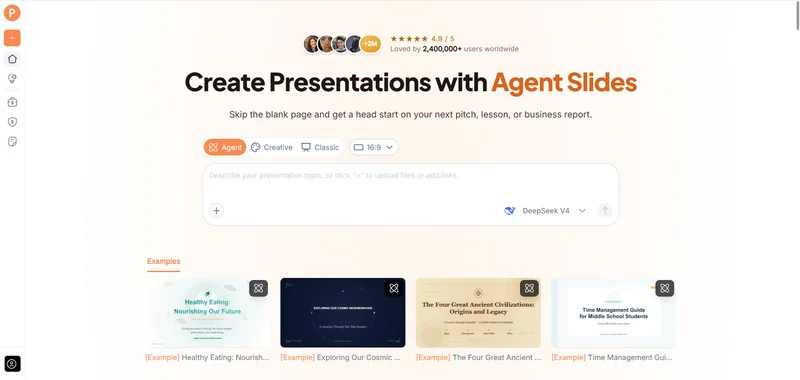
AI PPT Maker supports mixed input across Agent, Creative, and Classic, including text, uploaded files, and video sources.
For a coach, that means the presentation brief can include existing review notes and additional instructions about the session.
If video material is included, I would still provide written descriptions of the selected moments. Input support alone does not prove reliable automatic analysis of every play or timestamp.
The source notes should explain what the coach wants the presentation to discuss.
Give the Draft a Clear Boundary
A useful request might be:
Create a team match-review presentation from these verified notes. Focus on the selected examples and the decisions described. Keep individual incidents separate from confirmed recurring patterns. Do not invent statistics, player quotations, or additional events.
That brief directs AI PPT Maker toward organization and explanation.
It also makes the output easier to check: every factual point should connect to the supplied material.
Agent Helps Explain the Decision Behind the Example
Agent mode supports multi-round conversation in AI PPT Maker.
That is relevant when the initial draft describes what happened but does not explain what the team needs to discuss.
A follow-up could say:
Explain the choice available in this example using the coach’s notes. Keep the description neutral and do not assign intentions to players.
Another could ask for simpler language or a shorter explanation suitable for the age and experience of the group.
The value is in refining the presentation brief through specific context.
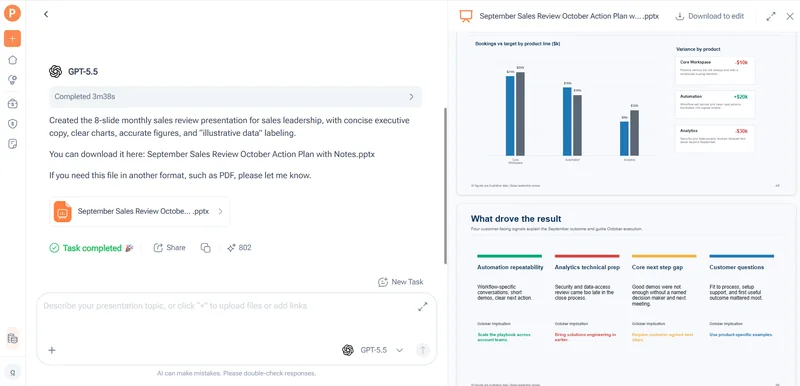
Agent exports PPTX for further editing in PowerPoint.
Outline Review Can Prevent an Overloaded Session
All three modes in AI PPT Maker allow outline review and adjustment before generating slides.
I would use that step to check the amount of material.
Does the session have a clear focus? Are there too many examples? Does the final section explain what the team will practice or discuss next?
Group Examples by the Lesson
A sequence based only on match chronology may require players to remember too much context.
Grouping a few selected moments around one coaching point can make the session easier to follow.
Explain that structure in your instructions to AI PPT Maker. Then check whether the outline supports it.
The draft should not determine the coaching priority. It should help present the priority you have chosen.
Use Actual Match Material for Evidence
Selected video clips or verified stills provide evidence of what happened.
After exporting the presentation, place approved material where it supports the explanation. Make sure the relevant moment is easy to see and the labels are readable.
Agent includes AI image generation, but I would not use generated images as representations of actual match events.
If an illustrative image is used to explain a general concept, label it accordingly.
AI PPT Maker can help create the presentation structure without replacing the coach’s review of the game.
Choose the Mode Around the Review Workflow
Agent is useful when you want to develop the explanation conversationally.
Classic offers a template-based workflow, with more than 1,000 templates available through AI PPT Maker. A consistent format can help players recognize the example, the discussion point, and the next action.
Both support PPTX downloads.
Creative exports PNG images. I would consider whether that format fits the session, especially if wording or examples are likely to change before the meeting.
Keep the Visual Design Quiet
A match review does not need constant visual variation.
Use large, readable headings and enough room for the evidence. Avoid layouts that make a clip or image too small to understand.
The best design is the one that helps players notice what the coach is explaining.
Classic also offers PDF, Keynote, and outline downloads in TXT or Markdown, which can support different preparation needs.
Look for Questions, Not Just Conclusions
A useful review can invite players to explain what they noticed.
Ask the draft to include discussion prompts based on the coach’s notes. Check that those questions are appropriate and do not assume an answer the evidence cannot establish.
For example, a prompt could ask what information was available in a selected moment.
AI PPT Maker can help organize the prompts, while the coach leads the conversation.
Other options include PPT Maker and NoteGPT’s AI Slide Generator. I would judge the AI PPT Maker draft by whether it supports a focused session.
Start with One Coaching Point
My first evaluation would use a small set of examples rather than an entire season’s material. That keeps verification manageable.
AI PPT Maker is worth assessing as a way to turn match notes into a clear review presentation. Choose one focus, supply verified descriptions, and inspect the outline before generating slides. Try AI PPT Maker(https://aipptmaker.ai/) for your next team discussion, then add actual match material and check the explanation. Keep PPT Maker(https://pptmaker.io/) in mind as another option as your preparation workflow develops.
Ti potrebbe interessare:
Segui guruhitech su:
- Google News: bit.ly/gurugooglenews
- Telegram: t.me/guruhitech
- Facebook: facebook.com/guruhitechfb
- Instagram: instagram.com/guruhitech_official/
- X (Twitter): x.com/guruhitech1
- Bluesky: bsky.app/profile/guruhitech.bsky.social
- Rumble: rumble.com/user/guruhitech
- VKontakte: vk.com/guruhitech
- MeWe: mewe.com/i/guruhitech
- Skype: live:.cid.d4cf3836b772da8a
- WhatsApp: bit.ly/whatsappguruhitech
Esprimi il tuo parere!
Ti è stato utile questo articolo? Lascia un commento nell’apposita sezione che trovi più in basso e se ti va, iscriviti alla newsletter.
Per qualsiasi domanda, informazione o assistenza nel mondo della tecnologia, puoi inviare una email all’indirizzo [email protected].
Scopri di più da GuruHiTech
Abbonati per ricevere gli ultimi articoli inviati alla tua e-mail.