

AI Video Enhancer: Improve Video Quality and Upscale Footage Easily
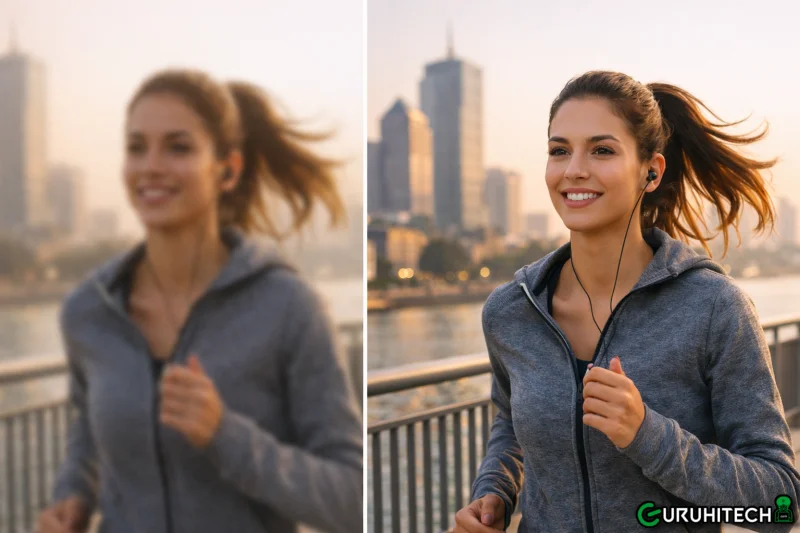
Blurry footage, pixelated scenes, and low-resolution recordings are common problems when working with old videos or heavily compressed files. Such quality issues can make otherwise valuable content look unprofessional and difficult to watch. Fortunately, an AI video enhancer offers a simple and powerful solution.
By using advanced artificial intelligence, these tools automatically analyze video frames and sharpen details to improve overall clarity. Instead of relying on complicated manual editing techniques, users can enhance their footage quickly and efficiently. This guide explains how an AI video enhancer works and how it can transform low-quality videos into clearer, high-quality visuals.
Part 1. Why Use a Video Enhancer – 5 Reasons to Know
A video quality enhancer can automatically analyze footage and correct visual imperfections. Below are several key reasons why using a video quality enhancer has become essential for content creators and everyday users:
- Restore Old or Low-Quality Videos: A video quality enhancer can revive older footage that appears blurry, grainy, or faded. Sharpening details and balancing colors helps restore clarity and make vintage videos look significantly better.
- Upscale Video Resolution: Many tools allow users to upscale videos from lower resolutions like 480p or 720p to HD or even 4K. This ensures footage appears sharper and more suitable for modern screens and platforms.
- Reduce Noise and Visual Distortion: Poor lighting or compression often causes noise and distortion in videos. A video quality enhancer intelligently removes unwanted artifacts while preserving important visual details.
- Improve Color and Brightness: Some videos appear dull due to poor lighting conditions. Enhancement tools automatically adjust brightness, contrast, and color balance to create more vibrant and visually appealing footage.
- Save Time Compared to Manual Editing: Traditional video editing requires manual adjustments for every clip. A video quality enhancer automates this process, allowing users to improve multiple videos quickly and efficiently.
Part 2. What AI Video Enhancers Do? How Do They Work?
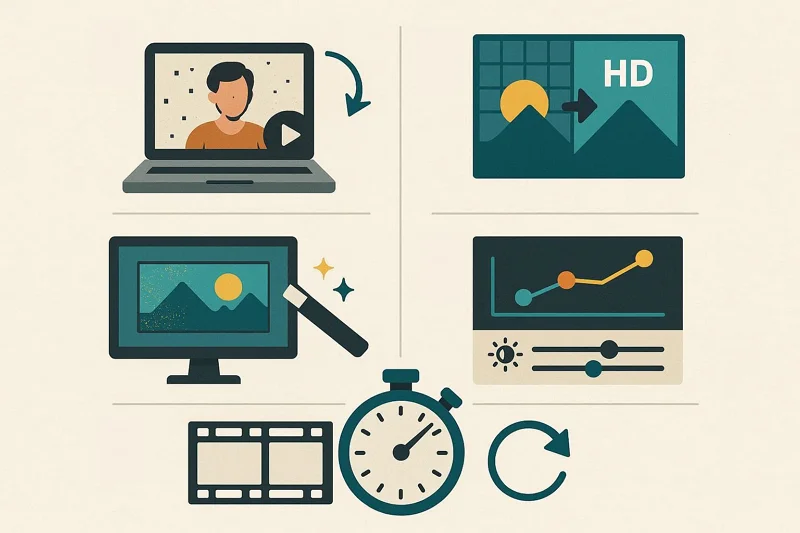
An AI video upscaler improves video quality by using machine learning algorithms to analyze and enhance each frame. These tools detect details such as edges, textures, and colors, then intelligently reconstruct missing pixels to increase resolution and clarity.
Instead of simply stretching the image, an AI video upscaler adds realistic details and reduces noise. It further sharpens visuals and enhances overall quality, making low-resolution footage appear clearer and more professional.
Part 3. AI Video Upscaling & Enhancement Methods [Manual vs AI Video Enhancement]
Understanding the difference between traditional editing and modern AI-powered tools is essential when choosing the right method to improve video quality. A powerful AI video enhancer can automate complex enhancement tasks that previously required professional editing skills. To better understand how these approaches differ, the table below compares manual video enhancement with AI-powered video enhancement:
| Feature | Manual Video Enhancement | AI Video Enhancement |
| Editing Process | Requires manual adjustments using editing software | Automated processing using an AI video enhancer |
| Time Required | Time-consuming, frame-by-frame adjustments | Fast processing with automatic analysis |
| Video Upscaling | Limited and often reduces quality | Uses AI algorithms for smarter upscaling |
| Noise Reduction | Manual filters and corrections | AI automatically detects and removes noise |
| Detail Restoration | Difficult to recover lost details | AI reconstructs missing details intelligently |
Part 4. Try Filmora AI Video Enhancer (Practical Solution)
While many tools claim to improve video clarity, choosing a reliable and easy-to-use solution makes a significant difference in the final results. A modern video quality enhancer should not only upscale resolution but also refine details. This is where Filmora’s AI Video Enhancer stands out as a practical solution. It combines powerful AI technology with a simple interface, allowing users to enhance videos quickly without advanced editing skills.
Filmora AI Video Enhancer: Overview
Filmora offers a powerful tool that makes video enhancement simple and fast. This AI-powered solution improves video resolution, sharpens details, and enhances color balance. It ensures footage looks clearer and more vibrant. Whether working with old, blurry clips or recent recordings, Filmora’s AI analyzes every frame. It restores lost details and reduces noise without needing advanced editing skills.
Moreover, the video editor supports multiple formats, including MP4, MOV, and AVI. The quick preview feature lets users compare the original and enhanced versions within the interface. This ensures every improvement meets expectations. With its easy-to-use interface and efficient processing, Filmora’s AI video upscaler is perfect for content creators, hobbyists, or anyone looking to turn ordinary videos into professional-quality visuals.
Filmora AI Video Enhancer: Step-by-Step Use
After exploring its features and capabilities, it’s time to see the tool in action. Mentioned below is a step-by-step guide on how to use this efficient AI video enhancer:
Step 1. Create New Filmora Project
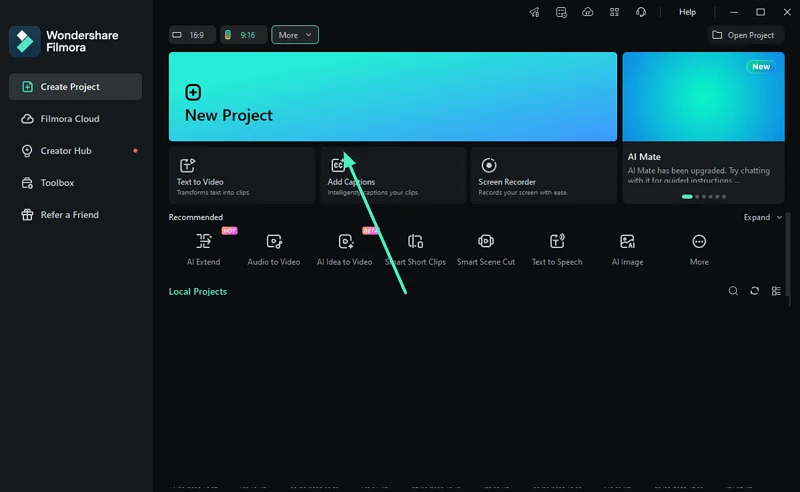
To begin, launch Filmora on your device and press the “New Project” tab located on the homepage. Now, import the video to the tool’s interface and drag it to the timeline for further editing.
Step 2. Choose AI Enhancer
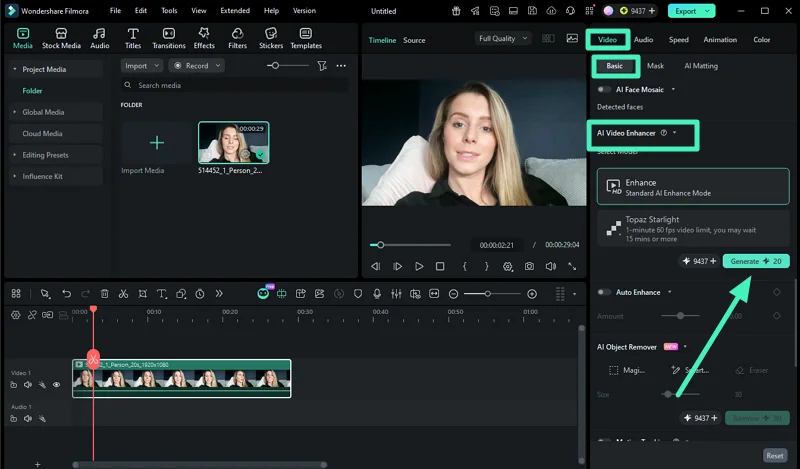
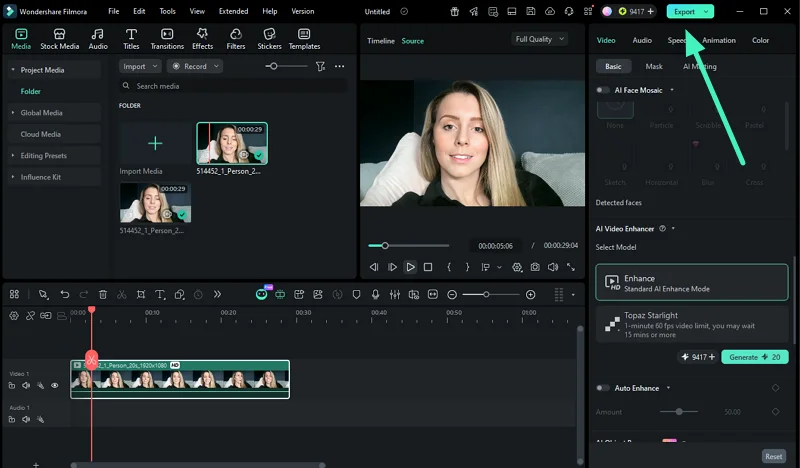
Once the video is imported, head to the properties panel on the right and enable the “Video” section. Next, choose the “Basic” option and locate the “AI Video Enhancer.” Press the “Generate” button to execute the process and check the progress at the top menu bar.
Step 3. Review the Enhanced Video
When the process is completed, preview the results within the preview window and press the “Export” button to save them to your computer.
Key Advantages of Using AI Tools Like Filmora
A video quality enhancer like Filmora goes beyond basic improvements, offering automated features that save time and deliver professional results. Here are the key advantages of using AI-powered tools:
- Time-Saving Automation: Manual editing can be slow and tedious. Filmora’s AI streamlines enhancement tasks, allowing users to improve multiple videos quickly.
- Beginner-Friendly Interface: Even users with no editing experience can achieve professional results thanks to Filmora’s intuitive layout and easy-to-use features.
- Professional-Level Results Without Expertise: AI technology handles complex tasks like detail restoration and color correction automatically, making videos look polished even for beginners.
- Consistent Quality Across Footage: Filmora’s AI ensures enhancements are applied evenly across frames, maintaining uniform quality throughout the video.
- Cost-Effective Solution: No need for expensive equipment or hiring professional editors—AI tools provide high-quality results at a fraction of the cost.
Conclusion
To sum it up, this article discussed all the details you need to know about a good AI video enhancer. From restoring old footage to upscaling resolution, AI tools make video improvement fast and simple. They also reduce noise and optimize colors automatically. Among the options available, Filmora stands out. Its easy interface and powerful features deliver consistent, professional results, making it a top choice for anyone enhancing video quality.
Ti potrebbe interessare:
Segui guruhitech su:
- Google News: bit.ly/gurugooglenews
- Telegram: t.me/guruhitech
- Facebook: facebook.com/guruhitechfb
- Instagram: instagram.com/guruhitech_official/
- X (Twitter): x.com/guruhitech1
- Bluesky: bsky.app/profile/guruhitech.bsky.social
- Rumble: rumble.com/user/guruhitech
- VKontakte: vk.com/guruhitech
- MeWe: mewe.com/i/guruhitech
- Skype: live:.cid.d4cf3836b772da8a
- WhatsApp: bit.ly/whatsappguruhitech
Esprimi il tuo parere!
Ti è stato utile questo articolo? Lascia un commento nell’apposita sezione che trovi più in basso e se ti va, iscriviti alla newsletter.
Per qualsiasi domanda, informazione o assistenza nel mondo della tecnologia, puoi inviare una email all’indirizzo [email protected].
Scopri di più da GuruHiTech
Abbonati per ricevere gli ultimi articoli inviati alla tua e-mail.