
ButSystem.py: A Local-First Private Workspace for Termux and Android
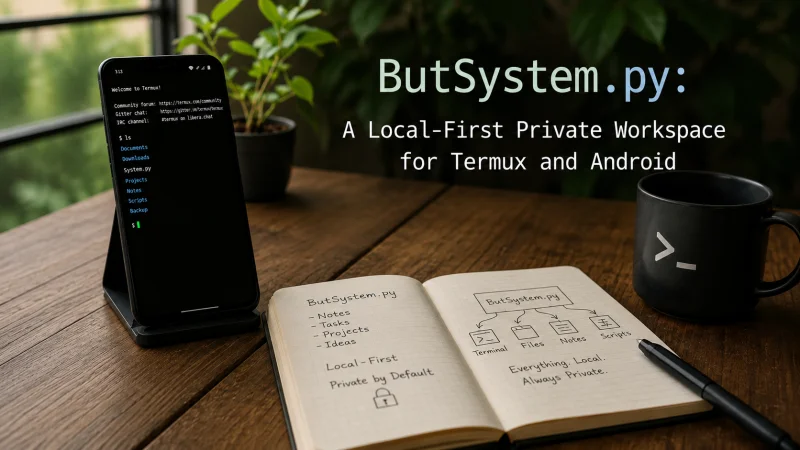
Most of us now carry our entire digital life on our phones: private conversations, important files, personal notes, unfinished ideas, and plenty of data we would rather not send to a random cloud server.
The problem is that many apps we use every day to manage that information send our data somewhere else by default. You write a message, upload a file, or save a note, and that information often passes through a company’s servers before it reaches the person or device right next to you.
ButSystem.py takes the opposite approach. Built as part of the DedSec Project, it is a local-first private workspace for Termux and Android designed to keep your chats, files, and profiles on your own device instead of someone else’s infrastructure.
If you have ever wanted your Android phone to work more like a private server you actually control, this is exactly the kind of tool worth paying attention to.
What Is ButSystem.py?
At its core, ButSystem.py is a self-hosted private workspace designed to run inside Termux, the popular Android terminal emulator that brings a Linux-style command-line environment directly to smartphones and tablets.
Instead of requiring multiple applications for private messaging, local file storage, profile management, and security tools, ButSystem.py combines these features within a single Python-based interface. Because the platform runs directly through Termux, users can manage their digital workspace from their own Android device without depending on several external services.
The self-hosted approach is one of the most important features of ButSystem.py. Rather than logging into a cloud platform controlled by a third-party company, users run the software directly on their own hardware. This local-first design helps keep conversations, files, profiles, and other sensitive information under the user’s control.
There is no traditional registration process, no account linked to an email address, and no external service determining how personal information is stored or managed. By reducing reliance on third-party infrastructure, ButSystem.py offers a more private and independent way to use Android as a self-hosted workspace.
For cybersecurity students, Termux enthusiasts, Android power users, and privacy-conscious users, ButSystem.py provides an interesting alternative to conventional cloud-based applications. It combines the flexibility of Termux with local data storage and self-hosted tools, giving users greater ownership and control over their digital environment.
Why Local-First Privacy Actually Matters
The phrase local-first gets used a lot, so it is worth being clear about what it means in practice. A local-first private workspace stores and processes your information on your own device first, treating the network as optional rather than mandatory.
In simple terms, nothing has to leave your Android phone for the tool to do its job.
That design brings several real advantages. Your data stays under your control, so there is no third party quietly logging your activity. The workspace can keep working even when your connection is unstable, which matters more than many people realize until they are stuck on weak mobile data.
It also reduces the attack surface, because information that never travels across the internet is much harder for someone else to intercept.
For privacy-focused Android users, local-first software is not just a marketing phrase. It is the difference between truly owning your digital workspace and simply renting access to one.
The Features That Make ButSystem.py Useful
This is more than a single-purpose tool. ButSystem.py for Termux combines several useful features in one local-first private workspace for Android, making it an appealing solution for users who prefer a clean, secure, and fully controlled environment.
The platform supports private chats and group conversations that run through your own self-hosted instance rather than relying on an external service. It also includes a local file vault for securely storing documents, images, and other media directly on your device, helping prevent sensitive files from being scattered across multiple cloud platforms.
Encrypted profiles allow you to manage digital identities while keeping personal information and account details protected. Built-in admin and security controls provide greater visibility over your workspace, offering a level of management normally associated with a dedicated private server dashboard.
ButSystem.py also reflects its strong cybersecurity roots through tools such as a profiler and detection utilities. These features connect the platform to the DedSec Project’s broader focus on privacy, cybersecurity tools, and hands-on security learning.
None of these features appear to have been added simply to make the platform look more complete. Every tool supports the same goal: providing a private and self-hosted Android workspace where you can communicate, manage identities, store sensitive data, and maintain greater control over your digital environment.
Getting ButSystem.py Running on Termux
One of the most interesting things about ButSystem.py is that it does not require a rooted phone or expensive hardware. If you have already used Termux, the workflow should feel familiar.
Because the tool is distributed as a Python project, getting started generally means pulling the files into your Termux environment, installing the required dependencies, and launching the script.
If you are new to Termux, it is worth spending a little time with the basics first. Learn how to update packages, manage Android storage permissions, and move between directories from the command line.
That small learning curve pays off quickly. Once you are comfortable with Termux, tools like this stop feeling intimidating and start feeling like a natural extension of your Android phone.
The DedSec Project pages remain the best place to find the current version and setup details, because a self-hosted tool like this can evolve over time. For security-focused software, it is always better to follow the official source than outdated instructions found elsewhere.
Who Should Use ButSystem.py?
ButSystem.py is not designed for everyone, and that is part of its identity. It is aimed at a specific type of user rather than the general public.
If you are a cybersecurity student, it offers a practical way to understand how self-hosted systems, local storage, encrypted profiles, and access controls work together on a device you already carry.
If you are a Termux enthusiast, it gives you something genuinely useful to run from a mobile terminal instead of simply experimenting with commands.
And if you are privacy-conscious, it gives you a way to keep conversations and files inside your own perimeter instead of trusting yet another company to manage them responsibly.
Users who only want a polished, tap-and-go messaging app with no configuration may find it more hands-on than they prefer. But for people who value control over convenience, that trade-off is exactly the point.
A Different Way to Think About Your Android Phone
ButSystem.py is much more than a single-purpose application. Designed as a local-first private workspace for Termux and Android, it brings multiple privacy, communication, and security features together in one self-hosted environment. This makes it particularly useful for Android users who want a clean, secure setup while maintaining greater control over their personal data.
The platform supports private chats and group conversations through a self-hosted instance, reducing the need to rely on third-party messaging services. ButSystem.py also includes a secure local file vault where users can store documents, images, media, and sensitive information directly on their Android devices instead of distributing data across multiple cloud storage platforms.
Encrypted user profiles provide an additional layer of privacy by helping users manage digital identities and protect personal information and account details. Integrated administration and security controls offer greater visibility over the workspace, delivering management capabilities similar to those available through a dedicated private server dashboard.
Built with cybersecurity and privacy in mind, ButSystem.py also includes tools such as profiling features and detection utilities. These capabilities reflect the DedSec Project’s broader commitment to cybersecurity education, privacy-focused software, and practical, hands-on security learning.
Rather than adding features simply to expand the platform, every component serves a clear purpose. ButSystem.py provides a private, local-first, and self-hosted Android workspace where users can communicate securely, manage encrypted identities, store sensitive files, and maintain greater ownership of their digital environment.
Final Thoughts
ButSystem.py is a compelling example of what a local-first private workspace for Termux and Android can look like when privacy, control, and self-hosting come first.
It brings private chats, local file storage, encrypted profiles, and security tools into one self-hosted package that runs on hardware you already own, without the usual strings attached to convenient cloud-based apps.
It does ask a little more from the user than a typical download-and-go Android app, and it rewards curiosity about Termux, Python tools, and self-hosted systems.
But for cybersecurity learners, Android power users, and anyone who would rather keep their data close, that effort buys something increasingly rare: a workspace that is genuinely yours. If that idea appeals to you, ButSystem.py from the DedSec Project is well worth exploring.
Scopri di più da GuruHiTech
Abbonati per ricevere gli ultimi articoli inviati alla tua e-mail.