

Find the Best Podcast Highlights Using Video Editor AI
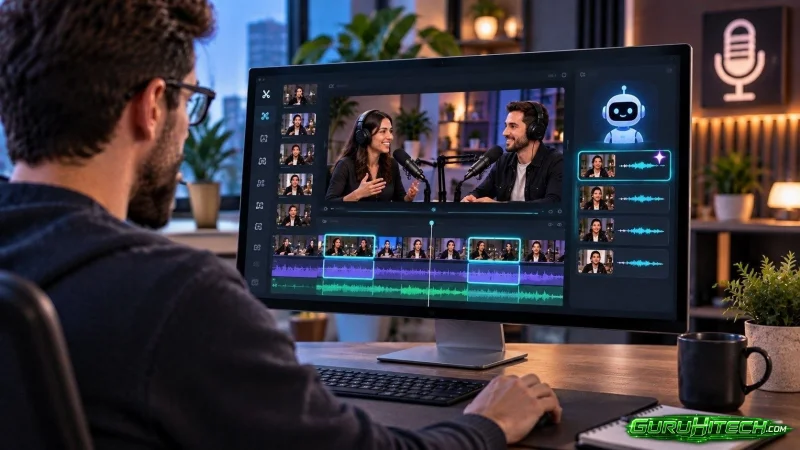
Not every quotable moment in a podcast episode looks the same, and podcast highlights in particular follow patterns that don’t always show up in other kinds of video content. Video Editor AI is tuned to catch the specific rhythms of conversational audio — the pause before a real answer, the shift in tone when someone gets honest — that make podcast highlights different from highlights in a scripted video or a tutorial.
What Makes a Podcast Highlight Different
A highlight in a tutorial video is usually the moment a concept gets explained clearly. A highlight in a podcast is more often about the dynamic between two people — the back-and-forth, the interruption, the moment someone says something they clearly weren’t planning to say. That distinction matters because it changes what you’re actually listening for when reviewing an episode.
Why Scripted Highlight-Finding Fails on Podcasts
Looking only for “the answer to the main question” misses most of what makes podcast content shareable. The best highlights are frequently tangents, asides, or reactions that happened while the conversation was technically about something else entirely.
The Core Types of Podcast Highlights
Origin Story Moments
When a guest explains how they got into their field or how a specific idea first occurred to them, these segments tend to work well because they’re inherently narrative and don’t require outside context to follow.
Strong, Quotable Opinions
A guest stating a clear, slightly controversial position — especially one that goes against common wisdom in their industry — reliably performs well as a standalone clip because it invites reaction.
Host-Guest Chemistry Moments
Sometimes the highlight isn’t what was said but how the two people interacted — a joke that landed, a callback to something said earlier, genuine surprise at an answer. These are harder to search for by keyword but easy to spot once flagged.
Specific, Actionable Advice
A concrete tip delivered in a single clean sentence — not a vague generalization — tends to get saved and shared more than broader advice, since viewers can act on it immediately.
How the Detection Process Works for Podcast Audio
Listening for Tonal Shifts
Beyond just transcript content, Video Editor AI picks up on pacing and emphasis changes in the audio itself — a guest slowing down to make a point, or speeding up out of excitement — which often signal a highlight-worthy moment even before the words are fully parsed.
Cross-Referencing Reactions
Laughter, audible surprise, or a host’s verbal reaction (“wait, really?”) are strong signals that a moment landed well in the room, and those reactions get weighted heavily when ranking candidate clips.
Respecting Natural Conversation Boundaries
Highlights are pulled at natural pauses in conversation rather than mid-sentence, so a clip doesn’t start with the tail end of an unrelated thought or cut off before a guest finishes their point.
Reviewing Highlights Efficiently
Start with the Ranked Shortlist, Not the Full Episode
Jump directly into the flagged candidates instead of listening from the beginning. This alone typically cuts review time from an hour to under fifteen minutes.
Cross-Check Against Guest Reactions
If a guest laughed, paused, or visibly reacted to something during the conversation, that segment is usually worth a second look even if it wasn’t flagged as a top candidate.
Don’t Skip the Quiet Moments
Some of the strongest podcast highlights are delivered calmly rather than energetically. It’s worth reviewing lower-ranked candidates occasionally, since quieter, more sincere moments don’t always trigger the same signals as louder ones.
Final Thoughts
Video Editor AI (https://video-editor.ai/) is built to recognize what actually makes a podcast moment shareable — tonal shifts, genuine reactions, and the specific rhythm of two people in real conversation — rather than applying a generic highlight-detection approach built for a different kind of video. Reviewing a ranked shortlist instead of the full recording turns highlight-hunting from an hour-long task into a quick pass.
Find your episode’s best moments with Video Editor AI: https://video-editor.ai/.
Ti potrebbe interessare:
Segui guruhitech su:
- Google News: bit.ly/gurugooglenews
- Telegram: t.me/guruhitech
- Facebook: facebook.com/guruhitechfb
- Instagram: instagram.com/guruhitech_official/
- X (Twitter): x.com/guruhitech1
- Bluesky: bsky.app/profile/guruhitech.bsky.social
- Rumble: rumble.com/user/guruhitech
- VKontakte: vk.com/guruhitech
- MeWe: mewe.com/i/guruhitech
- Skype: live:.cid.d4cf3836b772da8a
- WhatsApp: bit.ly/whatsappguruhitech
Esprimi il tuo parere!
Ti è stato utile questo articolo? Lascia un commento nell’apposita sezione che trovi più in basso e se ti va, iscriviti alla newsletter.
Per qualsiasi domanda, informazione o assistenza nel mondo della tecnologia, puoi inviare una email all’indirizzo [email protected].
Scopri di più da GuruHiTech
Abbonati per ricevere gli ultimi articoli inviati alla tua e-mail.