

How to Clean Up Everyday Audio You Don’t Want to Record Again
A rough recording is not always a bad recording. You may have captured exactly the words you needed, only to discover later that a fan hums underneath them, traffic rises through the middle, or the room adds too much echo. The first decision is not whether the file sounds professional. It is whether the useful speech is still there. When it is, CleanAudio can remove background noise from an existing audio or video file and give you a cleaner version to compare before you decide what to keep.
Use a Repair-or-Replace Test Before You Touch the File
The fastest way to waste time is to treat every audio problem as repairable. Start with a short decision check.
| What you hear | What it usually means | Best next move |
| Steady fan, AC, hiss, or hum | Speech is present under constant noise | Test cleanup |
| Traffic that rises and falls | Background changes but words remain audible | Test the noisiest section |
| Room echo or reverb | Voice is clear but sounds distant | Try de-reverb and compare |
| Wind over part of the recording | Some sections may still be usable | Test a representative clip |
| A word completely covered | Speech information may be missing | Edit, replace, or keep the imperfection |
| Severe clipping or dropout | The speech itself is damaged | Do not expect noise removal to rebuild it |
This is the main difference between “noisy” and “damaged.” Noise sits around speech. Damage affects the speech itself. Once you know which one you have, the next step becomes much easier.
Run the File Through CleanAudio Before Doing More Editing
CleanAudio is useful when you already have a file and want to find out whether the background can be reduced without building a full audio project.
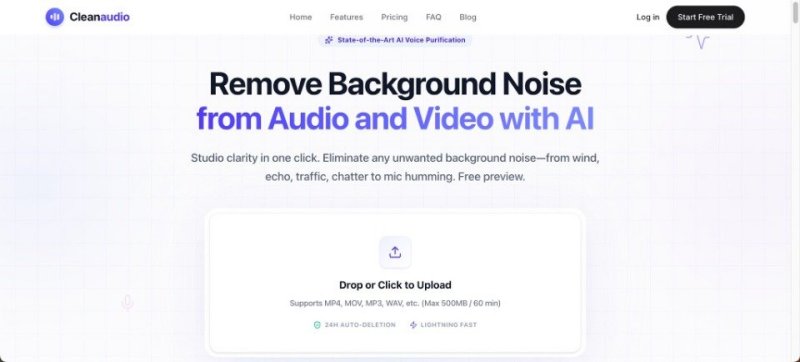
Open the site in a browser and upload the original audio or video. CleanAudio supports common formats such as MP3, WAV, M4A, MP4, and MOV. Using the original source is better than using a copy that has been passed through several messaging apps or export steps.
After upload, the service automatically analyses and processes the recording. It is designed to target background problems including wind, fan and air-conditioner noise, traffic, static or hum, microphone hiss, and room echo or reverb.
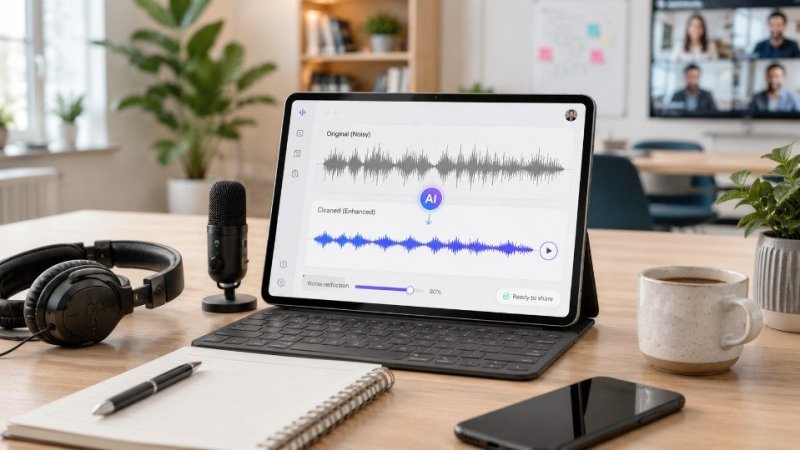
The useful part comes next: listen to the 30-second cleaned preview. Compare the same words in the original and processed versions at roughly the same volume. If the speech becomes easier to follow without sounding artificial, you have a strong reason to continue to the full cleaned result.
Judge the Result by the Type of Noise You Started With
A background noise remover should not be judged by one rule. Different kinds of noise leave different clues after processing.
- Constant Noise Should Become Less Noticeable, Not Leave a “Hole”
With a fan, AC unit, hiss, or hum, listen to a sentence followed by a short pause. The background should feel less distracting, but the transition into silence should not sound abrupt or unnatural.
Then check softer words. Constant noise often becomes most obvious when the speaker lowers their voice. If those quieter words remain clear and the background no longer dominates them, the cleanup is doing useful work.
- Changing Noise Should Be Checked at Its Worst Moment
Traffic, wind, and moving background activity can vary across the file. A clean section tells you very little about how the difficult section turned out.
Jump directly to the loudest passing car, strongest gust, or busiest few seconds. If the important words remain understandable and the distraction is reduced, the repair may be good enough. If speech was completely buried, accept that part as a limit rather than trying to force the entire file into silence.
- Echo Should Be Judged by Voice Distance
Room echo is different because the unwanted sound comes from reflections of the speaker’s own voice. After processing, ask whether the person sounds closer and easier to understand.
Do not chase an unnaturally dry result. A small amount of room character can sound normal, especially in casual recordings. The better version is the one where the voice feels more direct without becoming hollow, metallic, or unstable.
Do a Second Pass Only After You Know the Cleanup Helped
Once the preview sounds better, decide what else the recording actually needs. This is where many people accidentally turn one simple repair into a larger editing job.
Noise removal does not replace trimming, volume adjustment, captions, speaker balancing, or fixing a wrong sentence. If a voice note contains a long pause, cut the pause separately, if one speaker is much quieter than another, that is a level problem. If two people talk over each other, denoising is not the same as speaker separation.
Keeping those jobs separate helps you understand whether CleanAudio solved the problem you brought to it.
For a simple personal recording, you may not need another pass at all. A cleaned voice memo that is easy to understand can be finished as soon as the noise is no longer distracting. For a longer interview, class recording, or shared clip, you may want to make additional edits afterward.
Watch for Three Signs That the Cleanup Went Too Far
A file can become quieter and still become worse. Before keeping the processed version, check for a few warning signs.
First, listen for missing consonants or softened sentence endings. If “s,” “t,” or “k” sounds become weak, the cleanup may be affecting the voice itself.
Second, listen to pauses and breaths. If the room suddenly disappears between words, the recording can feel chopped up even though the noise level is lower.
Third, compare the speaker’s character. The cleaned file should still sound like the same person. If the voice becomes robotic, thin, hollow, or strangely unstable, the original may be more pleasant to hear.
This is why previewing matters. Automatic cleanup can save time, but it cannot decide what sounds natural for every recording. Your ears still make the final call.
Choose the Version You Would Actually Want to Hear Again
The best final test is practical rather than technical. Put the waveform aside and listen to the file the way you normally would.
Play it through a phone speaker, ordinary earbuds, or a laptop. Start at normal volume. Ask whether you can follow the words without concentrating on the background. Then switch back to the original for the same section.
If the cleaned version is clearly easier to hear and still sounds natural, keep it, if the difference is tiny, the original may be perfectly acceptable. If the cleaned version sounds processed, do not keep it just because it is quieter.
Save both versions for anything important. CleanAudio states that uploaded and processed files are automatically deleted from its servers after 24 hours, so download the result you want rather than treating the site as permanent storage.
A simple naming system such as “original” and “cleaned” prevents confusion later.
Conclusion
Everyday audio is worth repairing when the useful speech is still there. Instead of deciding based on how noisy the file sounds, first separate background noise from actual speech damage. Then upload the original to CleanAudio, compare the 30-second cleaned preview, and judge the result according to the type of noise you started with. Stop when the voice is clearer and still sounds natural. If the repair helps, save both the cleaned version and the original. That approach keeps the process simple and gives rough but valuable recordings a fair chance before you replace or discard them.
Ti potrebbe interessare:
Segui guruhitech su:
- Google News: bit.ly/gurugooglenews
- Telegram: t.me/guruhitech
- Facebook: facebook.com/guruhitechfb
- Instagram: instagram.com/guruhitech_official/
- X (Twitter): x.com/guruhitech1
- Bluesky: bsky.app/profile/guruhitech.bsky.social
- Rumble: rumble.com/user/guruhitech
- VKontakte: vk.com/guruhitech
- MeWe: mewe.com/i/guruhitech
- Skype: live:.cid.d4cf3836b772da8a
- WhatsApp: bit.ly/whatsappguruhitech
Esprimi il tuo parere!
Ti è stato utile questo articolo? Lascia un commento nell’apposita sezione che trovi più in basso e se ti va, iscriviti alla newsletter.
Per qualsiasi domanda, informazione o assistenza nel mondo della tecnologia, puoi inviare una email all’indirizzo [email protected].
Scopri di più da GuruHiTech
Abbonati per ricevere gli ultimi articoli inviati alla tua e-mail.