

How to Evaluate an Uncensored AI Generator for Privacy, Control, and Creative Flexibility
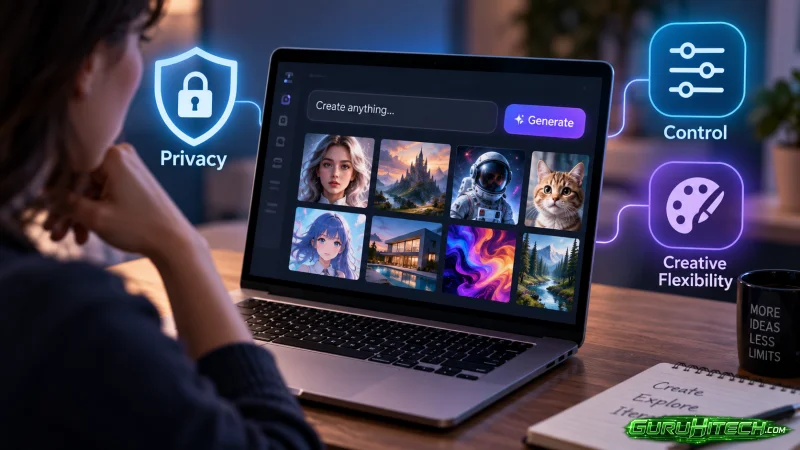
Creators now use generative AI for everything from character development and fiction writing to image creation and short-form video. However, the experience can vary significantly between platforms.
Mainstream tools may reject prompts involving mature themes, unconventional art or sensitive fictional subjects. More permissive alternatives provide greater creative freedom, but the word “uncensored” does not reveal everything a creator needs to know.
A useful platform must do more than accept a wider range of prompts. It should also offer suitable creation tools, consistent results, understandable privacy practices and enough control to support a complete project.
Before choosing an uncensored AI generator, creators should examine how it handles content, data, media generation and real production workflows.
What Does “Uncensored AI” Actually Mean?
An uncensored AI generator generally applies fewer content restrictions than mainstream platforms. It may accommodate lawful content involving mature fiction, horror, artistic nudity, dark fantasy, role-playing or other themes that broader moderation systems sometimes reject.
The term does not necessarily mean that a service permits every possible request. Legitimate platforms may still prohibit illegal material, non-consensual content, exploitation and other harmful uses. Users also remain responsible for complying with the laws that apply where they live and publish.
It is therefore more useful to think of uncensored AI as a spectrum. Some tools simply permit a wider range of fictional topics, while others are specifically designed for adult writing or visual generation.
Creators should read the platform’s current content rules instead of relying on a headline or homepage claim.
1. Check Which Types of Content Are Supported
The first question is whether the platform supports the creator’s actual subject matter.
A tool may call itself unrestricted while still blocking certain words, visual themes or character descriptions. Another may accept the initial prompt but refuse to edit or animate the resulting image.
Testing should cover the complete workflow rather than one isolated generation. Creators can prepare a small set of lawful prompts representing the type of work they normally produce and check whether the platform handles them consistently.
Useful tests may include:
- A mature fictional scene
- A horror or dark-fantasy character
- An unconventional costume or visual style
- An adult romance plot
- A role-playing scenario
- An image-editing request
- An image-to-video motion prompt
The purpose is not to search for ways around safeguards. It is to determine whether legitimate creative work can be completed without unpredictable interruptions.
2. Separate Creative Freedom From Privacy
Content freedom and privacy are different qualities.
A platform can accept adult-oriented prompts while retaining detailed records of user activity. Another may offer strong privacy protections while applying stricter content rules. Creators should evaluate both areas independently.
Before uploading a prompt, image or reference file, check:
- Whether prompts are logged
- How long uploaded files are retained
- Whether generated content is stored
- Whether user data can be used for model training
- Whether deleted projects remain in backups
- Whether processing takes place locally or on remote servers
- Whether account information is connected to generation history
- How users can request data deletion
This matters because creative prompts may contain private interests, unpublished stories, commercial concepts or confidential project information.
An uncensored AI generator such as HackAIGC brings chat, image and video generation into one privacy-focused environment. Its positioning is built around allowing creators to develop less restricted content without distributing their prompts and media across numerous unrelated services.
Even when a platform promotes private processing or no-log use, creators should review its current privacy documentation before submitting sensitive material. Policies and technical implementations can change.
3. Look Beyond AI Chat
Some uncensored tools focus exclusively on conversation. They may be useful for role-playing, fiction writing and brainstorming, but creators often need to move the resulting concept into a visual workflow.
Using several separate platforms is possible, although it introduces extra work. Character details must be copied into a new prompt, visual instructions must be reformatted and outputs may need to be downloaded and uploaded again.
A broader creative platform may include:
- AI chat
- Story and character development
- Text-to-image generation
- Image-to-image generation
- AI image editing
- Text-to-video generation
- Image-to-video generation
The value of this combination is continuity. A creator can begin with a character profile, convert it into a visual prompt and then animate the resulting image.
When evaluating a platform, check whether these functions genuinely work together or merely appear as separate tools under the same account.
4. Test Prompt Control and Consistency
A permissive platform is not necessarily a precise one. It may accept the prompt but produce results that ignore important instructions.
Creators should test how well the system follows details such as:
- Character appearance
- Clothing and accessories
- Environment
- Camera angle
- Lighting
- Colour palette
- Composition
- Emotional tone
- Motion direction
- Visual style
For character-based projects, consistency is particularly important. A face, hairstyle or costume that changes dramatically between generations can make a sequence unusable.
Run the same prompt several times and compare the outputs. Then make one controlled change, such as adjusting the lighting or camera distance, to see whether the platform preserves the remaining details.
This provides more useful information than judging a tool from one attractive sample.
5. Evaluate Image Quality Carefully
AI-generated images can look convincing at first glance while containing small structural errors.
Inspect each output at full size. Pay attention to:
- Hands and fingers
- Facial symmetry
- Eyes and teeth
- Jewellery and accessories
- Clothing edges
- Background objects
- Reflections
- Text and symbols
- Repeated patterns
- Connections between the body and nearby objects
Creators planning to animate the image should be even more selective. Small defects can become more visible when they move between frames.
A source image with a clear subject and uncomplicated background generally gives an image-to-video model a stronger foundation than a crowded composition with overlapping characters.
6. Examine the Image-to-Video Workflow
Image-to-video tools are useful for animating character art, illustrations, portraits and stylised scenes. However, results depend on both the source image and the motion instructions.
When evaluating this feature, look for control over:
- Subject movement
- Camera movement
- Clip duration
- Aspect ratio
- Output resolution
- Motion strength
- Generation speed
- Watermarks
- File format
- Regeneration or editing options
Creators working with lawful adult-oriented visuals may need this image-to-video tool when more restrictive platforms reject the source image before animation begins.
Start with a simple motion prompt. For example:
The camera slowly moves closer while the character turns slightly toward the viewer. Hair and clothing move gently in the wind.
This is more controllable than requesting several body movements, a dramatic camera rotation and multiple environmental effects in one short clip.
After generation, inspect facial identity, body proportions, hair, clothing and background stability throughout the video—not only in the first frame.
7. Understand the Free Plan
Many AI platforms advertise free access, but free plans can differ considerably.
A free tier may offer enough credits for meaningful testing, or it may only provide one low-resolution result with a watermark. Before creating an account, check:
- How many free generations are available
- Whether credits refresh
- Which models are included
- Whether free outputs have watermarks
- Whether images or videos can be downloaded
- The available resolution
- Whether generation queues are slower
- Whether commercial use is permitted
- Which features require a paid plan
A free plan should allow creators to test prompt adherence, image quality and workflow compatibility. It does not necessarily need to support an entire professional production.
Creators should also calculate the real cost of iteration. If several attempts are normally required to produce one usable image or video, the effective cost is higher than the displayed price per generation.
8. Compare Output Stability, Not Just the Best Samples
Promotional galleries usually show a platform’s strongest results. They reveal what the tool can produce, but not how often it produces that quality.
A practical test should include several different subjects and styles. For image-to-video generation, creators might compare:
- A close-up portrait
- A full-body character
- A stylised illustration
- A complex background
- A scene with fabric or hair movement
- A low-light composition
Record how many attempts are needed before each test produces a usable result. Also note recurring defects.
A platform that produces a good result in three out of four attempts may be more useful than one that occasionally creates an exceptional video but fails most of the time.
9. Review Ownership and Usage Terms
Creators should understand what they are allowed to do with generated content.
Important questions include:
- Does the user retain rights to the output?
- Is commercial use allowed?
- Can the platform display generated media publicly?
- Can outputs be used to train future models?
- Are there restrictions on adult-content distribution?
- Who is responsible for copyright or likeness claims?
- What happens to stored work after account cancellation?
AI platforms cannot guarantee that every output is free from copyright concerns. Creators should avoid requesting direct copies of protected characters, branded designs or another artist’s distinctive work.
Real people require additional caution. A permissive tool should never be treated as permission to create deceptive or intimate content involving someone without their knowledge and consent.
10. Consider the Complete Publishing Process
Generation is only one part of content production.
A platform may create strong images but provide the wrong aspect ratio for the creator’s publishing channel. A video may look good in the preview but export at a resolution that is unsuitable for professional use.
Before committing to a tool, identify where the finished media will appear:
- Social media
- Subscription-based creator platforms
- Personal websites
- Fiction or role-playing communities
- Digital art portfolios
- Advertising campaigns
- Short films
- Private creative projects
Then verify the technical requirements for those destinations. These may include vertical or horizontal orientation, file-size limits, accepted formats, resolution and content policies.
A generation platform’s permissive rules do not override the rules of the service where the output is eventually published.
A Practical Evaluation Checklist
Before choosing an uncensored AI platform, ask:
Content
- Does it support the lawful themes I create?
- Are the restrictions explained clearly?
- Are prompts handled consistently across chat, image and video tools?
Privacy
- Are prompts or uploads logged?
- How long is data retained?
- Is user content used for training?
- Can projects and account data be deleted?
Creative tools
- Does it support chat, images and video?
- Can images be edited before animation?
- Does the platform preserve character details?
Output
- Is the image quality consistent?
- Does the video maintain faces and body proportions?
- Are downloads watermarked?
- Are the available formats and resolutions suitable?
Cost
- Is the free allowance sufficient for testing?
- How quickly are credits consumed?
- How many attempts are usually needed for a usable result?
- Does the paid plan match the expected workload?
Responsibility
- Are ownership terms understandable?
- Is commercial use allowed?
- Do I have permission to use all uploaded references?
- Does the final content comply with the rules of the publishing platform?
Common Warning Signs
Creators should be cautious when a service:
- Makes broad privacy claims without an accessible policy
- Does not explain how uploads are stored
- Uses “uncensored” without defining prohibited content
- Hides pricing until after registration
- Shows sample media without explaining which model created it
- Provides no account or data-deletion process
- Makes unrealistic promises about perfect output
- Encourages the non-consensual use of real identities
No AI generator is flawless. Transparent limits are usually more credible than claims of unlimited capability and guaranteed results.
Frequently Asked Questions
What is an uncensored AI generator?
An uncensored AI generator is a platform that applies fewer creative restrictions than many mainstream AI services. It may support mature fiction, experimental art and other lawful themes that stricter systems sometimes reject.
Does uncensored mean completely unrestricted?
Not necessarily. Platforms may still prohibit illegal, exploitative or non-consensual content. Users must also comply with applicable laws and publishing-platform rules.
Are uncensored AI generators private?
Not automatically. Content moderation and data privacy are separate issues. Users should review logging, storage, model-training and deletion policies before submitting sensitive content.
Why combine AI chat, images and video?
Combining these tools allows creators to develop a concept, visualise it and animate it without repeatedly transferring prompts and files between unrelated platforms.
What makes an image suitable for AI animation?
Images with a clear subject, readable pose and visually separated background tend to animate more reliably. Crowded scenes and overlapping body parts can increase distortion.
Should creators pay before testing a platform?
A free plan or trial is useful for evaluating prompt adherence, output quality and workflow compatibility. Creators should understand the credit system and likely retry rate before purchasing a subscription.
Final Thoughts
The best uncensored AI generator is not simply the platform that rejects the fewest prompts. It is the one that provides an effective balance of creative flexibility, privacy, useful features, consistent output and transparent terms.
Creators should test the complete journey from idea to final media. That means evaluating chat quality, image generation, editing, animation, downloads and data handling—not just one impressive result.
Greater creative freedom is valuable when it is supported by clear controls and responsible use. Taking time to evaluate those elements helps creators choose tools that fit both their ideas and the way they actually work.
Ti potrebbe interessare:
Segui guruhitech su:
- Google News: bit.ly/gurugooglenews
- Telegram: t.me/guruhitech
- Facebook: facebook.com/guruhitechfb
- Instagram: instagram.com/guruhitech_official/
- X (Twitter): x.com/guruhitech1
- Bluesky: bsky.app/profile/guruhitech.bsky.social
- Rumble: rumble.com/user/guruhitech
- VKontakte: vk.com/guruhitech
- MeWe: mewe.com/i/guruhitech
- Skype: live:.cid.d4cf3836b772da8a
- WhatsApp: bit.ly/whatsappguruhitech
Esprimi il tuo parere!
Ti è stato utile questo articolo? Lascia un commento nell’apposita sezione che trovi più in basso e se ti va, iscriviti alla newsletter.
Per qualsiasi domanda, informazione o assistenza nel mondo della tecnologia, puoi inviare una email all’indirizzo [email protected].
Scopri di più da GuruHiTech
Abbonati per ricevere gli ultimi articoli inviati alla tua e-mail.