
How to Make AI Music Videos That Match Your Song in 2026
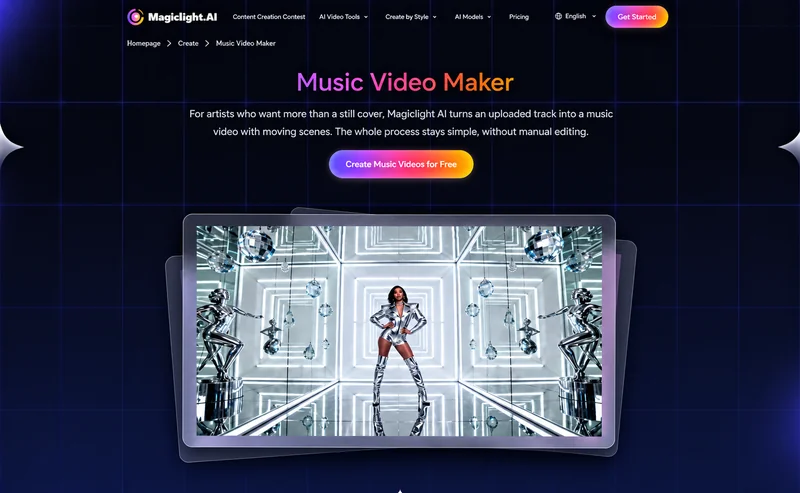
AI music videos help creators turn songs into visual experiences without requiring professional filming equipment or advanced editing skills. Whether you are promoting an original track, creating social media content, or exploring new visual styles, AI video tools can simplify the production process. Learning how to make ai music video content starts with a clear concept and a structured workflow that helps visuals complement the music.
Part 1. How to Make AI Music Video Content
Before generating your video, decide how the visuals should support the song. These five steps can help you understand how to make ai music video content with a clear creative direction. Click here to access the website.
Step 1. Analyze Your Song
Listen to your track and identify its genre, mood, tempo, and emotional changes. A cheerful pop song may suit colorful scenes and energetic movement, while a slow instrumental track might work better with atmospheric scenery.
Step 2. Choose a Visual Concept
Decide whether your video will tell a story, feature a recurring character, or use artistic imagery. Choose a visual style that matches the music, such as cinematic realism, colorful animation, or dreamy landscapes.
Step 3. Plan Scenes Around the Music
Divide the song into sections, such as the introduction, verses, chorus, and ending. Assign visual ideas to each section so the video develops alongside the music rather than presenting unrelated scenes.
Step 4. Write Clear Prompts
Describe the subjects, settings, lighting, camera angles, and movements you want to generate. Include details about the atmosphere and artistic style to help maintain a consistent visual direction throughout the video.
Step 5. Prepare the Final Sequence
Decide how the scenes should connect and where visual changes should occur. Consider the song’s rhythm and emotional transitions when planning scene timing, and leave room to refine the sequence during editing.
Part 2. How to Create AI Music Videos with MagicLight AI
MagicLight AI provides a Music Video workflow for creators who want to develop music-based visual content. Depending on the available options, creators can explore music creation, choose visual styles, create or select characters, and refine storyboards before generating scenes.
Key Features
- MagicLight Agent: MagicLight Agent offers a guided, conversation-based creation workflow. It can help develop ideas into scripts, storyboards, character setups, visual styles, and production plans before video generation.
- Music Creation Options: The Music Video workflow offers music creation options and prebuilt songs, depending on the available setup. These features can help creators explore musical directions when developing a new project.
- Visual Style Selection: Creators can choose a visual direction that suits their music video concept. A consistent style helps connect scenes and creates a more unified appearance throughout the finished video.
- Character Creation and Selection: Creating or selecting characters can help establish a recognizable subject for a music video. This is particularly useful for character-led concepts and visual stories that include recurring figures.
- Storyboard Preview and Editing: The storyboard allows creators to review planned scenes and adjust prompts before video generation. This helps refine the visual sequence and identify scenes that need changes before production.
Step-by-Step Guide to Creating an AI Music Video with MagicLight AI
Step 1. Open the Music Video Tool
Visit MagicLight AI and open the Music Video workflow. Decide whether you want to create a narrative music video, a collection of atmospheric scenes, or another visual concept that complements your track.
Step 2. Set Up Your Music
Explore the available music options and choose a suitable starting point. If your workflow supports your intended audio input, check its requirements before proceeding, as available music features may vary.
Step 3. Choose a Visual Style
Select a style that matches the song’s mood and genre. Consider whether realistic scenes, animation, or a more imaginative visual direction would communicate the atmosphere you want to create.
Step 4. Create or Select Characters
If your concept includes a performer or recurring character, establish the character before generating scenes. For videos focused on landscapes or abstract imagery, concentrate on the environments and visual elements instead.
Step 5. Generate and Refine the Storyboard
Review the generated storyboard and check whether each scene supports your concept. Adjust prompts when the setting, character, or action does not match your intended direction.
Step 6. Generate and Export the Video
Generate the video using the available production options, then review the scenes alongside your music. Refine the sequence and timing where needed, and check the finished video before exporting.
Part 3. Why Use MagicLight AI for AI Music Videos
MagicLight AI can be useful for music videos that need a structured workflow for developing visual concepts and connected scenes.
- Guided video creation: Develop an initial idea into scripts, storyboards, character setups, and visual styles.
- Flexible visual styles: Explore different visual directions to match the mood and genre of your music.
- Character-based storytelling: Use recurring characters to create a more cohesive visual experience across scenes.
- Storyboard refinement: Review scene descriptions and adjust prompts before generating the final video.
However, the best tool depends on your project. If you mainly need precise beat synchronization or detailed audio editing, a dedicated music video editor may be more suitable. For music videos built around visual storytelling and connected scenes, MagicLight AI is worth considering.
Conclusion
Learning how to make ai music video content gives creators a practical way to combine music with visual storytelling. By analyzing your song, planning scenes, and refining the generated footage, you can create a video that better reflects the track’s mood. MagicLight AI supports this process through music video creation, visual style selection, character options, and storyboard editing.
FAQs About AI Music Videos
1. Can I create an AI music video without filming?
Yes. AI video tools can generate scenes from supported inputs, allowing you to create visual content without recording every scene yourself.
2. Can AI videos synchronize perfectly with music beats?
Not necessarily. AI generation does not guarantee exact beat synchronization. Reviewing the footage and adjusting scene timing can improve the result.
3. Can MagicLight AI create music videos?
Yes. MagicLight AI offers a Music Video workflow with options for visual styles, characters, and storyboard editing.
4. What makes a good AI music video prompt?
Describe the subject, setting, movement, lighting, and mood. Clear prompts help establish a consistent visual direction across scenes.
5. Can I use AI music videos commercially?
Commercial use depends on the music rights, included assets, platform terms, and applicable licensing conditions. Check these requirements before publishing.
Ti potrebbe interessare:
Segui guruhitech su:
- Google News: bit.ly/gurugooglenews
- Telegram: t.me/guruhitech
- Facebook: facebook.com/guruhitechfb
- Instagram: instagram.com/guruhitech_official/
- X (Twitter): x.com/guruhitech1
- Bluesky: bsky.app/profile/guruhitech.bsky.social
- Rumble: rumble.com/user/guruhitech
- VKontakte: vk.com/guruhitech
- MeWe: mewe.com/i/guruhitech
- Skype: live:.cid.d4cf3836b772da8a
- WhatsApp: bit.ly/whatsappguruhitech
Esprimi il tuo parere!
Ti è stato utile questo articolo? Lascia un commento nell’apposita sezione che trovi più in basso e se ti va, iscriviti alla newsletter.
Per qualsiasi domanda, informazione o assistenza nel mondo della tecnologia, puoi inviare una email all’indirizzo [email protected].
Scopri di più da GuruHiTech
Abbonati per ricevere gli ultimi articoli inviati alla tua e-mail.