
PowerPoint to Video with Auto-Generated Scripts from Speaker Notes
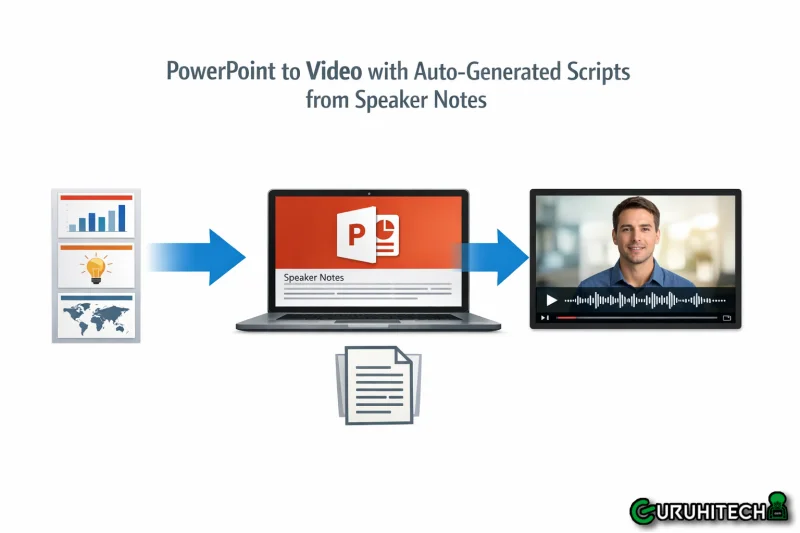
A regional sales director at a medical device company — let’s call her Annika — has spent 18 months refining a 30-slide product training deck. Every slide has meticulously crafted speaker notes: clinical evidence citations, objection-handling scripts, competitor positioning angles, and verbal transitions that Annika has honed through hundreds of live presentations to hospital procurement committees. The speaker notes are the real intellectual property — the slides are just visual scaffolding.
When Annika’s company decides to convert the deck into a narrated video for the EMEA sales team, the content production team faces an immediate dilemma. Using an AI to auto-generate narration from the slides will produce generic, surface-level scripts that miss every nuance in Annika’s speaker notes. Having Annika record herself narrating the deck would capture the content perfectly — but Annika is in the field four days a week and can’t allocate a day to a recording studio. The video production team suggests writing a script from scratch based on interviews with Annika, but that process takes 2-3 weeks and introduces the risk of a writer misinterpreting clinical terminology.
So the irony is palpable. The perfect narration script already exists — in the speaker notes of the PowerPoint file. It’s been reviewed by Medical Affairs, validated against clinical evidence, and stress-tested in live presentations. The only problem is that no video production tool Annika’s team has tried actually reads those notes.
Why Speaker Notes Are the Most Overlooked Script Source in Corporate Video Production
The speaker notes field in presentation software occupies a unique position in the corporate knowledge ecosystem. It’s the only place where a subject-matter expert writes in their speaking voice rather than their document voice. The slides contain compressed visual information — bullet points, charts, diagrams. The speaker notes contain the expanded verbal narrative that gives those visuals meaning.
Linguists distinguish between “literate register” and “oral register” — the structural differences between language written to be read and language written to be spoken. Slide content is literate register: dense, noun-heavy, context-dependent on visual layout. Speaker notes are oral register: conversational, verb-driven, structured as a temporal flow that matches the cadence of live delivery. This distinction matters enormously for video narration because narration is fundamentally an oral medium. When an AI generates narration by reading slide content, it produces literate-register text — stiff, overly formal, and awkward when spoken aloud. When narration is sourced from speaker notes that were already written in oral register, it sounds natural because it was natural.
The knowledge loss when organizations ignore speaker notes is substantial. Research in organizational knowledge management — particularly Ikujiro Nonaka’s “knowledge spiral” model — distinguishes between explicit knowledge (documented, codified) and tacit knowledge (experiential, contextual). Speaker notes represent the rare intersection: tacit knowledge that has been partially codified. Annika’s objection-handling scripts aren’t documented in the company’s formal sales playbook. They exist only in her speaker notes, refined through direct experience with procurement committees.
When a video production team discards those notes and writes a narration script from scratch — or worse, lets an AI generate one purely from slide content — they’re performing an act of organizational knowledge destruction. The most valuable, experience-derived content gets replaced with a generic interpretation that lacks the specificity, the clinical precision, and the conversational authority that Annika embedded in her notes over 18 months.
This technology gap is that most video creation tools treat PowerPoint files as visual assets — extracting images, layouts, and text from slides while completely ignoring the notes field. The speaker notes are treated as metadata, not content. For organizations where the notes contain the most valuable intellectual property in the deck, this is a critical architectural failure.
How Leadde’s Slide Presenter Converts Speaker Notes Directly into Video Narration
Leadde’s Slide Presenter treats speaker notes as a first-class content source — not metadata to be stripped during import, but the primary narration script for the generated video. When Annika’s production team uploads the 30-slide deck through Leadde’s PowerPoint to video tool, the platform asks a question that most video tools skip entirely: How should the narration be scripted?
Three options appear:
- “No script” imports slides without narration — suitable for decks where the user plans to write or record narration independently.
- “Auto generate script” lets the AI analyze each slide’s visual content and produce narration from scratch — effective for decks without speaker notes or when a fresh perspective is desired.
- “Import from PPT notes” — the option Annika’s team selects — reads each slide’s speaker notes field and populates them directly as the narration script for that scene. Slide 1’s speaker notes become Scene 1’s narration. Slide 14’s detailed competitor comparison talking points become Scene 14’s narration. The clinical evidence citations that Medical Affairs approved remain word-for-word intact.
This third option is available exclusively for .pptx files — PDFs don’t have a notes field, so the option doesn’t appear for PDF uploads. The Slide Presenter accepts PowerPoint files up to 50 slides or 200 MB, optimized for 16:9 aspect ratio.
After import, Annika’s production team reviews each scene’s narration in the script panel. The speaker notes appear exactly as Annika wrote them. If any section needs adjustment for video pacing — a note that works in a live 2-minute explanation but runs too long for a 45-second video scene — the team uses the AI Script tools. “Shorten” compresses the narration while preserving key points. “Expand” adds contextual elaboration where a note is too abbreviated for a standalone video. “Regenerate” produces an alternative version if the tone needs adjustment.
The critical advantage is what’s preserved: Annika’s oral-register language, the narration says “What you’ll hear from procurement committees is that the per-unit cost seems high — here’s how to reframe that conversation” rather than “The following section addresses pricing objections.” The first version is how Annika actually talks to sales reps during training, the second is how an AI would narrate a bullet point.
Language selection (from 88 available languages) and tone configuration shape how the AI voice delivers the script — but the script itself is Annika’s, imported directly from the field where she wrote it in her speaking voice.
For Annika’s medical device company, the business impact compounds across the organization. Every sales rep in the EMEA region now trains with a narrated video that contains the same objection-handling scripts, clinical evidence framing, and competitor positioning language that Annika delivers in her top-performing live presentations. The 18 months of refinement that exist in those speaker notes aren’t lost to a generic AI rewrite — they’re preserved, narrated, and distributed at scale.
The best narration script for Annika’s training video was never going to come from an AI or a copywriter. It was already written — in the speaker notes that Annika refined through hundreds of live presentations. Leadde’s Slide Presenter is the workflow that treats those notes as the script they were always meant to be. Upload your PowerPoint to Leadde and let your speaker notes do what they were written for — narrate.
Ti potrebbe interessare:
Segui guruhitech su:
- Google News: bit.ly/gurugooglenews
- Telegram: t.me/guruhitech
- Facebook: facebook.com/guruhitechfb
- Instagram: instagram.com/guruhitech_official/
- X (Twitter): x.com/guruhitech1
- Bluesky: bsky.app/profile/guruhitech.bsky.social
- Rumble: rumble.com/user/guruhitech
- VKontakte: vk.com/guruhitech
- MeWe: mewe.com/i/guruhitech
- Skype: live:.cid.d4cf3836b772da8a
- WhatsApp: bit.ly/whatsappguruhitech
Esprimi il tuo parere!
Ti è stato utile questo articolo? Lascia un commento nell’apposita sezione che trovi più in basso e se ti va, iscriviti alla newsletter.
Per qualsiasi domanda, informazione o assistenza nel mondo della tecnologia, puoi inviare una email all’indirizzo [email protected].
Scopri di più da GuruHiTech
Abbonati per ricevere gli ultimi articoli inviati alla tua e-mail.