

From Creative Brief to Client Approval: Evaluating AI Images with Seedream 5.5

A generated image can look impressive on a screen and still fail to meet a client’s expectations. Perhaps the lighting feels right, but the product label is inaccurate. The composition is attractive, yet it leaves no room for the campaign headline. In other cases, the image communicates the intended idea but does not match the visual standards of the client’s existing materials.
These situations highlight an important part of AI-assisted design: evaluating an image is just as important as generating it. Seedream 5.5 can support image creation and editing, but creators still need a reliable way to judge whether an output is suitable for its intended use. A simple review framework can make this process more objective, reduce unnecessary revisions, and help teams communicate feedback more clearly.
Turn the Client Brief into Observable Requirements
Creative briefs often contain broad phrases such as “premium,” “modern,” or “friendly.” These descriptions establish a direction, but they do not always tell a designer how to recognize a successful result. The first step is translating general preferences into visible characteristics.
For example, a request for a premium product image might mean restrained colors, controlled reflections, balanced spacing, and a background that does not compete with the product. A friendly educational illustration might require approachable characters, clear visual relationships, and enough contrast for younger viewers to distinguish important elements. Create a short checklist from the brief before generating images. Separate requirements into two groups:
- Non-negotiable details: Correct product appearance, required dimensions, accurate wording, approved colors, and essential objects.
- Creative preferences: Mood, lighting style, decorative elements, and the overall visual treatment.
This distinction prevents personal taste from overshadowing the project’s actual requirements. An image may not match every subjective preference, but it must satisfy the details that determine whether it can be used.
Review Images in Four Passes
Trying to judge every aspect of an image simultaneously can make feedback vague. A staged review is often more effective because each pass has a specific purpose.
Pass one: Check the message
Look at the image briefly and ask what it communicates. Is the main subject immediately recognizable? Does the visual tell the right story? Could a viewer misunderstand the product or situation? If the message is unclear, changing tiny details will not solve the underlying problem. The composition or concept may need reconsideration.
Pass two: Inspect visual construction
Now examine placement, proportions, perspective, lighting, and the relationship between foreground and background. Look for objects that appear to float, shadows that conflict with the light source, or details that seem inconsistent. Seedream 5.5 can be used to explore revisions when these issues appear. However, each proposed change should address a clearly identified problem rather than trigger a complete redesign.
Pass three: Verify exact information
Images used in professional settings may contain labels, signs, packaging, numbers, or other details that must be correct. Read every visible word and check important visual features against the supplied references. This stage is particularly important for product photography and advertising. A small visual error can undermine trust even when the overall composition looks polished.
Pass four: Test the actual destination
A design that works on a large monitor may become difficult to understand on a phone. A banner may crop the subject, while a square social post may leave too little space for supporting information. Preview the image in its intended dimensions and context. Check readability, cropping, contrast, and the balance between imagery and text before approving it.
Replace Vague Feedback with Specific Instructions
Feedback such as “make it better” does not identify what needs improvement. It leaves the next revision dependent on interpretation and can lead to repeated attempts that move the image away from the original brief. Useful feedback describes the issue, its effect, and the desired adjustment. Consider a product image in which decorative objects distract from the item being advertised. Instead of requesting a more professional appearance, specify that the surrounding objects should be reduced and the product should remain the strongest visual element.
Similarly, if a portrait feels too dramatic for a corporate website, identify the lighting or expression that creates that impression. Request softer illumination or a more neutral expression while preserving the subject’s identity and composition where possible. When working with Seedream 5.5, focused instructions make it easier to evaluate whether a revision has solved the problem. Review the updated image as a whole, because changes can affect nearby details as well as the intended area.
Decide When to Revise and When to Start Again
Not every imperfect image deserves another editing round. Sometimes, repeated adjustments consume time without improving the overall result. A practical decision depends on the scale of the problem. If the composition is strong and one background detail is distracting, a targeted edit may be sufficient. If the subject is poorly positioned, the image communicates the wrong idea, or several essential details are inaccurate, generating a new version may be more efficient.
Set a reasonable revision limit for exploratory work. After each attempt, compare the result against the original checklist. If the same critical problem persists, reconsider the prompt, reference material, or overall creative direction instead of making increasingly complicated edits. Keep earlier versions until the final image is approved. This makes it easier to compare alternatives and recover a stronger composition if a later revision introduces unwanted changes.
Approval Also Requires Practical Checks
Creative quality is only one part of a finished deliverable. Before handing over an image, confirm the required file format, resolution, aspect ratio, and color requirements. Verify transparency when an asset is supposed to have a transparent background. Teams should also maintain clear version names and record which image received approval. This reduces the chance of sending an outdated draft or making additional edits after sign-off.
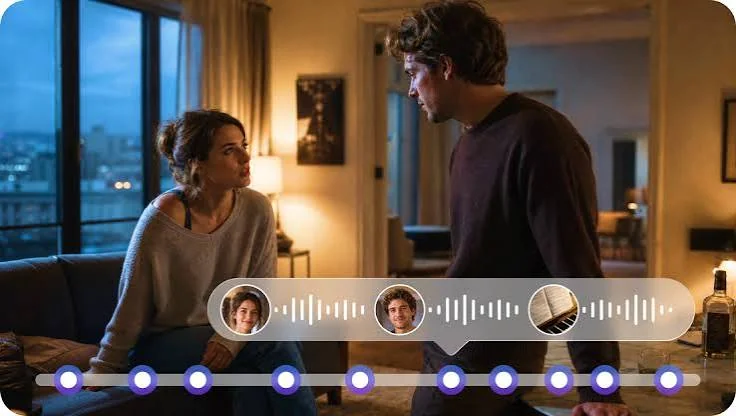
For projects that include motion, narration, or sound design, visual approval should be coordinated with the wider production process. Dreamina has also integrated Seedaudio 1.5, which is designed for AI audio generation involving elements such as dialogue, ambience, music, and sound effects. When a project uses both visual and audio assets, review each component separately before checking whether they work together.
Conclusion
Evaluating AI-generated images requires more than deciding whether they look attractive. A reliable process checks the message, visual construction, factual details, and performance in the intended format. Seedream 5.5 can support image creation and refinement, while structured feedback helps creators use their time more effectively. By translating briefs into clear requirements, reviewing images in stages, and knowing when to revise or restart, designers can make approval decisions with greater confidence. The goal is not simply to produce more images, but to deliver assets that meet real creative and practical needs.
Frequently Asked Questions
1. What is the first thing to check when reviewing an AI-generated image?
Start with its message. Confirm that the main subject is clear and that the image communicates the intended idea before examining smaller visual details.
2. How can a team reduce repeated revision requests?
Translate the creative brief into a checklist, identify essential requirements early, and provide feedback that names the exact issue and desired change.
3. When is generating a new image better than editing an existing one?
A new generation may be more practical when the concept, composition, or several essential details are fundamentally wrong. Small, localized issues are generally better candidates for targeted edits.
4. Should generated images be checked at their final display size?
Yes. Previewing the actual dimensions can reveal cropping problems, unreadable text, weak contrast, and details that disappear on smaller screens.
5. What should be included in a final AI image handoff?
Provide the approved version in the required format and dimensions, verify important details, confirm usage permissions, and label the file clearly so it cannot be confused with an earlier draft.
Ti potrebbe interessare:
Segui guruhitech su:
- Google News: bit.ly/gurugooglenews
- Telegram: t.me/guruhitech
- Facebook: facebook.com/guruhitechfb
- X (Twitter): x.com/guruhitech1
- Bluesky: bsky.app/profile/guruhitech.bsky.social
- Rumble: rumble.com/user/guruhitech
- VKontakte: vk.com/guruhitech
- MeWe: mewe.com/i/guruhitech
- Skype: live:.cid.d4cf3836b772da8a
- WhatsApp: bit.ly/whatsappguruhitech
Esprimi il tuo parere!
Ti è stato utile questo articolo? Lascia un commento nell’apposita sezione che trovi più in basso e se ti va, iscriviti alla newsletter.
Per qualsiasi domanda, informazione o assistenza nel mondo della tecnologia, puoi inviare una email all’indirizzo [email protected].
Che ne pensi?
Scopri di più da GuruHiTech
Abbonati per ricevere gli ultimi articoli inviati alla tua e-mail.