

How to Integrate AI into Your BigCommerce Store Without Rebuilding Your Tech Stack
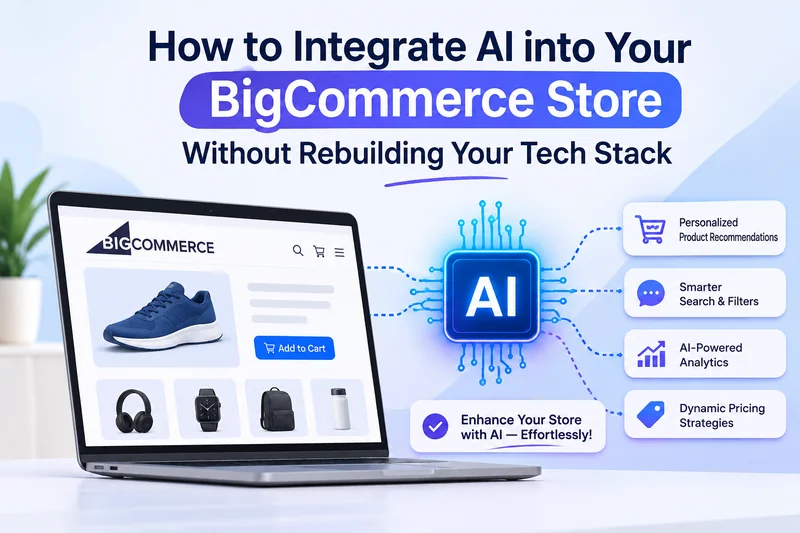
If you’re wondering whether you can add BigCommerce AI integrations without rebuilding your store’s tech stack, the straightforward answer is yes: it’s possible. How you do it matters. Since BigCommerce uses a flexible, API-first architecture, you can add AI layers directly into your existing setup through native apps, REST/GraphQL APIs, or middleware. To learn more about the features you can add and how to integrate AI into your BigCommerce store, read the blog.
Why BigCommerce Lets You Add AI Without Starting Over
BigCommerce is built on an open SaaS architecture. Instead of locking features inside a monolithic codebase, it reveals most of its data and functions through APIs. That design is what makes AI integration practical.
Here is how it’s done:
- Robust APIs: Catalog, orders, customers, carts, and pricing are all reachable through REST and GraphQL APIs. An AI service can read this data and write results back, keeping your core store intact.
- Webhooks: BigCommerce sends notifications to external systems when an order is placed, a product is updated, or a customer signs up. AI tools can react in near real time.
- Flexible front end: Whether you run a Stencil theme or a headless setup, you can insert AI-driven widgets, search bars, and chat interfaces without rewriting the platform underneath.
- App ecosystem: Many AI-powered apps install in a few clicks, which is a low-risk way to test an idea before building anything custom.
Because the platform stays stable while AI services attach around it, your checkout, integrations, and SEO setup remain untouched. If you want expert help structuring this, our BigCommerce development team works with exactly this kind of API-led approach.
Which AI Features Can You Add to BigCommerce, and Where Do They Connect?
Here is a tabular representation of AI features you can integrate into your BigCommerce store.
| Feature | What it does for you | Where it connects |
| Smarter product search | Handles typos and plain-language queries like “waterproof jacket for hiking” | Catalog API and a search widget on the storefront |
| Recommendations | Suggests products based on what shoppers view and buy | Catalog and Orders APIs, shown on product and cart pages |
| Chatbot or AI assistant | Answers pre-sale questions and tracks orders | Script Manager, Orders API, webhooks |
| Dynamic pricing | Adjusts prices based on demand and stock | Pricing and Price Lists APIs |
| Personalized email | Sends messages triggered by shopper behavior | Customers API, webhooks, your email tool |
| Content drafting | Writes first-pass product descriptions and meta tags | Catalog API and your admin workflow |
| Demand forecasting | Predicts what you’ll need to restock | Inventory API and order history |
If you’re unsure where to begin, pick whatever sits closest to revenue. Search and recommendations tend to pay off fastest because they shape what people find and buy. Chatbots and content tools make good second projects, since they mostly save your team time.
Steps to Integrate AI into BigCommerce Without Disrupting Your Existing Site
You’ll get better results by going slowly and measuring as you go.
Start with one problem: Maybe shoppers can’t find things, or carts keep getting abandoned, or support emails pile up. Choose one, and decide which number you want to move
Look at your data before anything else: AI learns from your catalog, so messy titles, missing attributes, and duplicate listings will hurt the output. Clean these up first. It’s tedious, but it makes the biggest difference
Pick how you’ll connect: A marketplace app is the quickest route for standard needs. If your catalog or pricing logic is unusual, connect a third-party AI service through the APIs. Only build something fully custom when nothing off the shelf fits
Test in staging: Use a sandbox store or a copy of your theme. Ensure that data syncs properly, that you’re not crossing API rate limits, and page loading speed is on point
Release it to a small group first: Show the new feature to a couple of visitors, or run an A/B test against what you have now. If something is unusual, only a few shoppers see it
Watch the numbers for a few weeks: Read the AI’s outputs yourself. Are they accurate? Do they sound like your brand? Adjust the rules, prompts, or training data as needed
Keep customer data in mind throughout. Share only what each tool needs, review its retention policy, and ensure your setup aligns with GDPR, CCPA, and PCI rules. If your business is stretched thin, you can hire ecommerce developers who already know how BigCommerce works under the hood.
Rebuild or Integrate? How to Decide for Your BigCommerce Store
For most stores, integrating comes first. A rebuild costs more, takes longer, and puts your search rankings at risk, all before you’ve seen any benefit from AI.
Integrating usually makes sense when your store runs well today, your goals are specific (better search, say, or faster support), and you want results in weeks rather than quarters. If your theme is reasonably modern and your existing apps behave, there’s little reason to start over.
A bigger change is worth considering when your front end is slow and hard to customize, or when years of patched-together custom code block every new feature. It also makes sense if you want a fully AI-driven experience across web, mobile, and other channels, or if a redesign is already on the roadmap.
Even then, you rarely need to scrap everything. Plenty of brands go headless on the storefront only, keeping BigCommerce as the engine behind it.
Final Thoughts
Making your store smarter doesn’t mean tearing it apart. BigCommerce’s open APIs, webhooks, and flexible front end let you add AI one piece at a time. Choose a single goal, gather data, test before launch, and grow from there once the results back it up. You’ll protect your rankings and uptime, and your customers will notice the improvement sooner.
FAQ
Can I add AI to BigCommerce without coding?
Yes, for the common features. Marketplace apps for search, recommendations, chatbots, and email personalization install without code. Anything custom will need a developer
Will AI slow my store down?
It can, if you use it carelessly. Load scripts asynchronously, cache responses where you can, and check page speed in staging before you launch.
What should I implement first?
Product search or recommendations. Both tie directly to conversions and order value, and an A/B test will show you quickly whether they’re working.
Ti potrebbe interessare:
Segui guruhitech su:
- Google News: bit.ly/gurugooglenews
- Telegram: t.me/guruhitech
- Facebook: facebook.com/guruhitechfb
- X (Twitter): x.com/guruhitech1
- Bluesky: bsky.app/profile/guruhitech.bsky.social
- Rumble: rumble.com/user/guruhitech
- VKontakte: vk.com/guruhitech
- MeWe: mewe.com/i/guruhitech
- Skype: live:.cid.d4cf3836b772da8a
- WhatsApp: bit.ly/whatsappguruhitech
Esprimi il tuo parere!
Ti è stato utile questo articolo? Lascia un commento nell’apposita sezione che trovi più in basso e se ti va, iscriviti alla newsletter.
Per qualsiasi domanda, informazione o assistenza nel mondo della tecnologia, puoi inviare una email all’indirizzo [email protected].
Che ne pensi?
Scopri di più da GuruHiTech
Abbonati per ricevere gli ultimi articoli inviati alla tua e-mail.