

How to Update a Product Demo Using AI Lip-Sync
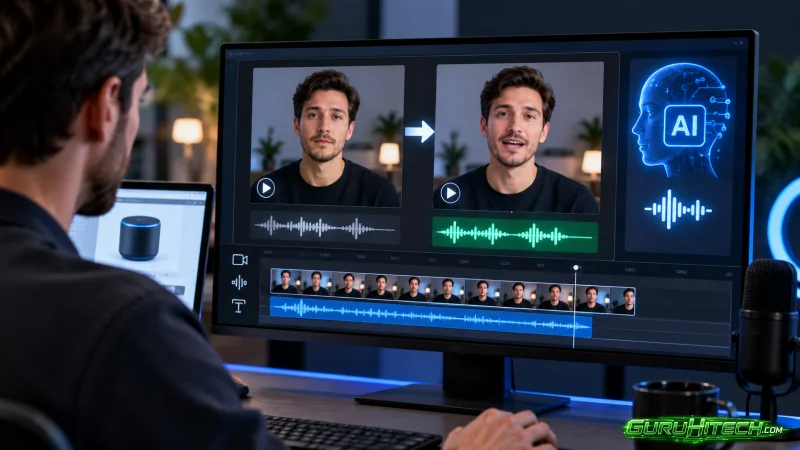
The Amazon product card moves before the mouth does. The list price drops, the model remains the same, and the face in the archive is already approved. Yet, the file from last Wednesday still cites the old figure. Before reopening a studio, AI lip-syncing offers a simpler solution: keep the existing footage and have the same mouth speak the current price.
The usual excuse is haste. Someone asks for a “fresher demo,” and the automatic response is to schedule a new day of filming. That day incurs costs for the studio, makeup, and a presenter whose contract had already concluded. The real failure isn’t the lack of a clip; it’s a mouth stating a price that contradicts the product card—which, if left in the shot, remains stuck on the old figure.
In practice, the cost is an afternoon wasted explaining a price that the card itself refutes. It is better to add a short line to the already approved footage than to fire up a second shoot for just two words.
The price on the graphic changes before the speaker’s lips do
A product demo relies on figures the viewer can verify. They aren’t reading an internal press release; they hear the spoken amount, and if it sounds wrong, they close the clip or leave a comment below. In our newsroom, the verification protocol is simple: we keep the still image next to the open video clip. If the spoken price and the on-screen price don’t match, the file doesn’t go live. The decision to reject it happens right at our desks, not in a meeting about creative style.
Lipsync Studio comes into play here solely as a tool to align a pre-approved portrait with a new audio track. It doesn’t replace the original video clip, nor does it invent a second presenter. It is used when the footage is already in the archive and the only outdated element is the spoken line.
The on-screen price is the first hurdle. If the amount is “burned into” the photo, the new voiceover won’t erase it. You might hear “three hundred twenty-nine” while the graphic still displays “three hundred ninety-nine.” That discrepancy is visible even with the volume muted. Before opening any editing panel, we decide whether to crop the graphic, cover it up, or discard the photo entirely.
Using the pre-approved portrait from the archive
The scope of work is tightly defined. We take the still image already used on the page—or a portrait of the same presenter with the same lighting—and record only the new sentence. We don’t require a new studio setup, a different outfit, or another guest. So we simply need the speaker to state the current price and remain silent on the rest.
When we compared an “updated” demo with the day’s graphic card, the voice was new, but the card wasn’t. The file was scrapped—not because the synchronization was poor, but because it was doubly misleading. A technical team might spend an entire afternoon debating nuances of expression, but that afternoon’s work won’t correct the price shown to the reader.
The Amazon card remains a static visual element.
The card is an object, not a tone of voice. If it’s in the photo, it stays in the photo. You crop it out, cover it up, or change the photo entirely; you don’t hope the reader will listen while ignoring what they see. In our newsroom, we treat the card like a logo: either it’s correct, or the clip doesn’t go live.
A clean portrait—free of text overlays—is the material that works. A frame taken from a demo already cluttered with prices, badges, and hashtags is material to be discarded. The mouth might look calm, but the flawed element remains on the viewer’s phone screen.
If the presenter in the archive is the wrong person, then yes, we reopen the studio. If it’s the right person, the studio stays dark. That distinction saves us an afternoon of filming for a figure that is already displayed on the card.
How to upload a portrait and a new audio track
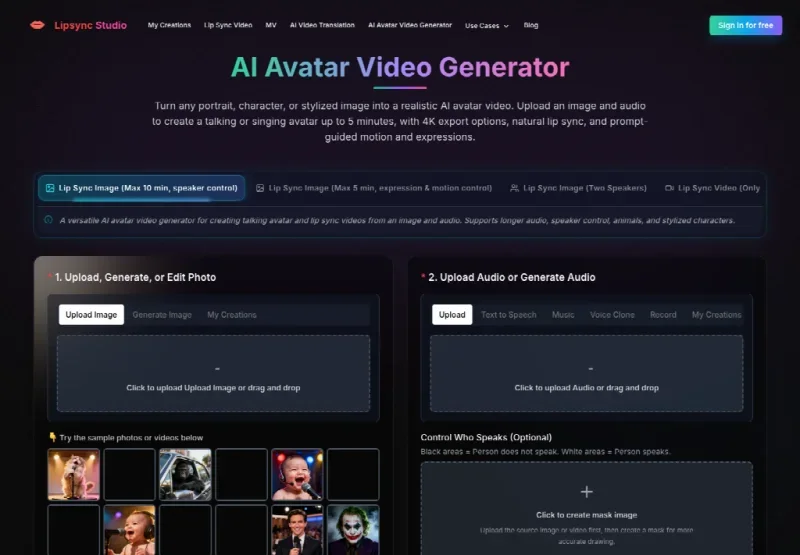
The workflow for creating a talking photo is short. You upload a sharp portrait. You upload a spoken audio track, or generate one using Text-to-Speech, Voice Cloning, or the Record function. Then, you generate the video. There are no other mandatory steps; you don’t need to add a studio set, a guest, or a jingle.
If the photo contains text, or if you need more head movement and facial expression, the five-minute model—featuring expression and motion control—is the clear choice. If you need a longer spoken segment with speaker control, there is a ten-minute variant. For a single line stating a price, a single sentence usually suffices; you don’t buy the long model out of habit.
Choosing between Text-to-Speech and Record
The Record function is useful when the recording booth is free for ten minutes, but the studio isn’t. Text-to-Speech is useful when the presenter is already traveling and the card can’t wait. Voice Cloning remains an optional panel feature, not a requirement. Keep the audio track short: state the price and the model name (if needed), then stop talking.
Use the five-minute model if there is text involved.
When we uploaded a still image with a badge still in the corner, the text became blurred. This isn’t a rare occurrence: mouth-syncing processing affects the surrounding areas too. If the badge needs to remain sharp, start with a graphic-free portrait and add the graphics back in manually later, including the live price. Lipsync Studio isn’t a compositing tool; it is a dedicated tool for mouth animation.
Check the price in full-screen mode.
The browser preview can be misleading. The demo lives on a phone—often with low volume and an overlay card. You need to export it and view it at full-screen width. Read the line aloud while watching the still image with the volume muted. If the price in the image remains the “dead” (static) version while the audio is playing, the file won’t work. If the spoken amount is correct and the image looks clean, you’re good to go.
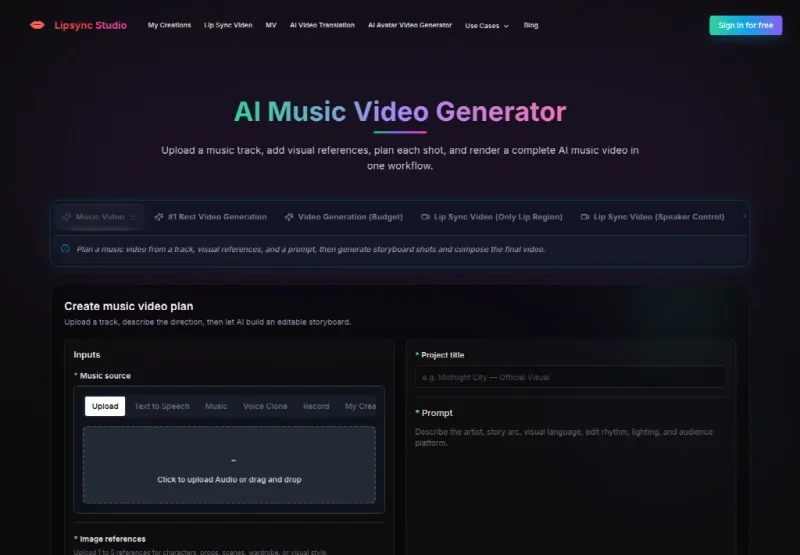
An AI music video generator that constructs a multi-shot song is a different kind of task. You need a track, one to five reference images, a project title, and a prompt. A price change is not a song. Asking for a video clip featuring new studio sets is the quickest way to invent a second product—only to have to retract it later.
The mouth must state the price shown on the graphic card, not the one from last week.
The card in the photo—if it exists—must match that spoken phrase, or else it must be removed beforehand.
No second presenter, second studio, or guest not featured on that specific page should appear.
If a line fails, the file goes back to the archive. You don’t negotiate the expression; you negotiate the figure. The real cost isn’t the credit; it’s the correction required after feedback has already flagged a mismatch between the mouth and the graphic.
Finalize when the phrase and the card match.
You finalize the work when a viewer can pause the video next to the graphic card without seeing a conflicting price list. You pull back if the mouth hesitates, if the card glitches, or if a studio set appears that isn’t part of that page’s look. Lipsync Studio renders a mouth onto a face that has already been approved. It will also render a “cleaner” error if fed a messy photo. The editorial team’s job is to ensure the former, not the latter.
Keep the face. Change only the price. Keep the studio background inactive until the card and the spoken phrase show the same number. That is the demo ready for publication. Anything else constitutes a second set—and a second set doesn’t fix an incorrect price figure.
Ti potrebbe interessare:
Segui guruhitech su:
- Google News: bit.ly/gurugooglenews
- Telegram: t.me/guruhitech
- Facebook: facebook.com/guruhitechfb
- Instagram: instagram.com/guruhitech_official/
- X (Twitter): x.com/guruhitech1
- Bluesky: bsky.app/profile/guruhitech.bsky.social
- Rumble: rumble.com/user/guruhitech
- VKontakte: vk.com/guruhitech
- MeWe: mewe.com/i/guruhitech
- Skype: live:.cid.d4cf3836b772da8a
- WhatsApp: bit.ly/whatsappguruhitech
Esprimi il tuo parere!
Ti è stato utile questo articolo? Lascia un commento nell’apposita sezione che trovi più in basso e se ti va, iscriviti alla newsletter.
Per qualsiasi domanda, informazione o assistenza nel mondo della tecnologia, puoi inviare una email all’indirizzo [email protected].
Scopri di più da GuruHiTech
Abbonati per ricevere gli ultimi articoli inviati alla tua e-mail.