
Watch Cricket on Firestick: Official Apps and Setup Guide
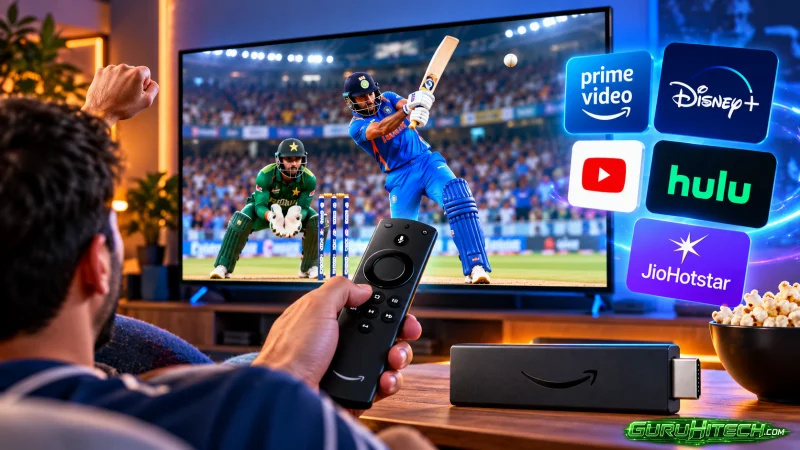
Watching cricket on a Firestick is straightforward when the match is carried by an authorised streaming service available in your location. Connect the device to a television, install the relevant official app from the Fire TV app store, sign in with an eligible account and open the live match within that app. The key point is that broadcast rights, language feeds and subscription access can differ from one series or tournament to another.
Start with the broadcaster, not the device
A Firestick is a streaming device rather than a separate cricket subscription. It gives a television access to compatible apps, but the app carrying a particular fixture determines whether that match can be watched. Before installing anything, identify the official broadcaster or streaming platform for the competition in India and check whether its Fire TV app is available.
This approach avoids a common disappointment: downloading a sports app and assuming it includes every international match, domestic tournament or league fixture. Cricket rights are usually organised by competition and territory. An app may show highlights, scores or selected events while another service holds the live-streaming rights for the match a viewer wants to see.
Amazon’s Indian Fire TV sports-app listings include FanCode: Live Cricket, Highlights & Videos, Cricbuzz, ICC.tv and DAZN. Their availability in the app store means they can be downloaded to supported Fire TV devices, but it does not by itself confirm live coverage of a specific fixture. Check the event page inside the official app before relying on it for match day.
What you need before installing an app
The basic requirements are modest, but sorting them out in advance makes setup easier. You need a television with an available HDMI input, a Fire TV Stick or Fire TV device, power for the device and a working internet connection. You will also need an Amazon account to access the app store and, where required, an account with the cricket broadcaster.
A stable home Wi-Fi connection matters more than the Firestick alone. Live sport is time-sensitive, so buffering or sudden quality drops are more noticeable than when watching a recorded programme. If the router is far from the television, moving it closer where practical or reducing obstacles between the router and Firestick can help maintain a steadier connection.
Keep the Fire TV software and the chosen streaming app updated. Updates can improve compatibility and may resolve sign-in, playback or navigation issues. It is also useful to have the email address, password or mobile-number details linked to a subscription ready before the toss, particularly when an app asks for a one-time code.
How to install an official cricket app
Use the Fire TV search function
From the Fire TV home screen, open the search option and enter the name of the official broadcaster’s app. Select the app from the search results and review the publisher name carefully. Similar names and lookalike icons can make it easy to select the wrong service, especially when using voice search.
Choose the official listing and select the option to download or install it. Once the installation is complete, the app should appear in the apps area of the Fire TV interface. Moving frequently used apps to the front of the app row can save time when a match is about to begin.
Sign in and verify access
Open the app and follow its sign-in instructions. Some services allow viewers to use an existing account, while others may require a separate subscription or a package that includes sports access. The exact payment options, plans and match availability should be checked inside the platform because they can vary with the service and the event.
After signing in, look for the live section, sports category or match page. Start a stream before play begins if possible. Doing this early gives time to resolve account prompts, app updates or connection issues without missing the opening overs.
Confirm the match and commentary language
Do not assume that a service carrying a tournament offers every commentary language for every fixture. Where multiple audio tracks are available, the choice is usually made within the video player’s settings rather than in the Fire TV’s main settings. Look for an audio, language or settings symbol during playback.
Language options depend on the feed made available by the rights holder. A match may have more than one commentary track, or it may have only one. The live event page is the most reliable place to see what has been offered for that particular stream.
Understanding subscription options
There is no single Firestick subscription that unlocks all cricket. The device, the app and the viewing entitlement are separate parts of the experience. An app may be free to download while live matches within it require a paid plan, an account linked to another service or access through an existing television package.
| What to check | Why it matters |
| Competition or series | Live rights can differ between events |
| Viewing territory | The same app can offer different content by country |
| Plan details | A general entertainment plan may not include sport |
| Match page | It can show whether the stream is live, upcoming or unavailable |
| Commentary options | Audio languages can differ by fixture |
| Device support | Confirm that Fire TV access is included |
For viewers following schedules, scores and team information alongside the broadcast, cricketmatchprediction.com can be used as a separate cricket reference while the authorised streaming app remains the place to watch the live match.
It is sensible to subscribe only after confirming the intended competition is included. A service’s wider sports catalogue can be useful, but cricket fans should focus on the live rights for the fixtures they actually plan to watch. If a series spans several days, test playback during the first session rather than waiting for a crucial final phase of the match.
Why official apps are the safer route
Official apps are designed for the Fire TV ecosystem and provide a clearer path for account help, billing information and playback support. They also make it easier to understand what is legitimately available in a viewer’s territory. Unofficial apps and streams may draw video from unknown sources, disappear without notice or expose users to misleading prompts and unreliable playback.
Avoid installing software from unfamiliar sources merely because it promises every sports channel or free access to premium events. Such offers can be unclear about the origin of the stream, and the app may not remain available. A legitimate service may still have occasional technical faults, but it gives viewers a known provider and a defined account route for resolving issues.
A virtual private network should not be treated as a workaround for a service’s territorial rules. Streaming platforms can apply location and account restrictions under their own terms. The practical solution is to use the authorised broadcaster that serves the place where the viewer is located.
Improve the match-day experience
Close or stop other bandwidth-heavy activity in the household when a major match is on. Multiple video streams, large downloads and online gaming can all affect a live feed. If picture quality repeatedly drops, restart the Firestick and router before trying more complicated fixes.
If an app freezes, first check whether the issue affects other apps on the Fire TV. Also if they work normally, close and reopen the cricket app, then check for an update. Signing out and back in may help with account-related errors, though viewers should ensure they know their credentials before doing so.
The Fire TV remote can also make navigation easier when its batteries are in good condition and the device has a clear connection to the television setup. Searching for the app and opening its live section a few minutes ahead of start time is usually more reliable than relying on a last-minute voice command.
Conclusion
A Firestick can be an effective way to watch cricket on a larger screen, provided the authorised broadcaster’s app, the correct subscription and the relevant match rights all line up. Install official apps through the Fire TV store, confirm access for the specific event and test the stream early for a smoother viewing experience.
Ti potrebbe interessare:
Segui guruhitech su:
- Google News: bit.ly/gurugooglenews
- Telegram: t.me/guruhitech
- Facebook: facebook.com/guruhitechfb
- Instagram: instagram.com/guruhitech_official/
- X (Twitter): x.com/guruhitech1
- Bluesky: bsky.app/profile/guruhitech.bsky.social
- Rumble: rumble.com/user/guruhitech
- VKontakte: vk.com/guruhitech
- MeWe: mewe.com/i/guruhitech
- Skype: live:.cid.d4cf3836b772da8a
- WhatsApp: bit.ly/whatsappguruhitech
Esprimi il tuo parere!
Ti è stato utile questo articolo? Lascia un commento nell’apposita sezione che trovi più in basso e se ti va, iscriviti alla newsletter.
Per qualsiasi domanda, informazione o assistenza nel mondo della tecnologia, puoi inviare una email all’indirizzo [email protected].
Scopri di più da GuruHiTech
Abbonati per ricevere gli ultimi articoli inviati alla tua e-mail.