
7 Mistakes That Make a Digital Tesla Wrap Look Wrong in 3D
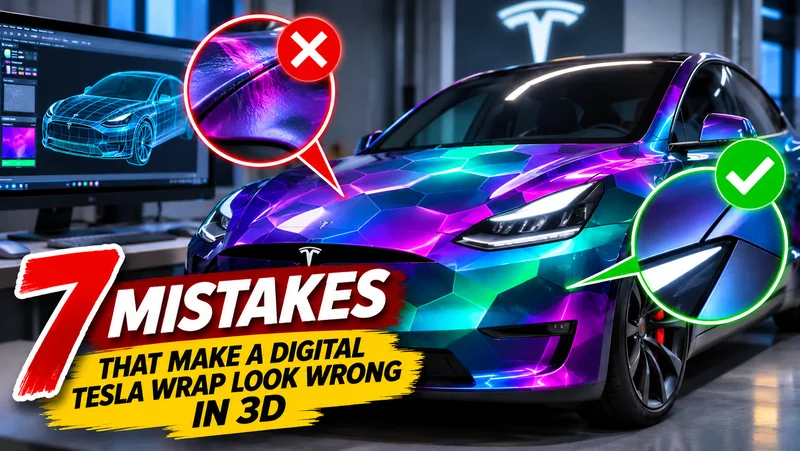
A vehicle wrap can look convincing as a flat image and fall apart the moment it is placed on a 3D car. Body panels interrupt long lines, windows hide important details, and artwork designed for one model can stretch awkwardly across another.
Suppose a Cybertruck owner wants a white-and-graphite design featuring a mechanical wolf. They can create Tesla wraps with AI to explore the idea quickly, but the generated image is only the beginning. Before export, the design needs to be matched to the correct vehicle, adjusted around the body and inspected from several angles.
The following seven mistakes explain why some promising concepts look wrong in 3D and how to correct them.
1. Starting With the Wrong Vehicle Template
Tesla models have different proportions and panel structures. A composition prepared for Model 3 will not map correctly onto Model Y, while Cybertruck’s angular body creates an entirely different design surface from Model S.
Using the wrong template can stretch the artwork, shift the focal point or place important details beneath windows and wheel arches. The problem may initially look like poor image quality even though the actual cause is incorrect vehicle mapping.
Select the exact model before making detailed adjustments. If different versions of a model require different templates, confirm which one matches the vehicle. Recheck this choice before exporting, especially when several designs are being created in one session.
For the mechanical-wolf concept, the artist should begin with a Cybertruck-specific template. Its large flat panels may suit the subject, but the sharp boundaries between those panels must influence the composition from the start.
2. Giving the AI an Overly Vague Prompt
A prompt such as “create a futuristic Tesla wrap” leaves the generator to decide the colours, subject, visual density and placement. The result may be attractive, yet it may also be difficult to apply to a vehicle.
A more useful prompt describes the model, palette, primary subject, approximate placement and unwanted elements. For example:
White and graphite Cybertruck digital wrap, one large mechanical wolf positioned on the rear side panel, clean geometric background, subtle amber highlights, no text, no logos.
This instruction still gives the generator creative freedom, but it reduces avoidable surprises. Asking for one main subject also makes it easier to control where the viewer looks.
Prompt detail should serve the design rather than overwhelm it. Listing too many unrelated objects can produce a crowded image that becomes unreadable when wrapped around the car.
3. Placing the Main Subject Across Several Panels
The mechanical wolf may look impressive when centred in the original rectangular image. On the vehicle, however, its face could cross a door seam, while one eye falls onto a separate panel.
This creates a strong visual break. Small interruptions are especially noticeable on faces, circles, lettering and straight mechanical components.
Move the focal point onto the largest suitable uninterrupted area. Background elements such as smoke, abstract geometry, light trails or textures can cross panel boundaries more comfortably because minor breaks do not destroy their meaning.
If the subject must span two panels, inspect the transition carefully and avoid placing its most recognisable features directly on the seam.
4. Trusting AI-Generated Text and Logos
Generated lettering may resemble real words without being readable. Individual characters can merge, repeat or change between different parts of the image. Logos may also contain distorted shapes that look convincing from a distance but fail under closer inspection.
For the Cybertruck example, an invented badge on the wolf’s armour might appear polished in the generated image. Once enlarged in the editor, the symbol could contain uneven lines or accidental similarities to an existing trademark.
Remove generated lettering and add any necessary text manually. Use short wording, bold letterforms and sufficient spacing. Check spelling at full size and then reduce the preview to see whether the text remains legible.
Creators should also avoid using protected logos, characters or commercial liveries without permission. An original name, number or emblem gives the wrap a more personal identity and reduces rights concerns.
5. Assuming the Opposite Side Will Work Automatically
Mirroring a design can save time, but it creates several predictable problems. Text becomes reversed, directional symbols point the wrong way and a subject composed around one wheel may feel misplaced on the other side.
Even an image without text may require adjustment. If the mechanical wolf faces toward the front on the driver’s side, a simple mirror operation may make it face backward on the passenger’s side. The two sides can then communicate different visual directions.
Review each side separately. Text and numbers should be entered independently rather than mirrored. Directional subjects may need to be repositioned or regenerated so that both sides feel intentional.
Symmetry is optional. Two sides can use related compositions without being exact copies, provided their colours and visual weight still belong to the same design.
6. Judging the Wrap From One Camera Angle
A carefully chosen side view can hide problems near the front bumper, rear corner or roofline. The design may look balanced in a screenshot but feel incomplete when the vehicle rotates.
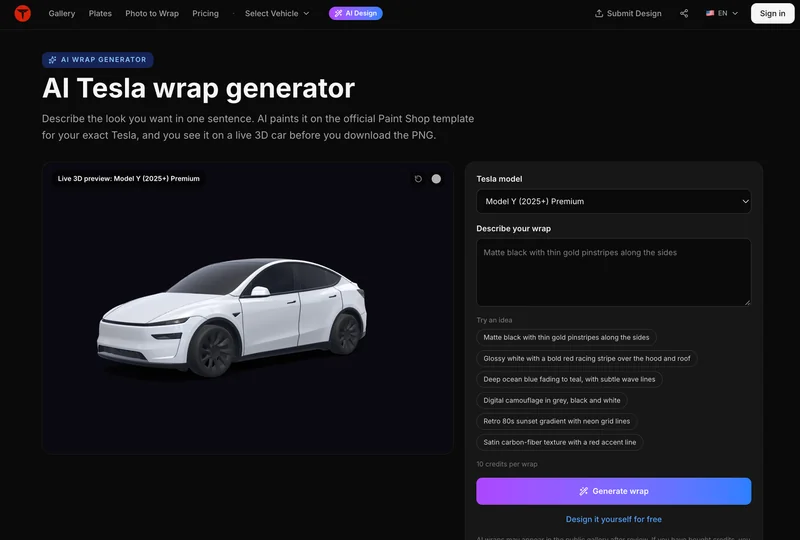
A Tesla wrap 3D preview allows the creator to inspect the artwork on the selected vehicle template instead of relying only on the flat source image. Rotate the model slowly and pause at the front, rear, both sides and three-quarter views.
For the wolf design, the side view may show the complete character while the rear angle reveals that its tail ends abruptly at the panel edge. The front view might also appear nearly empty compared with the visually heavy rear section.
Correcting these issues does not always require adding more detail. Moving a background shape or extending a colour block may be enough to connect the different views.
The design should also be tested at a smaller size. Details that look sharp on a desktop monitor may disappear on a phone or in-car display. If the concept becomes unclear when reduced, simplify the background and strengthen the main silhouette.
7. Treating the Digital Preview as Proof of a Physical Wrap
A digital preview helps evaluate composition, scale, placement and general colour relationships. It cannot reproduce every property of a printed automotive film.
Screen colours may differ from printed colours. Reflective, metallic and textured materials respond to light in ways that a basic preview cannot fully predict. Physical installation also introduces seams, trimming areas and stretching around complex surfaces.
If the owner later wants an actual wrap, the digital concept should be taken to a professional installer or print provider. The production workflow may require high-resolution artwork, colour profiles, bleed and panel-specific files that differ from the Paint Shop PNG.
The digital version remains useful as a communication reference. It shows the intended mood and placement, while the production specialist prepares the artwork for real material and the exact vehicle.
Check the Exported PNG
Once the design looks consistent in 3D, verify the export instead of assuming the download is ready.
Check:
- The selected Tesla model and template
- PNG dimensions, file size and naming
- Orientation of both sides
- Cropping and unexpected transparent areas
- Readability of manually added text
- Compatibility with the intended Paint Shop workflow
Open the PNG independently after export. Keep the editable source and label versions clearly so a tested file is not confused with an earlier draft.
Owners can upload the exported PNG in the Tesla app by opening Creations → Wrap → Upload, or place the PNG in a Wraps folder at the root of a USB drive and select it through Toybox → Paint Shop on the vehicle. Feature availability can vary by vehicle, region and software version, so owners should still confirm that these options are supported on their specific Tesla.
Frequently Asked Questions
Can the same digital wrap be used on Model 3 and Model Y?
A design can inspire versions for both vehicles, but each version should be prepared and checked on the correct template. Differences in body shape and panel layout affect how the artwork appears.
Why does a high-resolution image still look wrong on the car?
Resolution cannot correct poor placement. The design may be stretched by the wrong template, interrupted by panels or mapped over windows and wheel arches.
Does 3D preview eliminate the need for manual review?
No. The preview makes problems easier to see, but the creator still needs to inspect text, imagery, both sides, multiple angles and the exported PNG.
Good Wrap Design Starts After Generation
AI can turn a rough idea into a visual concept quickly. The work that follows determines whether the concept fits the car.
In the Cybertruck example, the strongest version may require moving the wolf away from a seam, replacing generated lettering, correcting the passenger-side direction and simplifying the background for smaller screens. Each adjustment addresses a real problem rather than adding decoration.
A successful digital wrap combines creative generation with patient review. When the model, template, composition and export all agree, the design will feel intentional from more than one carefully selected angle.
Tesla Wrap Designer is an independent tool and is not affiliated with Tesla, Inc.
Ti potrebbe interessare:
Segui guruhitech su:
- Google News: bit.ly/gurugooglenews
- Telegram: t.me/guruhitech
- Facebook: facebook.com/guruhitechfb
- Instagram: instagram.com/guruhitech_official/
- X (Twitter): x.com/guruhitech1
- Bluesky: bsky.app/profile/guruhitech.bsky.social
- Rumble: rumble.com/user/guruhitech
- VKontakte: vk.com/guruhitech
- MeWe: mewe.com/i/guruhitech
- Skype: live:.cid.d4cf3836b772da8a
- WhatsApp: bit.ly/whatsappguruhitech
Esprimi il tuo parere!
Ti è stato utile questo articolo? Lascia un commento nell’apposita sezione che trovi più in basso e se ti va, iscriviti alla newsletter.
Per qualsiasi domanda, informazione o assistenza nel mondo della tecnologia, puoi inviare una email all’indirizzo [email protected].
Scopri di più da GuruHiTech
Abbonati per ricevere gli ultimi articoli inviati alla tua e-mail.